





CDLehner
Members
-
Joined
-
Last visited
Everything posted by CDLehner
-
SOLVED. Thanks You have to be kidding me; is there a class-action!!?? I successfully mapped a drive...posted my solved; now I can't map again 🤬 NM. SOLVED
-
See...that's the thing: I can't even get to Network > (by clicking on Network); it just hangs (working on it). Seriously; I can't believe...whatevertf this "update/fix" is...breaks 30 years, of how I've been using Win BTW Frank1940...thank you so much, for your effort! This stinks. SMB is witchcraft...indeed
-
OK...I need access to these files, obviously; so I just have to fall on my stupid-sword here. I'm 58; and this has always worked...until now, 2026...lol If there's a different/better way...I'm all ears. Thanks
-
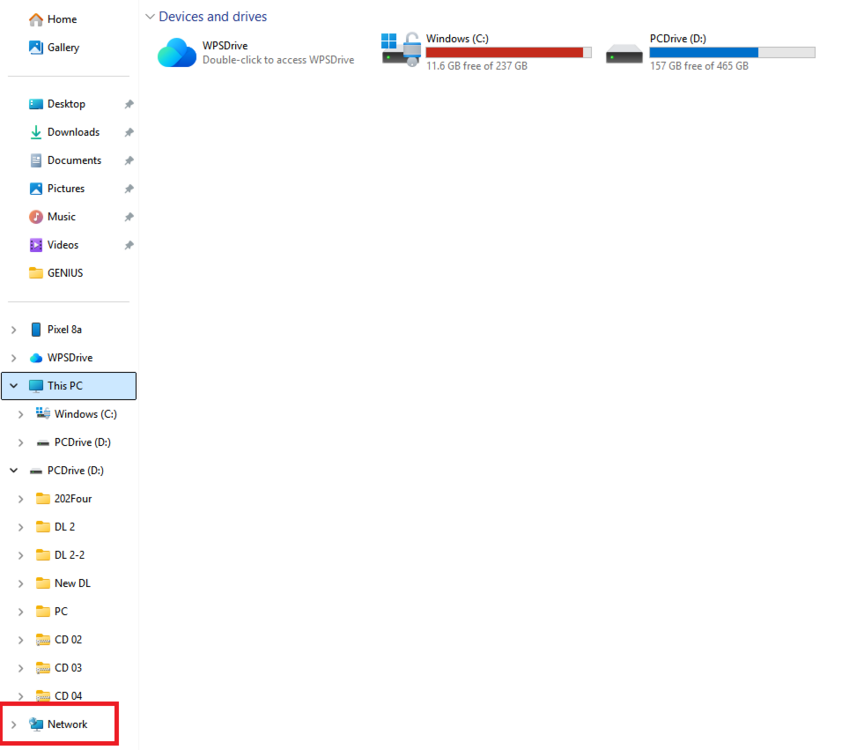
Nope. Win Network was already private (I changed it)...shares are private. Created smbuser...set a windows credential; gave the share Read/Write to smbuser. Still no Explorer access
-
Maybe this is going to sound dumb...but what do you mean browser? I usually access my files, through explorer.
-
Wait, seriously...again: those topics are for 10, and from 7 years ago. And...10 pages, of different things to try; including in the reg, etc, etc. To.........network????????
-
Oh, sorry...there are some pinned topics. I'll look
-
Are you kidding!? Win 11 did an update, and now...I can't get to my unRAID Server at all!! I see it's (likely) a Win Networking issue/bug; but...(and I've worked through many of the "fixes") Is there any relief to be found here?? (as, that's really all I look for...the unR server...on my Network)
-
SOLVED
-
Created a new share. Seems the same, as the others. Can't see it in Win. Worked the Win angle, but then I see it's not showing PUBLIC...in the SMB column. Why?
-
Thanks trurl (man...how do you guys know all this stuff? I'm sure that's probably child's play to you; but seriously). And with that...I think it's time for a [SOLVED]. What a long, strange trip it's been... We started off, with reducing the number of disks in my array; to re-formatting ALL my disks...to recovery. Again...can't thank everyone enough! I just hope, you'll be able to point to this thread going forward...and help some other dumb-a$$ like myself. I lost some stuff, no doubt; but...for the most part...I'm happy with what I got back (couple of things, that are unrecoverable. Well...at least for now). Signing off.

-
^ I can see the disk...and every dir, except lost+found.🤷♂️🤷♂️
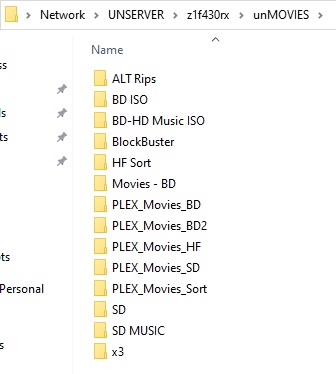
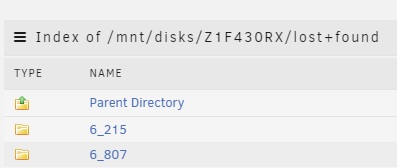
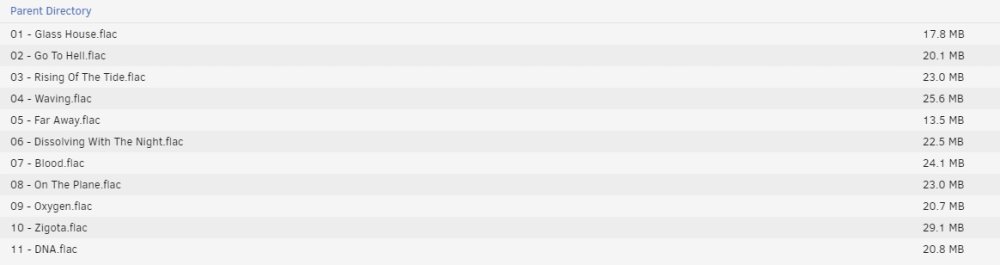
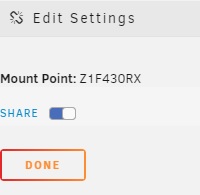 Oh, sorry. I had read what you said...but it didn't quite register, until I posted...re-read it; and realized you kinda answered my question...before I even asked it.OK, so...first; back up and running...and I'm very happy, and very thankful! Now...can we talk recovery just a bit? Since I've never been through anything like this before...I've never been through, any kind of recovery before. I've put the disk we reiserfsck(ed) back in, as an unassigned device...and mounted it. Now...if I browse it through Windows; I see a lot of my file structure intact My shares...and my dirs in those shares In some cases..."recovery" seems quite intuitive. Here are some movie-files (don't judge), that seem intact. Copy them back into the array; ta-da! I don't seem to have access, to lost+found...through Windows (a permissions thing). But browsing it through "unRAID"...I have lots of this (as previously discussed) And if I go into 6_215, for example; there is Welcome to my DNA (an album rip)...seemingly intact So...is this what it is; just scouring around, every nook and cranny of this ~3T disk...looking for intact data? Or am I missing something...much, much easier?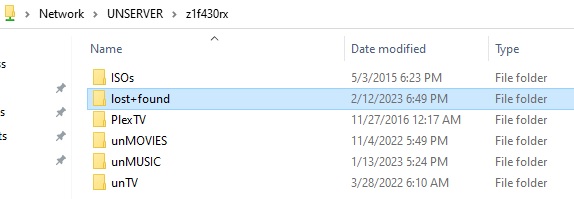
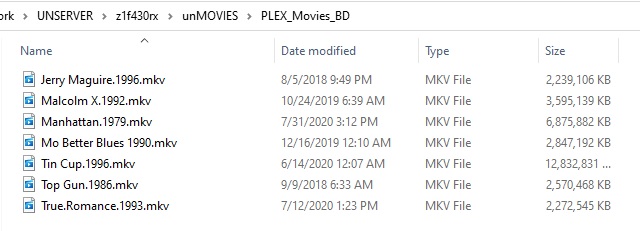
 So...8 to 5 is not too far from being done. When it is...I'll format disk8 to xfs, and that'll be that; kind of. I can run and post a diagnostic after that, if it's wanted; then I'd like to be able to... - remove disk6 (has been copied to 1) - remove disk7 as our accidentally formatted, and not yet "recovered" drive - remove disk 30RX (or leave 30RX unassigned...or both 7/38RH and 30RX unassigned?) And I'd like to get my array back up...with the 5+1 disks (the +1 being disk8, formatted, empty...but staying in the array) it consists of now.Not complaining about the help; and no blame. Just...been working this, for how long now (edit: thread started 1/23. 3 weeks!?). I'm just frustrated with the process; not the people.^ I ran Docker Safe New Permission. Then PLAN ran fine. Dry Run Copy, 2nd Plan...copying disk8 to disk5.No; I don't want to go back through the thread, or be contrarian. This thing has just turned into such a beast. But I thought we concluded to hold off on the Docker Safe New Permission. or maybe there was a problem, and we decided to not worry about it for the time being. I'll run it. I want to wait for direction...but I'm also tired of each little step, meaning waiting for hours to be told what to do.^
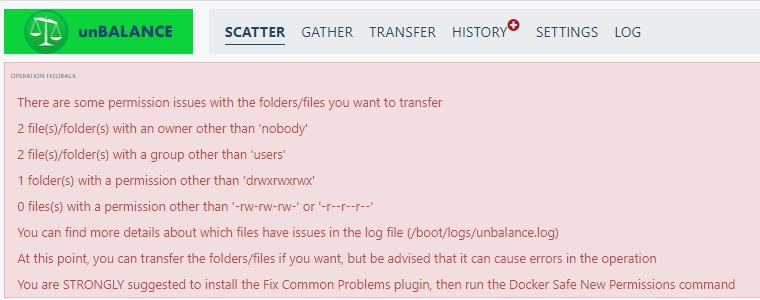 Hey trurl...I went to do my copy from disk8 to disk5, and my 'plan' threw up some of the Fix Common Problem errors I came across previously. At that time...I think "we" decided, it was the least of our problems; considering. Do you think we should address them now...or still after this last disk copy?As much a re-cap for myself, as everyone else at this point... disk1 is a new drive disk2 went to disk1 disk6 went to disk1 disk3 went to disk2 disk4 went to disk3 disk5 went to disk4 disk7 (38RH) is formatted xfs, and "blank"/disk7 (30RX) is reiserfs and is ck-recovered. disk5 is getting formatted to xfs; and I will copy disk8 to disk5
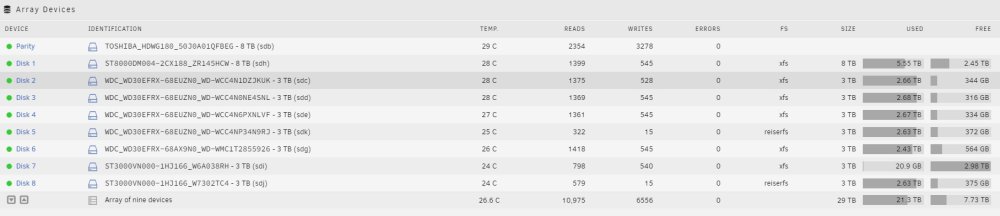 Oh, I see. At first, I was like "how can I not be copying 30RX back into the array? Even if recovery was only partially successful...I want that partial data". And I stopped there...and didn't initially read the rest, lol. So...get back up and running; and then we'll look at 30RX, and "manually" move back the "good" bits? So I guess that means...format disk5 to xfs (yes, it's been copied); and just move disk8 to disk5.


