





btTeddy
Members
-
Joined
-
Last visited
-
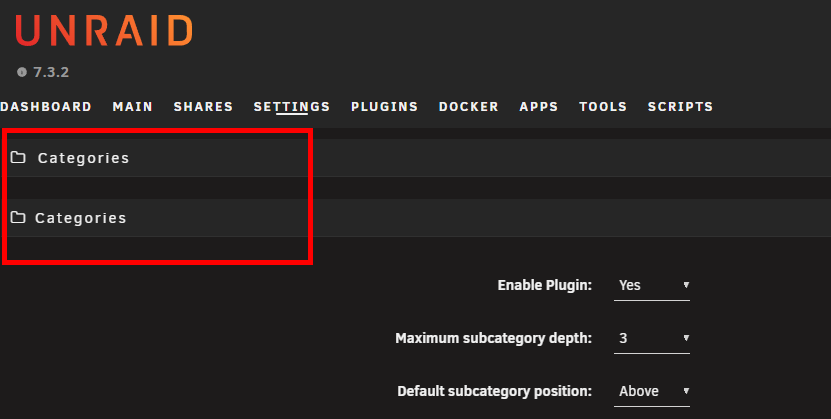
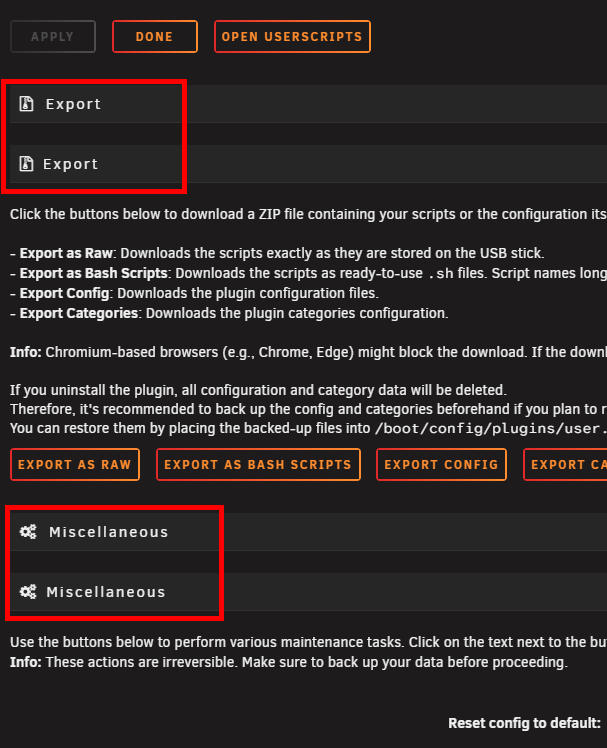
There is a bug in script settings. Every category name is duplicated
-
With Internal Boot introduced in unraid 7.3.0 this is not necessarily valid?

-
Fair enough, if this is actually happening anytime soon It had a status Soon™ for as long as I remember. If that's actually the case then no point wasting any more time.
-
Indeed those changes are amazing. I'll stick to the github in the future. An idea for another safety switch. Some apps introduce breaking changes even with minor version upgrade (e.g. immich v1). Probably some even with patch. You never know.. What about implementing =exclusion words in auto updater functionality? e..g If the recent changelog contains the a word from the list, e.g. breaking, major, Pre-release, Beta etc -> don't update.
-
When uninstalling I noticed that removing Shiplog plugin blindly deletes /mnt/user/cache/shiplog folder. It kind of contradicts with this statement. Shouldn't at least prompt user to confirm directory deletion?
-
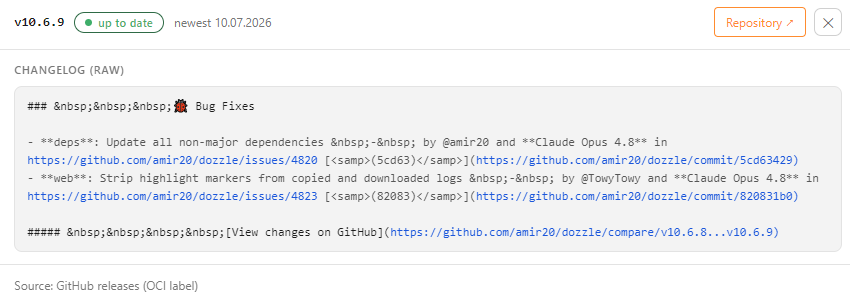
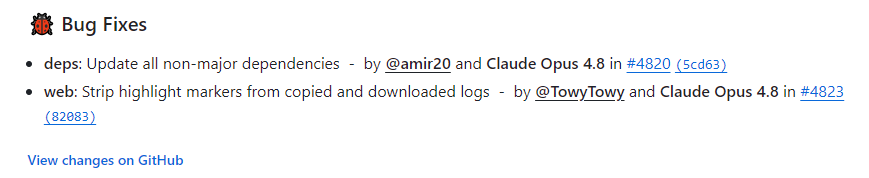
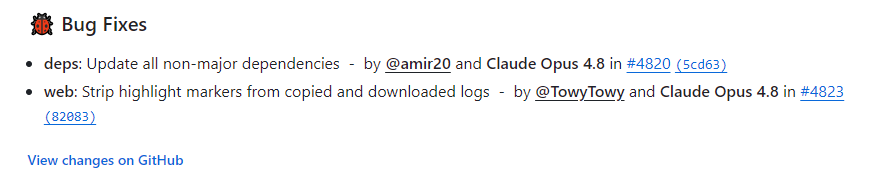
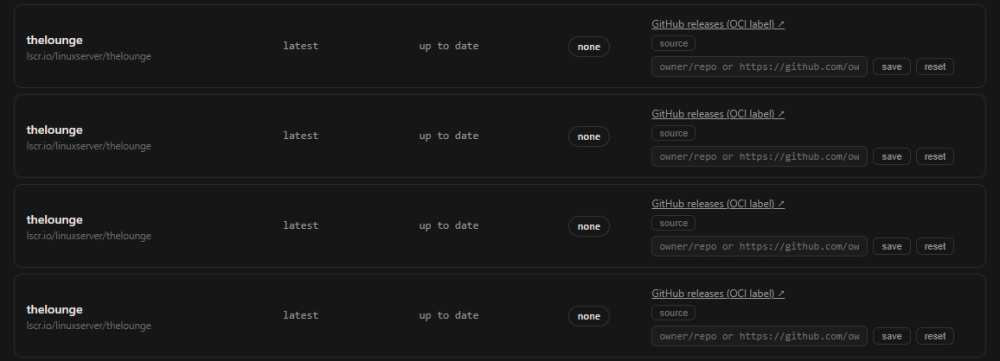
EDIT: I've Reinstalled Ship og and some issues are fixed. Added REINSTALL notes Thanks for quick fix. Shiplog is getting better, but still a few flaws here and there. Observations after the update: Some of them have a spot on changelog from github (dockhnad, Dozzle, abs, qui) Some of them only lsio changelog (plex, radarr, sonarr) Some of them completely missing (seerr from hotio, media-preview-generar) Crossed off those that are correct now. Issues: media-preview-generator - still ffmpeg changelog https://github.com/linuxserver/docker-ffmpeg plex - no changelog at all REINSTALL: lsio changelog. Could be correct as the update it's only to lsio image, not plex itself Plex Labels: Wondering if assigning top priority to what shown in unraid docker ui as Project Page wouldn't be the best options, as most containers have a proper link to the github repo in there In the unraid template.xml this is stored under <Project>https://github.com/owner/repo</Project> Precedence could be: override in UI > curated default > Project Page > OCI source label > version-delta fallback. I'm guessing curated default going to be hardcoded in shiplog? ==================================================================================== REINSTALL: Appears that it's fixed after I noticed that some containers have plenty duplicate entries in shiplog ui thelounge have 6 of them, another container have 8 of them in total. TBH Shiplog page is about as long as a toilet roll :) ==================================================================================== I believe we need some basic markdown support (or whatever is needed) as some of the changelogs are barely readable shiplog: Github:
-
Nothing to do with the browser. Works ion both Chrome and Firefox Are you using this for file folder plugin by any chance? containers need file:///mnt/cache/appdata/_icons/icon.png while folderview plugin /mnt/cache/appdata/_icons/icon.png
-
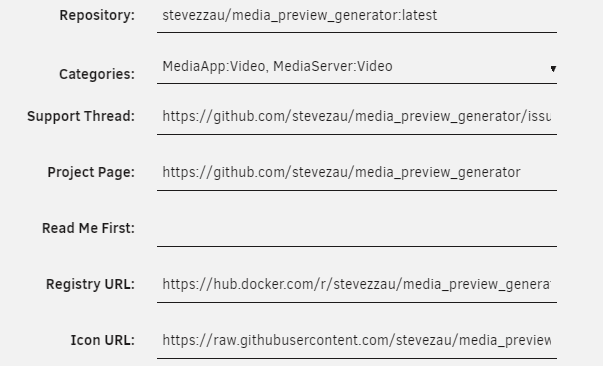
Container logs are inconsistent Some of them have a spot on changelog from github (dockhnad, Dozzle, abs, qui) Some of them only lsio changelog (plex, radarr, sonarr, which is not ideal tbh, as most of the time it contains only info about updated dependency, not actual capp hangelog. Some of them completely missing (seerr from hotio, media-preview-generar) Some of them have completely wrong link to repository: media-preview-generator link takes me to https://github.com/linuxserver/docker-ffmpeg Wondering if we can have option to override links in shiplog UI - IP:8484 Unraid 7.2.3 ShipLog 2.0.2 Daemon state and log: /usr/local/emhttp/plugins/shiplog/scripts/rc.shiplog status and tail -200 /var/log/shiplog.log Chrome 150.0.7871.115 Win 10 LTSC IoT GitHub token
-
Works just fine file:///mnt/cache/appdata/_icons/custom-icon.png note 3x slash after file:, not just 2x file:///
-
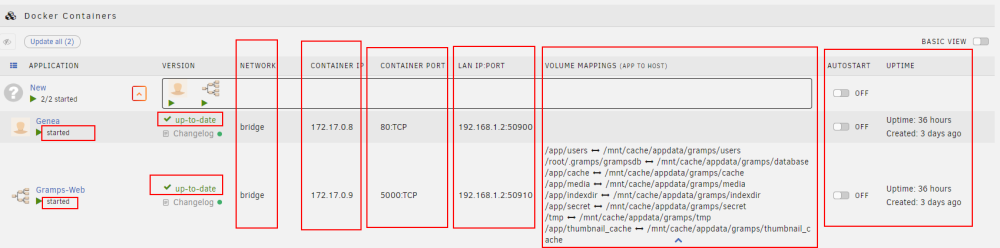
@chodeus Yes I'm still running beta version. Updated just now to 2026.07.13.1 - works like a charm. I'll stay on it for the time being, to see if there are any issues. The flash of the plain docker page is no longer there. Takes a few ms to load the page (always did, as docker page is slow anyway), but now without the flash it's a lot better. Regex "^" it's great - maybe once you're bored it's worth to turn it in to a toggle switch (like other options) as many users just don't touch regex, so they might never know about this great addition. Wondering if you can do a few more updates to the docker page. Once folder expanded, unraid page displays a lot of pointless informations that really should be only visible in advanced view. like Container ID, Repository (which gets trimmed if to long anyway) Wondering if you can make toggle switches to optionaly: Show <OPTION> only in Advanced view. e.g. Show Volume Mappings only in Advanced view <Options>: Repository LAN IP:Port Container Port Container IP / MAC Network Version Container ID Repository up-to-date (pointless info when using orange highlighting for updates TBH. Allow user to move to advanced view every single column and displayed information Unraid default page have just to much info for a basic view. Most of it should be in advanced view, or at least selectable by the user.
-
This is actually bang on! Works exactly as expected All it needs is adding information about this behaviour in regex description and it's done. Thanks for this. One more thing that bothers me. This plugin loads after the basic docker page flashes for a split second. It appears to be just overlay Wondering if there is any way to avoid this. Unsure if this will be any help, but there is a plugin in apps store "Custom WebUI CSS" which allows to injects random things but what's interesting, changes are loaded immediately, not like FolderView3 - after a while https://forums.unraid.net/topic/195276-plugin-simple-custom-webui-css-plugin-for-unraid-72/
-
Let's say you have 2 user made folders with all of the containers. "Media" and "Download" Create a new 3rd folder "NEW APPS" Add regex "^" (this will place every new app in this folder). Add new container from app store. Let's say "plex" Plex now will be automatically placed in "NEW APPS" Now if you want to move "plex" in to "Media" folder you can't do it simply click edit on "Media Folder" and add plex to it. It will not be available on the list, as it is already assigned to another folder (NEW APPS) The only way to do it is: Edit "NEW APPS" remove regex Edit "Media" folder add plex go back to editing new apps put the regex back The idea: Add function of "NEW APPS" folder that will be special folder It will contain ONLY apps not assigned to any other folder. Any app in "NEW APPS" will still be seen as unassigned by other folders App assigned to any other folder will be removed from "NEW APPS" This way user can just edit any other folder, quickly add app to it. Done
-
I see my post got lost during the forum issues. @chodeus Any chance you can add a special folder "New / Unassigned" that will contain all of the new containers not assigned yet to any user made folder? Something like this is achievable with regex "^", but it's a pain in the back to later on assign it to desired folders.
-
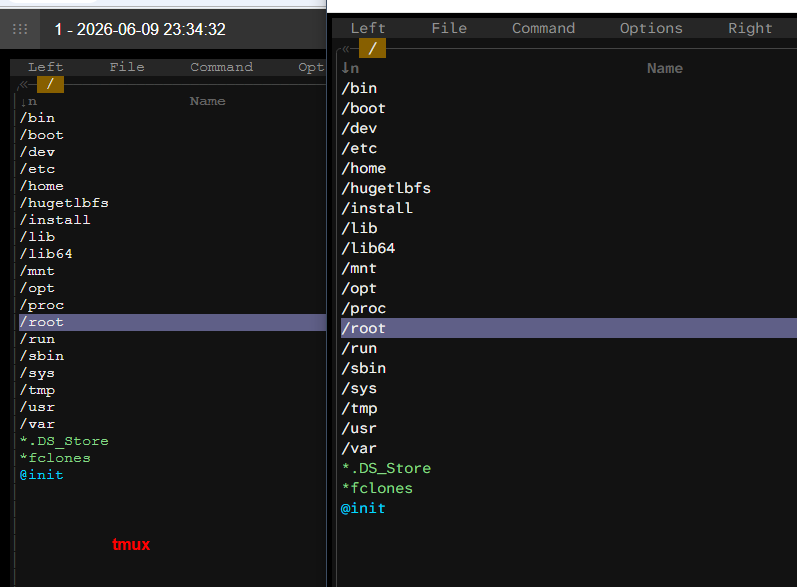
@Rysz Perfect plugin for MC users, just one issue. How to change font in tmux to match font used in unraid terminal? Left tmux, Right unraid terminal
-
Works like a charm. Thanks







