





RetroJect
Members
-
Joined
-
Last visited
-
Running into an issue now that I've got the container up and running, logs says it's unable to download the SDF and HK Downloading latest SDF to /config/data ... Automatic SDF downloading is disabled or failed. I just setup the container and definitely have not disabled this feature. Any ideas on why it wouldn't be able to download? Edit: Looks like this might be due to makemkv.com not having an update SSL certificate currently
-
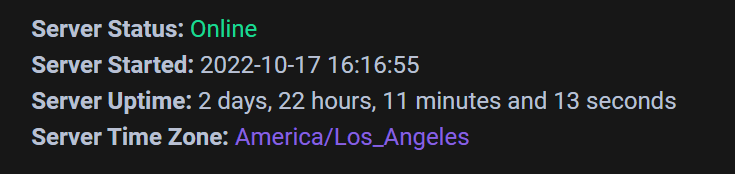
I was able to use that parameter and it seems to work just fine when accessing the UI from it's direct IP address. I'm also in PST so I put it as "America/Los_Angeles". I'm unsure if this parameter would have any affect on the nginx config but I could definitely change it back to UTC to match what the SWAG service is probably using.
-
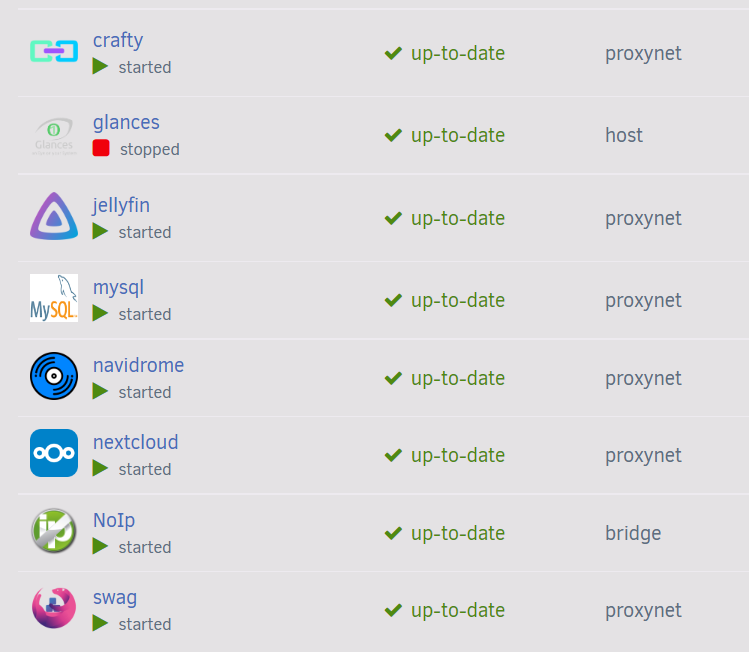
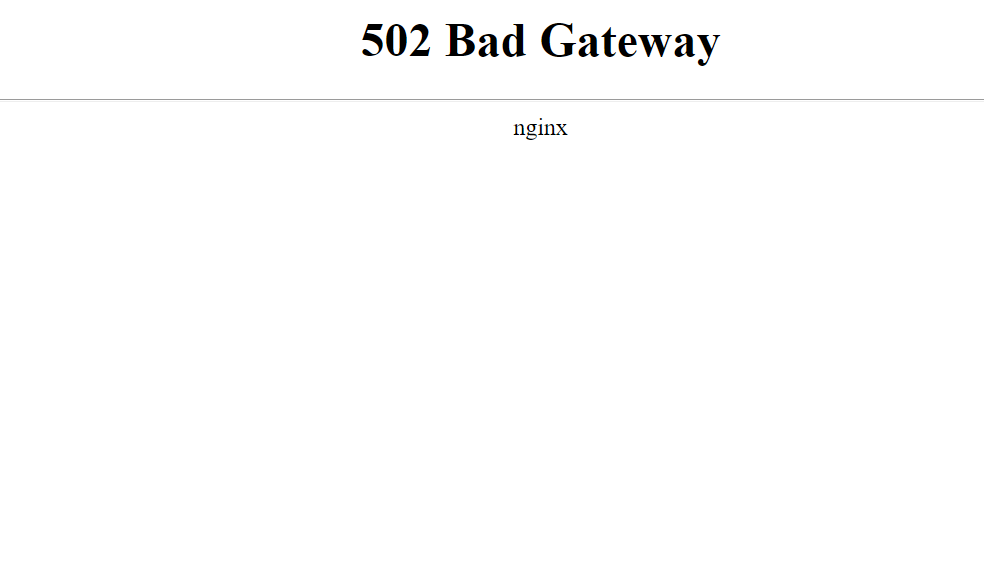
Yep, I've made sure to change everything to match for what I need for this container. I've got many other applications running behind SWAG so I'm pretty familiar with how it works. Also, I initially did follow a spaceinvaderone video when I initially setup my reverse proxy (before switching to SWAG) so just like you mentioned I have a "proxynet" network that I've assigned my containers to. I included a screenshot showing that I have my "crafty" container running on the proxynet along with the other applications I'm hosting. To answer your question about the error message: it seems to be directly from SWAG as I'm not getting a DNS resolution error, it's specifically a 502 error from nginx. I've included a screenshot of that as well. As for my config, I decided to try out your example and match it to my config: server { listen 443 ssl; listen [::]:443 ssl; # "minecraft" is the name I have configured for my DNS CNAME server_name minecraft.*; include /config/nginx/ssl.conf; client_max_body_size 0; location / { include /config/nginx/proxy.conf; include /config/nginx/resolver.conf; # I've changed the container name to "crafty" set $upstream_app crafty; # And also changed the "port 2" to 8001 as the default has a conflict set $upstream_port 8001; set $upstream_proto https; proxy_pass $upstream_proto://$upstream_app:$upstream_port; proxy_max_temp_file_size 2048m; } }
-
@dkerlee Glad to hear you've gotten yours working! Unfortunately I still can't get mine to work. When I first started I had copied an existing config and tried to use that but nothing worked. I just tried using the config you provided but that also didn't work for me. I must be missing something somewhere because all my other apps work through SWAG but just not this one. My subdomain is setup as "minecraft" so I have that configured in my SWAG container.
-
@dkerlee Unfortunately I haven't been able to get it to work just yet. I checked Crafty's wiki for proxy config for Nginx config so I integrated that into my own proxy-conf and still nothing. This is my current config for Crafty: server { listen 443 ssl; listen [::]:443 ssl; server_name minecraft.*; include /config/nginx/ssl.conf; client_max_body_size 0; # enable for ldap auth (requires ldap-location.conf in the location block) #include /config/nginx/ldap-server.conf; # enable for Authelia (requires authelia-location.conf in the location block) #include /config/nginx/authelia-server.conf; location / { # enable the next two lines for http auth #auth_basic "Restricted"; #auth_basic_user_file /config/nginx/.htpasswd; # enable for ldap auth (requires ldap-server.conf in the server block) #include /config/nginx/ldap-location.conf; # enable for Authelia (requires authelia-server.conf in the server block) #include /config/nginx/authelia-location.conf; #include /config/nginx/proxy.conf; #include /config/nginx/resolver.conf; proxy_http_version 1.1; proxy_redirect off; proxy_buffering off; proxy_set_header Upgrade $http_upgrade; proxy_set_header Connection $http_connection; proxy_set_header X-Forwarded-Proto https; proxy_set_header X-Forwarded-For $proxy_add_x_forwarded_for; proxy_set_header Host $http_host; client_max_body_size 0; proxy_connect_timeout 3600s; proxy_read_timeout 3600s; proxy_send_timeout 3600s; send_timeout 3600s; set $upstream_app crafty; set $upstream_port 8001; set $upstream_proto https; proxy_pass $upstream_proto://$upstream_app:$upstream_port; # Clear Authorization Header if you are using http auth and normal Grafana auth #proxy_set_header Authorization ""; } } As a note on my config I have my containers setup on their own network for SWAG and I've named the container "crafty" which is different from the default "binhex-crafty-4". I've also changed the port from the container to 8001 instead of 8443 because I already have some containers using that port. If anyone has ideas on this I'd appreciate the input.
-
Does anyone have experience running crafty behind something like SWAG or another reverse proxy? I'm trying to get this working alongside my other reverse proxied containers but I keep getting a 502 bad gateway every time I try and access my subdomain that I'm routing to the container's webui. The other containers I have running work just fine with their subdomains so there must be something I'm misconfiguring but I can't seem to figure out what it is. I know this question isn't directly related to this thread but I thought I'd ask here first just to make sure I wasn't missing something or if someone else has run into this before. I can provide my nginx config for my subdomain as well if needed. Thanks
