




Skip to content
View in the app

A better way to browse. Learn more.

Unraid

A full-screen app on your home screen with push notifications, badges and more.

To install this app on iOS and iPadOS
  1. Tap the Share icon in Safari
  2. Scroll the menu and tap Add to Home Screen.
  3. Tap Add in the top-right corner.
To install this app on Android
  1. Tap the 3-dot menu (⋮) in the top-right corner of the browser.
  2. Tap Add to Home screen or Install app.
  3. Confirm by tapping Install.

serbanm33

Members
  • Joined

  • Last visited

  1. Thank you very much, changing the repository to mariadb:11.2.3 fixed the issue for me
  2. Thank you very much, I think is time to test the Beta6 on VM. Busy night ahead 😃
  3. I have just updated My Servers to lates version and it works 🥳
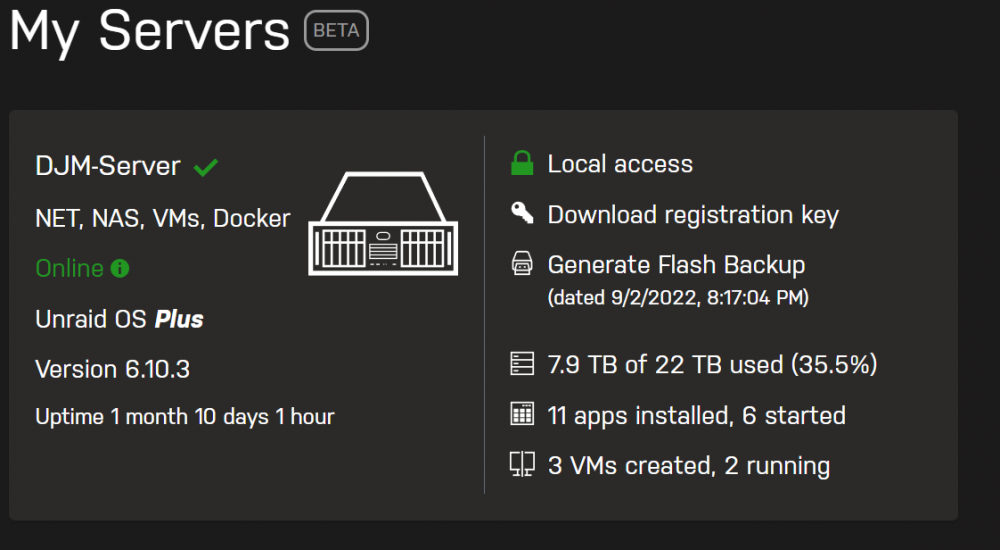
  4. Thank you very much. Is good to know that the fix is on his way, I will wait for the new plugin version. Congrats for a very good system, best one available!
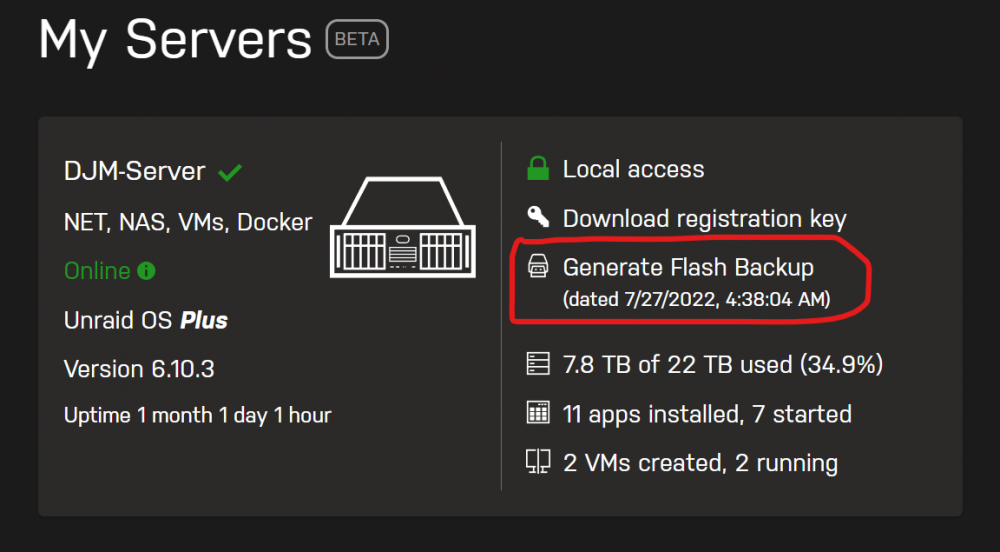
  5. I have the same problem, no backup from 27.07.2022. ping backup.unraid.net resolve to 34.223.119.253 I tried all the option from My Server Settings without success. Please find diagnostics attached. djm-server-diagnostics-20220824-2020.zip
Account

Navigation

Search

Search

Configure browser push notifications

Chrome (Android)
  1. Tap the lock icon next to the address bar.
  2. Tap Permissions → Notifications.
  3. Adjust your preference.
Chrome (Desktop)
  1. Click the padlock icon in the address bar.
  2. Select Site settings.
  3. Find Notifications and adjust your preference.
