





joykingdom
Members
-
Joined
-
Last visited
-
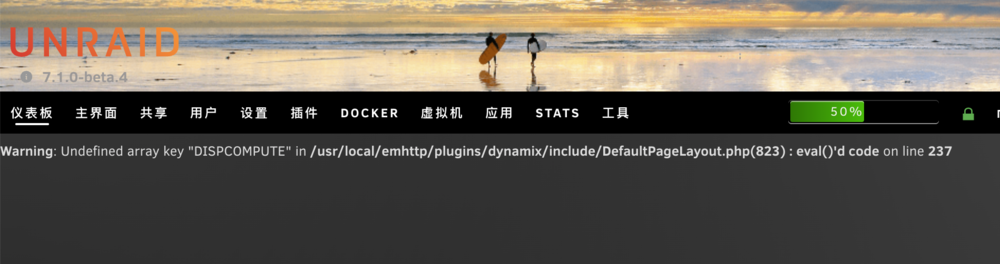
How can I find out which plugin causing the issue.
-
tower-diagnostics-20250410-1824.zip
-
joykingdom changed their profile photoThis plugin has problems with 6.12rc3
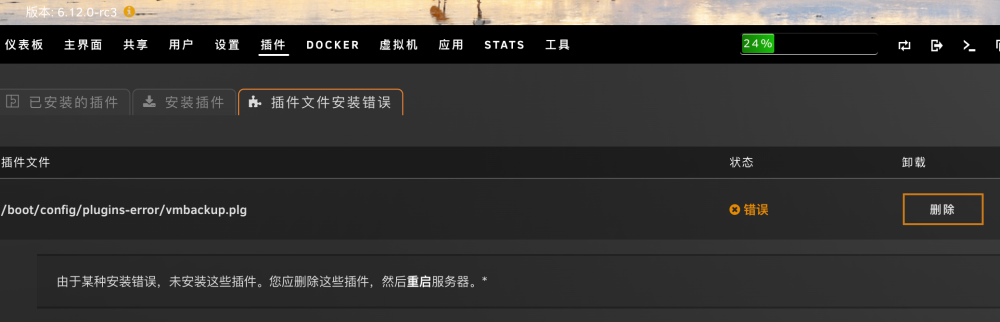 Before 6.12 RC3 is ok So I can not use IGPU SR-IOV again?tower-diagnostics-20230422-1733.zip
 VFIO log Loading config from /boot/config/vfio-pci.cfg BIND=0000:05:00.0|8086:1528 0000:05:00.1|8086:1528 0000:08:00.0|8086:125c 0000:09:00.0|8086:125c 0000:00:02.1|8086:4692 0000:00:02.2|8086:4692--- Processing 0000:05:00.0 8086:1528 Vendor:Device 8086:1528 found at 0000:05:00.0 IOMMU group members (sans bridges): /sys/bus/pci/devices/0000:05:00.0/iommu_group/devices/0000:05:00.0 Binding... success... Device 8086:1528 at 0000:05:00.0 bound to vfio-pci --- Processing 0000:05:00.1 8086:1528 Vendor:Device 8086:1528 found at 0000:05:00.1 IOMMU group members (sans bridges): /sys/bus/pci/devices/0000:05:00.1/iommu_group/devices/0000:05:00.1 Binding... success... Device 8086:1528 at 0000:05:00.1 bound to vfio-pci --- Processing 0000:08:00.0 8086:125c Vendor:Device 8086:125c found at 0000:08:00.0 IOMMU group members (sans bridges): /sys/bus/pci/devices/0000:08:00.0/iommu_group/devices/0000:08:00.0 Binding... success... Device 8086:125c at 0000:08:00.0 bound to vfio-pci --- Processing 0000:09:00.0 8086:125c Vendor:Device 8086:125c found at 0000:09:00.0 IOMMU group members (sans bridges): /sys/bus/pci/devices/0000:09:00.0/iommu_group/devices/0000:09:00.0 Binding... success... Device 8086:125c at 0000:09:00.0 bound to vfio-pci --- Processing 0000:00:02.1 8086:4692 --- Processing 0000:00:02.2 8086:4692 --- Devices listed in /sys/bus/pci/drivers/vfio-pci: lrwxrwxrwx 1 root root 0 Apr 22 09:29 0000:05:00.0 -> ../../../../devices/pci0000:00/0000:00:1c.4/0000:05:00.0 lrwxrwxrwx 1 root root 0 Apr 22 09:29 0000:05:00.1 -> ../../../../devices/pci0000:00/0000:00:1c.4/0000:05:00.1 lrwxrwxrwx 1 root root 0 Apr 22 09:29 0000:08:00.0 -> ../../../../devices/pci0000:00/0000:00:1d.0/0000:06:00.0/0000:07:03.0/0000:08:00.0 lrwxrwxrwx 1 root root 0 Apr 22 09:29 0000:09:00.0 -> ../../../../devices/pci0000:00/0000:00:1d.0/0000:06:00.0/0000:07:07.0/0000:09:00.0 vfio-pci binding complete tower-diagnostics-20230422-1733.zip
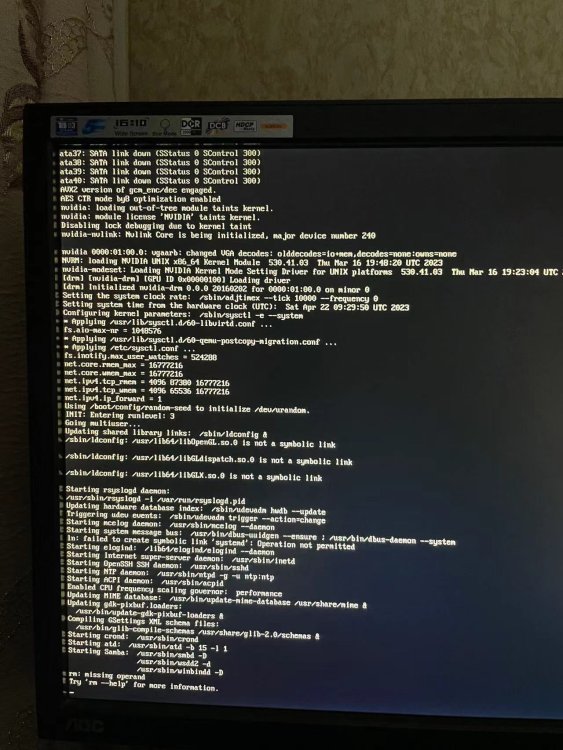
 6.12 RC3 After reboot VM Autostart disabled due to vfio-bind errorExcept for the persistent error log, the nvidia T400 driver installed with this plugin works fine, in Emby or plex.I deleted the nvidia.conf; Enabled Above 4G Decoding and Resizable BAR Support in your BIOS still can not solove Boot with CSM,unraid cannot boot. The error logs increase fast, any thing I can do?tower-syslog-20230404-1724.zip tower-diagnostics-20230405-0123.zip
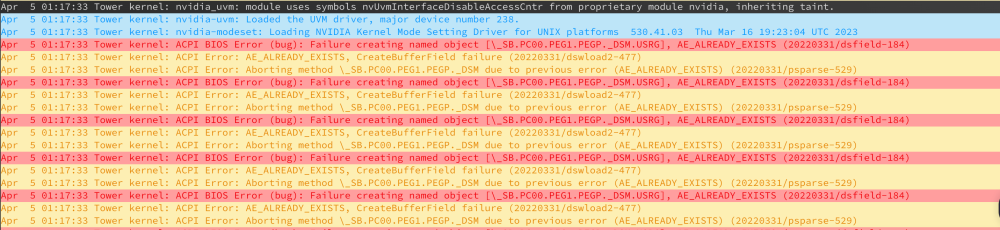 After install this plugin using nvidia T400; Disable nvidia T400, the error log were gone. Any one can help me ?
I disable the nvidia T400, the error log was goneBesides restarting, is there any other way to quickly delete these logs?6.11.5 and 6.12 are the same.
After install this plugin using nvidia T400; Disable nvidia T400, the error log were gone. Any one can help me ?
I disable the nvidia T400, the error log was goneBesides restarting, is there any other way to quickly delete these logs?6.11.5 and 6.12 are the same.


