





tent
Members
-
Joined
-
Last visited
Everything posted by tent
-
不用安装什么就可以吧,我的E-2186M直接就可以用核显
-
我之前遇到过这种类似的问题,好像也是卡在这个环节下载文件。后来发现是因为我安装了rclone,但是没有安装好,所以开机就下载这个插件。。。后来,重启好之后删掉插件就好了
-
正解,多谢,单独重装Dynamix File Manager插件不好使,然后又重装了语音就好了,大家也可试试单独重装语言是否可以
-
连接显示器看看unraid是否已经启动完成?看看是不是开了代理的docker?
-
速度跑不满可以接受,不过之前升级如果不更新这个补丁,网卡就用不了,可能是原来r8169添加了黑名单的问题?
-
也就是说如果升级6.12,r8125的网卡就驱动不了了,对么?
-
看网上有开心版装ssd的教程,但是正版没办法,这个应该改进一下吧。。。
-
Although the "unraid-api restart" can fix the problem, subsequent problem will occur repeatedly.
-
docker安装qb设置网络为br0,nastools无法连接到qb,于是打开了主机访问自定义网络选项。 但是今天发现,这样导致连接wireguard只能访问unraid服务器以及docker相关的服务。无法访问路由器和虚拟机等。 请问有什么办法?
-
Thank you! I tried uninstall some plugins, and it is ok now.
-
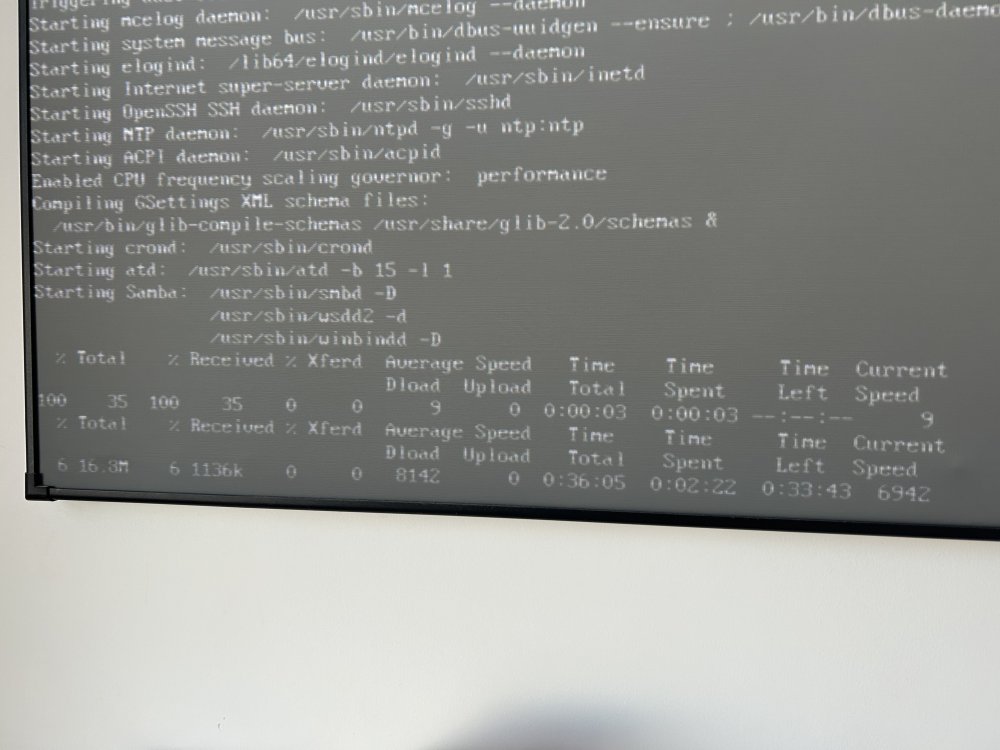
The current system is 6.11.5. The system cannot be accessed after restarting, but ssh and wireguard can be used. After connecting to ssh, enter "/usr/local/sbin/emhttp&" to open the web, but it is in English. The language pack needs to be downloaded and installed again. I think it may be related to the USB flash drive, so I changed the USB flash drive, redo the system, and copy the config to cover it. The result is still the same. Connect TV and see the following figure. The system is downloading a 16.8M file. The speed is very slow, resulting in no access to the system. Who knows why?
-
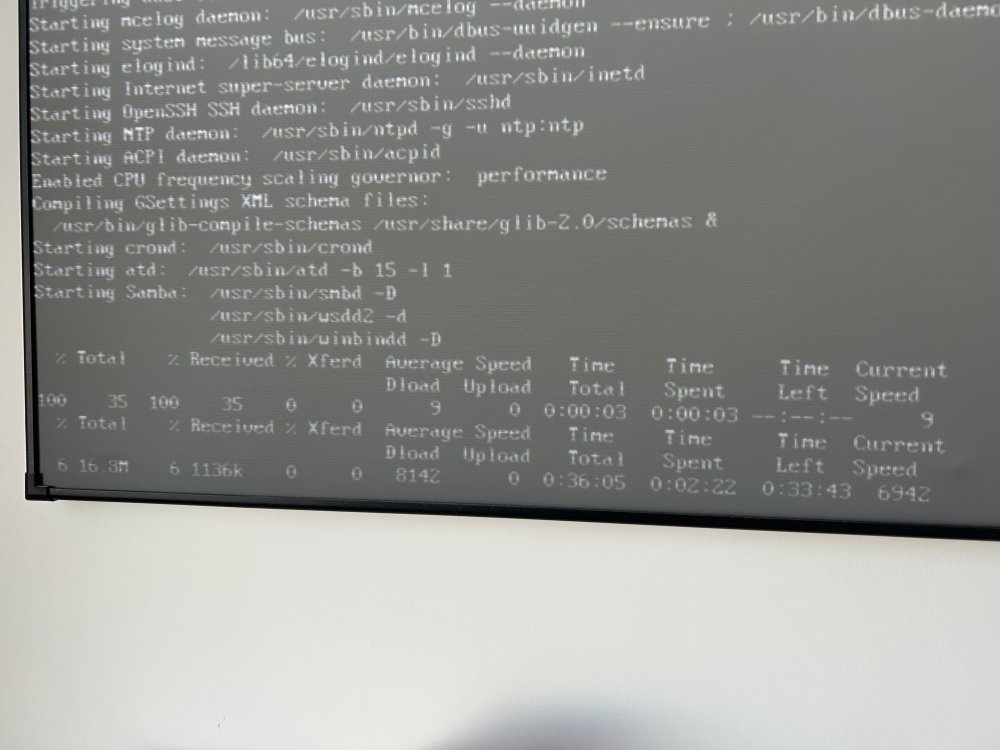
目前系统6.11.5,重启后无法进入系统,可以ssh,连接后输入/usr/local/sbin/emhttp &就可以打开web了,但是是英文,需要重新下载语言包安装。 觉得可能与u盘有关,就换了u盘,重做系统,把config复制进去覆盖,结果问题依旧。连接投影仪看到下图,走到最后在下一个16.8M的文件,速度很慢,导致进不去系统,请问谁知道是怎么回事?
-
没有编辑过go文件,觉得可能u盘有损坏,之前似乎提示过一次,没注意看。今天换了个u盘,不过没试重启怎么样
-
我也遇到了,然后换了qb
-
今天在家里接投影仪上重启,发现了问题所在,后台一直卡在下载这个东西这里,速度太慢,不知道什么原因?
-
自己解决了,连接ssh后,输入/usr/local/sbin/emhttp &回车,就好了,应该是go文件没有加载,不知道原因是什么
-
重启后可以连接wireguard和ssh,但是无法访问webgui,没有修改配置,只是重启
-
发现有块硬盘的smrt有问题,但是并不是存放电影和系统数据的盘,平时也没往里存放文件,把它拿下,然后重做了阵列,目前一切正常了,而且开始安装出现问题的插件,在重启后也可以正常安装了。。。
-
刚想起来,上周五安装了一下CA cleanup appdata,但是打开后显示空白,啥也没有,就直接卸载了,不知道是否与此有关
-
都检查了,上述三个都没问题。 但是今天又出现了同样的问题,就是缓存上的文件消失了部分。不明原因。目前怀疑两个方面:1. 缓存盘问题;2. 利用黑群晖备份appdata等四个文件夹导致
-
好的,我检测看看,供电是没问题的,用插座测试我这套系统最高功率120W不到,待机40w,电源是300w的,这个电源用了2年了,之前黑群晖一直用它,没出过问题
-
硬件没有任何报错,可能会是硬件的问题么,日志因为重启,现在也看不到了。。。
-
没安装CA cleanup appdata,只有这个插件是新安装的,再就是上午使用filebrowser转移过两个电影。但是目前症状是安装ssd trim之前的电影全都不见了,cache里面的部分docker设置文件和虚拟机的Windows安装ISO、驱动ISO都不见了,所以怀疑是ssd trim。另外我这个硬盘是叠瓦的,看也开通着trim,不知道是否与此有关
-
本来用的好好的,今天突然发现电影都不见了,只有近几天下载的还在,重启后appdata的一些文件也消失了,好在这几个系统文件夹都有备份,还原回复了,但是电影等都找不回来了! 怀疑和安装了ssd trim这个插件相关?
-


