





RebelLion1519
Members
-
Joined
-
Last visited
Everything posted by RebelLion1519
-
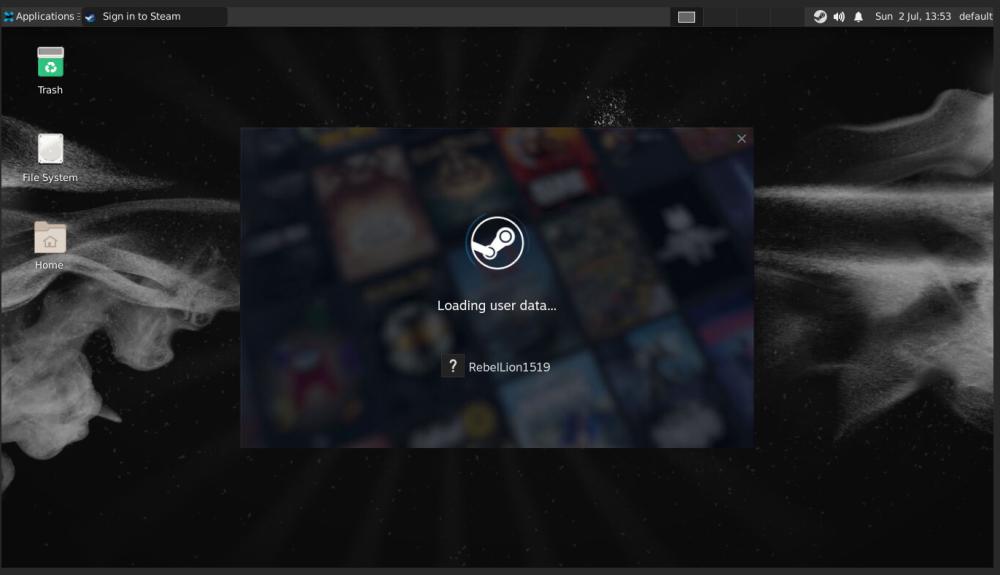
Hi! Just installed this, don't have my dGPU yet, so trying to just use with my AMD iGPU. Before rebuilding this PC as an unRAID server, the same AMD APU has been used for Steam for months. It's been stuck at "Loading user data..." in Steam for over an hour now. Also, maybe unrelated, I can't seem to get the time to work. I'm in CDT, I've tried both "North America/Chicago," and "UTC-5." Something I did changed it from AM/PM to 24-hour, but the time is still five hours ahead of me. Any suggestions for either of these would be greatly appreciated!
-
Already contacted support, and they already got my license transferred to the new USB. I think my old one is now blacklisted. I'm up and running, so I guess this is resolved, though not solved.
-
Yes I did. I thought I could get the key from my unraid connect dashboard, but the download wasn't recognized by unraid (it was Chinese characters, expected a key that was letters and numbers). Where can I get my key to register the new USB? Using a trial on the new USB for now.
-
In the USB flasher app it showed the USB, but after the name it said (Incompatible) and the option was grayed out. I just ran and got a new USB, so problem avoided for now. Would be curious though.
-
I am building a new UnRAID server, reusing some of the hard drives from my last build. I haven't had a build together in months, my USB has been sitting in a drawer. I want to start fresh anyway, I don't want any of the previous configuration. Downloaded the USB flasher and it told me that the USB is incompatible. So I formatted the USB (and of course erased the previous UnRAID install) and am still being told that it's incompatible. Obviously it was compatible before. What should I check or change so I can reuse this USB?
-
I was looking at those M.2 SATA adapters as well! Though as noted I'm not planning on a dGPU so I will probably be able to use the PCIe slot if needed.
-
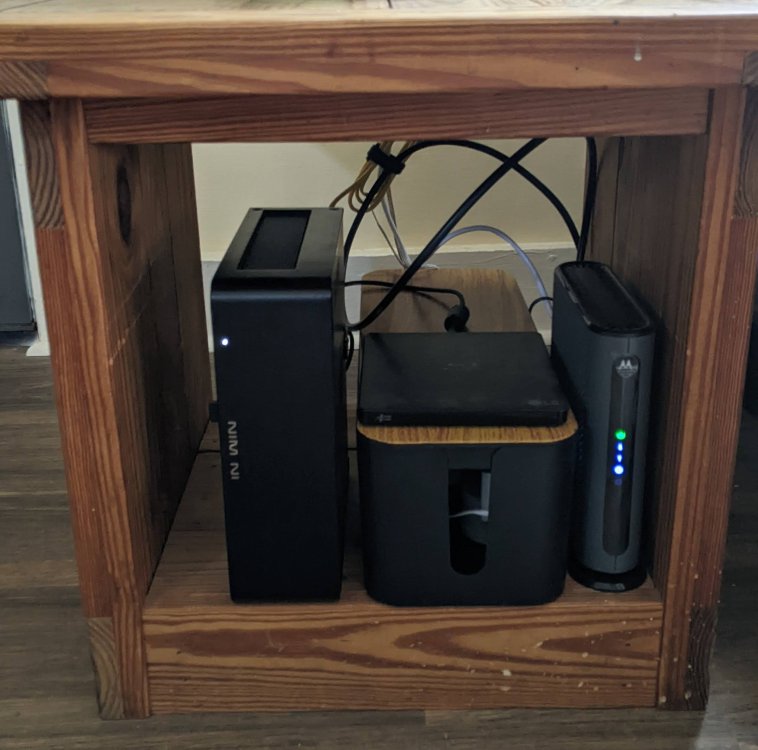
Quick measurement, it's about 14"W 14"D 13"H. My ATX Corsair case didn't fit, though it was definitely taller than the Node 804, I actually had the Node 304 on my short list. Here's the table with what's under there now: my InWin Chopin, cable management box with external DVD drive on it, and the modem (router's on top).
-
Thanks! Sounds like I'll be looking more at Intel stuff then. I'm not interested in 2.5 GbE or ECC. Would I ever have need for more than the one M.2? Only SATA in the array anyway, right? The main thing the VM will be used for is MakeMKV, which my 5600G (6 core, 12 thread) currently barely breaks a sweat running. I would really my only motherboard preference is mini ITX, because most of the cases I'm looking at are mini ITX (I want it to fit under the end table that the modem and router are on).
-
Hello, my previous UnRAID rig has been out of commission for a bit, and I'm planning to do a new build. My first build was originally built as a gaming PC, and then converted to UnRAID, but this is going to be an UnRAID system from the get go, and I want to take my time and be picky about hardware choices. I have some parts from the previous build that I'd like to re-use, namely 1x 10 TB Seagate 3.5" drive which will probably be parity, 2x 5 TB Seagate 2.5" drives for data (will have to start with one of these as one is currently being used in another build, will have to get data copied off of it onto UnRAID before adding it to the array), 1x 1 TB Samsung 970 NVME to use as a cache, and 2x 8 GB 3200 Mhz DDR4 sticks of RAM. Want room to add more drives as I need more space. The primary reason I'm setting up UnRAID is for my Jellyfin media server. I don't have any 4k content (yet) but have quite a bit of 1080 stuff. I would say that at most there'd be 3–5 streams simultaneously, and that would be rare. Will have an Ubuntu VM for using MakeMKV to add movies directly to the share that Jellyfin's accessing. Maybe a Windows VM if I ever need some Windows software, but wouldn't ever have more than one VM running at a time. Otherwise, will be used for Nextcloud, Home Assistant, PiHole, maybe a few other things down the road but that's about it. What CPU would be the best bang for the buck? I've only ever done AM4 builds, so I kind of want to stick with AMD, but I want to avoid needing a dGPU due to space and power concerns. Seems that Intel's the better option for iGPU encode? I'd say my budget for the CPU+Motherboard+cooler if needed will be around $500, it seems that some CPU generations are cheaper but end up being just as or more expensive once you account for the motherboard cost. What should I be looking for, in terms of core count, iGPU, etc? Thanks!
-
Solved.
-
Hello, Recently, unrelated to UnRAID, I had issues with my ISP provided modem/router. Because I needed to be able to get back online ASAP for work, I, rather hastily, ripped said modem/router out and installed my old modem and router that were sitting in the closet. I am now up and running again and will be telling the ISP to take their equipment back and remove the fee from my bill. But in the meantime, how do I access my server again since the network changed? My old equipment isn't capable of handling the speed I pay for, I will be replacing it with new hardware in the near future, what's the correct way to change that stuff when there's an UnRAID server on the network? Thanks! EDIT: Wow, don't mind me, it's already accessible. Still, is there a recommended way to change networking equipment for the future?
-
Hello, UnRAID version 6.11.1. My server is a conversion of my old gaming PC. I also have another PC and basically, I want to take apart the server and the other PC, and build two new PCs using mostly the existing parts, but in new cases and better optimizing the builds for their current use. So I'd be moving my UnRAID install to a smaller case that has more and better drive support, and would be switching it from using a dGPU to an iGPU. It would be a new CPU and motherboard, well, new to UnRAID. From previous posts, it looks like I can back everything up, power down the array, take apart the PC, build the new PC, connect the drives, boot up, restart the array, and be good to go? I'd like to use the same parity and data drives, but would swap to a smaller cache (the current cache drive would end up in the other "new" PC). Will my HTTPS address and network ports and that kind of stuff need to be redone? What else do I need to be aware of for the rebuild? I'd like to switch from a 3700X and RTX 2060 to a 5600G, which would be quieter, use less power, and would let me use the GPU elsewhere. Will the Vega iGPU be sufficient for media server use? Be playing a max of two Emby streams at once. Thanks in advance!
-
Good to know for next time, but yes, it appears that my router doesn't support it. So I've just got the two set to the same large number, which is fine with me.
-
Yep, I misread it the first time and though you could leave it as 443 on the HTTPS setting and have a four digit port on the WAN setting. But of course, that's not how ports work, lol. Updated, and am now up and running with port forwarding on a four digit port. Thanks again!
-
Version 6.10.3 I actually figured out how to a) access the server on the LAN, so I will mark this as solved. And b) set up port forwarding on my ISP gateway after all. So now I just have to figure out how to port forward to example.ip.address:443 instead of just example.ip.address. I'll mark this as solved. Thank you for the link, that could be helpful in the future.
-
Hello all, I am still very new to this and made a rookie mistake. I was following the documentation for setting up remote access https://wiki.unraid.net/My_Servers#Configuring_Remote_Access_.28optional.29, where I got to step 5, In the CA-signed certificate file area, click Provision, which I did. Then I realized that I wouldn't be able to complete the process, because my ISP provided modem and router doesn't allow me to configure port forwarding. So I thought I would just stop and continue to only access my server on my LAN, at least until I get a new router. But now the old way of accessing it, http://local.tower/ gives a 404 Not Found error. I can still access Emby, running on the server, by going directly to its address, but I can't access the UnRAID dashboard itself. How do I get back in and undo the changes I made so that local access works as it did before? Thank you for your help!
-
To clarify my question a little better, I understand that you have to have a data drive and don't necessarily need a parity drive. What I was hoping would be I could build the server with the 10 TB as the only drive installed, use it for data, without parity. Then, later, I could add say two 5 TB drives for data and re-assign the 10 TB to be a parity. I think from these responses that would be possible?
-
Thanks guys! I have a much better understanding of how parity works. Okay to ask follow-up questions here? I'm honestly new posting to forums in general. Can I start my server with just the single 10 TB drive, and then after I've added more drives, re-assign the 10 TB to be parity, or do I have to start with at least one drive in addition to the parity?
-
I am new to UnRAID and have no idea about running VMs on it yet. But, Steam OS 2.0 which DarthKegRaider installed is not the OS on the Steam Deck. I don't think it's still supported by Valve. It's the old Ubuntu based Steam OS, the Steam Deck uses Steam OS 3.0, which is Arch based. Holo ISO is the new Steam Deck version available as a .ISO to make a boot drive from. This is not an official Valve .ISO. Again, no idea about how trying to install it on UnRAID would go, but I am running it bare metal on my Ryzen 5 5600G build and it works beautifully.
-
Hello UnRAID Community! This is my first post, so pardon in advance for noob questions. One of the reasons UnRAID appeals to me is the fact that you can start with a single drive and build up over time. I currently have a 10 TB drive in my desktop, which I'd like to use in the server. The plan would be to build the UnRAID server with that 10 TB drive as the only drive, then add more drives and use the 10 TB as the parity. I understand that any subsequent drives must be smaller than the parity, but does the total capacity of all drives have to be less than the parity? If I added 3x5 TB drives and used the 10 TB as parity, would I have 15 TB of useable space, protected from disk failure? Or would I want to get 2x5 TBs, then later get a 20 TB and make it the parity?

