Donald-K
Members
-
Joined
-
Last visited
Everything posted by Donald-K
-
Currently, I am using a Supermicro Chassis, and after removing and reattaching disk3 as you suggested, it is now working fine. Thank you so much!
-
Thank you for reply. When you say "disk3", does it mean disk3 in Array, Right? Sadly, I have to work overtime today, so I'll try tomorrow! Lastly, let me ask you one more question. If you don't mind, may I ask which diagnostic data file exactly you referred to?
-
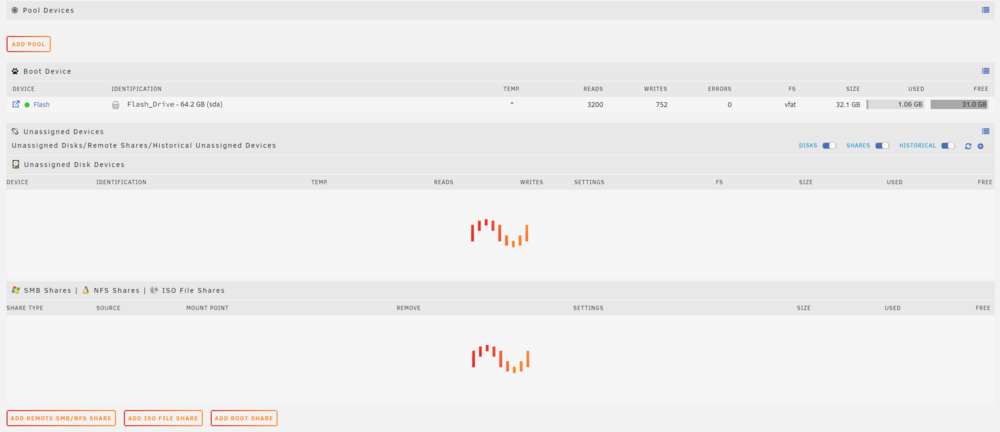
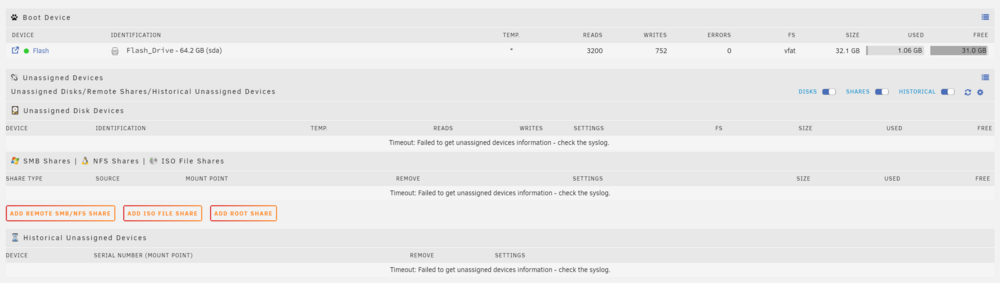
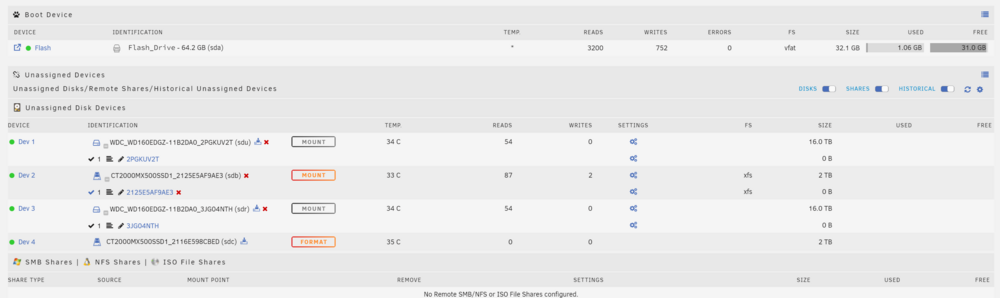
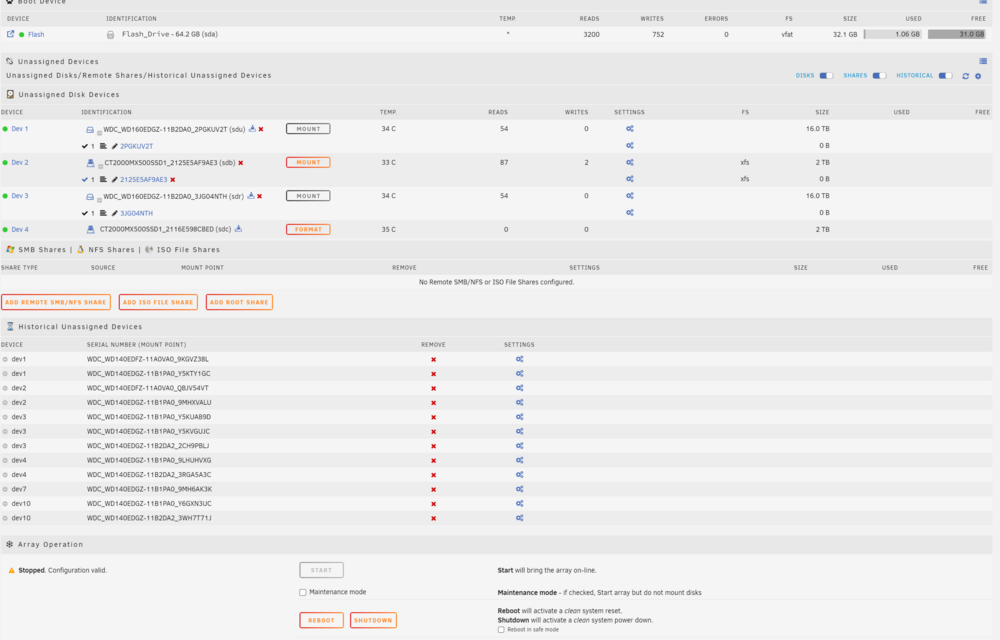
Hello. I am a newbie who occasionally uses Unraid for archiving purposes. I added an SSD to Unraid last week. Today, after a long time, I turned it on, updated the plugins, and tried to start the array. but it's not working. First, when I go to the Main tab, the loading time is very long. After a while, I get a message saying 'Timeout: Failed to get unassigned devices information - check the syslog.' Then, after a while, the list appears normally Lastly, when I click Start, the loading doesn't even begin, and the screen stays frozen with the button disabled. What can I do? I found that many posts suggest attaching the downloaded file from Tools -> Diagnostics. I will attach mine as well. Thank you in advance for your help. storage-diagnostics-20240604-0343.zip
-
I forgot to apply this patch and was perplexed as the 2.5G LAN didn't work while updating from 6.9.3 to 6.11.1. I will try to apply it over the weekend. Thank you.
-
Working perfectly, Thank you

-
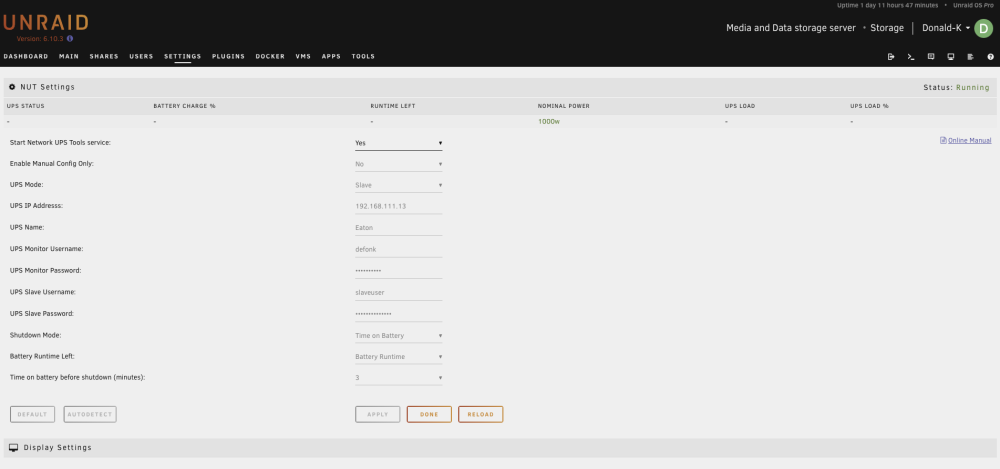
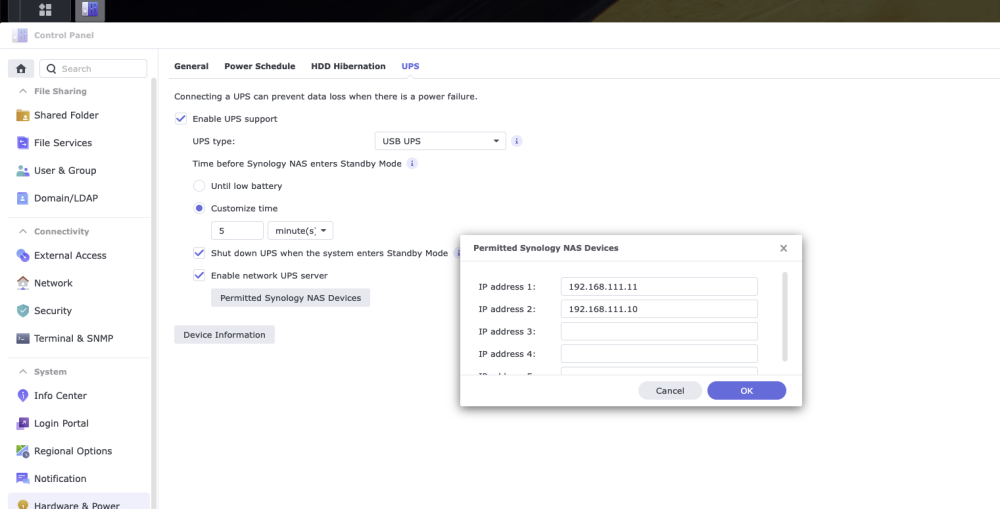
This is my first question post. If there is anything rude or awkward, I think it's because I'm not from an English-speaking world, so please forgive me. I searched for "synology unraid nut", "unraid ups slave", etc, but couldn't find a way. Is there a way to set Synology as a UPS server and Unraid as a slave to make it work properly? Unraid IP address: 192.168.111.10 Synology IP address: 192.168.111.13 In addition, Synology and the UPS are connected via USB, and the Windows PC is working fine with WinNUT.