





dirtrally
Members
-
Joined
-
Last visited
-
I suspect I also have issues with 7.3.3 and tuner support (TBS cards and drivers) as I noticed my logs getting absolutely spammed with messages relating to the following device (si2183), I've rolled back and clean logs now: si2157 Silicon Labs Si2141/Si2146/2147/2148/2157/2158 silicon tuner driver Inuse /lib/modules/6.18.38-Unraid/updates/tuners si2183 Silicon Labs Si2183 DVB-T/T2/C/C2/S/S2 demodulator driver Inuse /lib/modules/6.18.38-Unraid/updates/frontends Oct 14 02:51:16 Server kernel: si2183 3-0067: read_status failed=-11 Oct 14 02:51:16 Server kernel: si2183 3-0064: read_status failed=-11 Oct 14 02:51:16 Server kernel: si2183 4-0064: read_status failed=-11 Oct 14 02:51:16 Server kernel: si2183 2-0067: read_status failed=-11 Oct 14 02:51:16 Server kernel: si2183 1-0064: read_status failed=-11 Oct 14 02:51:16 Server kernel: si2183 1-0067: read_status failed=-11 Oct 14 02:51:16 Server kernel: si2183 2-0064: read_status failed=-11 Oct 14 02:51:16 Server kernel: si2183 4-0067: read_status failed=-11 Oct 14 02:51:16 Server kernel: si2183 4-0064: read_status failed=-11 Oct 14 02:51:16 Server kernel: si2183 2-0067: read_status failed=-11 Oct 14 02:51:16 Server kernel: si2183 3-0064: read_status failed=-11 Oct 14 02:51:16 Server kernel: si2183 3-0067: read_status failed=-11 Oct 14 02:51:16 Server kernel: si2183 1-0067: read_status failed=-11 Oct 14 02:51:16 Server kernel: si2183 1-0064: read_status failed=-11 Oct 14 02:51:16 Server kernel: si2183 2-0064: read_status failed=-11 Oct 14 02:51:16 Server kernel: si2183 4-0067: read_status failed=-11 Oct 14 02:51:16 Server kernel: si2183 3-0064: read_status failed=-11 Oct 14 02:51:16 Server kernel: si2183 2-0067: read_status failed=-11 Oct 14 02:51:16 Server kernel: si2183 4-0064: read_status failed=-11 Oct 14 02:51:16 Server kernel: si2183 3-0067: read_status failed=-11 Oct 14 02:51:16 Server kernel: si2183 1-0067: read_status failed=-11 Oct 14 02:51:16 Server kernel: si2183 1-0064: read_status failed=-11 Oct 14 02:51:16 Server kernel: si2183 2-0064: read_status failed=-11 Oct 14 02:51:16 Server kernel: si2183 4-0067: read_status failed=-11 Oct 14 02:51:16 Server kernel: si2183 4-0064: read_status failed=-11 Oct 14 02:51:16 Server kernel: si2183 2-0067: read_status failed=-11 Oct 14 02:51:16 Server kernel: si2183 3-0067: read_status failed=-11 Oct 14 02:51:16 Server kernel: si2183 3-0064: read_status failed=-11 Oct 14 02:51:16 Server kernel: si2183 1-0064: read_status failed=-11 Oct 14 02:51:16 Server kernel: si2183 1-0067: read_status failed=-11 Oct 14 02:51:16 Server kernel: si2183 2-0064: read_status failed=-11 Oct 14 02:51:16 Server kernel: si2183 4-0067: read_status failed=-11 Oct 14 02:51:16 Server kernel: si2183 3-0064: read_status failed=-11 Oct 14 02:51:16 Server kernel: si2183 4-0064: read_status failed=-11 Oct 14 02:51:16 Server kernel: si2183 2-0067: read_status failed=-11
-
Having a weird issue where creating a memory/project works the first time either via tool call or cli, but then no more memories can be added to that project? Can make as many projects as i like but only the first memory is allowed to be created in each...any additional memories just come back as 0 memories added.
-
Heres a question I cant seem to find a workaround for: Is it possible to extend the integrity check period beyond monthly? I've recently decided to pull a bunch of old drives that were just sitting around and use them in a new media backup server (low priority and just making better use of excess hardware), however as this data is not important but still of value to check that its good, I'd like to only carry out integrity checks every 6 months/ yearly for example so that my primary server isn't choked up for days every month reading the disks. I know I can stagger the checks with tasks, but processor load isnt the issue. It would seem a lot more logical to consider the integrity check system on a per share basis rather than disks, then we could have different schedules that suit the importance of the data, however I'm sure i'm really not thinking everything through and its all been done this way for a reason Any ideas relating to my initial query, or have I missed something very obvious? I presume the answer will just be to perform manual checks? However that then removes automated checks for data I do want to check regularly....though to be fair in my particular case anything of actual importance is on a seperate ZFS mirror pool...i feel the use-case remains though.
-
Late to the party and might be way off base, but researching Corals myself at the moment and I thought you had to bifurcate the PCI slot to expose the dual corals?
-
Well tried something else, and looks like the trick for me was a remote path map like so:

-
Yep /tv mounts just fine...no problem accessing media items
-
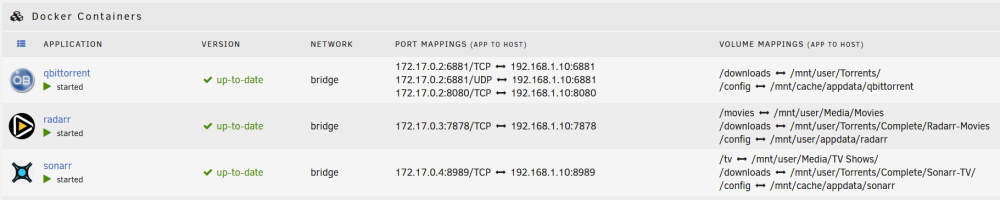
Just in case, heres the docker mappings:
-
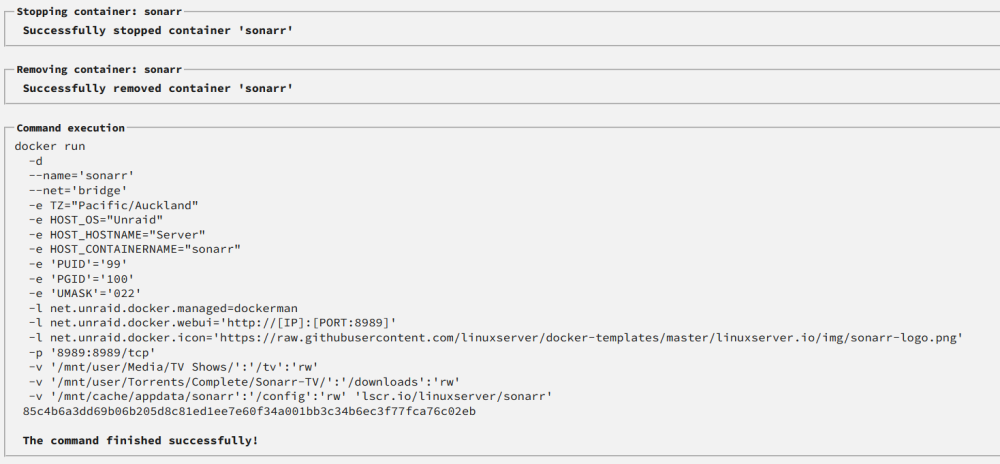
Nope, completes fine:
-
Having a weird issue with my Sonarr/Radarr instances in docker, where they both wont mount shares. I have my torrent download directory set to primary as cache with secondary as array (since I was filling up cache on large download batches). However, if i mount the download share as /mnt/cache/xxx, then sonarr will mount it (but cant see any files because theyre all living on the array and not the cache drive), but if I try mounting the share as /mnt/user/xxx, then it simply refuses to mount and its not listed as a location in sonarr...any tips? edit: I was getting file not found errors and thought this was due to the fact the volume wasnt showing up in the system section of sonarr (which it did when mounted as /mnt/cache but not when mounted as /mnt/user)...solution was to mount as user, but put a remote path map in as shown below...
-
Not sure if it matters but all drives are SATA and not SAS...
-
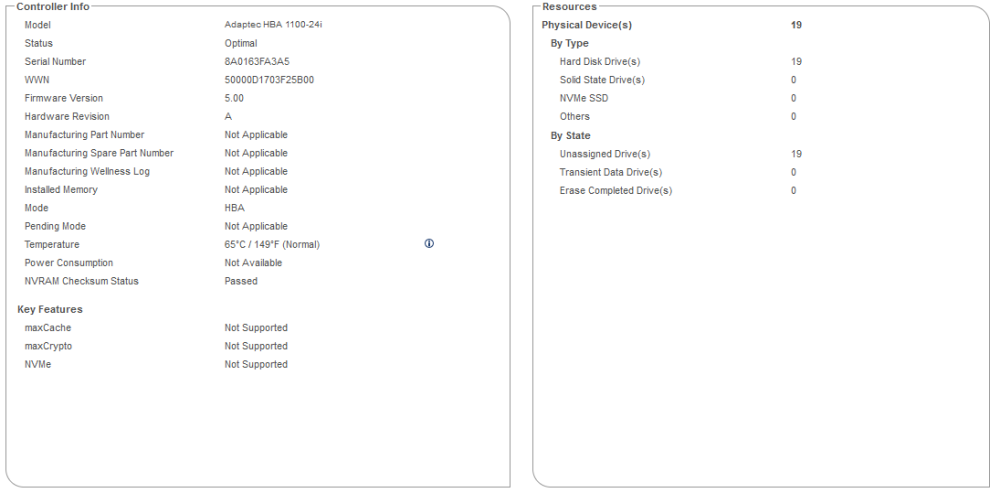
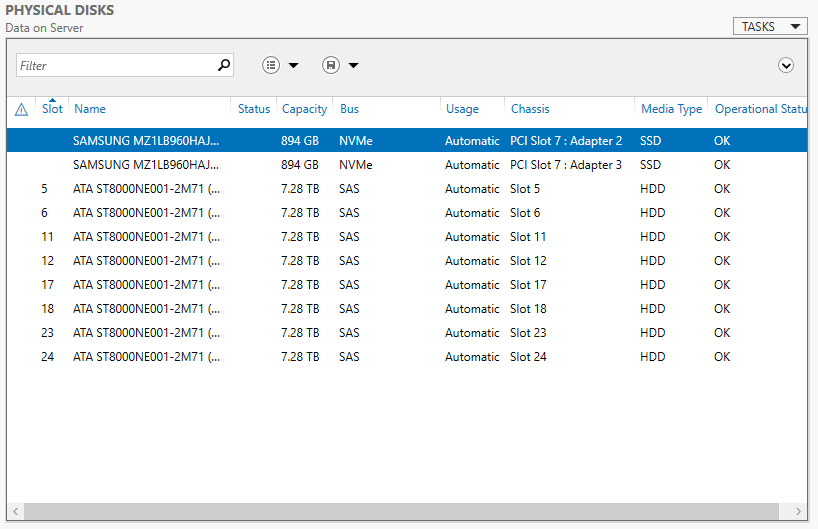
Interesting, its JBOD as far as I know...screenshot of adapter properties (from MaxView Storage Manage webgui running under Windows Server 2019), drive quantity will differ as I unplugged my windows drives for unraid testing...but no HBA card settings were changed. I can flash drive locate LED's via windows storage spaces admin console and chassis slots are reported also (see below)..
-
There we go
-
dirtrally joined the community
-
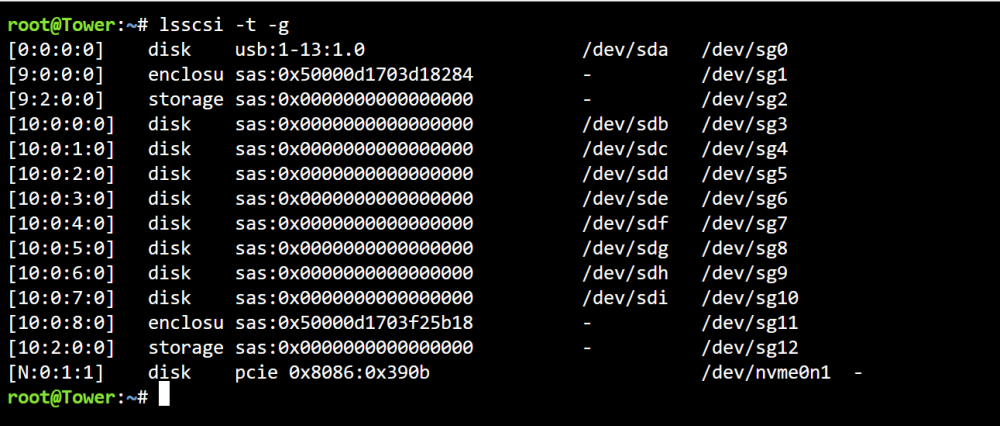
Hi there, Just doing some testing and was very interested in trying this plugin out but it doesnt seem to work with my Supermicro backplane/HBA combo, lsscsi output below, any clues? <iframe src="https://drive.google.com/file/d/1SR9P4pLpGn7Tn013qtl7IxMZzEdEe7iz/preview" width="640" height="480" allow="autoplay"></iframe>


