





Garikoitz
Members
-
Joined
-
Last visited
-
Thanks for answering, the truth is that I don't know how but I have already managed to get the server to start, but I need the server to start automatically in the event of a power outage or an unraid restart, how do I configure the script so that there are no problems? I don't remember now which servers I tried to start, but I think they were conan exiles, dayz and some others thank you edited: I think I have already found it, in the settings/user scripts section, add script and save, I have restarted unraid and it seems to start by itself, thanks again
-
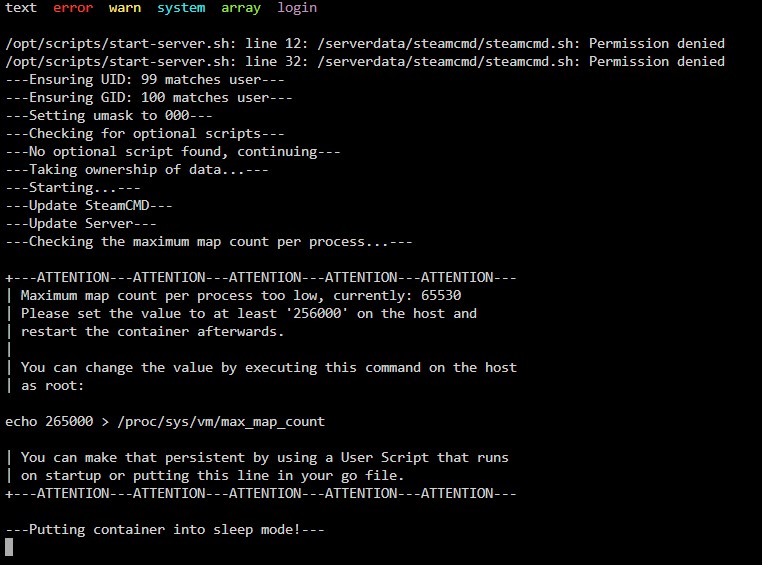
Hello, you say that it is easy to configure a server for any game with your templates but I have not been able to successfully run any of the 4 servers that I have tried, is there a document that explains step by step what each of the docker options is for? ? Now I'm trying the ark-sa server but it doesn't even start because I have to enter a command that I don't even know where to do. On the other hand, it doesn't let me enter the steam ward code and when I try to enter any command in the console it tells me that I have the file system in read-only. It also does not say where the scripts are to make the command that must be entered persistent: "echo 265000 > /proc/sys/vm/max_map_count" In the docker edition I don't know if in "console" I have to put bash or shell... I'm more lost than an octopus in a garage thank you
-
está solucionado gracias, he desactivado pihole y reiniciado el server, no sé que direccion añadir a la lista blanca para que no vuelva a pasar pero está solucionado, gracias por la ayuda
-
no se que archivo descargar, salen muchas carpetas y archivos en el enlace https://github.com/unraid/lang-es_ES
-
Version: 6.12.3 y si tengo internet en el server, de hecho hasta en las vm tambien tengo y me puedo conectar al vpn del server desde los datos del movil o sea que si, tengo internet, ok, voy a intentar la opcion developer a ver que tal funciona, gracias
-
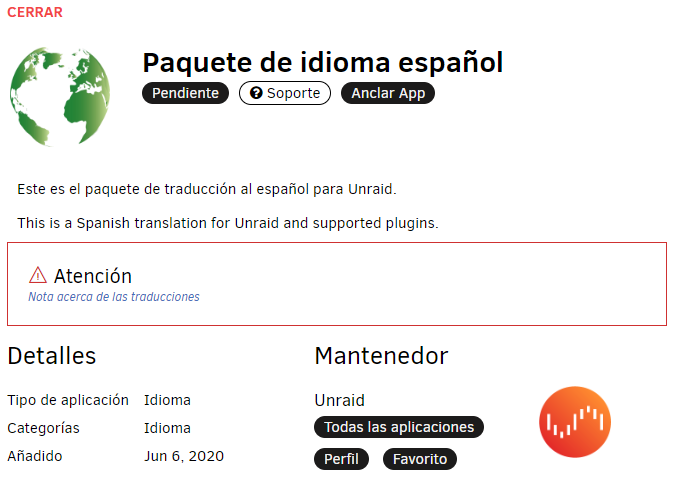
hola, alguien mas tiene problemas con el paquete de idioma español? se me queda en "pendiente" y ademas tengo todo el unraid en inglés, he probado con el italiano tambien pero hace lo mismo, alguna idea? gracias
-
yo uso los botones del menu de la izquierda para "presionar" tanto el ctrl como el alt y el boton de windows aunque me decantaré por instalar algun anydesk o teamviewer o así edito: tambien puedes usar el escritorio remoto de windows
-
Thank you very much for your advice on the vm, I already have my own server running from my house and it's going great, thank you very much for your time.
-
@d_buster If you want, give me the data of your server to see if I can connect, because I have the client that requests your server
-
So why did the other guy have the version that I needed?
-
I don't know what command to put, I just want the docker to download the official version instead of the experimental one. the version that the server would have to download is 1.21
-
I only need the official version of the game to be downloaded instead of the experimental one, nothing more. now there is version 1.21 but the server is downloading 1.22
-
That tutorial is for steamcmd, but I don't have access to docker's steamcmd I have tried to enter the command in the docker console but it does not respond
-
What I want to do is create a server with the official version of dayz, not a beta. and when they update the game so does the server. Ok, I'll look at the link you gave me. thank you
-
by default is how it gives me the error

