





Damienc
Members
-
Joined
-
Last visited
-
Hello all, I seem to have found myself in a situation where my folder mappings do not want to work as they should and I am sure the answer is simple and stupid and staring me right in the face but I cannot seem to figure it out. I have rebuilt my server due to a hardware issue and have spent the last few days copying data back to my main server from my backup server. Today I have installed Radarr and Sonarr, which was easy, got them installed to my "App's" pool using 2x Intel Optane drives, have added the "data" folder to them as well as Qbit and Sabnzbd. Here is where thinks break though. I have Sabnzbd set to " Host Path for /data: /mnt/user/data/" Then in Sabnzbd I set the folders to "/data/usenet/incomplete" and "/data/usenet/complete" I then have Qbit set to "Host Path for /data: /mnt/user/data/torrents" With those mappings, Sonarr doesn't give me a "Remote Path" warning and is auto importing the files. Sonarr and Raddar both have mappings of "Host Path for /data: /mnt/user/data/" Radarr though is completely different, it's just giving me a headache. Radarr is giving me an error message saying "You are using docker; download client SABnzbd places downloads in /data/usenet/complete/complete but this directory does not appear to exist inside the container. Review your remote path mappings and container volume settings." I just cannot figure out why it's saying "usenet/complete/complete" when that path doesn't exist, Sonarr is working with the same settings. Anyone got any ideas?
-
This has just helped me, thank you. I made a mistake and basically ended up going round in circles trying to get Nextcloud installed, it just constantly remembered the wrong settings and would not do a "Fresh Install" of it and instead kept using the wrong information. I finally found this post, and this worked so I could start it again from scratch. Time to bookmark this incase I need it again in the future.
-
This helped me with mine, loading the dashboard etc for Unraid was really slow, like 20 seconds to load the Dashboard tab, 30 seconds or more to load the Plugins tab, it's now down to less than 10 seconds to load the plugins tab, I have no idea if the number of plugins affects it but I have 16 installed currently.
-
So an update. I finished moving some files around and the speeds were still slow. This morning, I was moving some files and I have no idea why but I was getting 150MBp/s when moving the files instead of 50MBp/s. @JorgeB I would like to say thank you for trying to resolve the issue.
-
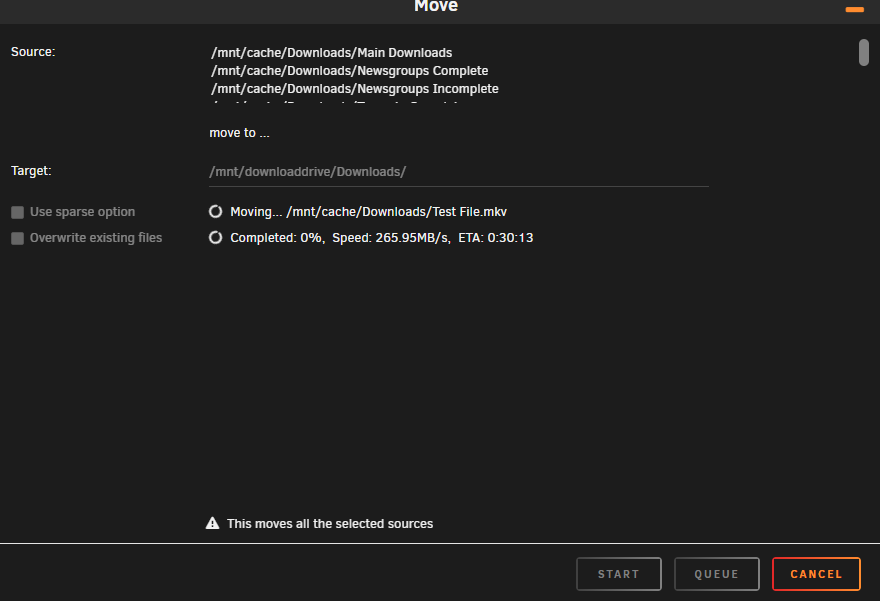
First can I just say thank you for the help offered so far, it looks like it's leading to the right direction to resolve the issue. So I think I may have made a boo boo slightly 😥 Ok so the Cache Drive is a 2TB NVME Samsung Drive, I have the "Mover" set to move all the files from the "Downloads" share from the Cache to the Array when it reaches about 90% full or something like that, and recently I clicked "Move" without thinking, so everything was moved off including the "Test" file I was using to test the "Cache to Array" speed, so it was effectively "Copying" the file from the "Array" to the "Array" which given the drop in speeds on these drives when they get as full as they are, may explain why the speed was so slow for that. When copying from 1 NVME Drive "Damiens Storage" to the "Main Array" it was topping out at around 98MBp/s currently which again would probably match up with the speed of the drives when they are this full as they are all around 80%+ full. Currently I am messing with the drives and copying from the Samsung Cache drive to a temp drive (Lexmark) NVME, I am getting the below speeds I am going to do some more rearranging of disks, and once that is done I will come back to this thread.
-
I will look at it when I finish work in 4 hours.
-
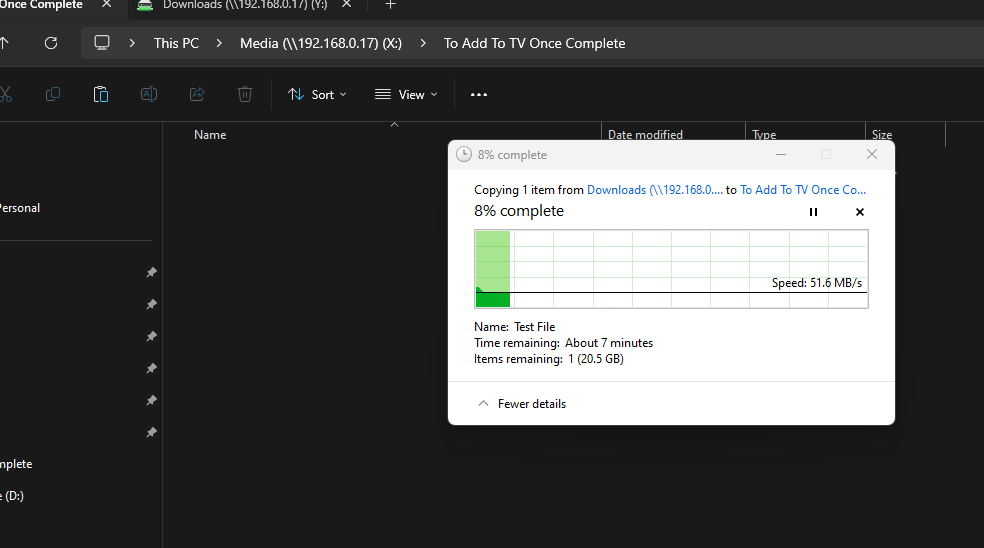
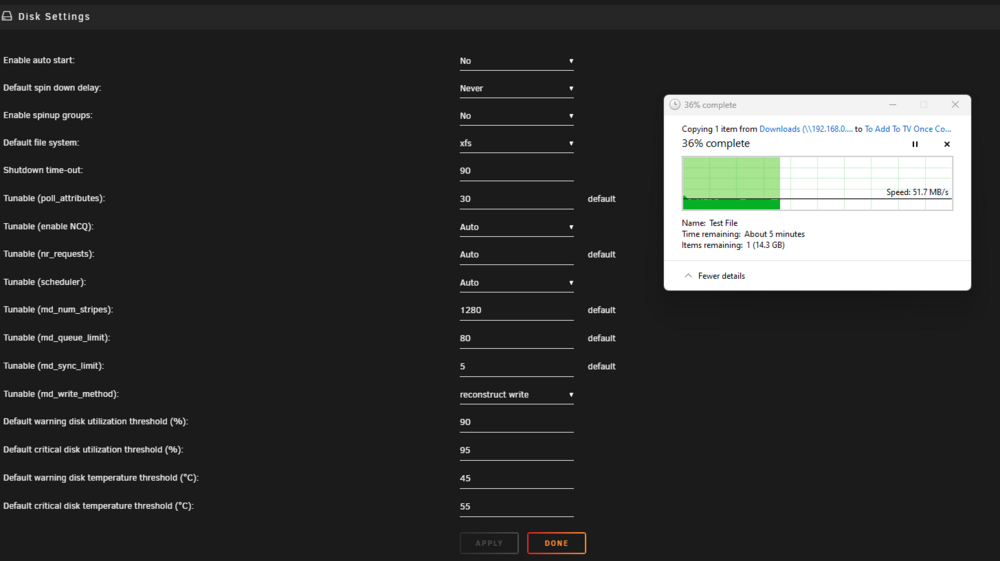
Turbo Write is enabled.
-
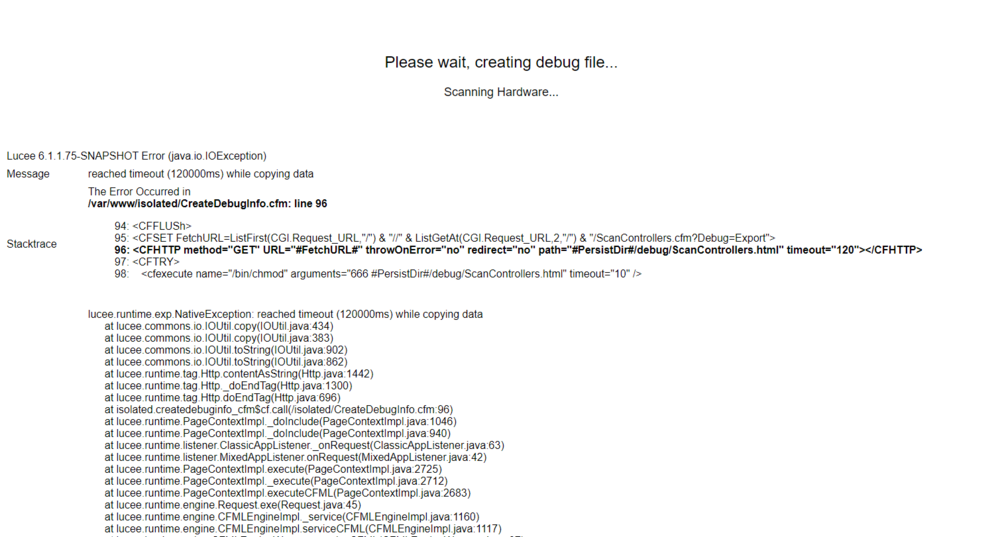
So I ran the Disk Speed. I then did the "Disk Bencmark" and it kept giving "Speed Gap" errors and eventually "failed" but I tried to get a "debug file" but it won't create one and instead give this I am running the "Disk Benchmark" again but with "speed gap disabled". What I don't understand is, the drives are clearly capable of much higher speeds than I am receiving and higher than I was getting on the Intel setup.
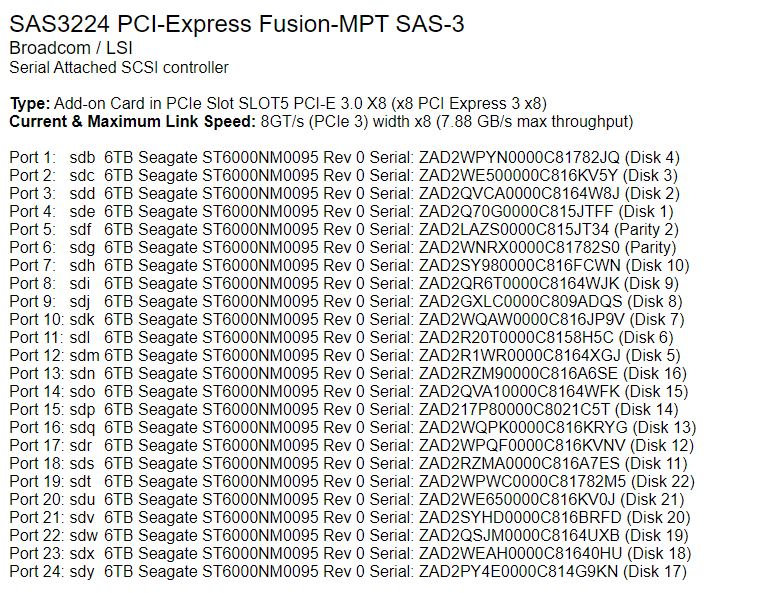
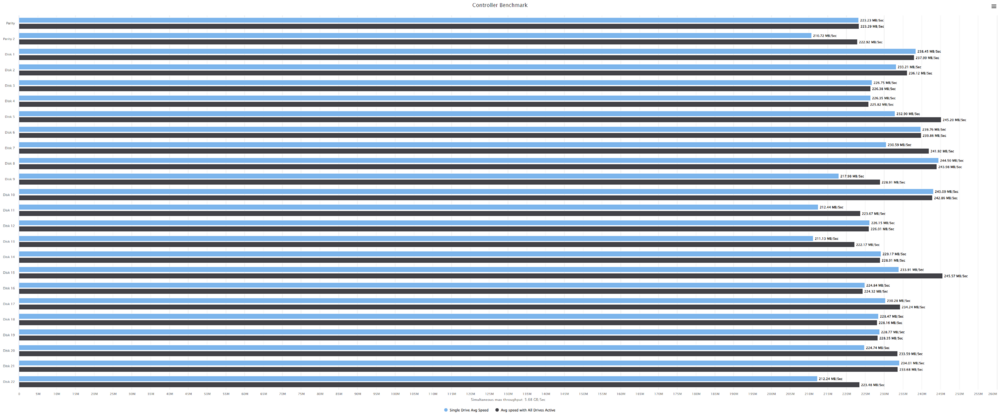
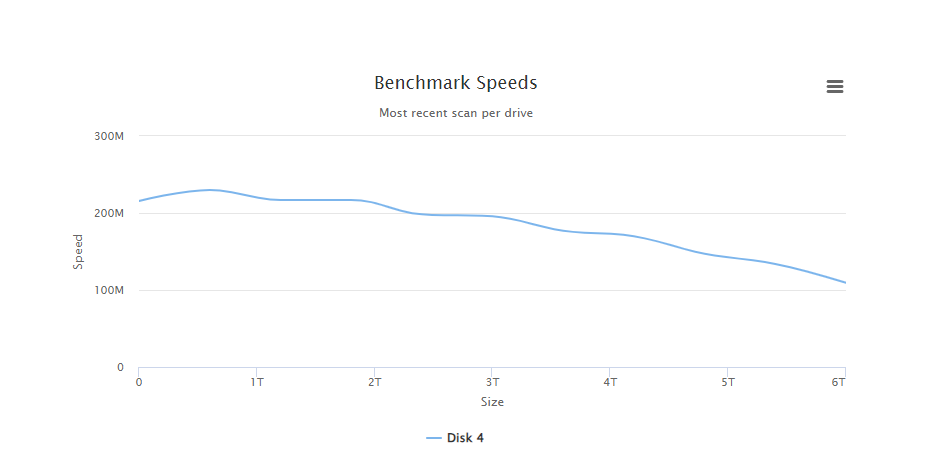
 I ran the "Disk Benchmark" thing as well, did it on "Disk 4" and I forgot I clicked "Move Now" because I want to move the stuff of the Cache Disk as I want to drop it back to 1 drive and use the 2nd one for something else as it's not helping the write speeds to the main array.
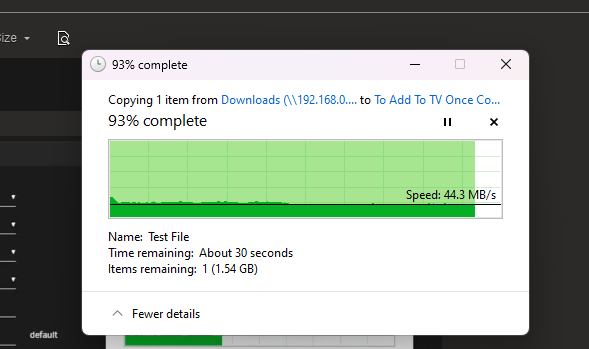
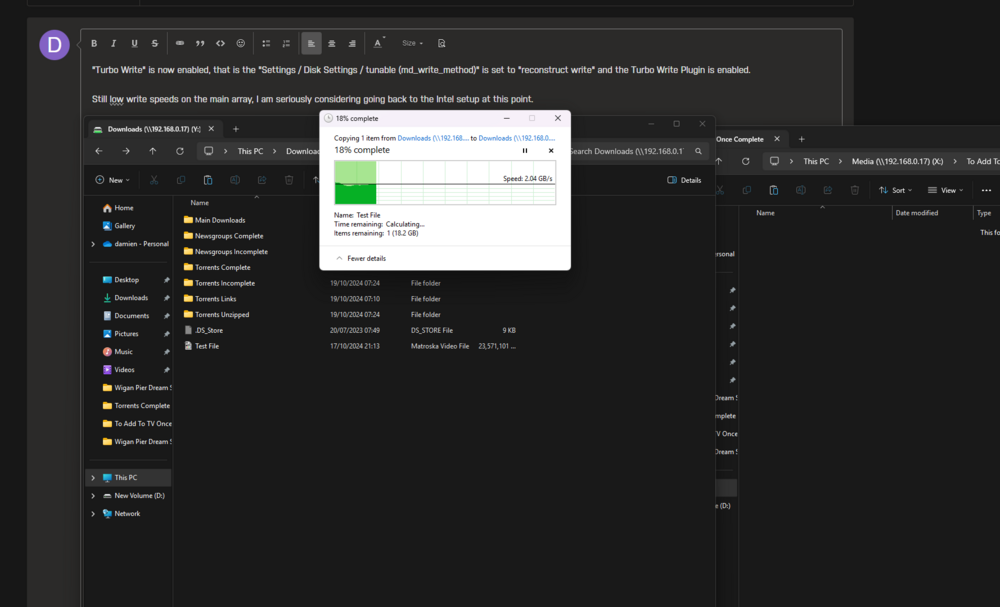
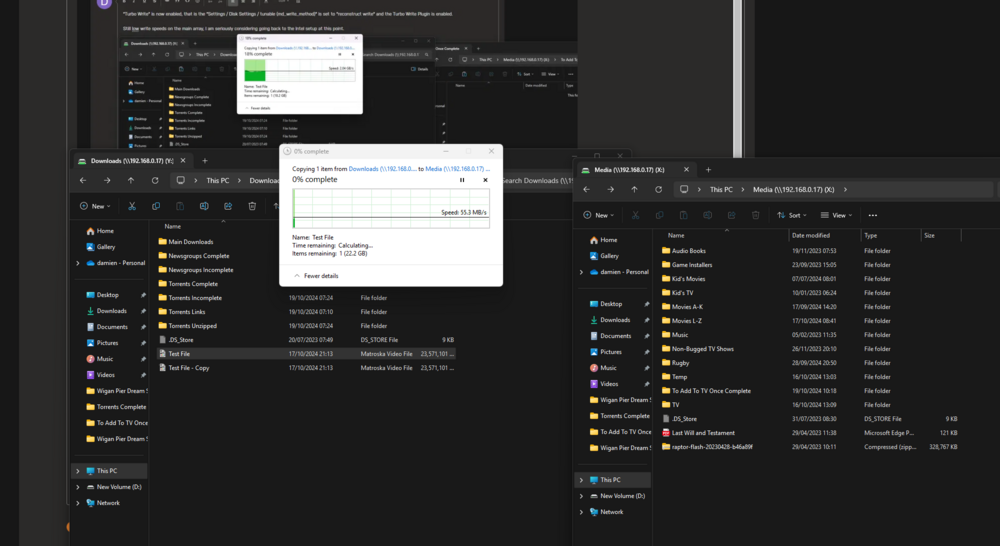
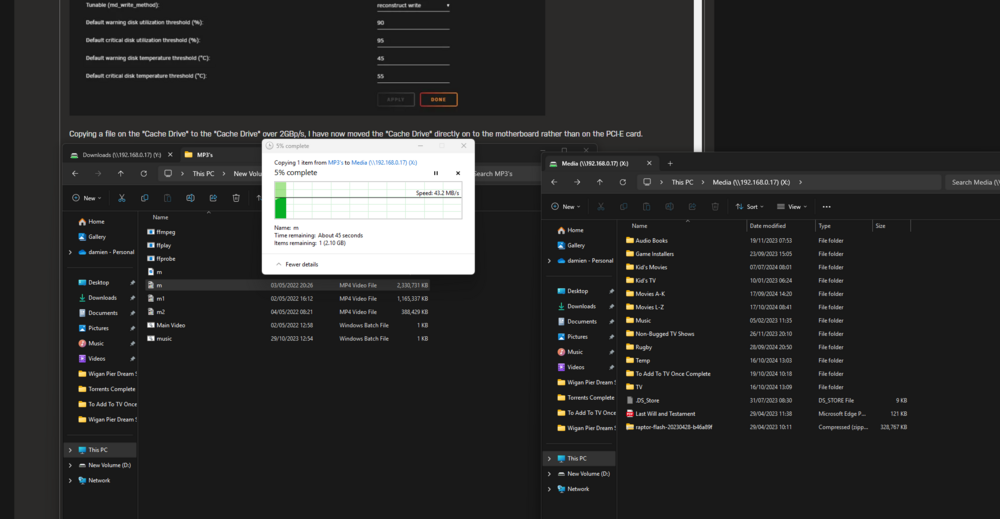
 Ok so both Parity drives are now swapped out to the same Seagate drives, so all 24 in the array are now the "ST6000NM0095" model drives. Turbo Write is enabled, I have just flashed the latest firmware and bios to the HBA and I am still at reduced speeds. I added another drive to the cache incase that would help, honestly just trying anything I think might help regardless of how stupid it is, but nothing seems to be helping, I am still limited on data transfer speeds on this AMD Epyc build compared to the Dual Intel xeon board with less PCI-E lanes. I don't know if they will help but I have attached the latest Diagnostics. Up to now, I have tried Updating Bios on the motherboard Checking Write Cache and enabling it on the SAS Drives Enabled Turbo Write Swapped out the HBA to an older slower one which gave the same speeds Swapped the HBA to Backplane cables Took the heatsink of the HBA and repasted it, I also have 2 fans pointed directly at the HBA and PCI-E NVME card, 2x Noctua fans 1 of which is the Industrial 2000rpm ones running at full speed. I have tried different PCI-E slots. I have done a "New Config". The flash drive is no longer accessible on the network, I needed to copy the flashing software etc to it to try to flash it using the console, in the end I just pulled the Unraid drive from the server and used Freedos. Thank you all so far 🙂 raptor-diagnostics-20241021-1700.zipSwapped the first parity drive, 2nd drive is being swapped, which will be finished in about 24 hours. Will post back once completeThanks for the info, I am just cleaning the Server didn't realise the drive caddies were abit dusty, also repasted the HBA the old stuff on it was like chalk. I am going to be doing the Parity Sync though first as I am swapping out the HGST drive with the "Elements in grown defect list 2", so will see what speed that runs at."Turbo Write" is now enabled, that is the "Settings / Disk Settings / tunable (md_write_method)" is set to "reconstruct write" and the Turbo Write Plugin is enabled. Still low write speeds on the main array, I am seriously considering going back to the Intel setup at this point, the problem with that is I cannot run 2 extra NVME SSD's as the board doesn't support Bifurcation. Copying a file on the "Cache Drive" to the "Cache Drive" over 2GBp/s, I have now moved the "Cache Drive" directly on to the motherboard rather than on the PCI-E card. Copying from my PC directly to the Array is still limited One thing I am going to do is swap out the parity drives for 2 more of the seagate drives as one of the parity drives is showing "Elements in grown defect list 2" Maybe it's just pure bad luck that swapping to the new board etc has shown that drive to be "Unstable", will find out soon though. raptor-diagnostics-20241019-0926.zip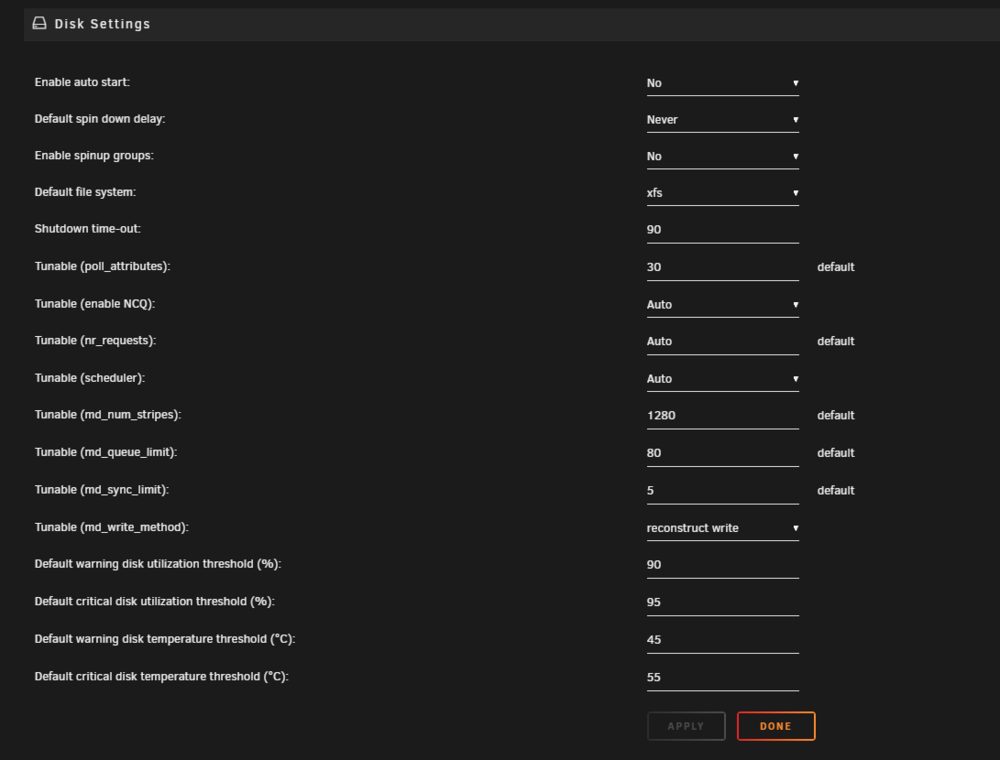
 I am just swapping back to the 9305 HBA as I just tried the 9201. Will check and report back.



