d_freshmaker
Members
-
Joined
-
Last visited
Everything posted by d_freshmaker
-
Gotcha. Thanks for your help! I think I remember doing that search after nginx stopped.
-
Sorry if these are dumb questions. I'm rather new to this, and everything I know I've picked up from Youtube tutorials and random Google searches. The syslog shows an out of memory event with the timestamp Jul 22 14:46:30. If that isn't it, what should I be looking for? At the time of that event, my nginx container stopped and I had to restart it. Thinking it was that container that ran out of memory, I tried fixing it by adding the Extra Parameter below, but have no idea if that fixed it (or was even the right thing to do). After I added that parameter, the message below was shown, so I don't even know if it did anything. Also, what is flapping?


-
A few days ago, I noticed my Nginx docker container had stopped with an out of memory error. Then, this morning "Fix Common Problems" notified me about it again, suggesting I post here. My Diagnostics are attached, and any help would be greatly appreciated. unraid-diagnostics-20250727-1112.zip
-
I have been experiencing periodic crashes with nginx in Unraid Docker. It only happens every couple of weeks, but I have no idea how to fix this. Google has not been helpful, either. Below is the end of the nginx log from when I found the container had stopped. Any help would be much appreciated! I have 128gb of RAM, so Unraid shouldn't be actually running out of memory. [app ] [3/28/2025] [11:00:23 PM] [SSL ] › ℹ info Completed SSL cert renew process [app ] [3/29/2025] [12:00:23 AM] [IP Ranges] › ℹ info Fetching IP Ranges from online services... [app ] [3/29/2025] [12:00:23 AM] [IP Ranges] › ℹ info Fetching https://ip-ranges.amazonaws.com/ip-ranges.json [app ] [3/29/2025] [12:00:23 AM] [SSL ] › ℹ info Renewing SSL certs expiring within 30 days ... [app ] [3/29/2025] [12:00:23 AM] [SSL ] › ℹ info Completed SSL cert renew process [app ] <--- Last few GCs ---> [app ] [423:0x145bbd2c70b0] 259201328 ms: Mark-sweep 232.7 (254.7) -> 231.1 (254.7) MB, 25.0 / 0.0 ms (average mu = 0.761, current mu = 0.808) task; scavenge might not succeed [app ] [423:0x145bbd2c70b0] 259201448 ms: Mark-sweep 232.1 (254.7) -> 231.8 (255.5) MB, 46.1 / 0.0 ms (average mu = 0.684, current mu = 0.614) allocation failure; scavenge might not succeed [app ] <--- JS stacktrace ---> [app ] FATAL ERROR: Reached heap limit Allocation failed - JavaScript heap out of memory [supervisor ] service 'app' exited (got signal SIGABRT). [supervisor ] service 'app' exited, shutting down... [supervisor ] stopping service 'nginx'... [supervisor ] service 'nginx' exited (with status 0). [finish ] executing container finish scripts... [finish ] all container finish scripts executed.
-
I reverted back to 6.11.5, then updated to 6.12.8, and everything magically started working again.
-
I reverted back to 6.11.5, then updated to 6.12.8, and everything magically started working again.
-
Yes, my date and time are correct (just re-verified). Those diagnostics are from a couple of days ago when I created a thread asking for help. You posted a link to this thread, which I thought was you implying I should post here, and I re-used the same export.
-
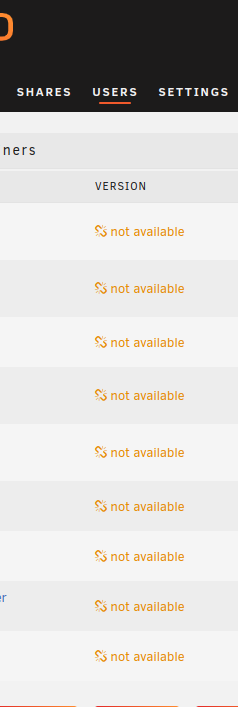
A couple of weeks ago, my UNRAID installation started giving me trouble. The first symptom was that connections to the UNRAID server using Wireguard just stopped working. Of note, I have recently changed my router to a Google Nest Wifi Pro 6E, however everything worked fine for a few weeks after I switched routers. I also recently performed an update to 6.12.6 from something in the 6.11.8 range. I do not remember if everything ever worked correctly once I got on 6.12.6. I never could get Wireguard working, so I clicked on APPS to look for an alternative to Wireguard for VPN access. That is when I saw the "Download of appfeed failed" message shown below. I have enabled DHCP as well as set my DNS servers to 8.8.8.8, 8.8.4.4, and my router's IP address in UNRAID. I have also noticed that Docker is not displaying the version/whether each container is up-to-date. I have one VM running, and it does have internet connectivity, for what it's worth. Any help would be appreciated. unraid-diagnostics-20240122-2007.zip
-
A couple of weeks ago, my UNRAID installation started giving me trouble. The first symptom was that connections to the UNRAID server using Wireguard just stopped working. Of note, I have recently changed my router to a Google Nest Wifi Pro 6E, however everything worked fine for a few weeks after I switched routers. I also recently performed an update to 6.12.6 from something in the 6.11.8 range. I do not remember if everything ever worked correctly once I got on 6.12.6. I never could get Wireguard working, so I clicked on APPS to look for an alternative to Wireguard for VPN access. That is when I saw the "Download of appfeed failed" message shown below. I have enabled DHCP as well as set my DNS servers to 8.8.8.8, 8.8.4.4, and my router's IP address in UNRAID. I have also noticed that Docker is not displaying the version/whether each container is up-to-date (see below). I have one VM running, and it does have internet connectivity, for what it's worth. Any help would be appreciated. unraid-diagnostics-20240122-2007.zip