illmatik
Members
-
Joined
-
Last visited
Everything posted by illmatik
-
I disconnected and re-connected all the molex power connectors going into the backplane and that seemed to have done something as the Disk Clear is performing as expected now. Thank you!
-
I'm using a 20bay chassis which has 5x backplanes. I had to use some splitter adapters to get enough molex power connectors - 2 for each of the 5 backplanes. Perhaps the output on the power supply cannot handle this amount of connections with the splitters? This is backplane number 5 out of 5 so all of the other ones are each powering 4 drives.
-
I'm trying to add a new 14TB drive to my array. I'm taking the array off-line, adding the new drive to an empty slot and bringing the array back online. At this point I'm expecting the Disk Clear to begin. It seems to start for a split second and then it switches to a paused Parity Check. I've tried pre-clearing using Unknown Devices as well, but when the clearing process starts, I'm no longer able to see the drive in UD or see the status of the pre-clear. I've also tried another 14TB drive I have but I'm observing the same issues. optimus-diagnostics-20240805-1257.zip
-
I shut down the server and re-seated the M2 drive and I am able to mount it now. Thank you!
-
Nope, no filesystem and Mount is still greyed.
-
SMART has passed and I'm not seeing any errors in the attributes. Brand new drive out of the box.That was actually a different drive that I have in UD, I test mounted it just to make sure it could mount anything. Is there maybe something wrong with the partitions on the newly formatted SSD? I can't click on the arrow button next to the Mount Point like I can with the Hitachi drive
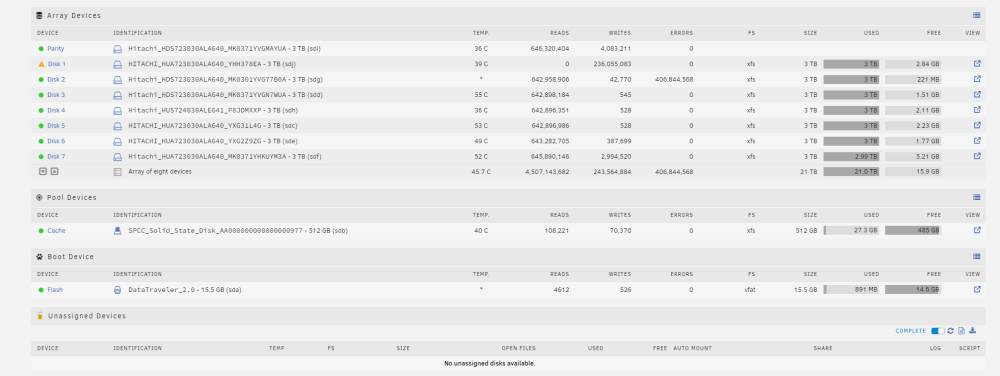
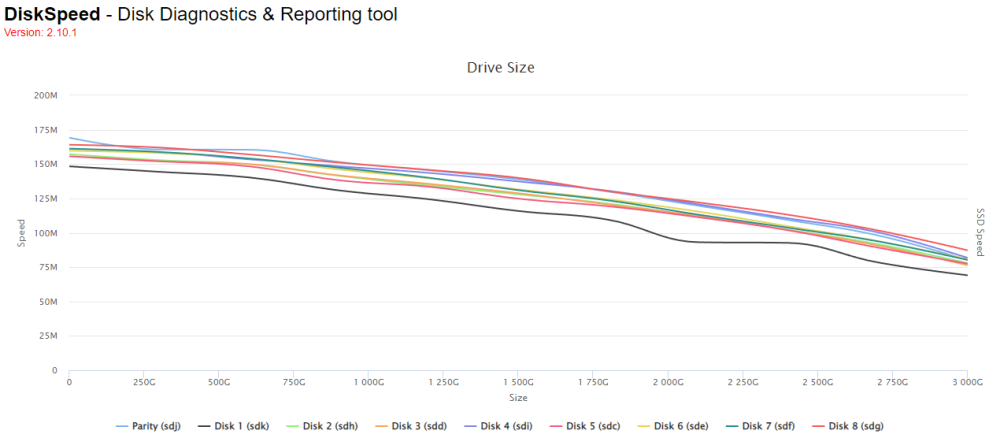
 I have installed a new NVMe drive to replace an existing SSD in my cache pool. I'm trying to mount it in UD so that I can copy over the files from the original SSD, but after I format the drive with UD, the Mount button is greyed out. I've tried XFS and BTFS optimus-diagnostics-20230119-1452.zipI'm having issues with forwarded ports being intermittently inaccessible when the pihole docker is running, specifically Plex and Overseer. Both are running in their own network but don't have their own IP. I've tried giving them their own IP, but my crappy Google Wifi router doesn't allow me to select a static IP'd device to set a port forward - very frustrating. Seems like my options are to run pihole from a separate device or look into another router.Thank you for that explanation. I'm okay with running pihole on another device and will look into setting that up. I just felt like I had configured something incorrectly as it seems that a lot of people are using the pihole docker successfully with opened external portsI have configured the pihole docker to have it's own ip address which is being used by my router as the DNS server. pihole is functioning as expected. However, when the docker is running, the forwarded ports I have set up for apps like Plex or Overseer only work periodically. I can have my browser on the external IP and forwarded port, and if I refresh repeatedly, it will bounce between successfully connecting and failing to connect. I'm seeing the same behavior when using a site like canyouseeme.org to test the open port. As soon as I disable the pihole docker, this problem goes away and I am able to consistently access my server via the external IP and open ports. optimus-diagnostics-20230105-1723.zipThank you all for your help. I believe I have uninstalled all of the outdated plugins. I've taken another diagnostic with the parity check running for about 30 minutes now (still very slow) megatron-diagnostics-20221220-0826.zipHere is a diagnostic while a parity check was running megatron-diagnostics-20221220-0640.zipI recently replaced the power cable to a drive that was having errors, as well as added a new drive. After replacing the power cable, I rebuilt the parity which seemed to be at normal speed. The new drive was also set up at a normal speed. I also updated to the latest version of Unraid around this time. Today, the regularly scheduled parity check is going extremely slow, anywhere from 2-8MB/s which would take about 3-6 days, where this typically took about 8 hours (with one less drive in the array). Attached are my diagnostics as well as a DiskSpeed test. I had to pause the parity check otherwise I wasn't able to get the diagnostics without it hanging. Disk 1 seems to be reading a bit slower than the other drives, but nothing crazy. I am seeing some SMART errors for Disk 1 though which are new. megatron-diagnostics-20221219-1510.zip
 Thank you, I did this and Disk 2 is now available. This does indicate there was a wiring issue causing that disk to drop off. I've attached the new diagnostics after restarting the array. I assume we're good to try rebuilding the drive again? megatron-diagnostics-20221109-0849.zipHi, I had a disk failure on my array. There was a red X next to the disk and it was being emulated. Unfortunately, I was very irresponsible and waited a long time to replace this drive (3+ weeks). I got around to replacing the drive and initiating the rebuild process, but it looks like another drive has failed during the rebuild as there have been read errors accumulating for hours on it. I'm suspicious of if this is a drive failure, or perhaps a power supply or wiring issue. I've resign to the fact that I will probably lose out on some data, but I'm just wondering what the best approach would be here. I still have access to the original drive which failed, but I'm unable to access any data on it when mounting it on my PC. megatron-diagnostics-20221109-0812.zip