





oncdoc
Members
-
Joined
-
Last visited
-
I hope this is the right place to ask this question. I watched Space Invaders video on setting up. Tailscale with glutenVPN and deluge. I am able to use the gluten container as a network and exit node for the Firefox docker. However, I cannot get the deluge docker to download anything. I get to the part where it'll recognize that there's a connection and peers, but nothing downloads. It kind of starts and then just stalls and then stops. So in summary the Gluetun container works fine as a network for dockers other than Binhex Deluge.
-
Ha ! Im going to call you "Magic man" because the above steps worked. Specifically I did not have tailscale installed on the pc I was using! thank you
-
Hi Ed ! I did as you asked. Then I reauthorized unraid and confirmed that it is on the tailscale admin site as well. The exit node status has resolved. But the inability to switch of viewing has not been resolved. Thank you for your help.

-
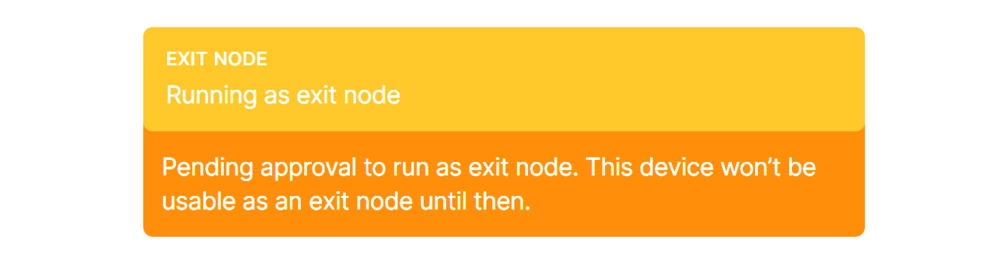
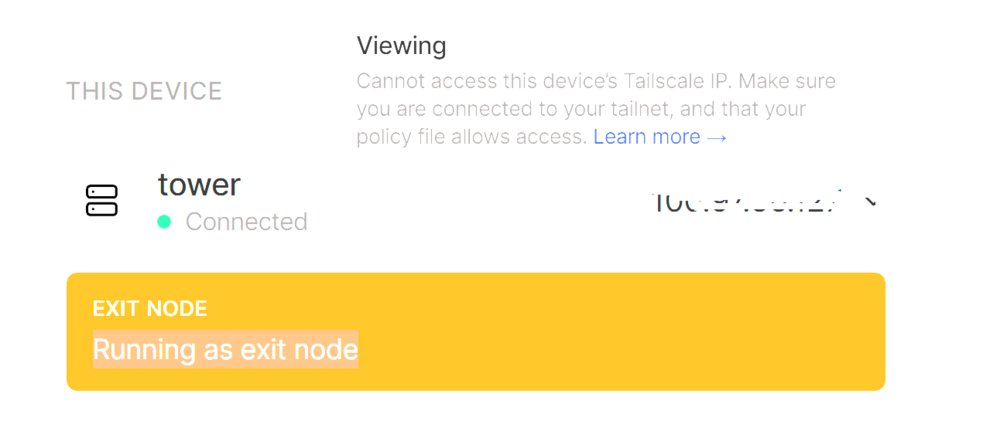
Hello folks, I am running Unraid 7.0. I have the problem of no authentication option after hitting the view button. Also curiously even though I uninstalled tailscale plugin with reinstallation I keep getting a message that the server wants to run as an exit node. In the console of Tailscale's website I similarly deleted my server device and readded it. Even after enabling it as an exit node I cannot authenticate after hitting the viewing button. Also as a work around, I typed "tailscale up" in the cli and nothing happens ( maybe Im doing that wrong?) Adding SSL made by browser act funny so I stopped. Can you help. Would love to get tailscale up and running.
-
Unfortunately for me it did not create a raid1. Its a raid0. Is there anyway I can mirror my two devices now?. They are btrfs but have data on them now.. agghhh
-
ok I figured it out. I was getting a pool on one of the drives that would not be formatted. I took out the drive formated it in windows and now everything is fine.
-
I have inserted the diagnostics tower-diagnostics-20230923-1400.zip
-
sorry the problem with unmountable file system is back. See post one. Agghhh! I have 2 same size nvme's I was thinking of putting in zfs for cache. I get an unmountable: unsupported or no file system error. Steps I took: I have formatted the disk that appear unmountable. Removed disk from cachepool. Configured the cachepool for ZFS mirror. Placed the disk back in the cachepool. But keep getting the same error.

-
I got it to work. I have been able to reboot twice in a row with access to the server. what I did. I dont know which one of these steps did the trick but I will list them in case it helps anyone in the future. messed around with boot menu and turned off secure boot. Boot to custom uefi I changed the RAM to xmp as opposed to auto. Turned off asus optimization of the ram. Finally, put the flash in the 2.0 USB slot. Thank you all above who helped. I always learn something from you kind folks. I will report back if problems re-occur.
-
How do I anonymize the diagnostics file with this method?
-
My instinct is that it's not a GPU driver problem. Like I said, I can see on the screen, the startup of the server and sometimes, everything will work perfectly. I will get an IP address and connect to the unraid server. Upon rebooting I will see the system booting but then it will go to a blank screen. And, I cannot access the server via the PC browser or phone browser. It's definitely not a screensaver. I've been pounding on the keyboard trying to make this work!! Perhaps I'll virtualize unraid since even with a fresh USB flash unraid drive. I had the same problems. Proxmox?
-
Hi there. I tried switching boot mode to legacy. There's also an option on the motherboard for legacy or UEFI. I think I'm going to try UEFI only. Weird thing is this is intermittent. How can it be that everything works fine sometimes and then when I reboot I see it rebooting on the monitor and all that stuff comes on the screen. Then I get a blank screen. If I opt to have GUI locally on the monitor, it will also go to the blank screen. Furthermore, I can't access the server via a browser on the PC or phone even with the blank screen. So I think it's more to it than the GPU driver. But hey, you guys are more experienced than me.
-
How do I do that if I can't access the gui to download the diagnostics. Can't even access the gui from monitor connected to the server. I choose the option to boot to gui on start up and screen goes to a blank.
-
Alas, I did all that above and still getting intermittent network issues. Everything seemed fine, I rebooted and now cant even ping the server. Although it shows up in the network. Dont know what to do at this point.
-
the drives did format and mount. I made a new usb stick. Initially, I was able to connect to the server and a got read only USB error again! either way I rebooted via the PC browser and now Unraid is not registering nor pinging. I could try to put the original USB back but Im beginning to suspect its a motherboard NIC problem or USB boot problem? I did install the latest firmware onto the ASUS motherboard but have not updated the drivers. Would it be worth installing windows on the Server and updating all the drivers? I dont know how to update hardware drivers in any other way. Wish I did since installing windows etc is a pain in the you know what.


