





SugoiShades
Members
-
Joined
-
Last visited
-
welp tried booting it up with br0 after leaving it overnight and its working on my custom IP I hate networking stuff I literally just turned it off and back on again in just enough of a right way that it decides to work I give up sorry to bother everyone its working now I guess
-
okay so if its opening all ports to that IP on br0, why can't I find it on my local network or get it to connect to the server in the server browser? I have nothing else fighting to use those ports, and my LAN firewall should let local things talk to eachother, so why doesn't it?
-
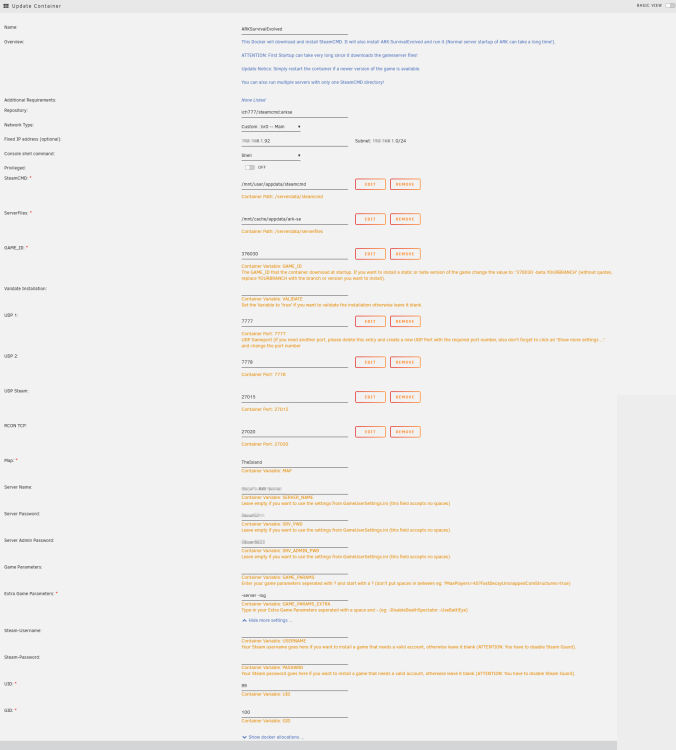
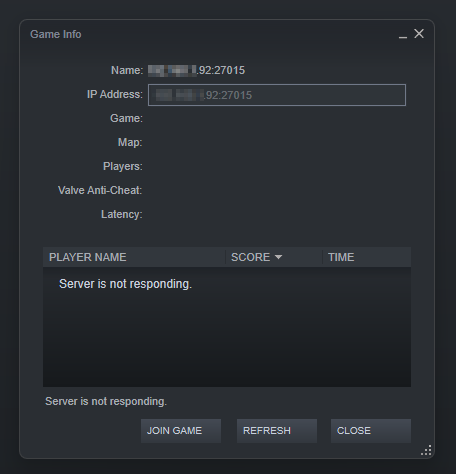
okay, the main reason I don't want to use the bridge is because I want each of my servers to use a different local IP address so I can manage port forwarding from my router better. I don't want to expose my actual UnRaid server's IP address to the internet at large by various ports, id rather just expose the virtualized docker and the one or two ports it needs to minimize damage should something happen so I'll just say it, my UnRaid's IP ends in .90 and sequentially from there every docker I have on it is increased by 1 for example my MC server is .91 and I want the ARK server to be .92 the only way I was able to do this other than adding additional physical network adapters was to use br0 (at least that's what my friend who helped me initially set it up said) I want to just be able to go to my router and make a rule saying go from public IP port 27015 and go to internal IP ending in .92 and call it a day. I don't want to expose my actual unraid's IP because that feels like more a vulnerability right? and sorry, I didn't quite understand what you meant by not exposing the ports in the docker until now. I tried messing around with it on the binhex server and got the result you said I would. sorry I didn't get it right away, I'm still at the stage of re-learning how docker works every time I add a new docker. I've attached a image of my docker template, its pretty much default other than deleting and re-adding ports like I've seen people mention on here (I think I did, I've deleted the docker and reinstalled it several times so I can't tell if I've done it on this one yet) I tried adding the IP and port in the steam server browser and I get absolutely nothing in this current config.
-
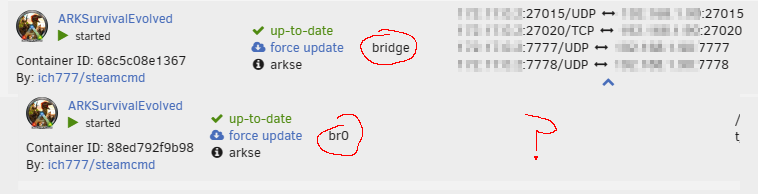
really? because it works just fine for br0 on my minecraft server/it shows me the app to host port mappings just fine. in any case, I can't even get it to show up on LAN. steam just says no LAN servers and I can't tell what I'm doing wrong. is there an official setup guide somewhere I can reference? I'm flying by the seat of my pants and appear to be failing miserably

-
why does the server refuse to connect if I use a custom network adapter? I want to use my custom br0 to give my ARK server a custom local IP but every time I do that, it refuses to map the ports to the IP. its worked for the other dockers I've been running but for some reason it refuses on this one. I'm not sure what I'm doing wrong
-
yep, the parity check completed without issue. I think I can safely close the thread. sorry to bother everyone with this odd issue. for reference though I was able to get the fdisk output for the new parity disk/the SSD with the weird default formatting I dont know how helpful it is since I can't get unraid to mount the old parity drive anymore and I dont have the fdisk from before I just straight up copied all of the data from the old to the new, but here it is reguardless root@Kamina:~# fdisk -l /dev/sdb Disk /dev/sdb: 931.51 GiB, 1000204886016 bytes, 1953525168 sectors Disk model: CT1000BX500SSD1 Units: sectors of 1 * 512 = 512 bytes Sector size (logical/physical): 512 bytes / 512 bytes I/O size (minimum/optimal): 512 bytes / 512 bytes Disklabel type: dos Disk identifier: 0x6d4a4ae2 Device Boot Start End Sectors Size Id Type /dev/sdb1 64 1953525167 1953525104 931.5G 83 Linux
-
I have news be it good or bad unfortunately I put the old parity disk in this drive cloner thing I have & cloned its contents to the new "too small" SSD disk and now unraid took it just fine. apparently I'm supposed to get it partially formatted before unraid behaves sorry to waste everyone's time I suppose. closing the thread
-
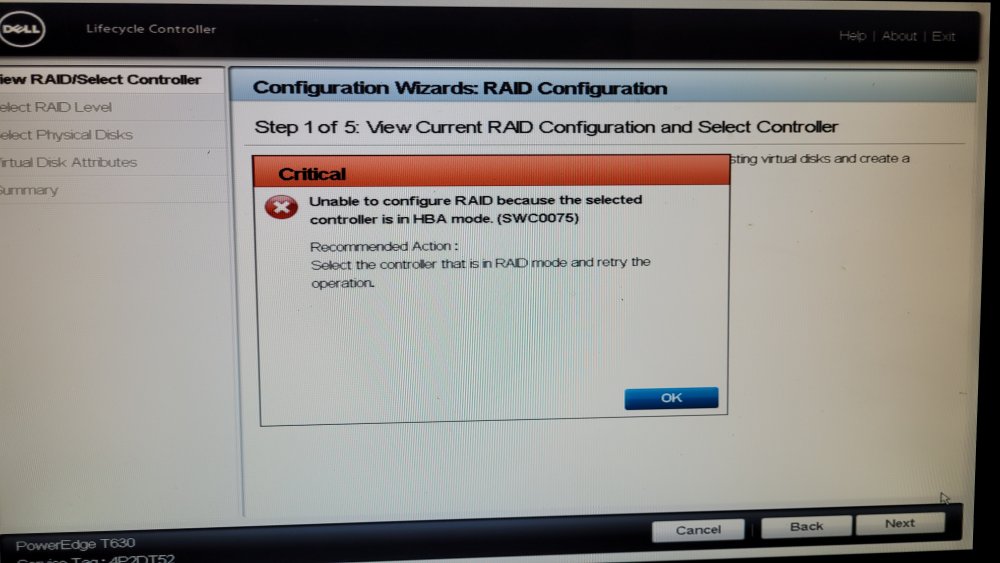
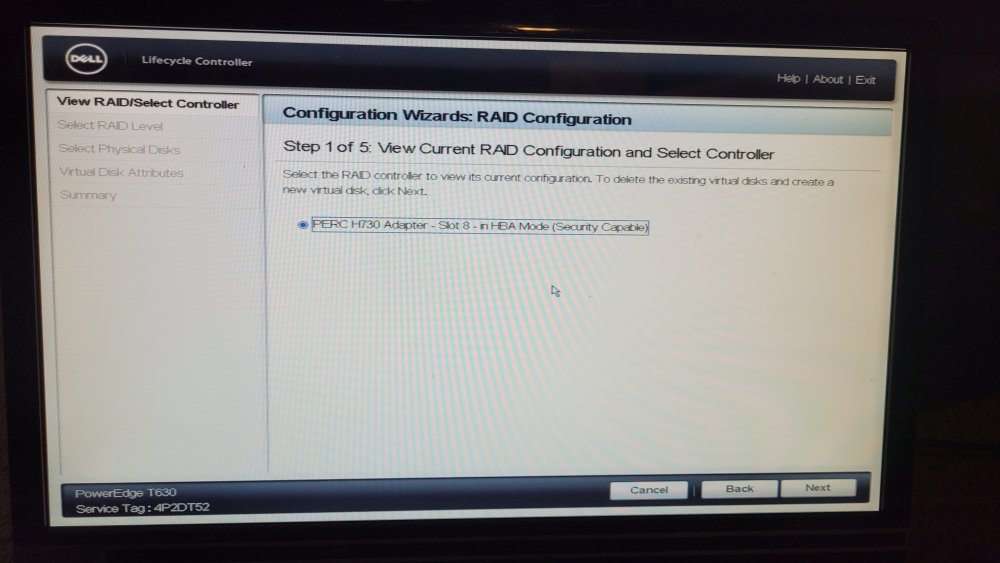
one final addition to the thread for the night. this was all I could find in the BIOS trying to configure the Hardware RAID at all gives this error saying its not in RAID mode looking at the controller, it says it's in something called HBA mode. looking in the normal BIOS stuff it says my options are ATA mode ACHI mode and RAID mode. Its been in ACHI mode & I intend to leave it there / that's what makes sense anyways right? that's modern SATA all of this is to say the RAID portion of the card is not enabled or in use at all its just passing everything through and treating them like normal SATA devices instead of parts of a Hardware RAID array which unfortunately doesn't help me my new SSD is still the exact same size as the old HDD I was trying to replace and unraid gets pissy every time I try to set it as a parity disk so hopefully this @JorgeB you pinged can help or one of us has an epiphany overnight or else my array might decide to completely implode. I'll try to start getting data off of it in case it dies
-
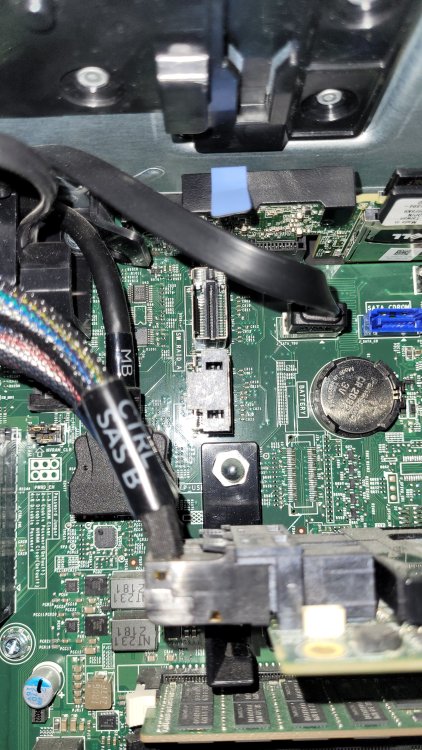
nevermind, I'll have to use the RAID card no matter what. the backplane does use 2 Mini Sas connectors to connect to the SAS/RAID card but the motherboard's "SW_RAID_A" and "SW_RAID_B" ports are something I'm not familiar with. I attatched a picture of them in the center/top portion of the image with the SAS/RAID card in the bottom/right portion of the image (just for reference) I'll see if I can access the RAID settings for the controller from BIOS
-
okay, I hope this person can help. I'll also ask about the RAID hardware from the person I got the server from, they might be able to shed some light on it as well. we'll see which of the two responds first. I never had any intention of using the Hardware RAID functions, so going around this card would be good anyways. do you think me trying to move the mini sas connector would kill the config altogether? I know it might be reported to UNRAID differently, but would it completely brick it & prevent me from recovering the config if I switch the connector back to the RAID controller? (just in your opinion, I know RAID hardware isn't your area of expertise) I'll make a backup of my UNRAID USB drive/my config before testing the other Mini-SAS ports on the board if I do try it
-
weirdly enough its pretty consistent with mine I have a DELL T630 server and its always alphabetical as you go down the rows (the top left drive is always SDB & it continues on down the row) I'm not sure why that is, but I made sure the first two I slot in on the top left row are my parity disks I havent flashed the RAID controller to IT mode, but I know its in a completely unconfigured/default state as well as I'm not sure how to access it's config, I don't see a boot option for it in the BIOS the best way I can think of getting around it would be to move the internal Mini SAS connectors off the SAS card and onto the motherboard's Mini SAS connectors? that seems like a longshot and might mess up my config in unraid since the devices are somewhere completely different.
-
yeah, I was able to verify. I don't use that RAID controller for anything other than connecting the backplane that all of the drive bays slot into to the motherboard of the server. its more for SAS support than it is for hardware based RAID
-
I don't believe I'm using the RAID controller its just part of the DELL server I'm using
-
SDB should be the original Parity disk SDL is the SSD I'm replacing it with (I juggled the drives around to be the same as when this started. that's why the SSD is no longer SDB) kamina-diagnostics-20221226-1933.zip
-
the original parity disk is not attached. the SSD is supposed to be the new parity disk. I know it cant be trimmed and is slowed down. my plan is to replace my entire array overtime with SSDs



