





gossamer70
Members
-
Joined
-
Last visited
Everything posted by gossamer70
-
To add to my mystery, I ran "fix common problems" and it stated that I shouldn't have appdata set to cache -> array. That it would cause problems when mover ran. It recommended setting up appdata backup, if I was only going to use a single drive for cache. I am thinking that I may just pick up a couple of SATA SSDs to set back up as a RAID-1.
-
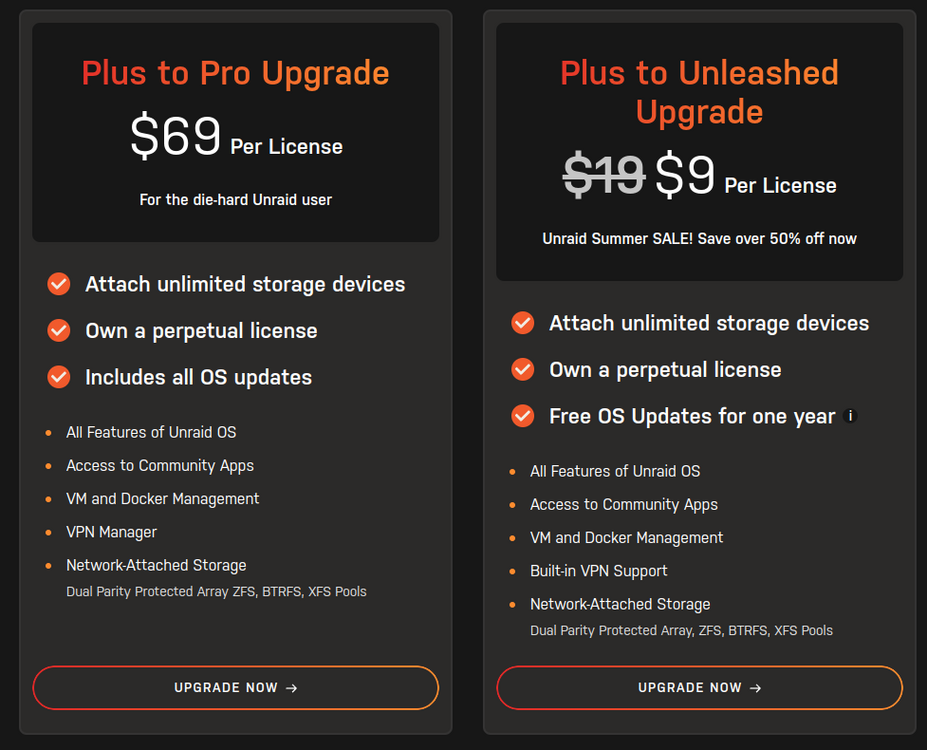
The update page is a little confusing to those with legacy licenses. I have a legacy Plus license and thinking about the $9 unleashed upgrade. If updating to unleashed means that I go from legacy lifetime updates to 1 year of updates, hard pass. it sounds like I would need get the plus to pro upgrade to keep lifetime updates.
-
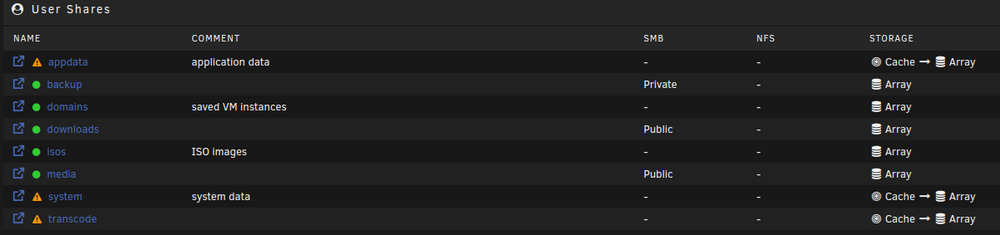
This probably my ignorance, but searching hasn't given me the answer I am looking for. I followed Spaceinvader's tutorial on changing my cache volume from a 2x drive RAID-1 BTRFS to a 1x drive RAID-0 zfs. Did the process with moving everything off the original cache setup to the array in the share setting, that went fine. Changed my cache and moved all of the files back from the array. Once complete, I changed the settings on the share back to cache -> array. Right now, the files only exist on the cache. When the scheduler for mover runs next, will it make a copy or sync the files on the cache to the array? Right now, it is saying that my appdata, system, and transcode are not protected. Thanks!
-
Thanks itimpi! I was having a similar problem invoking mover. Once I removed mover tuning, I was able to run mover. I had followed spaceinvader's cache upgrade guide to remove a cache RAID-1 BTRFS pool and replace with a single drive ZFS. That went good. It was just when I was trying to move the files back from the array to the cache that I ran into problems.
-
Thank you for pointing this out. It solved a problem I was having. Now I have binhex-qbittorrent and all the *aars working.

