





Krakout
Members
-
Joined
-
Last visited
Everything posted by Krakout
-
Can someone help with weechat? I installe it, ran the mnt commands, attached the docker to the terminal and... then? Trying to connect to a server gets me the error "you cannot write text in this buffer" so I'm not sure where to go from here...
-
The update works on my setup perfectly
-
AMD. Will try removing the mount in the morning and will report (I'm in Europe)
-
Trying to install the image fails, giving me: docker: Error response from daemon: error while creating mount source path '/sys/devices/platform/coretemp.0/hwmon': mkdir /sys/devices/platform/coretemp.0: operation not permitted. Trying to install as privileged, btw. any ideas?
-
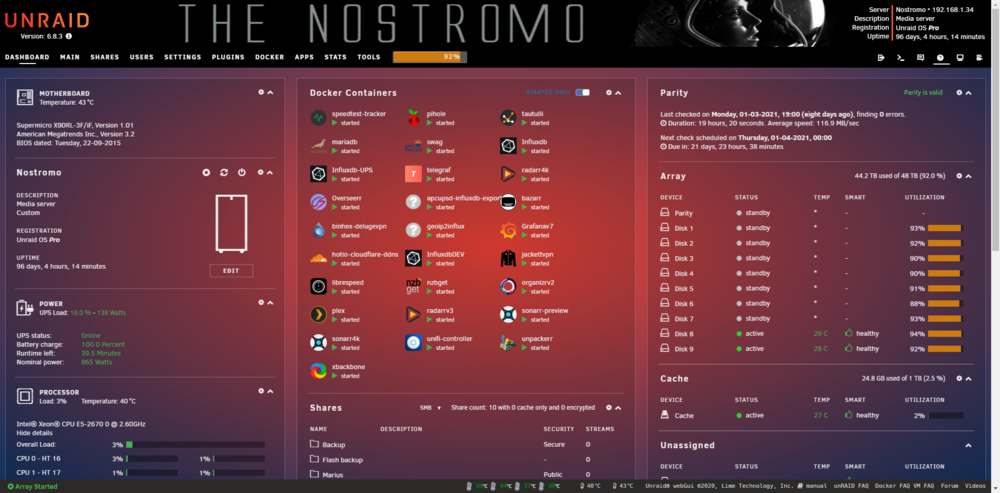
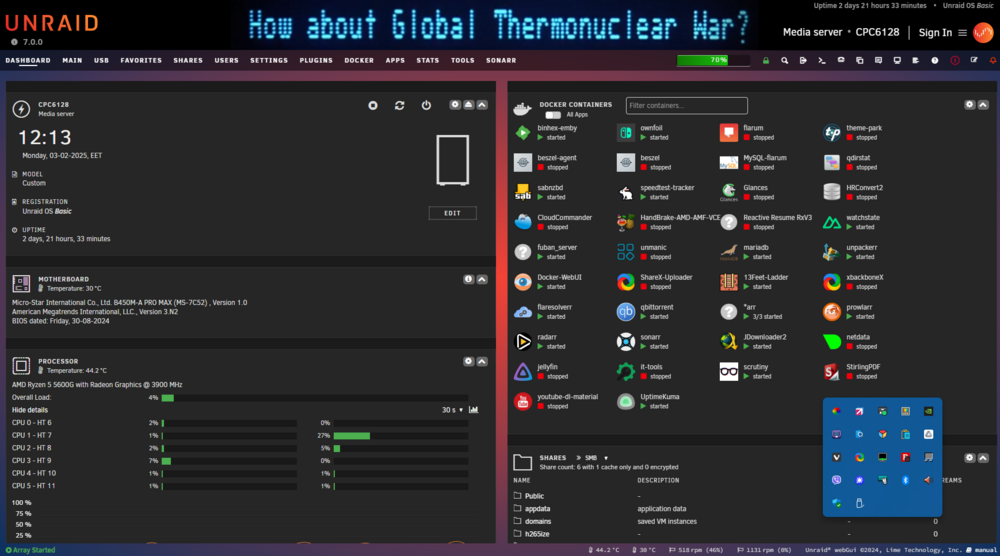
A very minor issue, as far as functionality goes, but it does bother me I'm trying to set any of the Theme Park themes, however the Dashboard doesn't get themed as the screenshots on theme-park.dev, the tables remaining with opaque backgrounds. For hotline-old, for instance, the screenshot provided is: And what I get is: Any ideas? This happens with every theme I've tried... PS Running 7.
-
You're clicking on the file and that gives you a corrupt archive. Click on the Raw option.
-
Thanks for your trouble... everything I tried works like a charm.
-
Can you post the link here when you do so that we're notified?
-
Just a thought, shouldn't this new project have its own thread?
-
Or the recommended post pinned at the top😁
-
Seems the plugin is not available any more?
-
I was seeing no option anywhere. Only under the Operations tab there was a format button (such the confirmation checkbox next to it), but it wasn't formatting - what I described in a previous post. Stupid me, didn't occur to look at the logs at the time
-
Here's the screen. Notice there's no Format button, just a greyed- out "Mount" one... EDIT Oh wait, after a couple of array start-stops, it finally formatted it! Weird... Let me reboot to make sure it's ok.

-
I had tried that, exact same outcome... I guess I'll have to go to the cli to figure out the partition table. EDIT ahhh yes, fdisk gives: /dev/sdb1 40 409639 409600 200M EFI System /dev/sdb2 411648 937701375 937289728 446.9G Microsoft basic data Will try deleting...
-
...and back with another question (sorry ). I moved all the data off the old SSD, put in the new ssd, removed the previous pool, added a new pool with the new disk. However, under Pool devices the SSD appears with FS:vfat and the note Unmountable: wrong or no file system So I go to Array operation, format Unmountable disks, after a couple of seconds the process seems to end (GUI is released again) and under Pool devices the same details (vgat, wrong fs) appear again... Am I missing something? Edit: hmm I suspect there may be partitions on it, from what I've been reading? Not impossible, the drive was used before...
-
Ok, 7 stable fixed it - the Public share actually appears to be on the array instead of cache, as it should.
-
Huh, funny, it didn't alert me.. Let me check manually! Yup, there it is. Ok will do.
-
7 rc2. Time for a bug report?
-
No, only the one I'm upgrading.
-
Ok, learned something new today - and it makes sense, but it doesn't explain the menu behavior... Let me repeat in other words: the share has Cache set as storage only and choosing a secondary storage is impossible until I change the storage to Array and back to Cache. That's what doesn't feel normal.
-
So I sat down to do the upgrade, but I hit a (small?) wall. I'm supposed to set my shares to: Primary: pool Secondary: array Mover: pool-> Array. Ok, that's understandable. However, some of the shares I have (well, I don't care about the others, but this is the case with my main share which hosts the Public, SMB-shared data) have only one storage option, and it's set to Cache- I can't choose a secondary storage. I'm pretty certain my Public share is NOT on the cache drive since the data it holds is about 20 times the SSD cache drive I have, so what gives? Any ideas would be awesome... EDIT I think I may have hit a bug? When I enter the Public share settings, Primary is Cache, in the Secondary Storage pull-down menu every option is greyed out. Now, if I set Primary to Array and then back to Cache, the pull-down menu allows me to choose the array as secondary storage! Is this normal? 7.0.0-rc.2, btw.
-
Thanks, much appreciated.
-
Sorry I wasn't clear enough. I need to upgrade to a larger drive.
-
The cache drive? Btrfs.
-
I have a single cache drive, an old thing I had lying around, and want to upgrade it. I've seen various approaches to do this, most a couple or more years old. What is the current consensus about switching cache drives? Thanks - and a happy New year to everyone!





