





mrmint
Members
-
Joined
-
Last visited
-
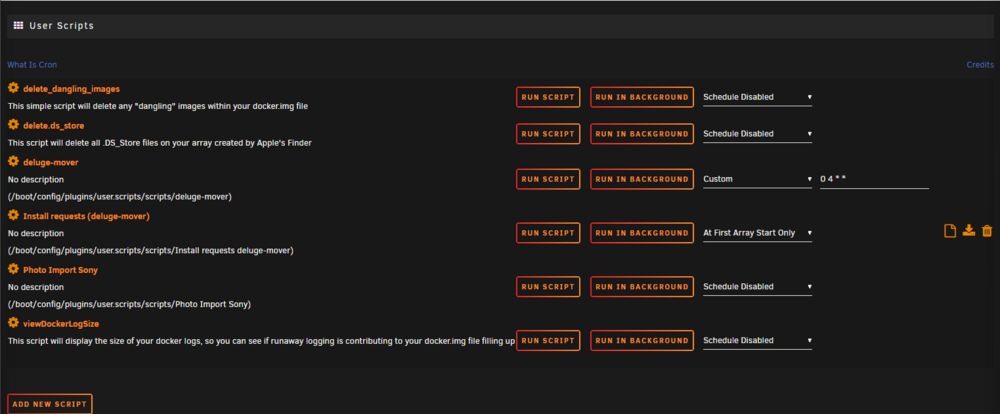
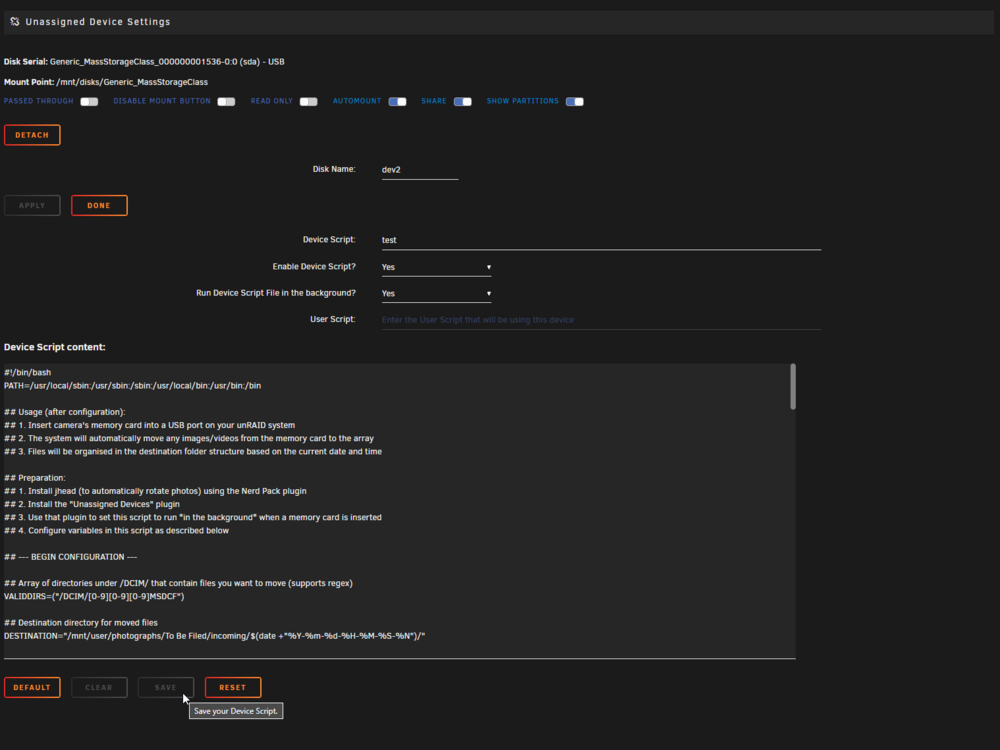
Hello Just getting started with UNRIAD and this script has been a great help so far. Thanks for sharing and maintaining it! However, I have hit a bit of a road block and would be grateful for some help. When trying to get the Photo Script by ljm4 to run it on mount I have added it to my User Scripts as shown below. However, when I go to add the script from the UD setting for that drive nothing seems to happen when I press 'Click here to select a Script File or 'Default' button for a Default' and even if I type in 'test' and then paste in my script it wont let me save. Any ideas? Thanks
-
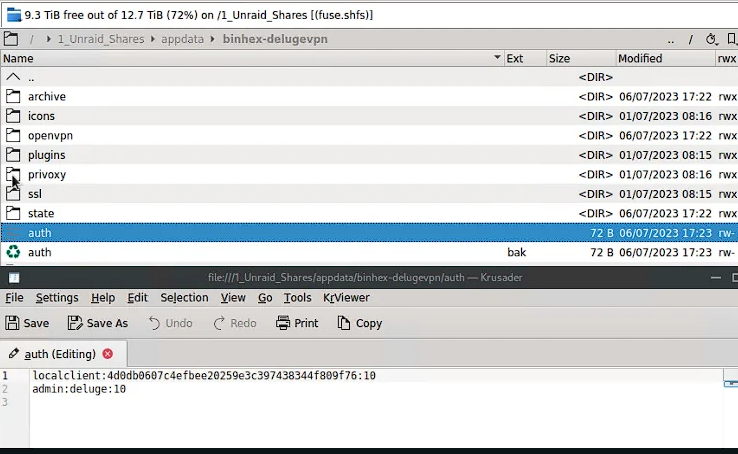
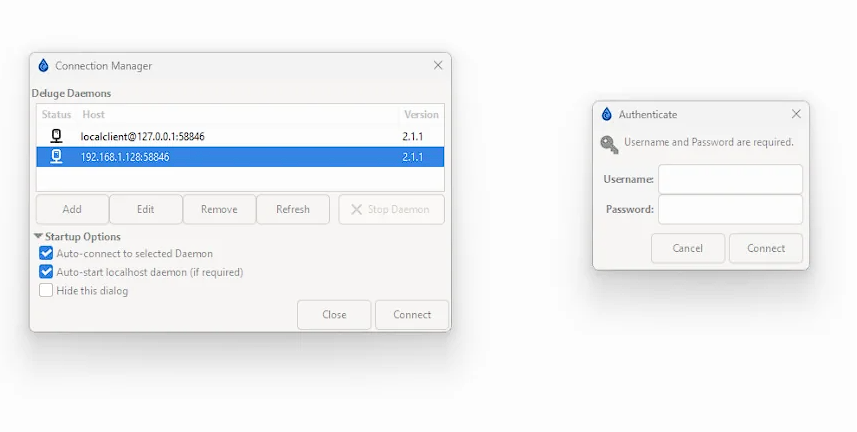
Hello, I am having problems connecting a deluge client to the docker. When I enter the servers details on the client it finds it ok but it then asks for a username and password ( a). I have read the documentation and posts online that I should add this info to the auth file (b). <admin username>:<admin password>:<level> The default value is as follows:- admin:deluge:10 However, when I do it still let me login. Is there something I am missing? Any help would be appreciated. (a)
-
Hi. There appears to be from what I can see. Anyways, can you help with my questions above. How can I copy from one disk to another and overwrite the same folders without creating a duplicate? Also what does the 'use sparse option' do? Thanks

-
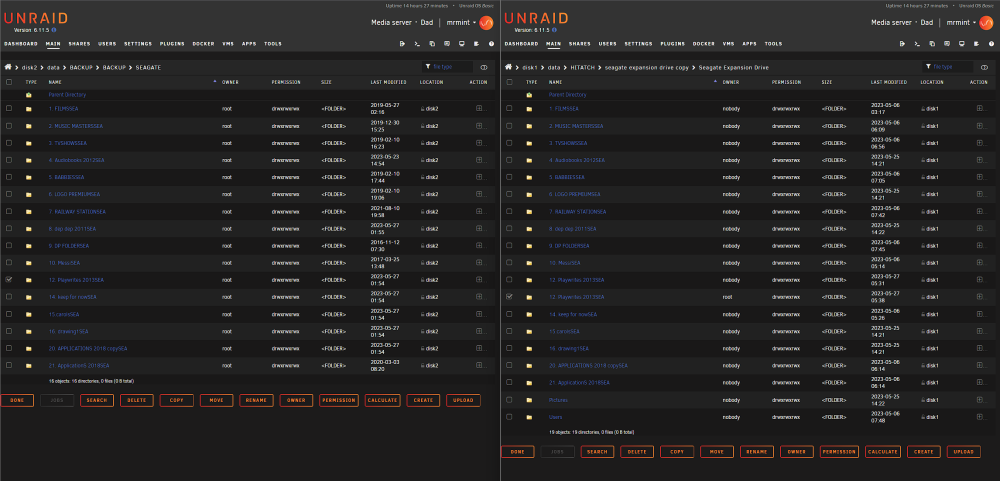
Hello, looking for a little advice on how to use this plugin to suit my needs. Current I have two copies of the same folder on two different disks for one reason or another I am not sure which one is the most recent so I would like to simply 'move' folder from disk 1 over to folder a in disk 2. However, even when I click on overwrite existing files it seems to create a new folder with the exact same name which is no what I would expect. See screenshot and folders 12 and 13 on the right widnow. Also I have search everywhere, what does the 'use sparse option' do. I cant find it being mentioned here and the documentation one page one appears to be out of date. Any clarity one the above would be appreciated. Cheers
-
Thanks for the input. I ended up using the commands above to rename the folder and it seemed to work fine. In my case the share is on all four drives and seems to be still working. Can you explain more about what might be broken before I go and add and build my parity. Thanks again. Oh, and while you are here. I ran into a issue when I tried moving a folder to another on the same disk. This folder was almost 4tb and I was hoping with DFM it would be smart enough to know it was on the same disk but instead it looked like it was copying and deleting when I used the move option and it took days.... should I have done something else? I wish I knew that I could have simply renamed the folder too but no one pointed that out here.
-
OK so I stopped the move as its taking twice as long as just transferring the data from the unassigned device. What I have noticed now is dynamix wont let me rename the folder. Is there an easy way I can rename the folder?

-
Yeah I said that I would do that above. Also copying to the share will surely be slower than renaming the folder. As I have figured out the hard way 'move' is copying then deleting which so far has been running for 24hrs. What a waste. Once all this is done I write up a summary post so people can follow and save them from the pain I had to go through. Thanks for trying to help.
-
Sorry isn't that what I said? Starting to feel like I am being trolled
-
I did that one the first one, unless I am missing something? A few posts above I said I created a folder on disk 1 called 'data' using these commands : cd /mnt/disk1 mkdir data then I used Dynamix to move the data to the new folder.
-
I have 3 other disks to do so I will do it for them and I will leave Dynamix to 'move' the data from one folder to another on this same disk.
-
So it looks like this will work. Shortly after I started the move the folder appeared in the SMB share and the share size increased. I had an idea can I just rename the folder to 'data' to save the steps I am using above? Thanks again
-
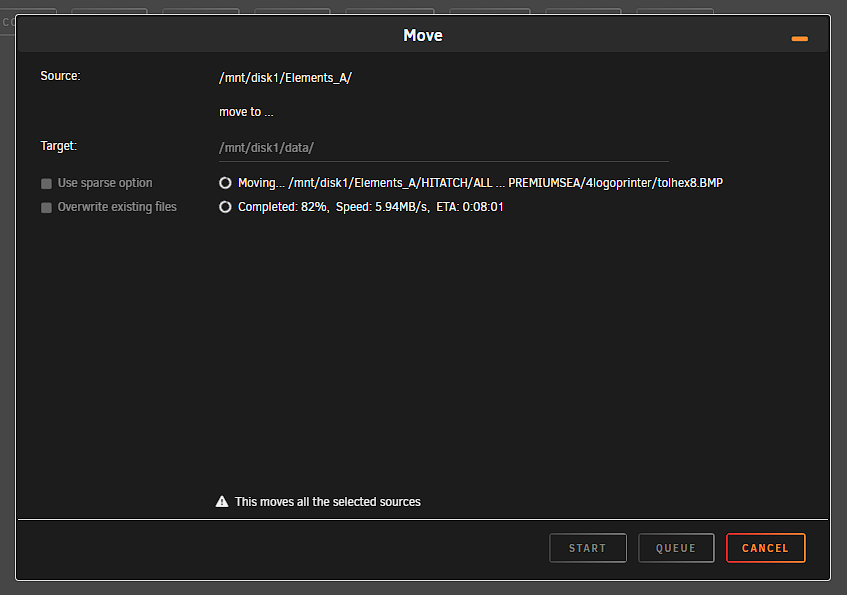
ok so I have tried using the terminal ( so brave ) and created a folder on disk 1 called 'data' using these commands : cd /mnt/disk1 mkdir data then I have used Dynamix to move the data I transferred from the unassigned disk into this new folder. It is currently in progress but I am a little unsure why it wasn't instantaneous... have I done it the correct way?
-
OK I think we might be getting somewhere. SO for examples sake I coped the folder on the unsigned drive using Dynamix over to the root of the disk 1. Are you telling me I can fix my problem by creating a folder in disk one called 'data' and the moving the 'elements_A' folder into it? If so that sound simple. How would a noob create a folder? Preferably with a GUI ?


-
Sorry, I am a noob. I didn't use krusader on the second attempt. I used Dynamix. My work flow was simple I copied all the folders from a 4tb unassigned disk and pasted them to a empty 4tb disk on the array. How can I create a share that will show all the data from all the disk. Or should I delete the array and start the transfer again. I was hoping there would be an easy fix in unraid.
-
OK. So how do I 'fix' it as per my original post. I would like a share that shows all the disks.


