





mraerosmith
Members
-
Joined
-
Last visited
Everything posted by mraerosmith
-
Went up to 7.0 without a hitch, nice :)
-
You beauty, that did it, well sort of -c didnt work, just errored for me. but ./idrive then option 5 and forcing the update worked perfect, now connecting and backing up. You sir are a legend
-
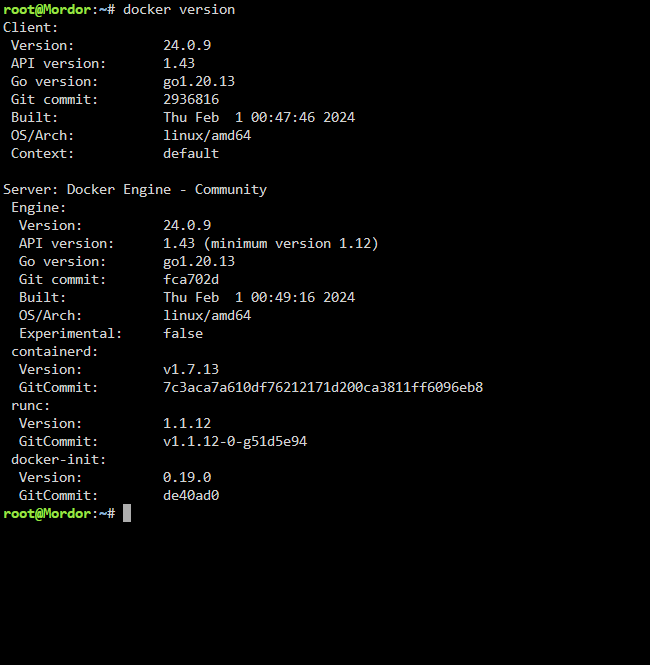
Im on the same
-
yep its super odd, no issues on anything else ive installed via docker, so its super strange. What version of unraid are you running in case that could be a thing?
-
Followed that and still get the very same error Really not sure whats happening here at this point
-
ok so this is very strange, I have tried method 2 again, and although I can create the file my-idrive.xml when I try to open the template in Docker , its blank? And I get the following on the Fix Common Problems plugin I have now also re-installed docker via the unraid gui, and tried again, same error persists, but all my other dockers came straight back to life after I re-installed them via community apps, with all the data retained, so im quite happy with my docker itself now, so its just this 1

-
same even then, going to reboot my unraid box, just in case
-
I think that gets added automatically when you use the option 1 install, but will see what happens
-
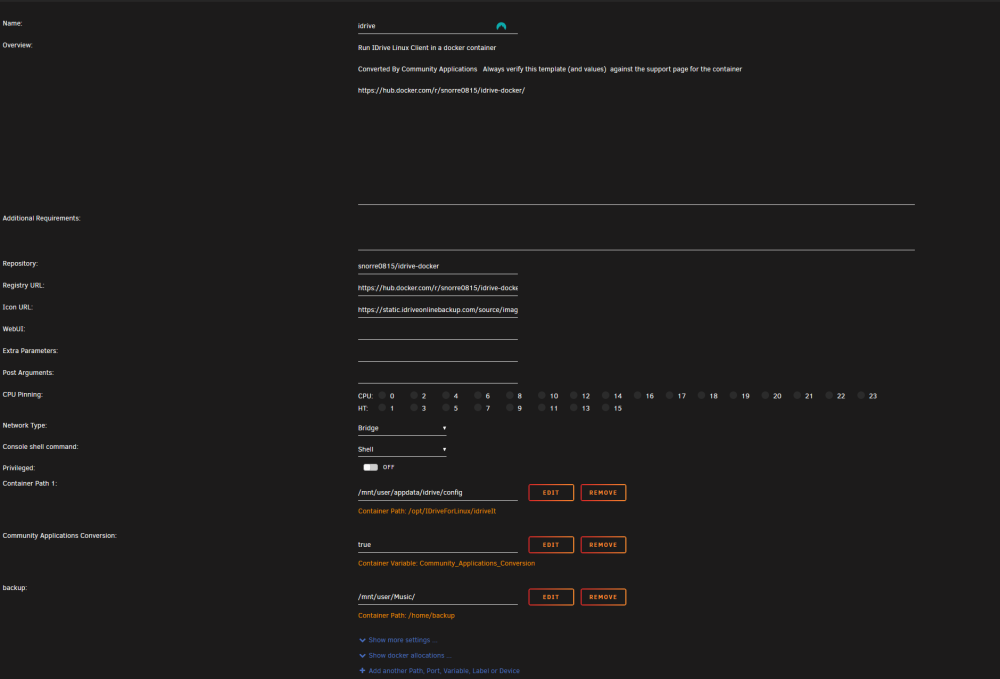
Tried that, had the same outcome, heres my full config, have I missed something obvious
-
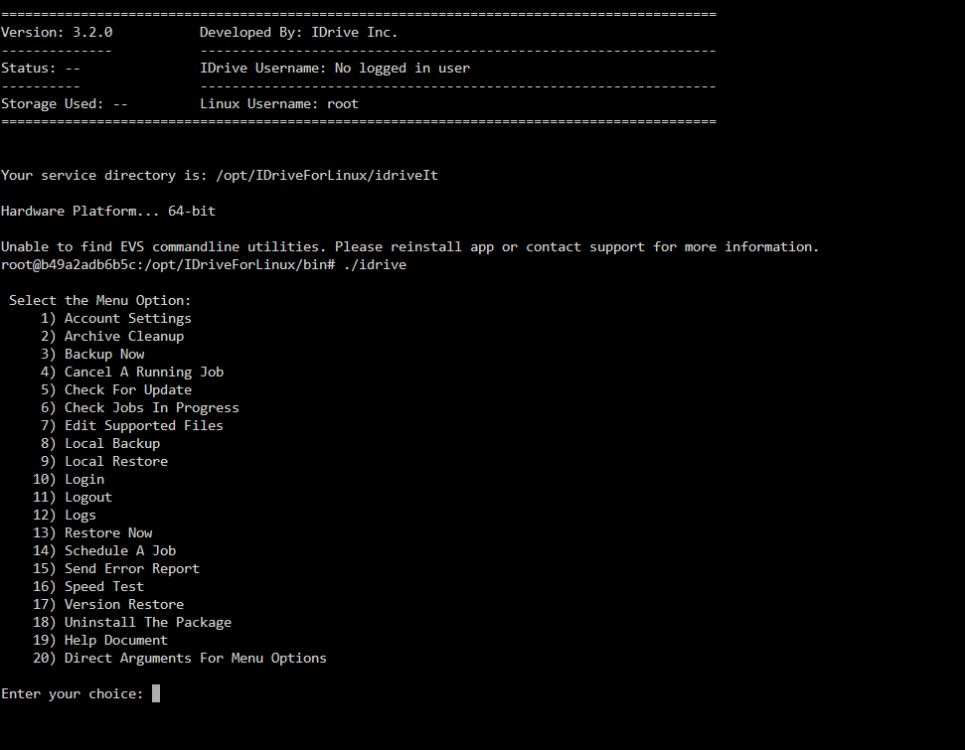
Yes it does, I can get the options menu as shown here, but whenever I try to do anything with account settings I get the error I installed using option 1 , just in case that makes a difference? This was a fresh install, not an upgrade, is it possible that there is a dependency missing in the docker ? I have also tried the template version now, and get the same error
-
Hi there Long time lurker , I have followed the steps through until you have to enter, ./idrive -a I do this then get the below error, any ideas? Unable to find EVS commandline utilities
-
Ok so it would cache files that dont exist (Effectivley) , but any existing file on the array will just be overwritten
-
A simple question really Im looking to use the cache pool as a disk cache. Take for example a movie move1.mkv , this already exists on the array, I add a new 4k Version to my unraid server , and it lands on the cache pool ,and its named the same IE move1.mkv , will the mover overwrite that file on the array on schedule or not? Many thanks


