






ijuarez
Members
-
Joined
-
Last visited
Everything posted by ijuarez
-
Wil do, thanks... i really want to put my vm's on my cache instead of the array. i don't care if they get lost in a failure event. your thoughts?
-
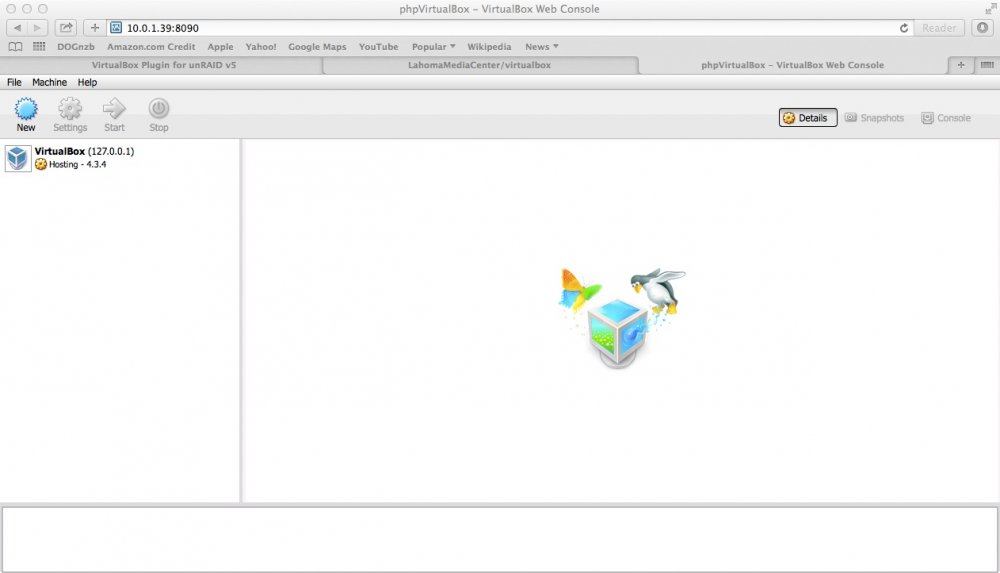
All most everything was good except for this VBOXWEBSRV_LOGFILE="/boot/config/plugins/virtualbox/vboxwebsrv.log" for some reason i had put that on the cache drive, i don't know why. Fixed that and boom see below. know i just need to get my windows 7 vm and i am set. nacat78 thank you very much for taking the time to put it in a simple way.
-
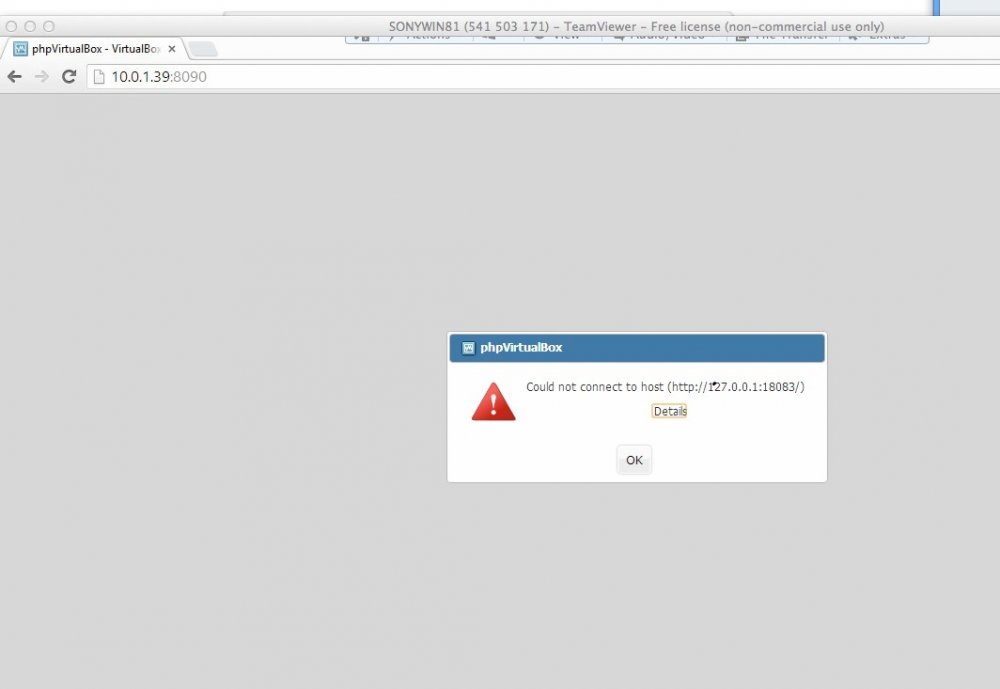
Sorry took a long time, got rid of SF and install Dynamix, man was that easy, got a web server going and configured the php for SOAP and webservbox is running. I am still having the error cannot connect to 127.0.0.1:18083
-
I reboot as I was telling nacat78, except for me, i had trouble downloading all the files that SF webserver requires. What i had to do was install a different version of open ssl and then it was able to download the dependencies and webserver worked. However all that went down the drain when I rebooted. So I'm back at square one. Im going to try Dynamix webGUI and see that goes. anyhow i'm keeping an eye on this thread i really want to get vbox working so i can have a few vm running and get rid of computers that i dont need.
-
Did that I notice that on yours and change it to my cache drive Sent from my SGH-I747 using Tapatalk
-
Yep did that from the command line. Try again and it gave me the same error I will probably reboot my system later and report back Sent from my SGH-I747 using Tapatalk
-
almost there..
-
AHHHHH !!!! thank I will try that.
-
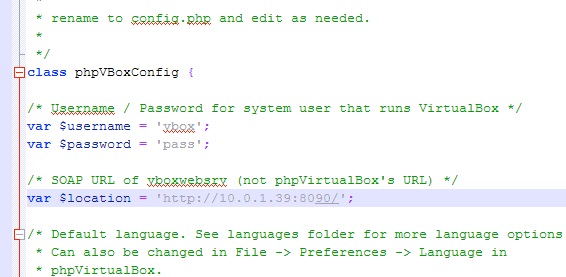
what do you have configured in your phpvirtualbox Config.php file? should be: var $location = 'http://127.0.0.1:18083 or var $location = 'http://127.0.0.1:XXXX - XXXX being what port you have configured in the VirtualBox Plugin. if you go back a page or two you can see my config. I've tried both with the tower IP and 127 and port 8090 and 8090 in virtualbox Sent from my SGH-I747 using Tapatalk
-
Can anyone help a noob here I'm sure I got all the config correctly what I'm I missing? Sent from my SGH-I747 using Tapatalk
-
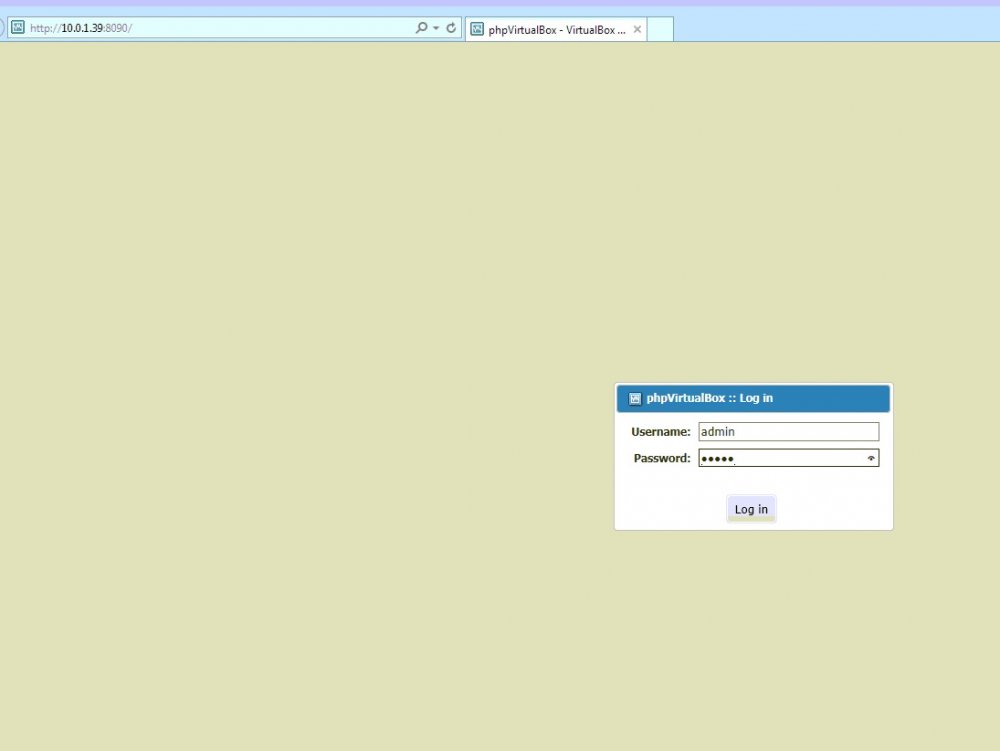
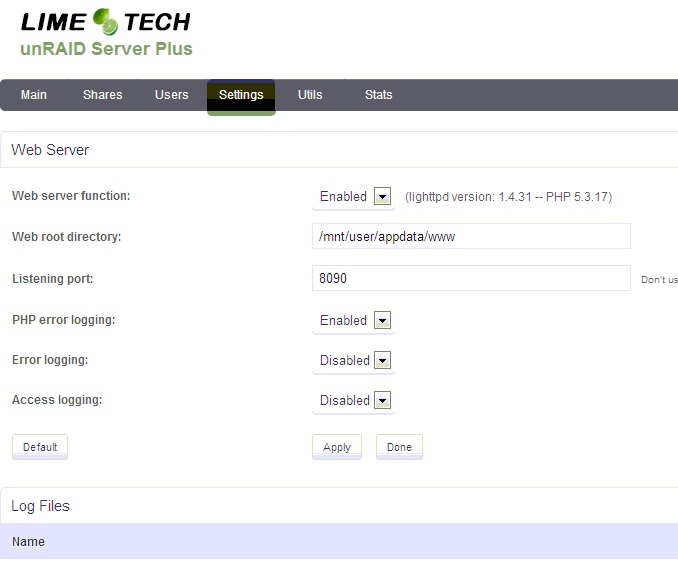
here is the other ones
-
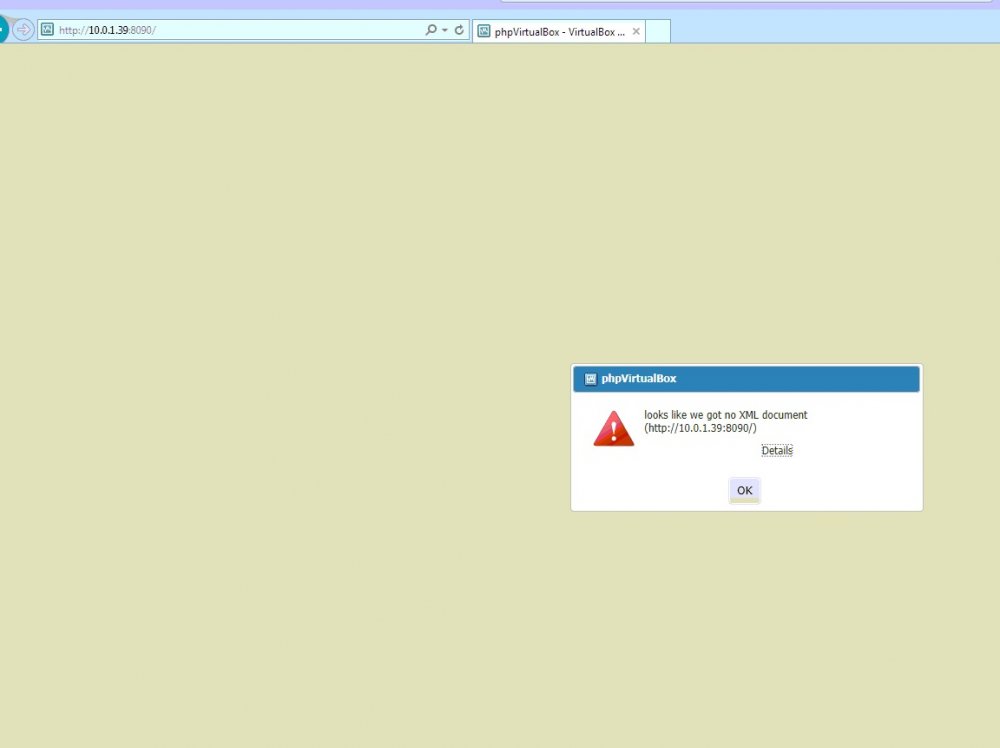
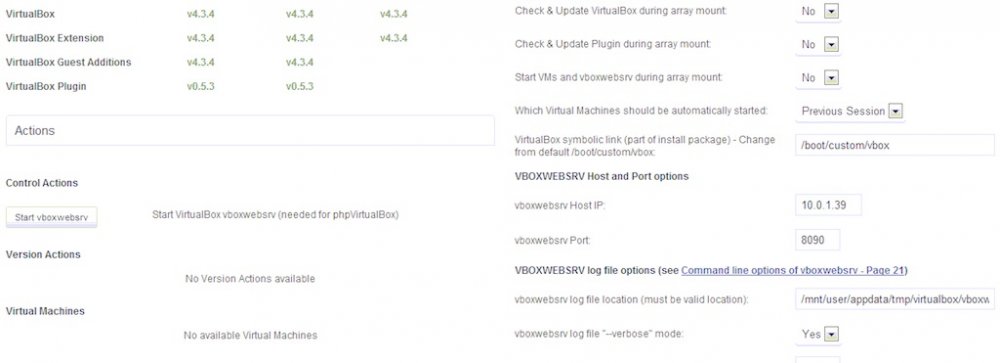
I have manage to get SF web server install and on port 8090, got phpvirtualbox extracted to my root /www and configure the config.php and i thought i hit jack pot when the phpvirtualbox login pop up ( i left the login as admin admin) but i get the error "looks like there is no xml document" i;ve read the manuals but can seem to figure out why i get this. I will attach screen shots
-
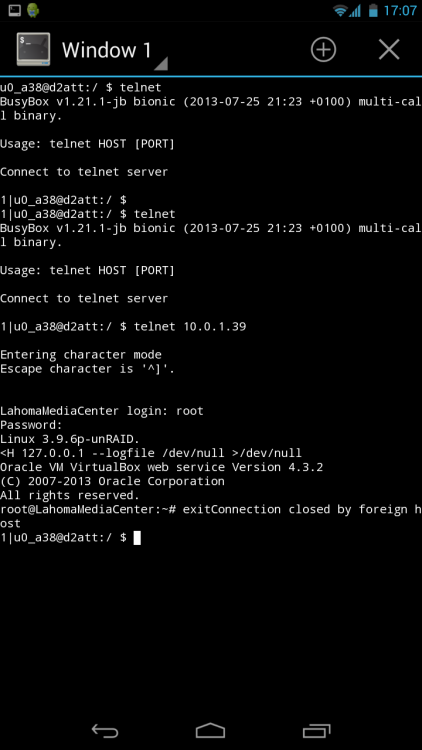
Does anything happen after entering admin / admin? Try entering the following in telnet then see if webserver starts vboxwebsrv -b -H 127.0.0.1 --logfile /dev/null >/dev/null this is what i get see picture
-
and that is accessible from a different system? same network just not the same system?
-
No one, man this is disappointing.
-
last picture
-
other screens
-
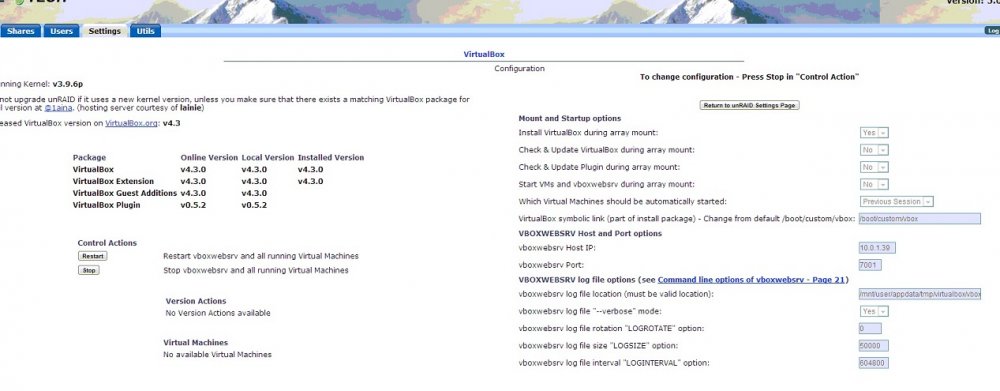
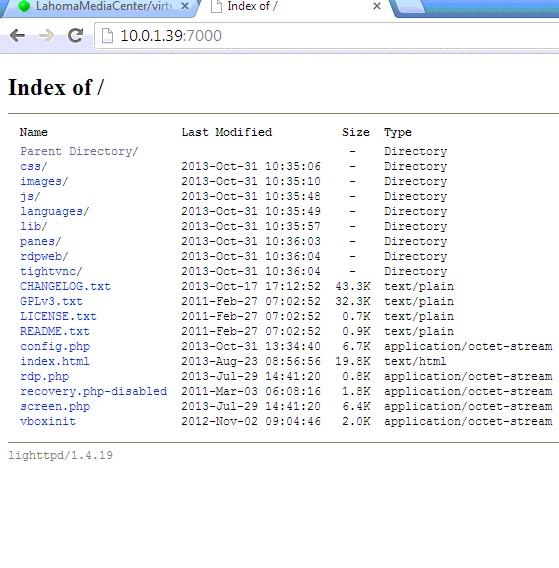
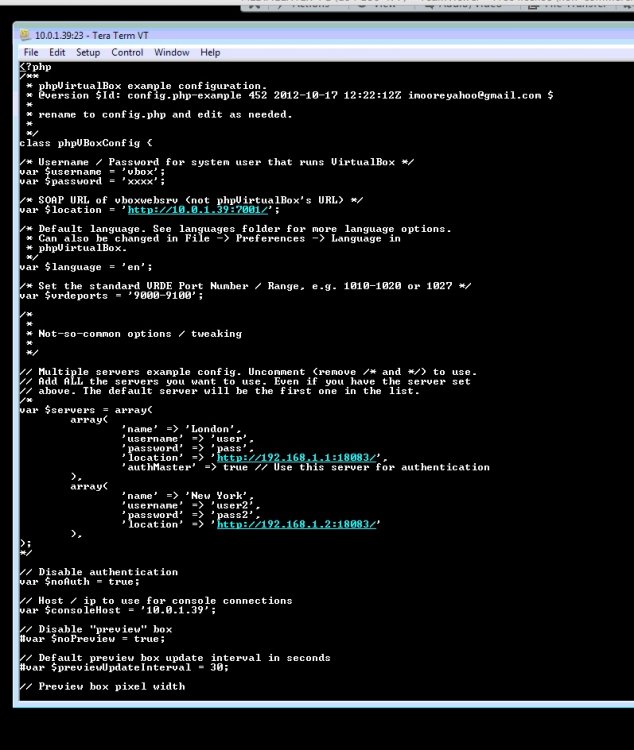
Need some help, i forgo the SF install, i dont like to reboot the server alot. I need help with minor tweaks to get phpvirtual to work i feel im really close. Pictures are attached for reference. Background info DL the plg from here install virtual box and downloaded all the updates (running on V5 stable) I DL lighttpd from unmenu installed it and configure it to port 7000, works fine see picture. DL phpvirtualbox from git hub choose the versin 4.3 (which is what i have) extracted it to a folder on my cache drive named (www same folder that lighttpd is configure to use as the web server). renamed config.php and edited a few lines. see picture On vbox i used the ip of the tower and port 7001, which is also in the config.php. See picture When i call the webpage for phpvirtualbox i get prompted for a user name and password. If you notice that on my config.php i un-commented the not auth variable. (side note i do have a password to get to the main unraid webpage, in other words 'root" has a password) So i have tried the username and password in the PHP file no luck, it keep prompting for user/pass. I read the instructions for phpvirtualbox and used "admin' and password "admin" this yielded a blank webpage. Using unraid 'root' login also yielded the same outcome of a blank webpage. So i know i must be close, i just know that i missed a step.
-
I have V5.0 stable i can install SF but when I add the web server it just craps out, i get no home page. I remove all instances of SF homepage works. that is why i had to use UnMenu's install
-
I need help with this, not an expert in linux, i have V5.0 stable, I tried to use SF but they do not work correctly. I downloaded lighttp from UnMenu.. Now what? I've read the example from "theone" website but it made no sense to me on how to configre lighttp. How to do you install the phpvirtualbox once lighttp is installed and configured. Thanks for helping noob My end goal is to up a windows 7 64bit to run some vpn functions and other things


