





hawgorn
Members
-
Joined
-
Last visited
Everything posted by hawgorn
-
Was going to upgrade from 6.12.15 to 7.2.0, but hastily clicked nextnextnext. And now running 7.2.2 All went smoothly, uptime ~40minutes. HW: ASRock Z690 PG Riptide, 12th Gen Intel® Core™ i5-12400, 64GB DDR4
-
I seem to have fixed this. I enabled network bridging on eth0, changed VM's network to br0. Also changed from macvlan to ipvlan on docker settings. So far so good.
-
Bare metal installation, OS 6.12.15, running Wireguard and Tailscale services. I had a power outage and UPS issued AFAIK a clean shutdown for Unraid server. Router was not affected by the outage. After restarting the server Windows VM's cannot ping, access shares or the Unraid GUI (for the record, I have not really used the Vm's for accessing the GUI, but I believe it has been accessible before). The VM's network are vhost0/virtio-net and receive IP address from the router by DHCP. Everything else on the LAN is accessible except the Unraid host and it's services. I tried a new linux VM with same network settings and it also fails to ping and access the host GUI. I can RDP the VM's from LAN, but if I try RDP trough Wireguard or Tailscale, the session fails. One of the Windows VM's is DVR and it is also inaccessible via mobile app through VPN where it used to work before the shutdown. On LAN the mobile app connects fine. My laptop and mobile phone connects to the server, and services, without issue through Wireguard and Tailscale. I have restarted the router and Unraid server. No luck. I'm at loss here. Something with Unraid routing? I can't figure out if and what has changed. Diagnostics attached. ziggy-nas-diagnostics-20250722-2141.zip
-
I updated the FW for the NVMEs and now they've been running problem free for 1,5 weeks <knocks on wood>
-
Are you using ipvlan? https://docs.unraid.net/unraid-os/release-notes/6.12.4/#changes-vs-6123 When I updated from 6.11.5 to 6.12.6 wireguard stopped working. I had to make the suggested tweaks: Settings > Network Settings > eth0 > Enable Bonding = Yes or No, either work with this solution Settings > Network Settings > eth0 > Enable Bridging = No (this will automatically enable macvlan) Settings > Docker > Host access to custom networks = Enabled And give subnet and gateway adress for my lan in Docker settings for "IPv4 custom network on interface eth0"
-
I had ”spare” nvme installed intended for VM passtrough use, I moved the cachesystem there for the time being.
-
I can try to see if I can pull the whole syslog for the kast week from the drive. edit: the whole syslog for the last ten days is 160Mb... I searched the syslog for when the controller last time dropped. Attached is partial syslog: from the last reboot until the controller dropping and then some. syslog.log
-
Diags from yesterday. ziggy-nas-diagnostics-20240119-0731.zip
-
Any advice how to proceed? I did append the line you suggested before this happened, and I'm running Smart tests now.
-
Nope. /var/log started to get full with btrfs errors. Fix common errors plugin did not fing anything. I ran Memtest for 24h, no errors found. When booting back online, I'm greeted again with "Unable to write to cachesystem". Scrub aborts right away. ziggy-nas-diagnostics-20240120-1318.zip
-
Thanks, I'll try that and report back hopefully after several days with good news.
-
Damned, I managed to save pretty much everything from the old configs, and had the server running for a couple of days now. And just now got errors again. Diag attached. Reboot brought cachesystem devices back to life. Scrub finished this time: UUID: d395a597-ffad-45b7-9e24-22d7d319ed29 Scrub started: Fri Jan 12 15:36:28 2024 Status: finished Duration: 0:02:20 Total to scrub: 629.04GiB Rate: 4.49GiB/s Error summary: verify=2545 csum=2180566 Corrected: 2183111 Uncorrectable: 0 Unverified: 0 VM's are running, docker service failed to start. I have to go showel loads of snow, will work on this later.. ziggy-nas-diagnostics-20240112-1509.zip
-
OK, will do. Thanks (again) Jorge.
-
UUID: 12a695f9-224c-47c2-bd89-24f6658e137a Scrub started: Tue Jan 9 16:08:34 2024 Status: aborted Duration: 0:00:00 Total to scrub: 719.38GiB Rate: 0.00B/s Error summary: no errors found
-
Hi, I got "Unable to write to cachesystem Drive mounted read-only or completely full" warning. Attached is diagnostics. I had the warning also earlier this week, but at that time thought It might be from misconfigured docker. I deleted docker image and went through docker settings. It happened again, so I stopped all dockers for the time being incase I had missed something (to be checked later). Earlier today I got a missing cache pool nvme disk warning. I shutdown the server and reseated the ssd in question (nvme1n1). It came online and all was good for a couple of hours before the "unable to write" warning popped up again. Some background: I changed hardware this week and relocated the server to another room at the same time. Only PSU, HDDs and sata SSDs came from the old server. Case, MB, memory, GPU, 2x1TB nvme are new and were running in a test unraid rig for 1,5 months flawlessy. When changing to new hardware I also changed the location of appdata, systemdata and VM's from the old cache pool 2x sata SSD to new pool of 2x nvme "cachesystem". I did originally have something pointing to old cache instead of the new, so that's why I thought I might still have some misconfiguration regarding the dockers and consequently shut down all dockers. And to muddy the waters even more, after running the new rig for day or two I also upgraded from 6.11.5 to 6.12.6. and had some work to do to get wireguard and rdp to VMs working, but I think I got that sorted out. I'm still not totally convinced that I don't have anything pointing wrongly, but who knows. So, how to proceed from here? ziggy-nas-diagnostics-20240109-1420.zip
-
Five minutes into Memtest produced 7 rows of errors.
-
Ok, I'll do that. For future reference and as I'd like to learn a bit, what might be causing this log tree issue, and what would I be looking for in the diags?
-
Working on the pfsense xml brought the pool/disks down again, and clearing the btrfs log made them online. Could this be a memory problem? Maybe I'll run memtest later this week.
-
I agree. I was planning to change the innards to a new chassis soon, but might now just buy a new MB, CPU and memory to install to the new chassis (as I'm running intel 4th and DDR3 now).
-
It's the new pool. Clearing the log brought the pool back online. Here's the new diags after re-starting array. ziggy-nas-diagnostics-20230718-1218.zip
-
Apparently I'm still not out of the woods. Last night I started working on the VM's. I got "cache is full or read only". I let the server sit for the night. This morning the primary cache drive was in standby mode. I stopped the array, changed spin down delay to 'never'. After starting array the cache disko were 'unmountable: no file system'. Clearing pool config did not work. ziggy-nas-diagnostics-20230718-0944.zip
-
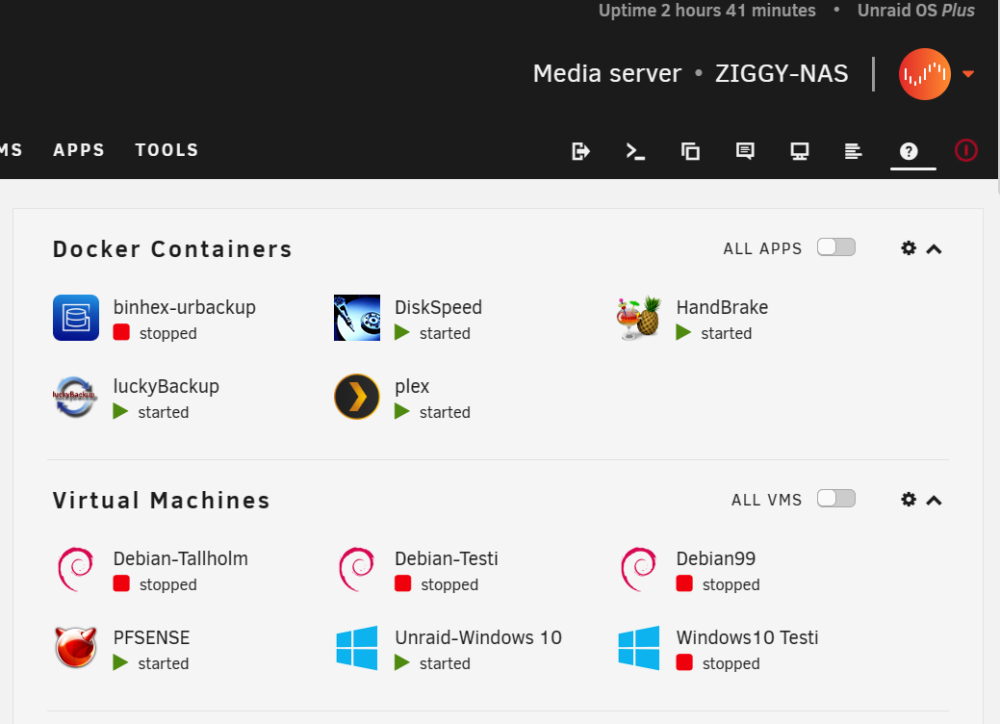
Jorge, you are awesome, thank you!! I'm up and running again. Two of the Debian VM's don't work, but atleast one of thme should just be a matter of fixing grub.
-
ok, thanks. How is this for a plan? -delete old pool -create new pool with the new disks. -point cache shares to the new pool cache shares are are now cache:yes, so everything is in theory in array -copy backups to cache shares in array -change cache:prefer -invoke mover -cross fingers
-
Would adding a third drive to the pool and hoping it would balance be asking for more headache?
-
No balancing happening, stll sitting at same numbers. And you are right, sdd IS the failing one, I misread. Data Metadata System Id Path RAID1 RAID1 RAID1 Unallocated Total Slack -- --------- --------- --------- -------- ----------- --------- ----- 3 /dev/sdd1 150.00GiB 3.00GiB 32.00MiB 312.73GiB 465.76GiB - 4 missing 133.00GiB 3.00GiB 32.00MiB 340.91GiB 476.94GiB - 5 /dev/sdb1 17.00GiB - - 459.94GiB 476.94GiB - -- --------- --------- --------- -------- ----------- --------- -----

