





dixtdf
Members
-
Joined
-
Last visited
Everything posted by dixtdf
-
Unraid 7.3.2 successfully installed Mac OS High Sierra through VMs with RTX3060. For specific implementation, you can refer to the repository https://github.com/dixtdf/unraid-macOS-RTX3060. By the way, I have developed a solution that can address the latency issue that occurs when connecting VNC/RustDesk to a Mac. However, as of the time of writing, the GPU driver has disabled h264 encoding support for low-end graphics cards. I will continue to follow up on this in the future.https://github.com/dixtdf/GlideBeam
-
During the reboot process of the switch, SSH fails to bind to the IP, and it cannot automatically rebind after the switch becomes normal 1.I am currently using DHCP mode, utilizing the Intel Corporation Ethernet Controller X710 for 10GbE SFP+ devices 2.When the switch is powered off, SSH prompts: "Cannot bind any address." 3.16:56:13 I manually opened the webgui at /Settings/ManagementAccess, changed the SSH port to 23 (I randomly wrote this number because I hadn't enabled Telnet), and after making the modification, clicked "apply". At this point, SSH started normally 4.The webterminal can be used normally after SSHD is stopped. https://10.10.10.2/webterminal/ttyd/ 5.It should definitely occur on version 7.2.0. Yesterday, I restarted the switch, and today, I restarted the router, and both encountered this issue Nov 20 16:46:21 unraid rc.sshd: Updating SSH server daemon... Nov 20 16:46:21 unraid sshd[2413]: Received signal 15; terminating. Nov 20 16:46:21 unraid sshd[2244391]: error: Bind to port 22 on 10.10.10.2 failed: Cannot assign requested address. Nov 20 16:46:21 unraid sshd[2244391]: fatal: Cannot bind any address. Nov 20 16:56:13 unraid rc.sshd: Starting SSH server daemon... Nov 20 16:56:13 unraid rc.sshd: /usr/sbin/sshd Nov 20 16:56:13 unraid sshd[2260435]: Server listening on 10.10.10.2 port 22. Nov 20 16:56:13 unraid rc.sshd: SSH server daemon... Started. unraid-diagnostics-20251120-1702.zip
-
Cannot use vnc and rdp for VM pages when /mnt/user directory is disabled api: https://?.?.?/plugins/dynamix.vm.manager/include/VMajax.php vmrcurl /plugins/dynamix.vm.manager/vnc.html?v=1729196260&resize=scale&autoconnect=true&host=?.?.?&port=&path=/wsproxy/5701/ rest:{"vvfile":"\/mnt\/user\/system\/remoteviewer\/rv?????. .5900.vv"}
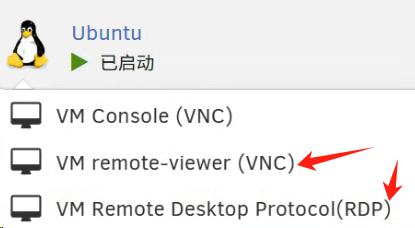
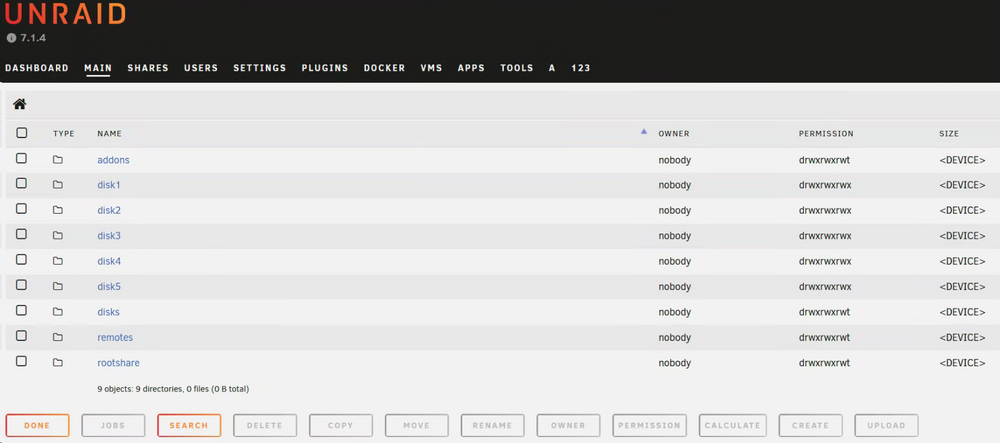
-
这边有我写的中文说明 https://github.com/dixtdf/linuxserver-docker-kasm-readme/blob/main/README.md
-
@arch1mede@ChatNoir@enngineer@mmwilson0@neighboring-ferryman2976 Actually https://kasmweb.com/docs/latest/how_to/admin_account_recovery.html is available, but needs a little modification. Firstly, we need to check the usernames in this users database. For example, if I am currently using the admin, you can modify them [email protected] It must be ineffective #Based on this SQL query, we have identified the user we need to modify root@327f895b9137:/# docker exec -it kasm_db psql -U kasmapp -d kasm kasm=# select * from users; #What I found here is `admin`, so you need to change the string after `username` to `admin` update users set pw_hash = 'fe519184b60a4ef9b93664a831502578499554338fd4500926996ca78fc7f522', salt = '83d0947a-bf55-4bec-893b-63aed487a05e', secret=NULL, set_two_factor=False, locked=False, disabled=False, failed_pw_attempts = 0 where username ='admin'; I hope it can help you because I just succeeded. If you have any questions, you can @ me
-
@wassereimerIt doesn't seem to be reproducible, I'm trying to upgrade unraid to 6.12.11, hopefully I'll be able to find the problem!
-
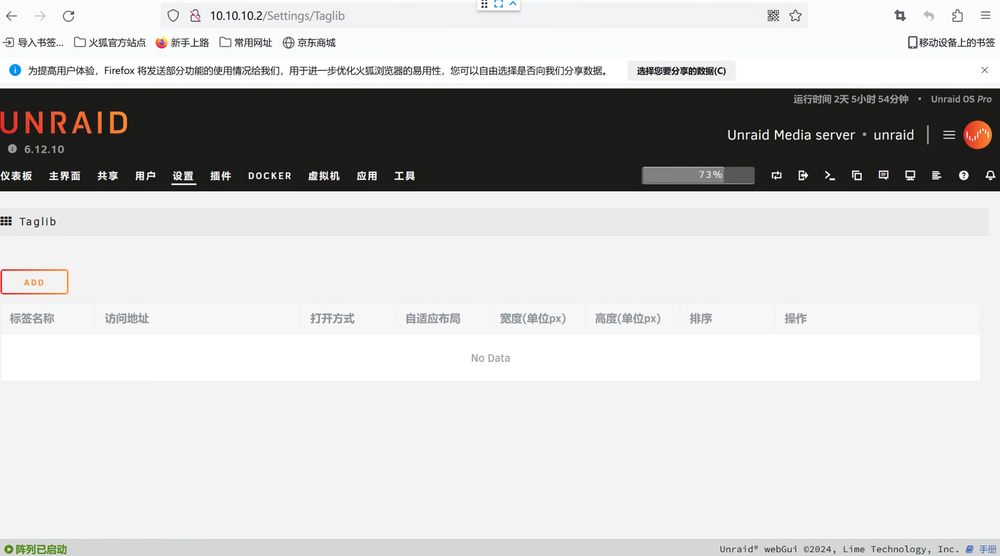
@wassereimerI didn't find the issue in ubuntu firefox-128 version, I'm using fetch api, theoretically Firefox 39+ can use that api, you can try refreshing the page and then reclick on settings->taglib. Plugins->taglib->settings The link to the jump is not correct, I don't know why triggering it here carries /Apps
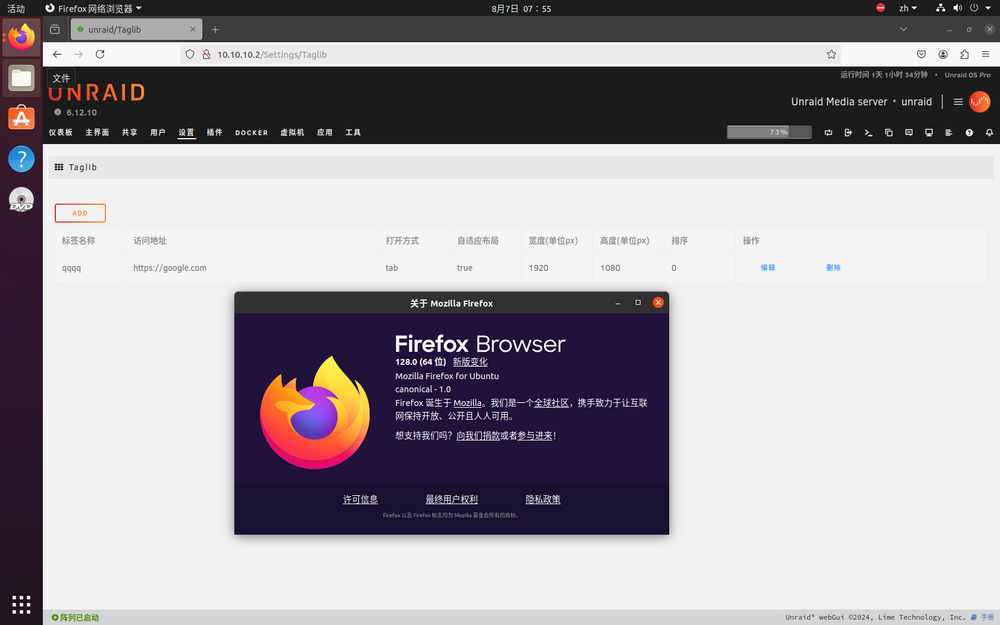
-
@wassereimerYou might want to try updating it, it's now compatible with multiple languages, the language might not be perfect yet, fix it for the next version and experience it first, it works better than before because I refactored it using VUE Sorry it's late, I've been really busy with work. By the way, please backup /boot/config/plugins/taglib/taglib.json before updating, as the structure has been changed
-
@ich777This plugin seems to be on the shelves last year, but at that time I misunderstood Squid's meaning and kept thinking it was not on the shelves, so I gave up maintaining it, and it will be internationalized in the future, and I'm really sorry about the language. @primeval_godThanks again for the heads up. @SquidSorry for misinterpreting your reply, and again, sorry for bothering you earlier!
-
It is a plugin about new tab page repo:https://github.com/dixtdf/taglib?tab=readme-ov-file plg:https://github.com/dixtdf/taglib/blob/master/plugins/taglib.plg
-
@wassereimerIf I can get it on the shelf properly, I'll add internationalization in the future, I didn't continue to develop it because I didn't find a way to get it on the shelf at the time, but now maybe you can use Chrome/Edge for webpage translation for temporary use!By the way can someone tell me how to apply for a shelf?
-
@primeval_godIs that right? Then I'll try it in a while. I've been so busy with work lately.
-
@ronia I actually made this plugin and it worked better, but it seems that officials don't want individuals to develop plugins and I couldn't get it on the shelf, so I gave up on continuing to optimize it. If you're interested, give it a try, it hasn't been updated in over half a year https://github.com/dixtdf/taglib/blob/master/plugins/taglib.plg https://github.com/dixtdf/taglib/blob/master/releases/taglib-2023.11.30.txz
-
@Squid I am an independent developer and can't prove that there are security issues with the plugins I write, but I feel that some plugins are not better implemented, so I write my own plugins. I want to share my best experience with all 'unraid' users, regardless of whether the plugin's launch has little impact on me. Thank you for taking time out of your busy schedule to reply me
-
Thank you very much for your reply. I have tried this path and it still cannot be used. I have checked the open source code for ‘community. applications‘ and the path you provided is fine, but it is indeed unable to load private files. My version is currently the latest. Believe me, I've done it.
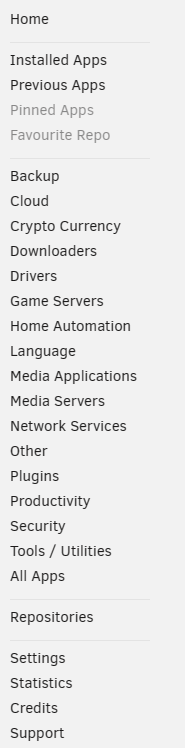
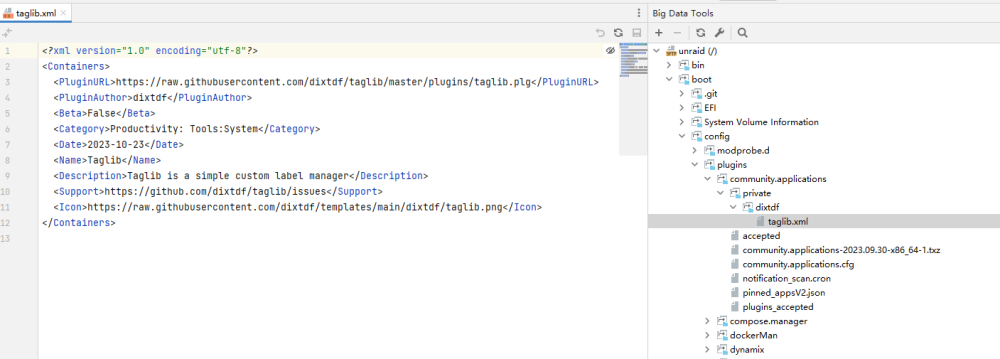
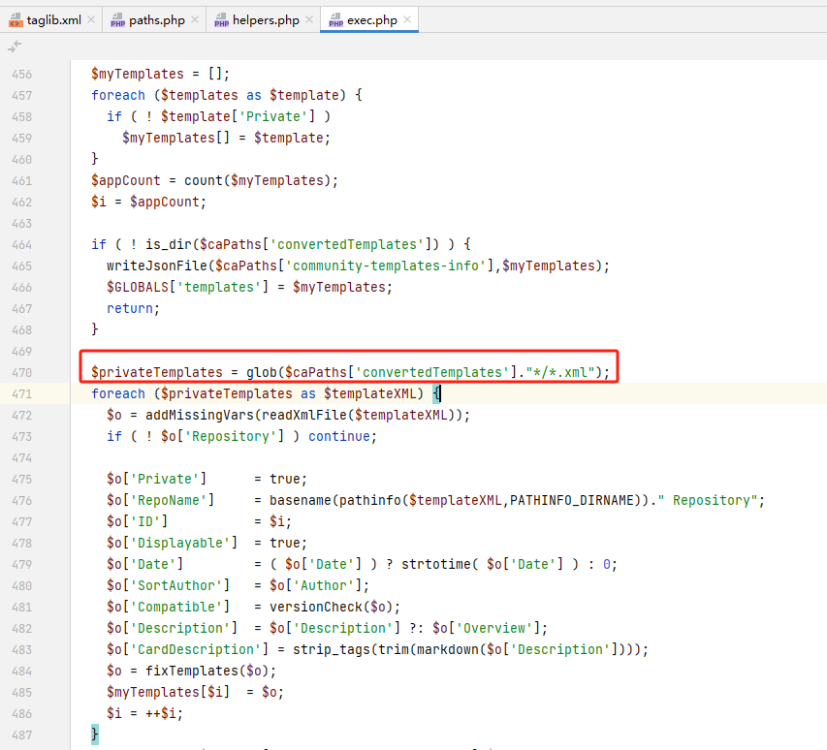
-
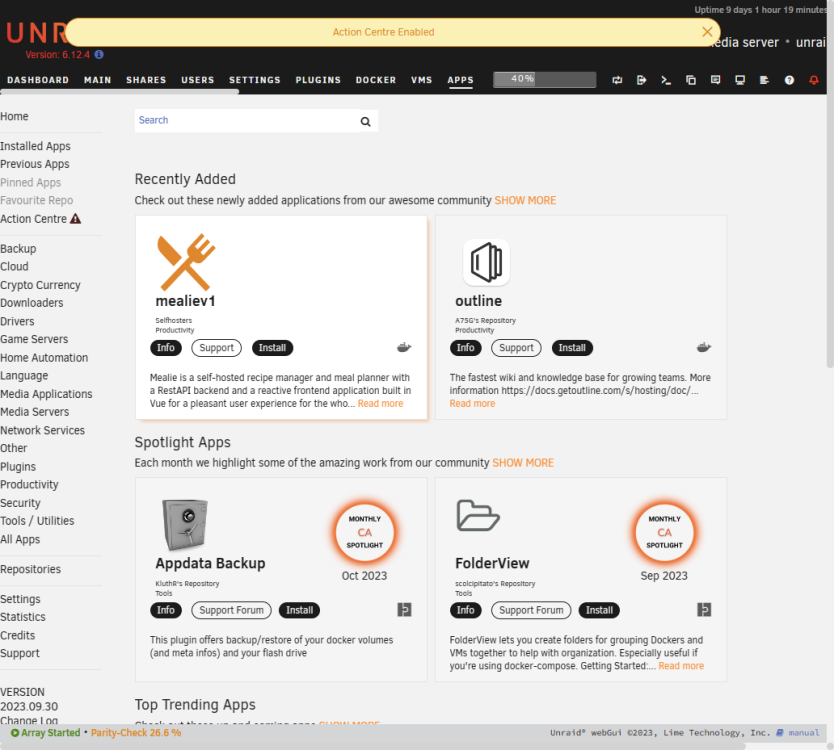
私有插件显示不正常,我想正式启动我的插件,但也没有收到您的回复@Squid 塔格利布.xml
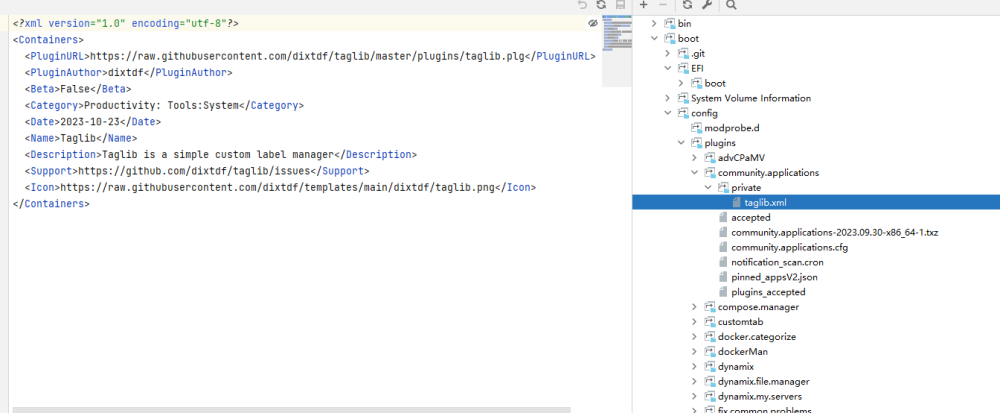
-
@Squid what else do i need
-
https://github.com/dixtdf/taglib/blob/master/plugins/taglib.plg https://github.com/dixtdf/templates/blob/main/dixtdf/Taglib.xml This plugin is still in the testing stage and will optimize some new features in the future
-
I have done everything for a better experience, and I hope not to be held accountable for using the following methods I hope the author of 'Custom Tab' can see this code, which implements adaptive window size The current form can only be set to a fixed size and is not friendly for devices with different resolutions I hope to add an adaptive window size option, and I can only temporarily resolve it this way until further updates arrive // ==UserScript== // @name Unraid Custom Tab自适应窗体大小 // @namespace https://github.com/dixtdf/Unraid-Custom-Tab-Adaptive-Window-Size // @version 1.0 // @description 窗体宽高随意设置即可 // @author dixtdf // @match http*://*/* // @icon https://upload.forums.unraid.net/live/monthly_2017_05/customlarge.png.e0cb690d73cea725de6927fc0abce6a7.png // @grant none // @license MIT // ==/UserScript== (function() { function onWindowResize() { let elementsByClassName = window.document.getElementsByClassName("content shift"); if (elementsByClassName.length>0){ let computedStyle = window.getComputedStyle(elementsByClassName[0].querySelector(".title")); if (computedStyle){ let height = window.innerHeight-( window.document.getElementById("header").offsetHeight +window.document.getElementById("menu").offsetHeight +(window.document.getElementById("footer")!=null?window.document.getElementById("footer").offsetHeight:26) +parseInt(computedStyle.getPropertyValue("height").replace("px",""), 10) +parseInt(computedStyle.getPropertyValue("padding-top").replace("px",""), 10) +parseInt(computedStyle.getPropertyValue("padding-bottom").replace("px",""), 10) +parseInt(computedStyle.getPropertyValue("margin-top").replace("px",""), 10) +parseInt(computedStyle.getPropertyValue("margin-bottom").replace("px",""), 10) +30 ) let width=parseInt(computedStyle.getPropertyValue("width").replace("px",""), 10) +parseInt(computedStyle.getPropertyValue("padding-left").replace("px",""), 10) +parseInt(computedStyle.getPropertyValue("padding-right").replace("px",""), 10) let iframeElement = window.document.querySelector(".content.shift iframe"); iframeElement.style.width = width+"px"; iframeElement.style.height = height+"px"; iframeElement.style.border = "0px"; } } } window.addEventListener("resize", function() { clearTimeout(window.resizedFinished); window.resizedFinished = setTimeout(onWindowResize, 200); }); onWindowResize(); })(); Of course, you can manually edit/usr/local/emhttp/plugins/customtabtemp/View *. page to insert the following code into the last line, which can achieve the same effect <script> function onWindowResize() { let elementsByClassName = window.document.getElementsByClassName("content shift"); if (elementsByClassName.length>0){ let computedStyle = window.getComputedStyle(elementsByClassName[0].querySelector(".title")); if (computedStyle){ let height = window.innerHeight-( window.document.getElementById("header").offsetHeight +window.document.getElementById("menu").offsetHeight +(window.document.getElementById("footer")!=null?window.document.getElementById("footer").offsetHeight:26) +parseInt(computedStyle.getPropertyValue("height").replace("px",""), 10) +parseInt(computedStyle.getPropertyValue("padding-top").replace("px",""), 10) +parseInt(computedStyle.getPropertyValue("padding-bottom").replace("px",""), 10) +parseInt(computedStyle.getPropertyValue("margin-top").replace("px",""), 10) +parseInt(computedStyle.getPropertyValue("margin-bottom").replace("px",""), 10) +30 ) let width=parseInt(computedStyle.getPropertyValue("width").replace("px",""), 10) +parseInt(computedStyle.getPropertyValue("padding-left").replace("px",""), 10) +parseInt(computedStyle.getPropertyValue("padding-right").replace("px",""), 10) let iframeElement = window.document.querySelector(".content.shift iframe"); iframeElement.style.width = width+"px"; iframeElement.style.height = height+"px"; iframeElement.style.border = "0px"; } } } window.addEventListener("resize", function() { clearTimeout(window.resizedFinished); window.resizedFinished = setTimeout(onWindowResize, 200); }); onWindowResize(); </script>
-
我的问题已经解决,但是不知道为什么能自动启动了,非常诡异
-




