





tischer.s
Members
-
Joined
-
Last visited
-
Thanks a lot for your help - you won't believe what the problem was... :D My HPE Microserver has an internal USB slot with a faulty USB drive. I always booted with a second one in the external usb slot. Even though I selected now the external slot, it kind of had hiccups with the faulty internal. As I removed the internal usb device all went smooth. How dumb - I could have saved me and you the time - nevertheless thanks for your help man :)
-
That is super strange. I created it as totally new USB device - it worked. Then it has an issue with the license file, I copy the file on the USB, reboot - same issue.
-
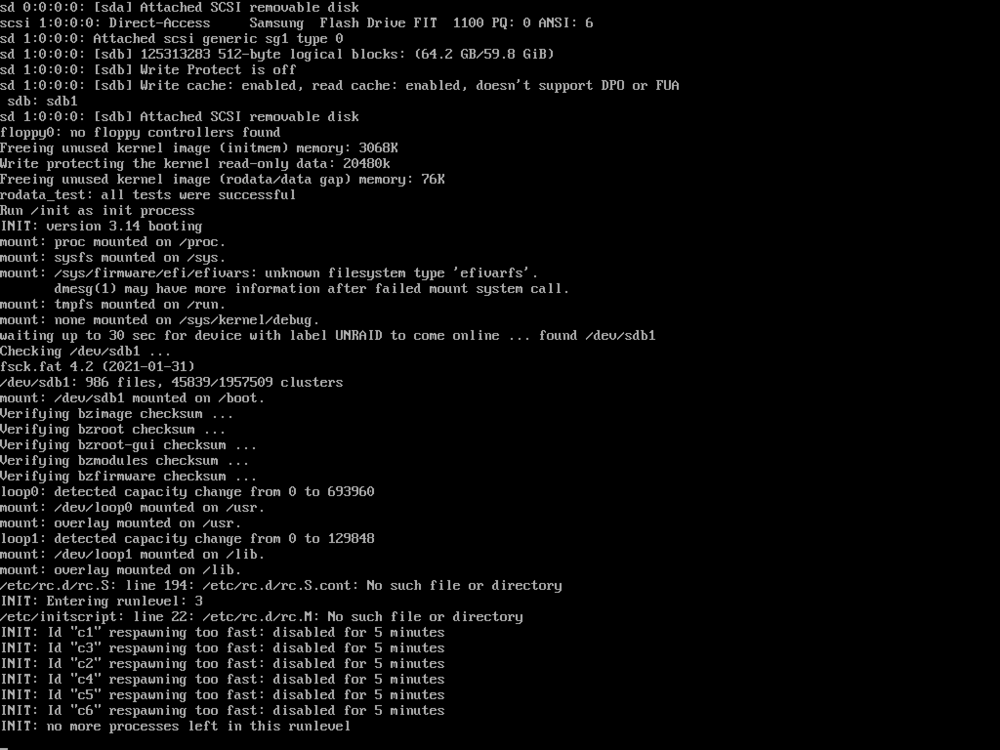
Hi all, we had a power outage today and since then, the Microserver just can't get to boot from the USB device. I tried another front USB port of the HPE Microserver, changed the USB device - nothing really helped. This is the error message I get in the ILO console - can anyone help me? :) Thanks a lot and warm regards Sebastian
-
Thanks for the hint - I just limited the RAM to 4GB and check if it works Thanks for the help buddy
-
Hi team, My server is running very smooth but got 2-3 "Out of memory errors" in the past months and now I would need some support from you experts what it might be. Hardware: HPE ProLiant MicroServer Gen10 Plus v2 Intel® Xeon® E-2314 CPU @ 2.80GHz 32 GB Ram Nvidia T400 4GB Google Coral attached via USB Running: A few dockers (I can specify if necessary) HomeAssistant as VM Diagnostics attached. Thanks a lot and warm regards Sebastian microserver-diagnostics-20240317-2100.zip
-
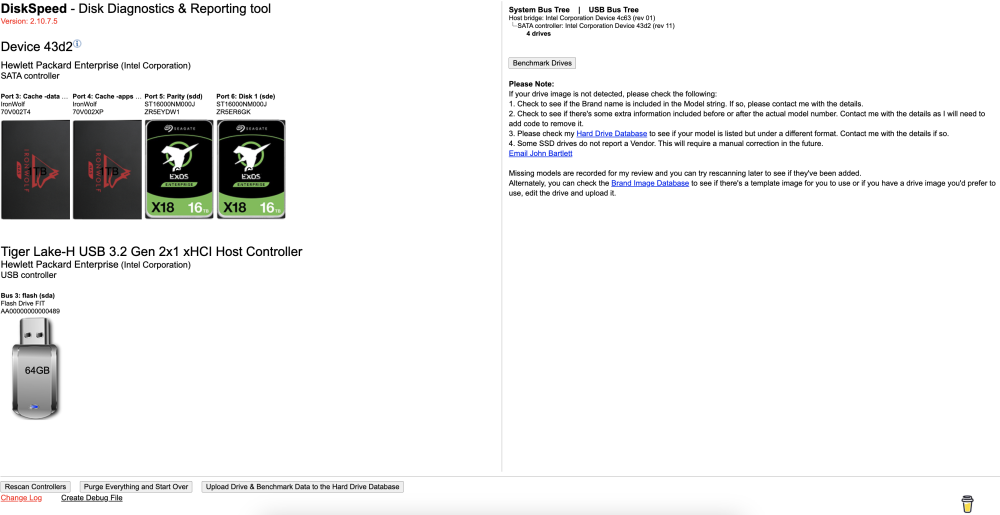
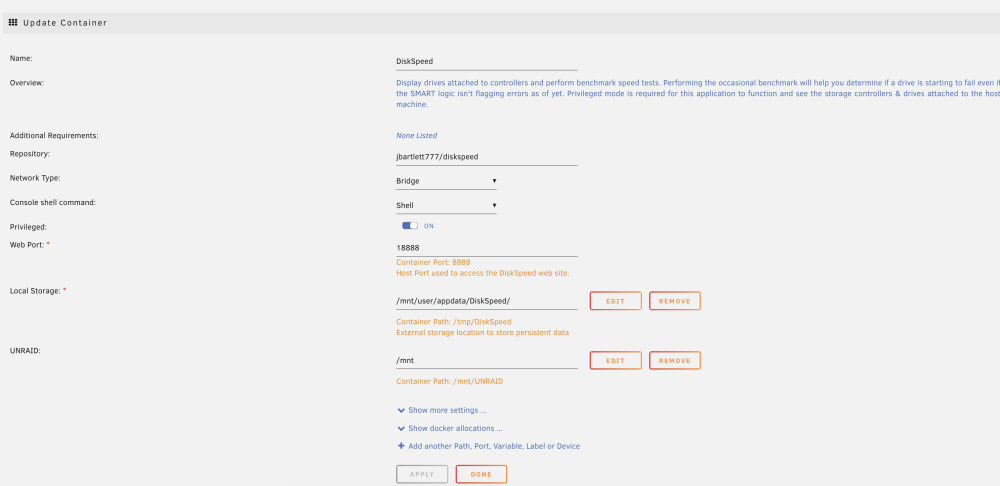
Hi team, I wanted to check my HDD speed and it recognizes all drives, but after I start benchmark with SSD excluded, I just get this blank screen. Even 15min after start, nothing happens. Any idea? Warm regards Sebastian

-
I am really thankful for your help and opinion - I am totally new to Unraid to be honest, so you are totally right I will definitely test the docker version, no doubt. The only thing I am not sure about, is the GoogleDrive Backup addon, since it is not "just" a file copy but a specific HomeAssistant restorable backup. But I can find a solution for that
-
Right now it is: VSCodeServer (tightly integrated) SkyConnect Zigbee Cloudflared MQTT (this can be easily excluded :D) HASS Google Drive Backup
-
Hi all, anyone with a tip/hint for a newbie?!
-
The problem with HASS as docker is, that it doesn't support AddOns which are partly necessary I will check it when I have all my hardware available
-
Thanks a lot for the extensive reply and your explanation I will do it like you said... - VM with HASS and Frigate Proxy Addon - Docker for Frigate (with Coral & GPU usage), Plex etc. I will need another Windows VM but since the HP Microserver doesn't support Bifurcation of the INTEL processor gpu this need to run just on the processor. I only need that for KNX ETS, so that should be no problem I hope
-
Hi all, this might be a stupid question since I am new to Unraid. My setup is HPE Microserver Gen10+ v2 Xeon processor and Nvidia GPU T400 via PCIe. I run Home Assistant as a VM and Plex as Docker. In Home Assistant I have Frigate as Plugin, which needs the GPU for decoding/encoding video stream of my cameras. Plex needs the GPU for that as well. Do I need the driver now or since the card should work on VM and Docker, not recommended? Thank you and warm regards Sebastian
-
Hi Team, I am new to Unraid and I am coming from a Raspberry Pi 4 + Synology where I currently run my Home Assistant with Google Coral (RPI) + Plex (Sinology). Now I noticed, that the power for my home cameras is not enough anymore and that I want to upgrade my hardware to something more powerful, robust and future proof to both incorporate my RPI and old Plex Synology. Priority: - Enough power for the VMs see below - Efficient and power as low as possible Apps/VMs: - Home Assistant (constantly running as VM) - Plex (Docker) - Windows 10 VM for the KNX adjustments of my home - Actual budget for financial management - FreshRSS - AdGuard - PaperlessNGX - Eventually AutoGPT Hardware: Now it gets tricky to be honest I always wanted to buy an existing system, but now I am thinking to build it on my own - even though I never actually build a server myself. The two options are: 1.) HP Microserver Gen 10+ https://www.galaxus.de/de/s1/product/hpe-proliant-microserver-g10-v2-intel-xeon-e-2314-16-gb-tower-server-server-22888016 16GB RAM AddOn https://www.galaxus.de/de/s1/product/hpe-16gb-1x-16gb-ddr4-3200-mhz-ecc-memory-1-x-16gb-3200-mhz-ddr4-ram-dimm-ram-22906784?utm_content=4-6&utm_campaign=preisvergleich&utm_source=idealo&utm_medium=cpc&supplier=2705624 Nvidia T400 GPU https://www.galaxus.de/de/s1/product/hp-nvidia-t400-4gb-gddr6-graphics-card-4-gb-grafikkarte-21714046 HDD => 2x 16TB Exos https://www.galaxus.de/de/s1/product/seagate-exos-x18-16-tb-35-cmr-festplatte-15299230 SSD => 2x 1TB https://www.amazon.de/gp/product/B08H55CXVC/ref=ox_sc_saved_title_3?smid=A3JWKAKR8XB7XF&psc=1 2.) Self-Build CPU - Intel i3 12100 https://gh.de/g/w0f Motherboard - Gigabyte H610I DDR4 https://gh.de/g/w0V RAM - 32GB Crucial DDR4 https://gh.de/g/w0Y CPU Kühler - Noctua NH-L9i-17xx https://gh.de/g/w0Q GPU https://www.galaxus.de/de/s1/product/hp-nvidia-t400-4gb-gddr6-graphics-card-4-gb-grafikkarte-21714046 Case - Fractal Design Node 804 https://amzn.to/3rrVcYP Power - Corsair RM550x 550W https://amzn.to/3K7xI4q Network - 10GbE PCIe https://gh.de/g/wWg My question now is: - What do you think about both Hardware options? - Can/should self build be optimized? - Is it possible to build that system at home as a newbie? Thanks a lot guys and warm regards Sebastian



