





Valkyrie
Members
-
Joined
-
Last visited
Everything posted by Valkyrie
-
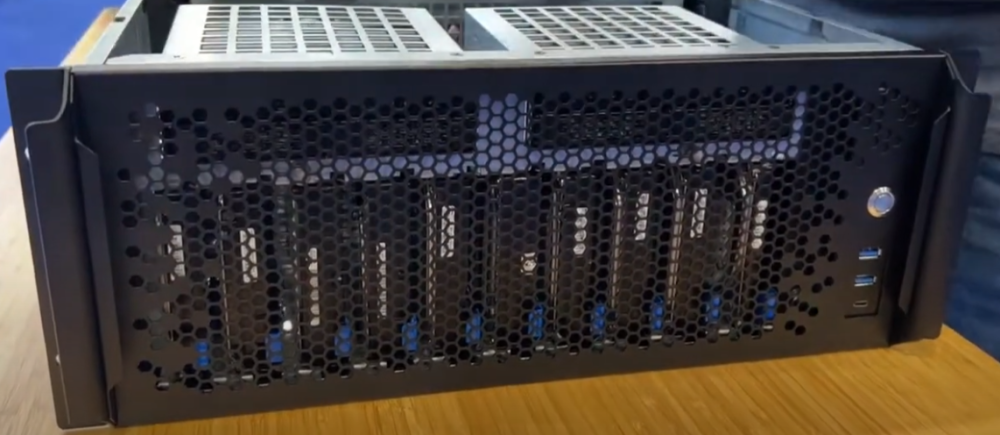
I have a Sliger CX4712 It would be awesome to have an icon of this one. Thanks for all your effort!
-
Strange, the syntax should be correct according to https://www.php.net/manual/en/language.enumerations.backed.php. Its almost like the script parser is on a lower php version. Ill ask around on the user script forum for a solution.
-
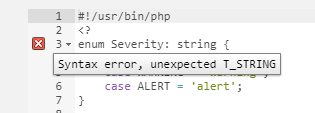
Hello, I get the following error when trying to add a backed enum (https://www.php.net/manual/en/language.enumerations.backed.php). Does anyone have any idea why? They should be supported from php version 8.1 and my /usr/bin/php is 8.2.7
-
I cleaned up the user script, just in case anyone is interested: #!/usr/bin/php <? enum Severity: string { case NORMAL = 'normal'; case WARNING = 'warning'; case ALERT = 'alert'; } function SendNotification(string $event, string $subject, string $description, Severity $importance) { exec('/usr/local/emhttp/plugins/dynamix/scripts/notify -e ' . escapeshellarg($event) . ' -s ' . escapeshellarg($subject) . ' -d ' . escapeshellarg($description) . ' -i ' . escapeshellarg($importance->value) . ''); } SendNotification("Antivirus Scan Started", "Antivirus Scan", "Antivirus Scan Started", Severity::NORMAL); exec('docker start ClamAV'); exec('docker exec ClamAV sh -c "find /scan -type f -print0 | xargs -0 -P $(nproc) clamscan"'); for (;;) { if (!trim(exec("docker ps | grep ClamAV"))) break; sleep(10); } $logs = []; exec("docker logs ClamAV 2>/dev/null", $logs); $currentLogs = array_slice($logs, array_search('Scanning /scan', array_reverse($logs, true)), null, false); $infected = []; $reportSeverity = Severity::NORMAL; foreach ($currentLogs as $line) { if (str_ends_with(trim($line), "FOUND")){ $infected[] = str_replace(["/scan", " FOUND"], "",trim($line)); $reportSeverity = Severity::ALERT; } } $infected = (count($infected) > 0) ? array_merge(["Infected files found:"], $infected) : ["No infected files found"]; SendNotification("Antivirus Scan Finished", "Antivirus Scan", implode("<br \>", $infected), $reportSeverity); ?>




