





raphytaffy
Members
-
Joined
-
Last visited
-
So the mount is mounted properly, but I can't seem to write to it: > cp test_file /mnt/unraid cp: cannot create regular file '/mnt/unraid/test_file': Permission deniedEdit: fixed by adding my uid: //192.168.0.30/unraid /mnt/unraid cifs rw,guest,_netdev,noatime,noserverino,uid=1000,gid=1000,file_mode=0777,dir_mode=0777 0 0
-
Thank you so much! This did the trick!
-
I tried mount -a and it shows this error message: > sudo mount -a mount error(2): No such file or directory Refer to the mount.cifs(8) manual page (e.g. man mount.cifs) and kernel log messages (dmesg)I am trying to manually connect first before debugging the fstab entry: > sudo mount -t cifs //192.168.0.30/mnt/user/unraid /mnt/unraid Password for root@//192.168.0.30/mnt/user/unraid: my_unraid_password mount error(2): No such file or directory Refer to the mount.cifs(8) manual page (e.g. man mount.cifs) and kernel log messages (dmesg)Error: > sudo dmesg [65793.339682] CIFS: Attempting to mount //192.168.0.30/mnt/user/unraid [65793.345092] CIFS: VFS: \\192.168.0.30 failed to connect to IPC (rc=-13) [65793.345104] CIFS: VFS: session 000000005e5fce55 has no tcon available for a dfs referral request [65793.346166] CIFS: VFS: cifs_mount failed w/return code = -2
-
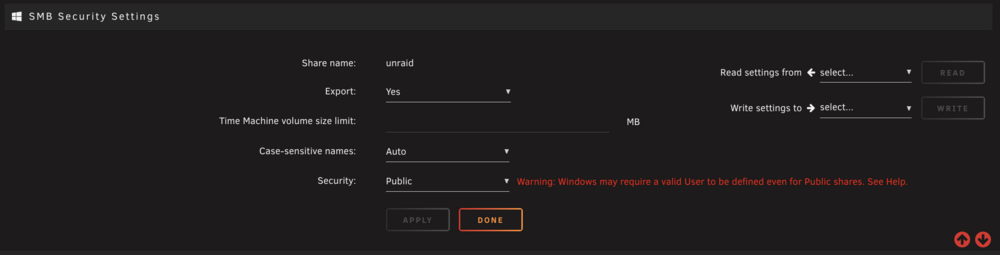
Hmm I'm still having trouble getting this to work: //192.168.0.30/mnt/user/unraid /mnt/unraid cifs rw,guest,_netdev,noatime,noserverino,cache=none 0 0 I have set SMB Security Settings > Security > Public. Do I have to set any particular mount setting for fstab to pick up the mount?
-
I had to install it first: > sudo apt install cifs-utils > which mount.cifs /usr/sbin/mount.cifsThe /etc/fstab entry still doesn't work though: 192.168.0.30:/mnt/user/unraid /mnt/unraid cifs rw,guest,_netdev,noatime,noserverino,cache=none 0 0
-
Thank you so much for this. I was actually using SMB before my OS crashed and I had to set up my media server again, which is when I started doing research and saw that most people tend to use NFS with Ubuntu Server. It's strange that I'm hitting these issues though, so I think I will move back to SMB. I really appreciate the post that you linked. I think that will help with setting the right mount options. I'm actually trying to use the CIFS settings from the thread that you linked, but I can't seem to get it to mount. Here is my /etc/fstab entry: 192.168.0.30:/mnt/user/unraid /mnt/unraid cifs rw,guest,_netdev,noatime,noserverino,cache=none 0 0And when I try to run mount -t cifs manually, I get this error: > sudo mount -t cifs -o 192.168.0.30:/mnt/user/unraid /mnt/unraid mount: /mnt/unraid: bad option; for several filesystems (e.g. nfs, cifs) you might need a /sbin/mount.<type> helper program. dmesg(1) may have more information after failed mount system call.
-
Thanks. I do have a Cache drive set in Pool Devices, but I do not know if it is set as secondary storage for a share. Where would I find that setting? Please find my diagnostics attached. A few questions: Is NFS preferred over SMB for Ubuntu servers? Can you comment on the recommended mount configuration from this pinned post? hard,timeo=50,retrans=5,relatime,rsize=1048576,wsize=1048576Others have suggested: Use intr instead to avoid stale hard. The timeo is very aggressive. raphnas-diagnostics-20260206-1207.zip
-
Would the cache settings be set under Shares? I don't see anything there. I was previously using SMB with no issues, but I read that NFS is better for Ubuntu servers.
-
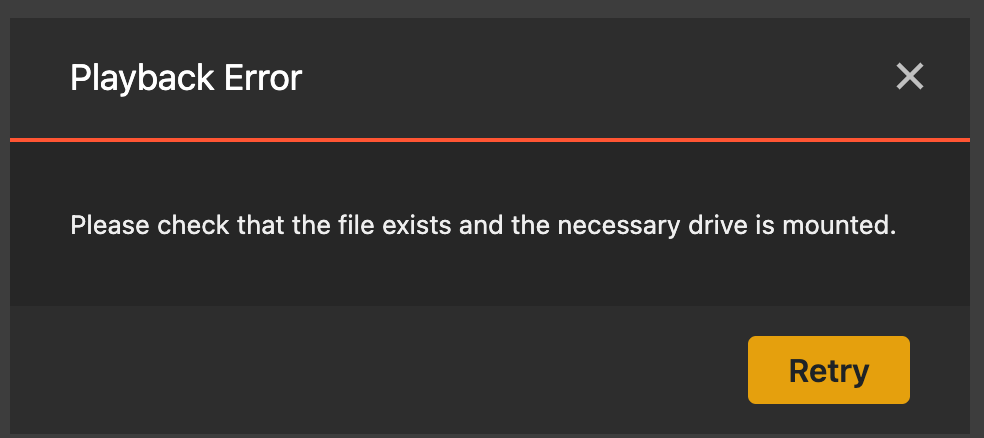
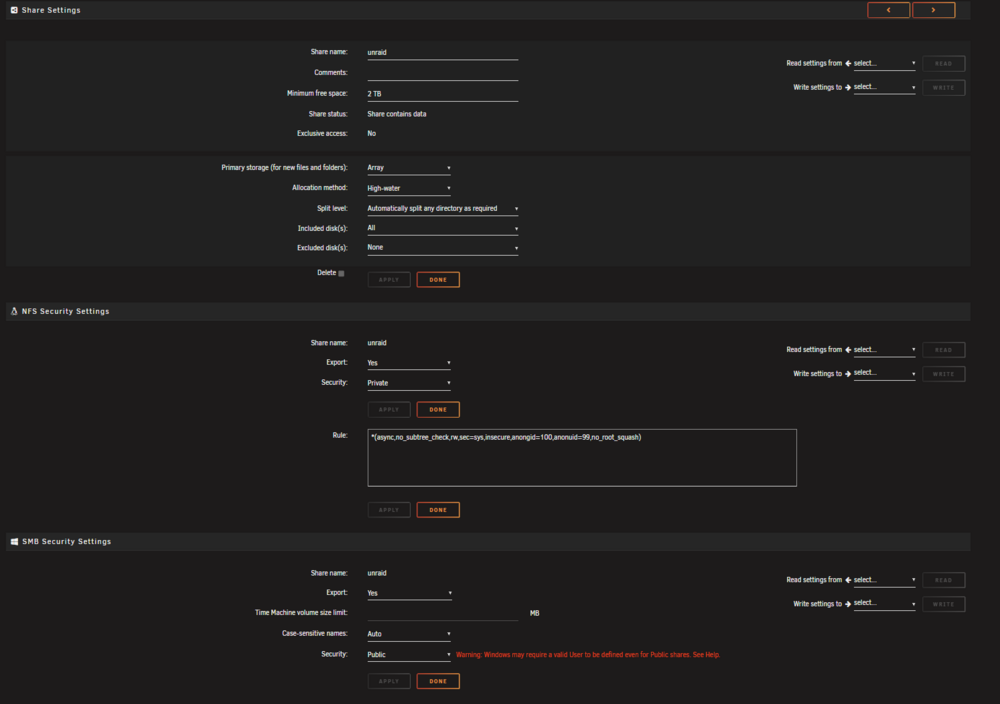
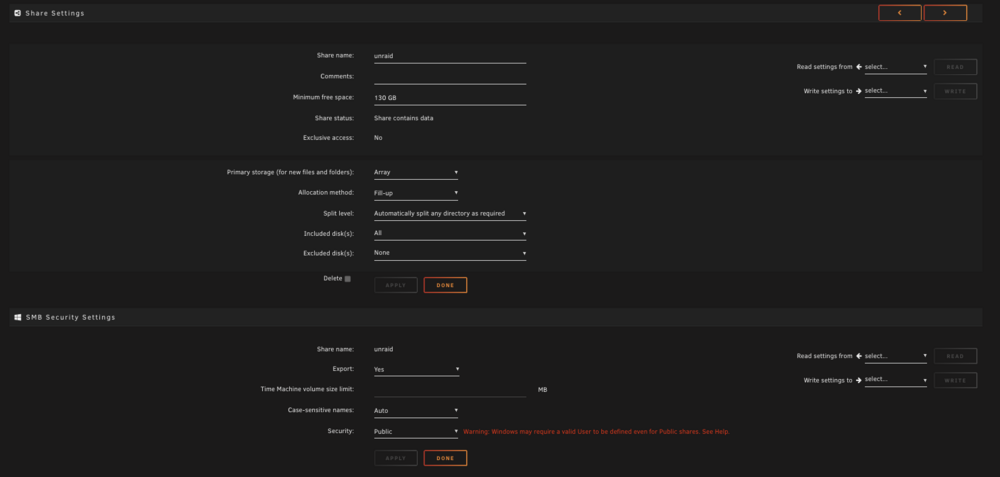
I have an Unraid server and a separate media server which Plex runs on. I am running Plex in a container using linuxserver/plex. I have mounted my Unraid share to my media server through NFS following this guide. The fstab entry looks like this: # unraid 192.168.0.30:/mnt/user/unraid /mnt/unraid nfs hard,timeo=50,retrans=5,relatime,rsize=1048576,wsize=1048576 0 0The Plex service in my docker-compose.yml looks like this: services: plex: image: lscr.io/linuxserver/plex:latest container_name: plex network_mode: host environment: - PUID=1000 - PGID=1000 - TZ=US/Pacific - VERSION=docker volumes: - ./plex/config:/config - /mnt/transcode:/transcode - /mnt/unraid/Movies:/unraid/movies - "/mnt/unraid/Movies 3D:/unraid/movies_3d" - /mnt/unraid/Shows:/unraid/shows - /mnt/unraid/Sports:/unraid/sports ports: - 32400:32400 restart: unless-stoppedEverything starts up fine and all of my shows and movies are recognized when Plex first starts, but after some time (not sure how long), Plex will randomly throw the error in the screenshot: Please check that the file exists and the necessary drive is mounted.For some reason, this seems to only happen to Movies. TV shows remain fine. The only way I have been able to resolve it is to restart the Plex service. I'm at a loss of what can be going on here. Appreciate any advice and suggestions. My Unraid share settings:
-
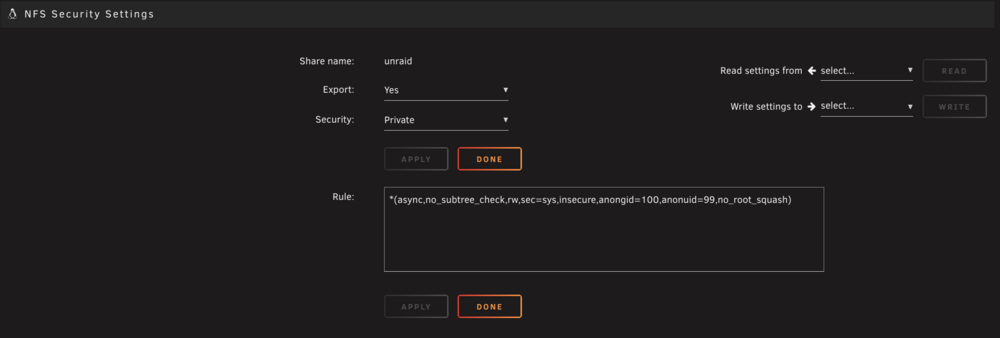
This is an absolutely amazing tutorial and incredibly well formatted! A few questions I have along the way. Configure NFS on UnraidFrom this guide, I have set the rule to (attached): *(async,no_subtree_check,rw,sec=sys,insecure,anongid=100,anonuid=99,no_root_squash)Does the <star> replace the <ubuntu_ip> in your example? Should I specify the <ubuntu_ip> instead? NFS Version> mount.nfs --version mount.nfs: (linux nfs-utils 2.6.4)Test NFS ExportDoes this look good? > showmount -e 192.168.0.30 Export list for 192.168.0.30: /mnt/user/unraid *Manual Mount Test> df -h | grep unraid 192.168.0.30:/mnt/user/unraid 219T 191T 28T 88% /mnt/unraid > ll /mnt/unraid drwxrwxrwx 1 99 207 Dec 4 2023 . drwxr-xr-x 3 root 4096 Jan 27 01:04 .. drwxrwxrwx 1 99 4096 Dec 20 22:41 Movies drwxrwxrwx 1 99 4096 Nov 16 07:54 ShowsCheck PermissionsDoes this look good? > ls -ln /mnt/unraid drwxrwxrwx 1 99 100 4096 Dec 20 22:41 Movies drwxrwxrwx 1 99 100 4096 Nov 16 07:54 ShowsCreate /etc/fstab EntryFrom this guide, it recommends the following mount parameters: hard,timeo=50,retrans=5,relatime,rsize=1048576,wsize=1048576Are these mount parameters okay? It looks like you have several other parameters as well, so should I combine these parameters into this: rw,vers=3,hard,_netdev,noatime,hard,timeo=50,retrans=5,relatime,rsize=1048576,wsize=1048576In Unraid > Settings > NFS > Max Server Protocol Version, should I set this to NFSv3? I really don't know what NFSv4 is or when to use it, but I am on the latest Ubuntu Server 24.04.3. @bmartino1 any thoughts on the mount parameters?
-
Unraid 7.1.4 I have an SMB share to allow connecting to my Unraid share from a Windows PC (attached). I would like to mount my Unraid array to my Ubuntu Server to be able to read/write to it. Apologies for the beginner questions: Do I create a new share in Shares > Add Share, or is there a way for a share to support both SMB and NFS? Is the best way to create a shared drive through Unassigned Devices? Should I delete my share from Shares and create the SMB/NFS share through Unassigned Devices instead? Should I use Unassigned Devices or Unassigned Devices Plus? It seems like Unassigned Devices is creating a share from a remote server to the Unraid server. I am trying to do the reverse. What's the best way to do this? This guide seems to suggest some settings for the client side mount parameters, so would this go in /etc/fstab? 192.168.0.30:/mnt/user/unraid /my_ubuntu_server/unraid nfs hard,timeo=50,retrans=5,relatime,rsize=1048576,wsize=1048576 Thanks in advance for the tips!
-
Just wanted to clarify, this is for mounting remote shares to Unraid, correct? Is it okay to use fstab to mount an Unraid share to a remote server? Is there a guide or recommended tutorial on how to do so?
-
Thank you! That seems to have done the trick. Fingers crossed that it doesn't happen again.
-
Hey @JorgeB, the last time I posted the diagnostics, you had commented that the syslog had shfs related spam. I am still unsure of how to turn off shfs related messages in the logs. Here are the diagnostics right after a reboot. raphnas-diagnostics-20250818-0039.zip
-
One of my newly installed disks is showing this error and I am not sure what the proper steps are to bring it back online. I have run a SMART extended self-test on the disk in question and that completed without error. I also ran a parity check that also completed without errors. What else should I do? What is the process for bringing the disk back online? raphnas-smart-20250817-2239.zip


