





tomume
Members
-
Joined
-
Last visited
Everything posted by tomume
-
Hi everyone. I recently upgraded my server. I went with an ultra 225, asrock b860m-x, and 32 ddr5 ram. I have 5 x 3.5 hdd (one parity) and 1 ssd. The ssd is attached to this extension has the mb has only 4 sata ports. https://s.click.aliexpress.com/e/_DEJn6pL been watching some tutorials there and then and it says you have to change a few things in bios settings. To be honest, it goes a bit beyond my skills and i'm afraid to break something... (https://forums.unraid.net/topic/98070-reduce-power-consumption-with-powertop/#comment-904898) and some wolfgang and spaceinvaderone videos. So far, i managed to : - spin down disks after 15 min unused - disable hd Audio - disable RGB LED controller What i'm probably missing are (from the tuto above): 1. should i disable igpu multi monitor ? 2. enable ASPM (Active-State Power Management) in the PCI settings ? enable all C-States like C7/C9/C10 in the CPU settings ("auto" usually means "disabled", so select "enable") questions: as i understand i would disable the gpu from the motherboard and only use the cpu gpu ?!? (i am afraid to go into a unrocoverable black screen...) I found severals options under advanced\chipset config: pcie aspm support (disabled, l0s, l1, l0sl1, auto), pch pcie aspm support, pch dmi support, dmi aspm support. there are many options and i have no idea of consequences under advanced/cpu it says cpu state support enable. but then it says c state auto domotion c1, undemotion c1, package demotion enabled, package undemotion enabled. should i disabled those to manually change them ? Should i disable turbo boost under oc tweaker ? what about boot performance mode ? max battery ? max non turbo preference ? it's set to turbo performance by default. Is it drawing more power to boot faster ? can i use powertop ? is there a tutorial ? (i mean i noob friendly for my case because apparently it's harder if you use an nvme to sata card. PS: currently while browing bios i'm at 52 wats, in unraid after boot and array on at 45w, and around 28w when all disks are spin down (only plex has container). thanks a lot and take care
-
Hello everyone, I recently upgraded my system by replacing the motherboard, RAM, and CPU. The setup is now: Motherboard: MB 860M-X RAM: Crucial CT32G48C40U5 CPU: Ultra 225 I successfully reinstalled everything in my case, and the system boots up with all components connected. The issue is that this motherboard only has 4 SATA ports. To connect additional drives, I installed a converter on the M.2 Gen5 slot: https://s.click.aliexpress.com/e/_DEJn6pL When I go into the BIOS, only the SSD appears in the disk menu, since it’s the only drive directly connected to the motherboard’s SATA ports. The other 4 drives are connected through the adapter mentioned above. Surprisingly, Unraid detects all the drives correctly, and I can access my files on the server as usual (for example, from the local network and Plex). My questions are: Is there a specific setting or procedure to make these drives visible in the BIOS? How can I check if transcoding is working (I didn’t have this feature before)? => followed an ibracorp video and i think it's working. can see hw in my plex monitor pannel. Do you have any tips to reduce system power consumption while idle? => I'am at around 45wats with, 1 ssd, 4 hdd and 1 stick of ram + cpu of course and plex only active. if i also activate the arr suite i'm at around 60w. => probably shoould make another post for that... Is it possible to automatically spin down the drives after a certain period of inactivity? Should I set the disks differently on my MB and adapter ? Thanks everyone, and have a great day!
-
for radarr, i deleted the database and restored from an old backup. that allowed me to keep the old config. but for flaresolverr i have no idea. :(

-
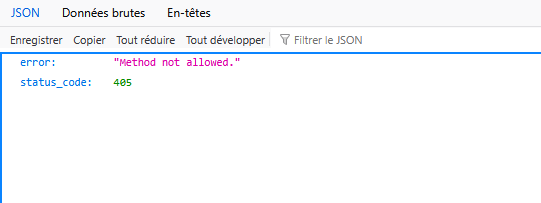
hi, thxs! it seems they all work but flaresolverr and radarr. flaresolverr: radarr: what can i do. i tried to reinstall it but it does the same thing. :( thx a lot
-
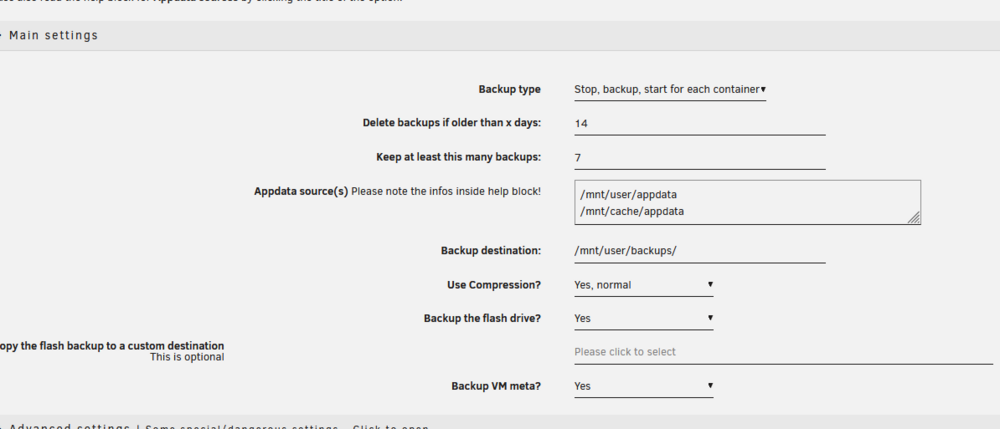
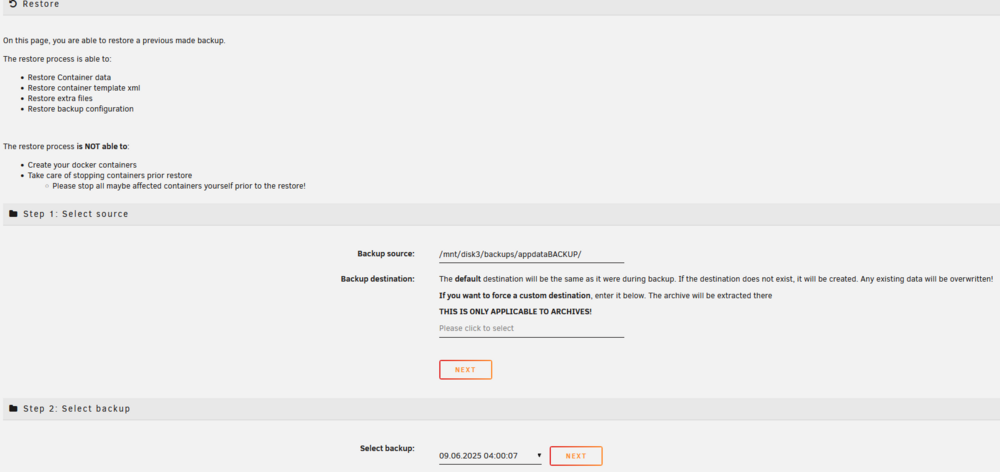
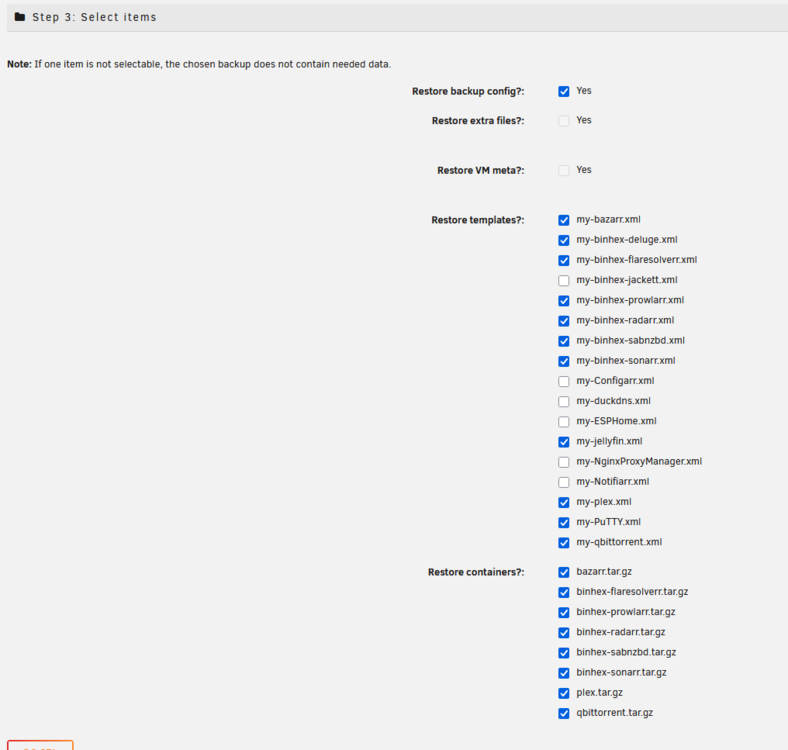
found it: backup destination was not the same: dunno why i i put it in appdatabackup. How can i show thoses folders/files on the explorer when accessing the server remotely ? should i restore it like this (i don't care about unchecked apps) ?: also what does it mean to restore container ? because you need to install the app after that right ?
-
well i changed something in the config of appdata because no backup is available... omg stop shooting at me i'm already dead :)... i remember increasing the days to keep the backup.
-
hi can anyone help me ? following this thread:https://forums.unraid.net/topic/191384-unraid-working-strangely-lately-boots-randomly-and-now-parity-and-disk-1-missing/ i'm trying to recover my appdata, so i can recover the config of my dockers. long story short, original ssd cache (where appdata and dockers where stored) broke, replaced it, and forgot to copy the appdata to array before giving the broken ssd to the company for repair.... now i'm trying to recover it with appdata backup but there are several things i dont get it. you need to install previous installed apps beforehand ? when i do so, the apps are not installed completely. by that i mean (so far what i found): the configuration i had is gone I do have my plex library, but the media files are not accessible custom network is gone ip adresses are not set also do you need to install previous apps before doing the restore via appdatabackup ? maybe i got it wrong but i believed that appdata was where you stored the config files of the dockers and that's what i wanted to backup. also, if i set appdata share to visible, it doesnt show anything when i search it remotely via windows10. thanks and take care

-
when installing apps it says : docker run -d --name='jellyfin' --net='bridge' --pids-limit 2048 -e TZ="Europe/Paris" -e HOST_OS="Unraid" -e HOST_HOSTNAME="TomiServer" -e HOST_CONTAINERNAME="jellyfin" -e 'JELLYFIN_PublishedServerUrl'='192.168.0.5' -e 'PUID'='99' -e 'PGID'='100' -e 'UMASK'='022' -l net.unraid.docker.managed=dockerman -l net.unraid.docker.webui='http://[IP]:[PORT:8096]' -l net.unraid.docker.icon=' -p '8096:8096/tcp' -p '8920:8920/tcp' -p '7359:7359/udp' -p '1900:1900/udp' -v '/mnt/user/tomiserver/Media/Tv Shows/':'/data/tvshows':'rw' -v '/mnt/user/tomiserver/Media/Movies/':'/data/movies':'rw' -v '/mnt/user/appdata/jellyfin':'/config':'rw' 'lscr.io/linuxserver/jellyfin:latest' c408d2aadc667e688a31bdbe25f019e3474c1f4d62ce277236c2485ea239f62f docker: Error response from daemon: error while creating mount source path '/mnt/user/appdata/jellyfin': mkdir /mnt/user/appdata/jellyfin: no medium found. The command failed. what should i do ? I'll leave this here if someone is insterested. i had to format the new ssd into btrfs format. Now i don't have any error message. Unfortunately, i cannot restore appdata. i also don't understand it. It does restore for example plex library, but you don't have the access to the library files into the plex app... also networking config disapeared somehow. very strange, like it restored only a part of it. Also don't get it why you have to install apps if when you restore via appdatabackup the app says restore container. I'm might be too noob to understand it. thanks a lot anyway.
-
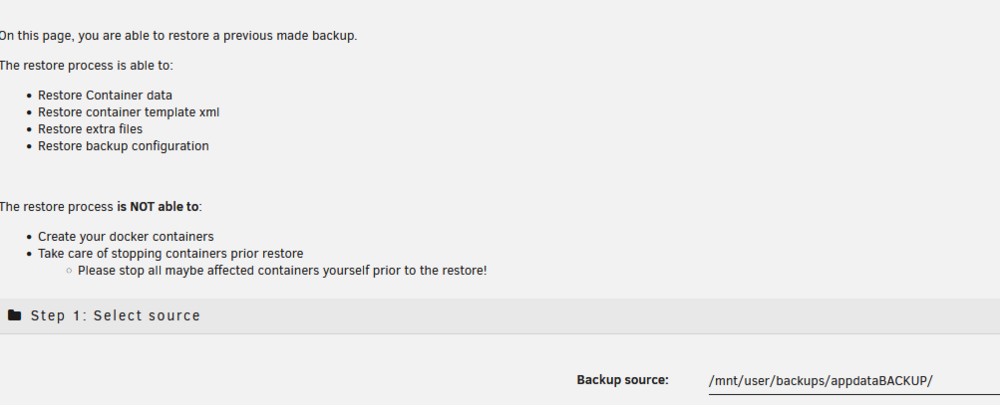
sorry to annoy you with this, but should i install the dockers before doing the restore data ?
-
lol what if i forgot that step " changing any shares to Array only, running mover, make sure all files moved" and that the company has my old broken ssd with the stuff in it ?!?... can i get it back if i installed appdatabackup ?
-
so i managed to make the warranty work, so i got a WD ssd. I just need to replace it in the config file right ? tomiserver-smart-20250627-1352NEWSSD.zip
-
thx i had no idea. from now on i'll stay on my toes. here are the other smart results tomiserver-smart-20250625-0035disk1.zip tomiserver-smart-20250625-0035parity.zip tomiserver-smart-20250625-0036disk2.zip tomiserver-smart-20250625-0036disk3.zip
-
sorry, i was only reading what unraid said: Last SMART test result: Completed without error but you are right. reading the manifest it says errors. that's quite stupid tho imo (unraid should say it has errors)... i'm gonna do extended smart test on the others disks then... just in case as it's still under warranty. (thx by the way)
-
i did a full smart test on the ssd, it says no issues... tomiserver-smart-20250623-1752.zip
-
yes that's what concern me, because it's quinda new hardware (the hdd, ssd and USB). it's weird and I replaced 3 times already the usb flash drive as a boot device. can it be that the motherboard is destroying my other hardware ?
-
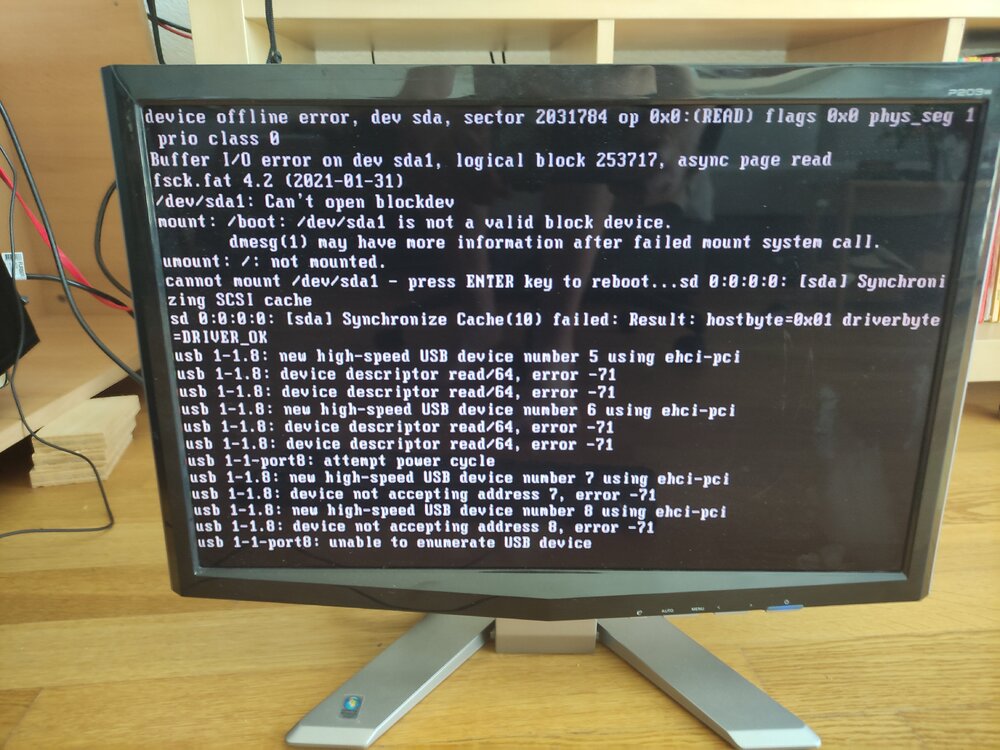
hi, thx for answering so fast. yes they are all in the disk menu (bios). the ssd verbatim, and the 4 hdd. I'm attaching a screenshot that i get when i start the server is it an issue with the usb drive (boot) ? I already changed 2 times the usb device because i was having issues. so i bought a good samsung flash drive. (i pressed enter to reboot and now it says insert boot media...)
-
hi everyone. I have an issue with my unraid server lately. I only use it for plex with 2 family members with access online. At the begining it was like a docker crash issue. The dockers system started to crash so i increased the docker image. And it worked for a while. But then, docker system started to crash again (i suspect bazaar), and now the system won't show up when i access it with the local IP adress 192.168.1.5. If I force shutdown, and restart it, it may work. But now lastly the parity drive and disk one are missing. I don't know what to do and I'm concern that i gonna have some data loss or a bigger issue later. I only use my server for media and plex. nothing else. thanks a lot for your help tom tomiserver-diagnostics-20250622-1123.zip
-
i was mostly wondering how the ultra 5 255 compared to 14100 as the latter one is twice cheaper. it's not Intel® UHD Graphics 730 gpu https://www.intel.fr/content/www/fr/fr/products/sku/236774/intel-core-i3-processor-14100-12m-cache-up-to-4-70-ghz/specifications.html https://www.intel.com/content/www/us/en/products/sku/241070/intel-core-ultra-5-processor-225-20m-cache-up-to-4-90-ghz/specifications.html
-
hi all. I wanted to upgrade my old 3570 unraid server i use for plex with a few friends/family. i was waiting for intel and its quicksyn to release their new cpu but i can only find bad/moderate reviews on youtube, and almost none using it as a server for transcoding. Has anyone got a review link or can post a self experience ? I'm mostly looking at the ultra 5 225 thx all
-
not gonna lie, these methods go a little bit to far from my knowledge but it's still interesting. so thank you ! honnestly i just wanted to know if it was possible to get rid of that monthly payment of the internet provider so i can have a ipv4 and get plex to work.
-
Hello, I use my serve only for plex and I can access it from outside my place. Like on the phone for example. Quick question, if I install tailscale plugin and i set it up, can i use plex on my tv as a client if I can only use ipv6 (ipv4 only available from provider if i pay extra per month) ? or do i need to use another app too ? thx a lot. PS: i'm just trying to figure out if i can get rid of that extra feature from provider that ask 15usd per month for a ipv4 and if my mom can access my server from her place.
-
thx a lot ! just to know, what it's gonna change now i set it up to ahci ?
-
here you go EDIT;: it's strange because the shares came back i didnt do anything, and it was before (after restart) i set it to AHCI EDIT2: plex seems to be working again. weird. i wonder if that plugin (disk location) is that necessary if it just causes more issues, i don't use it that much. tomiserver-diagnostics-20250215-1902.zip
-
well i went to bios settings/advanced/sata configuration then sata mode selection is IDE. I can select Disabled, IDE, AHCI,RAID. But no SATA. which one should i choose ?
-
i'm sorry do you mean in the bios settings ? or where ?!?


