





Kansur
Members
-
Joined
-
Last visited
-
System has been running with no issues for several years. Using the official Plex docker. Plex just stopped responding, deleted the docker image and reinstalled, still not working. Diagnostics attached. Thanks in advance alfred-diagnostics-20250821-1111.zip
-
That fixed it. thanks.
-
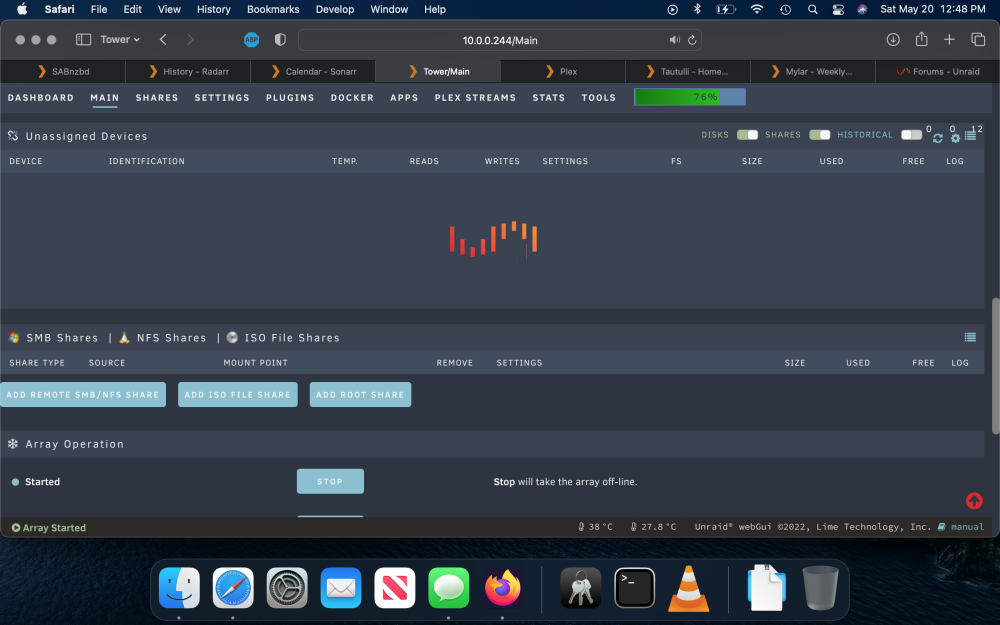
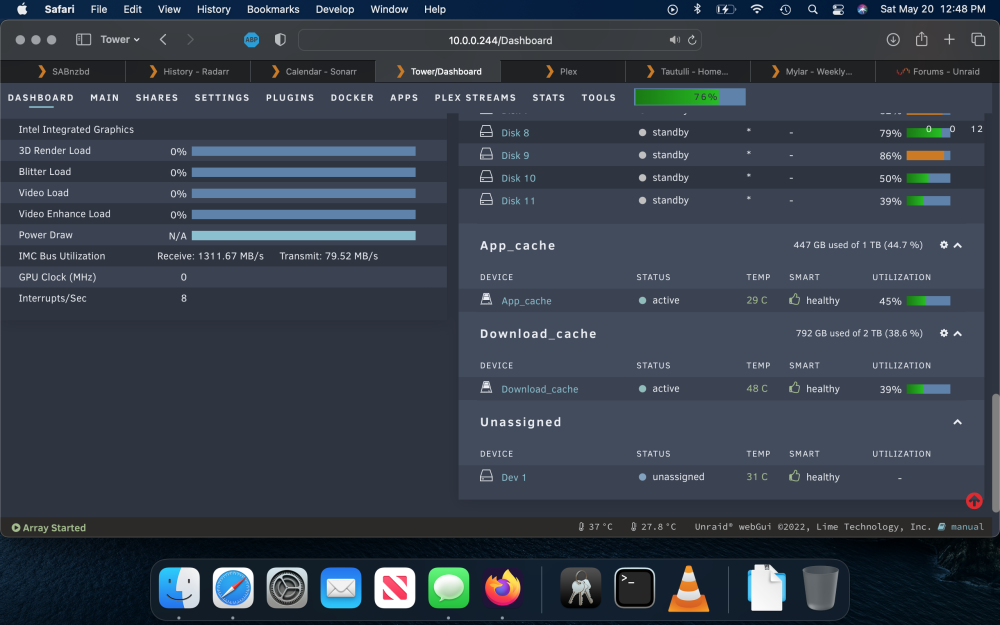
My unassigned devices just recently stopped loading the info as seen in the screenshot of the main tab. The loading animation just keeps going and never loads. The drive does show up on the dashboard page though as seen in the second screenshot. I have tested this under Firefox and safari and it is the same in each. tower-diagnostics-20230520-1249.zip
-
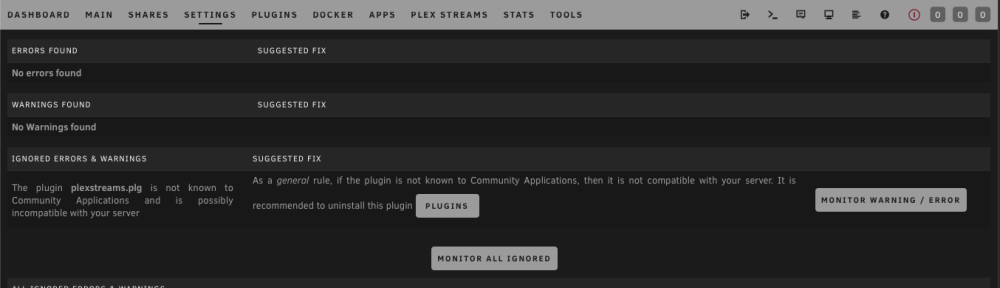
So Fix Common Problems appears to not like you anymore
-
That did not work, but upgrading to 6.11.5 and installing ich777’s intel_gpu_top plugin did the trick
-
I’ll try that. I am currently running 6.9.2, getting it ready to upgrade unraid anyway. So if this does not fix it, hopefully the latest version will
-
tower-diagnostics-20230328-0927.zip
-
My go file already contains: modprobe i915 chmod -R 777 /dev/dri everything was working fine with the i7 10th gen but now with the i5 11th gen cpu
-
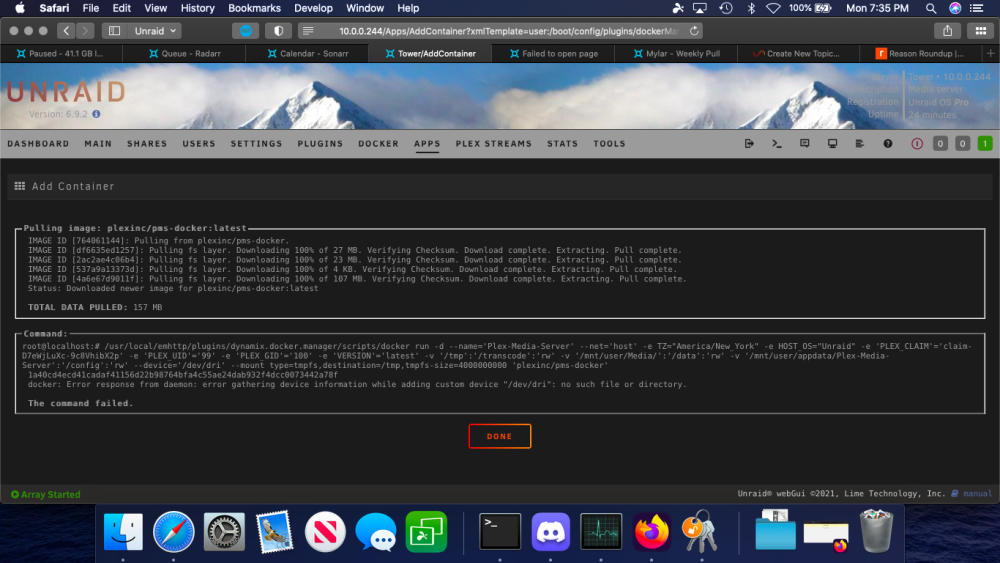
As the title says I just upgraded my CPU from a 10700 to a 11400. Powered up and everything works fine except for Plex. The docker will no start. I deleted and reinstalled and got this error message related to /dev/dri. from the command line I navigated to /dev/ and there is no dri file or subdirectory
-
After updating to the 2023.03.19 unassigned devices release I am no longer getting the out of memory error after reboots
-
Reinstalled unassigned devices to shut up nginx, did not reboot. Now it is spamming the log with: Mar 17 16:08:11 Tower root: error: /plugins/unassigned.devices/UnassignedDevices.php: wrong csrf_token tower-diagnostics-20230317-1608.zip
-
Should I try upgrading to 6.11.5 and see if that helps?
-
Removed unassigned devices and rebooted again, now nginx is throwing a conniption tower-diagnostics-20230317-1601.zip
-
Sorry for the delay again, I had to wait for a parity rebuild and then a large file transfer befor i could start rebooting the server willy-nilly. Anyway, through the removal and adding of plugins and the culprit appears to be the unassigned devices plugin. You can see in the attached log files that right before avahi crashes out with an oom, unassigned devices throws some warnings while trying to do something with a local synology drive, not sure how or if that is related, I just know that I can boot fine and not get an out of memory error with every plugin installed, but as soon as I install the unassigned devices plugin it craps out. And it will do it with or without the 2 unassigned devices addons. Mar 17 15:17:10 Tower unassigned.devices: Warning: shell_exec(/sbin/arp -a 'ALFRED.local' 2>&1) took longer than 10s! ### [PREVIOUS LINE REPEATED 1 TIMES] ### Mar 17 15:17:26 Tower unassigned.devices: Warning: shell_exec(/sbin/arp -a 'ALFRED' 2>&1) took longer than 10s! Mar 17 15:17:36 Tower unassigned.devices: Warning: shell_exec(/sbin/arp -a 'ALFRED.local' 2>&1) took longer than 10s! Mar 17 15:18:25 Tower kernel: avahi-daemon invoked oom-killer: gfp_mask=0x100dca(GFP_HIGHUSER_MOVABLE|__GFP_ZERO), order=0, oom_score_adj=0 tower-diagnostics-20230317-1518.zip
-
Had to go out of town, so sorry for the delay. I booted into safe mode and it did not kick up the error. Of course the former parity drive i had just folded into the array decided to go tits up as soon as I left, so I get to deal with that as well tower-diagnostics-20230313-2128.zip


