





s1l3nce
Members
-
Joined
-
Last visited
-
I suppose this card already has the right firmware to work with Unraid, right? https://es.aliexpress.com/item/1005008153594284.html I wouldn't mind having to flash it but it is not for me but for a client which does not want to bother with this stuff.
-
St Strangely enough, after rebooting the system I can format all of them.
-
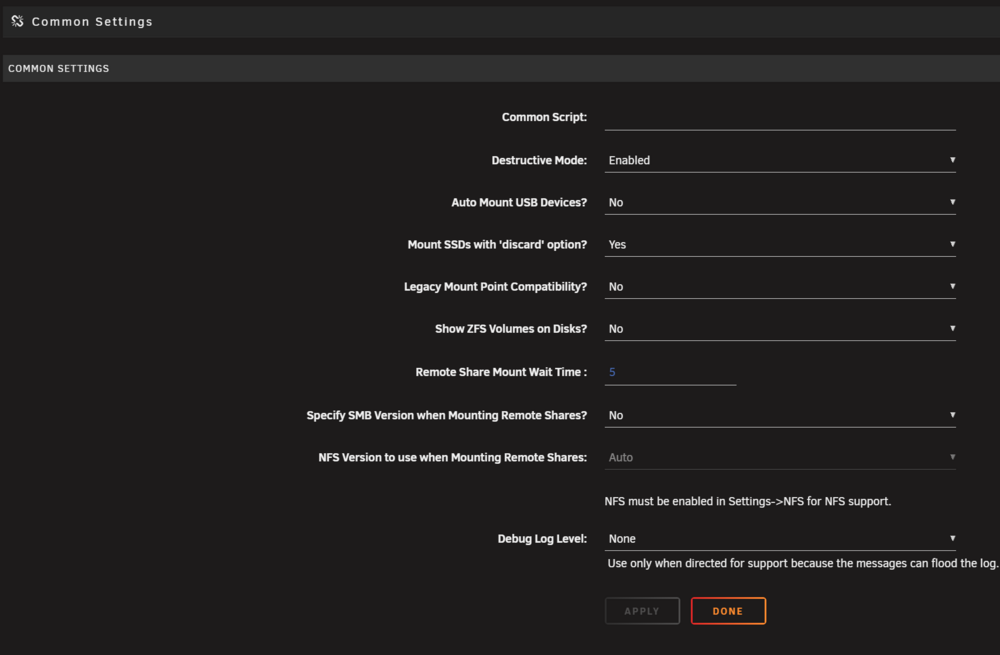
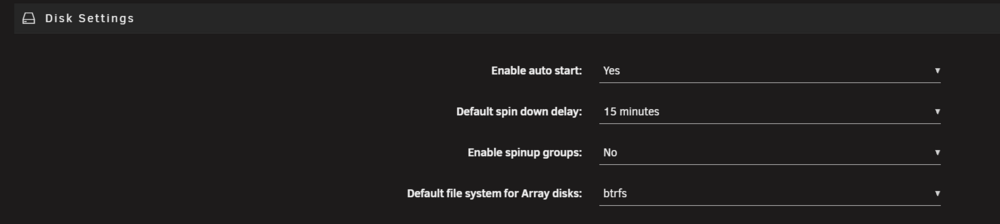
Sorry for resurrecting this post but I'm on version 7.2.0 and I can't format drives that have been precleared, even though I have destructive mode enabled And the reason why I want to format is because if I simply create a new config, select the drives and format them, they always get formatted in XFS, even tough I also have this option enabled Am I doing something wrong or this is completely bugged? PS: Btw, what's the reason for precleared disks so complicated to format them? What's so special about a precleared disk?
-
Well, not so fast. I managed to get rid of the error I described above but now I just can't make it work. As soon as I start installing drivers for the GPU, the VM freezes. I've tried with an AMD R9 270 too but it didn't work either.
-
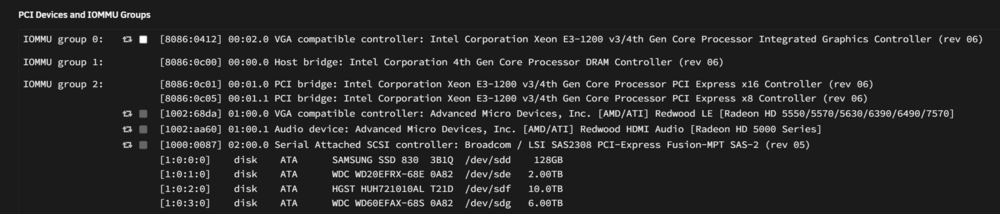
ChatGPT just gave me the answer to my issue: set PCIe ACS Override to either Both or Downstream (under VM Manager, advanced settings) (I selected downstream). That fixed it 👌
-
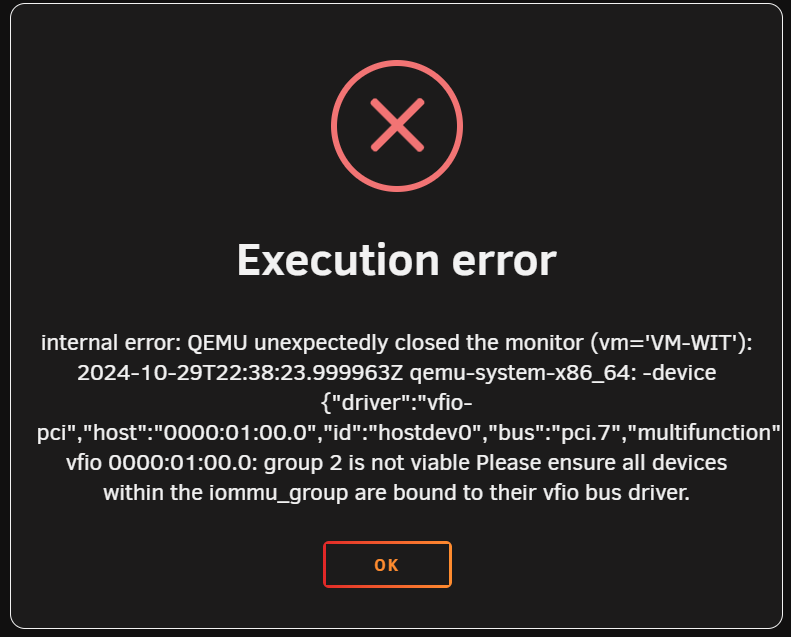
Hello everyone! I've recently saw a video about the upcoming features on version 7 and I'm doing some testing with the beta. I'm testing passing through a GPU to my Windows 11 VM and I'm getting the following error: Execution error internal error: QEMU unexpectedly closed the monitor (vm='VM-WIT'): 2024-10-29T22:44:30.060155Z qemu-system-x86_64: -device {"driver":"vfio-pci","host":"0000:01:00.0","id":"hostdev0","bus":"pci.7","multifunction":true,"addr":"0x0"}: vfio 0000:01:00.0: group 2 is not viable Please ensure all devices within the iommu_group are bound to their vfio bus driver. This are my GPU settings on my VM And this is what I have in Sytem Devices section: My motherboard is old (Asrock Z87 Extreme4) but it has Intel Virtualization Technology and VT-d and they are both enabled. What am I missing?

-
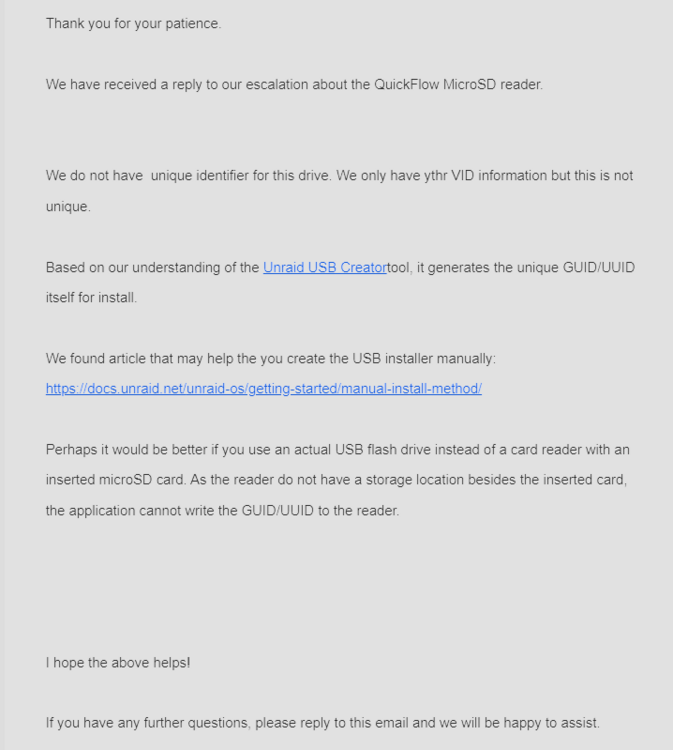
Considering that the SanDisk MobileMate is a highly recommended product in this and other threads, I'm sure some people will appreciate the fact that I'm sharing this awful experience. I highly doubt I was unlucky; it's probably a manufacturing issue that has affected loads of units, judging from what I've seen in different online shops. On a different note, the SanDisk QuickFlow does not seem to have a unique GUID. This is what the SanDisk support responded to my question:
-
What should I look for to find out if these card readers have a unique GUID? https://www.kingston.com/en/memory-card-readers/mobilelite-plus-microsd-reader https://www.kingston.com/en/memory-card-readers/mobilelite-duo-3c
-
I've just tried it. This fixed my issue! Thanks 🙏
-
Thanks for pointing that out!🙏 I did not see it. I will check it out and report back 👍
-
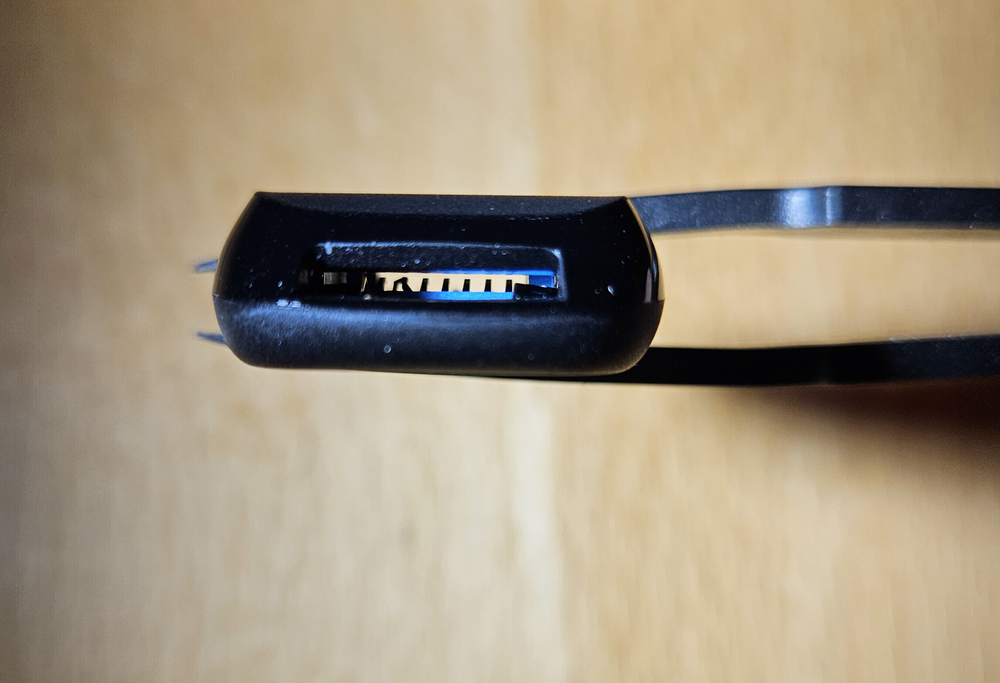
This is just unbelievable. I just got the SanDisk QuickFlow and it came like this: And, as you might suspect, it does not work with any of my microSD cards. I'm either the unluckiest person on the planet or these devices are shit.
-
Does the SanDisk QuickFlow have a unique ID? It's a bit more modern than the shitty MobileMate. Here is a comparisson: https://shop.sandisk.com/tools/product-compare?ids=SDDR-B531-AN6NN:mobilemate-uhs-i-usb-3-0-microsd-reader-writer,SDDR-B731-GN6NN:sandisk-quickflow-microsd-usb-a-memory-card-reader I might give it a try. I hope they've improved the contact mechanism.
-
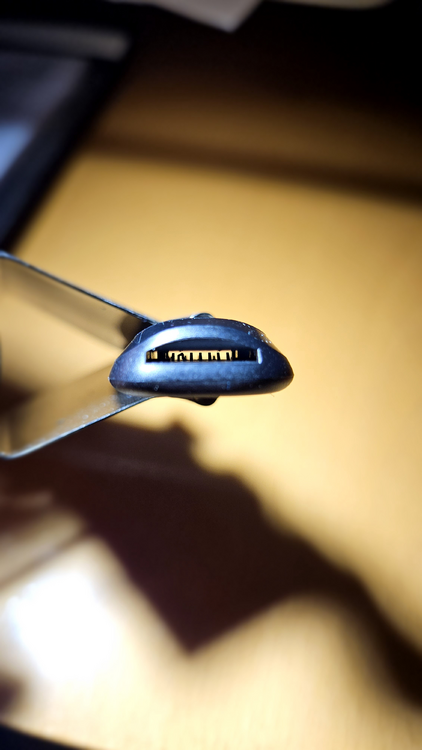
I just got the SanDisk MobileMate and it came like this; with bent pins: So the microSD cards sometimes works and sometimes doesn't, depending on weather the contact want's to work or not. Judging by the comments on the Amazon product page, it seems that it is not an uncommon issue, so I'm definitely not getting this usb adapter again. Any recommendations of a good card reader with unique GUID? I really do not understand why SanDisk would make such a weak contact mechanism. PS: I've been reading this thread and I can't believe people are still buying and recommending this shitty adapter. Read the bad comments on Amazon, for god sake. This card reader could damage your cards and even your PC if you are very unlucky. Terrible recommendation guys.
-
Deleting torrents from a Qbittorrent docker (this one) creates the infamous .Trash-99 folder, containing 2 folders: Files: this folder contains the deleted torrents. Info: this folder contains the same files but with *.trashinfo extension added at the end, although these files are very small (couple of hundred bytes). These folders can't be access through samba because of lack of permissions but you can access them through Unraid web UI, using Dynamix File Manager. Isn't there a way to prevent these folders from being created or being deleted automatically? Thanks.
-
Awesome! Thank you so much for your incredible help and interest 🙏😄 Try the latest UD update. It worked for me so it will probably fix it for you too 👌





