AD-963
Members
-
Joined
-
Last visited
Everything posted by AD-963
-
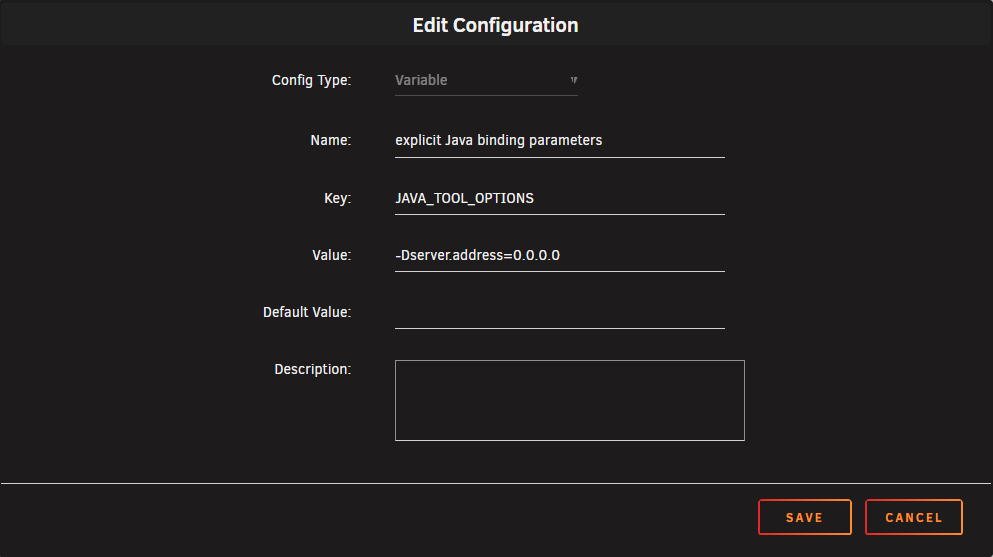
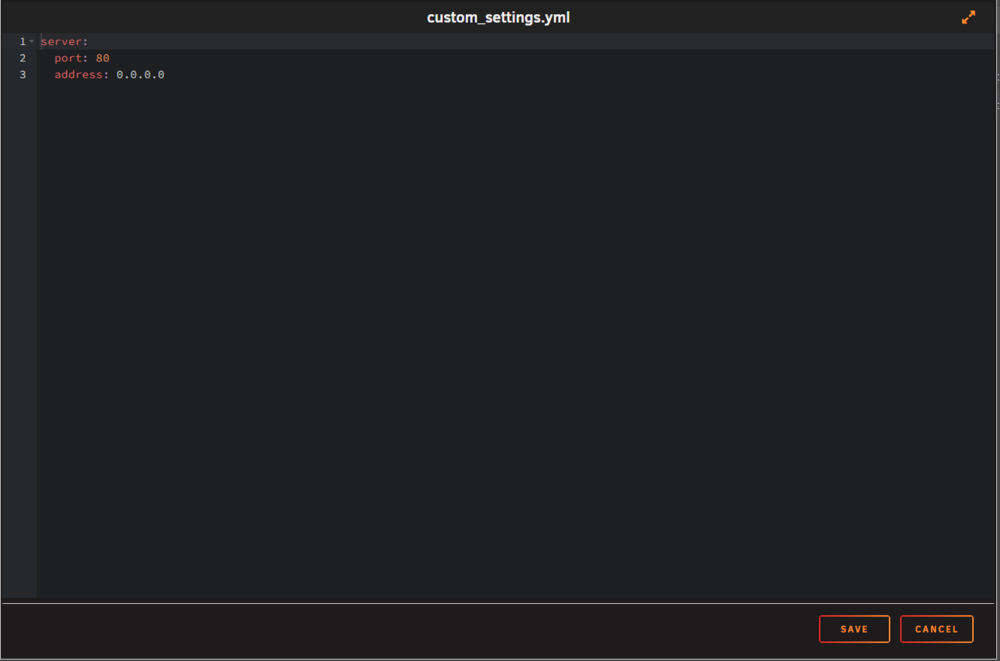
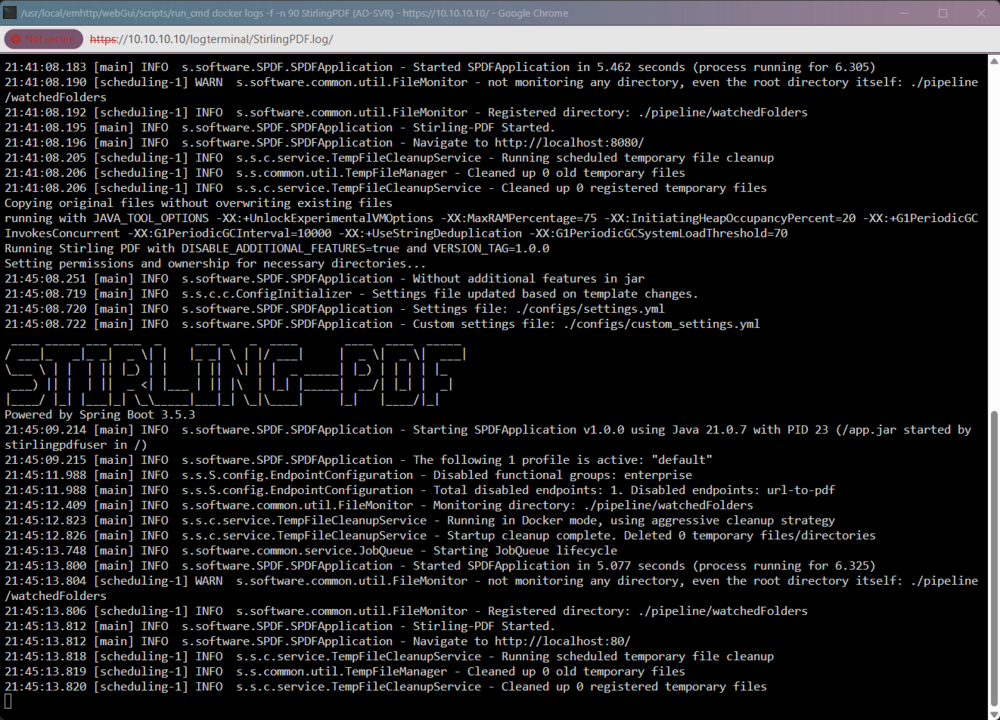
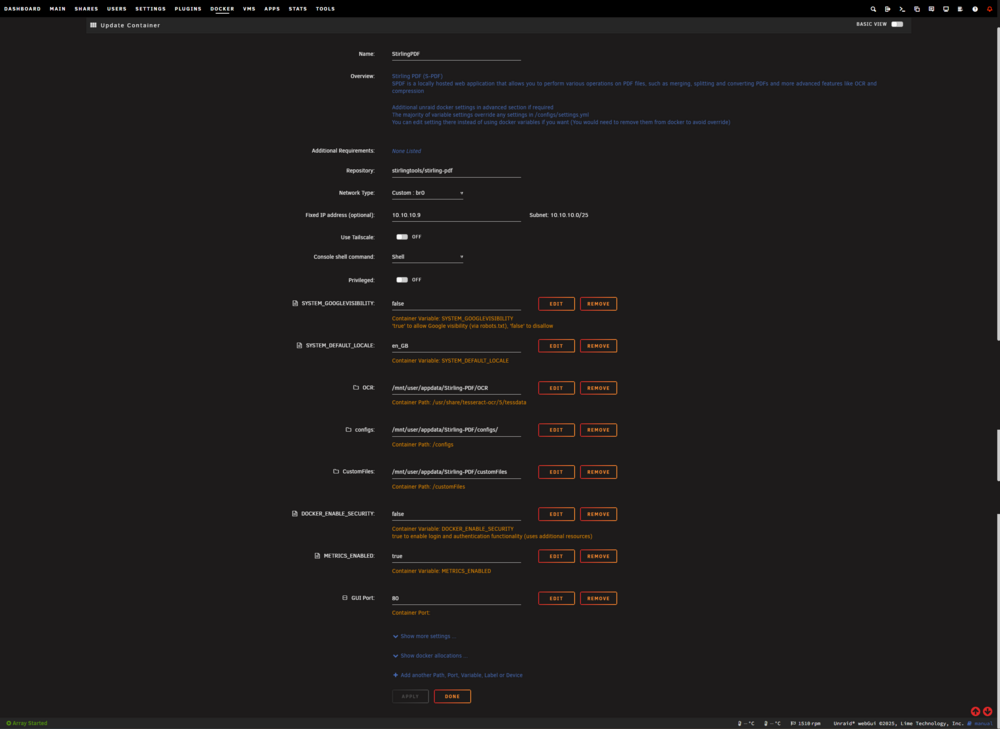
Dear Unraid community, I'm struggeling make StirlingPDF listen to all networks and set port to 80 instead of localhost and port 8080 (Default) I tried following: deleting the container with image and appdata files and reinstalling it during install set Network Type: to custom with address: 10.10.10.9 (it's available and I also tried different ones) delete the default container port and add new one with port 80 add following lines to the custom_settings.yml according to StirlingPDF Documenteration server: port: 80 address: 0.0.0.0but nothing helped, logs keep showing it's still listening to localhost adding following variable to the container template (Deepseek suggestion): Key: JAVA_TOOL_OPTIONS Value: -Dserver.address=0.0.0.0so please help me to understand wtf is it that hard to run this container on a custom settings?
-
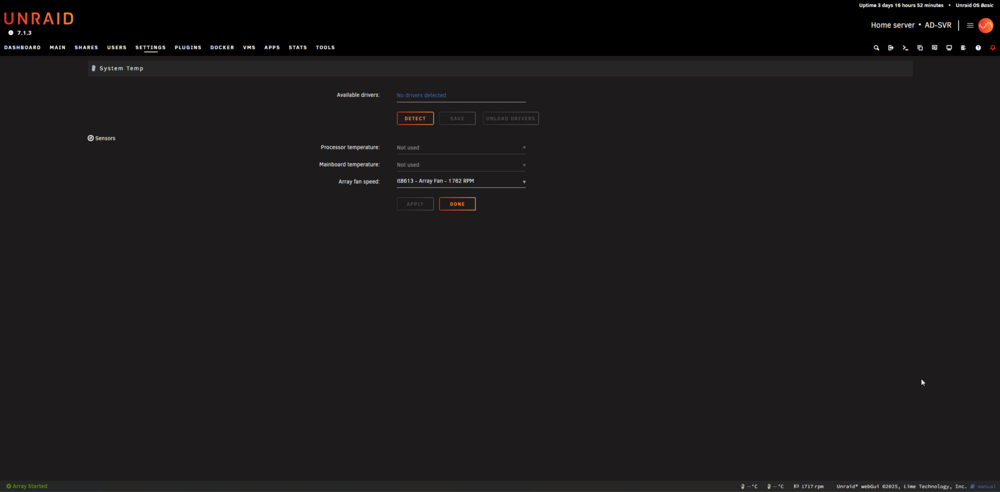
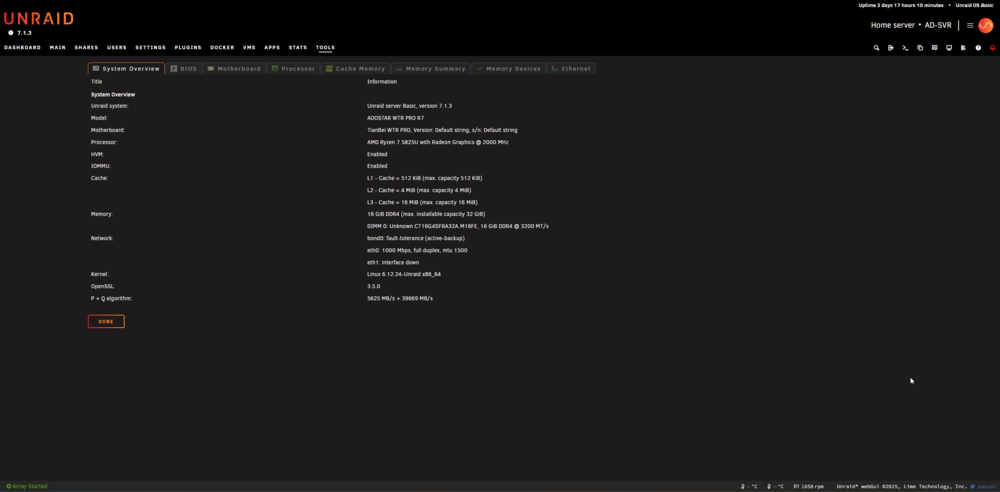
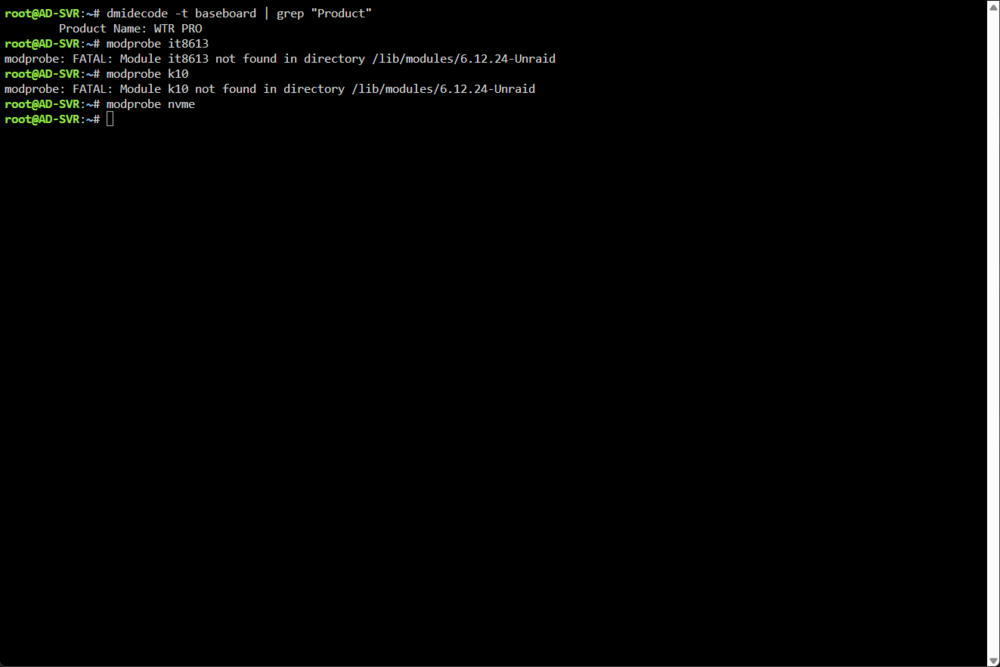
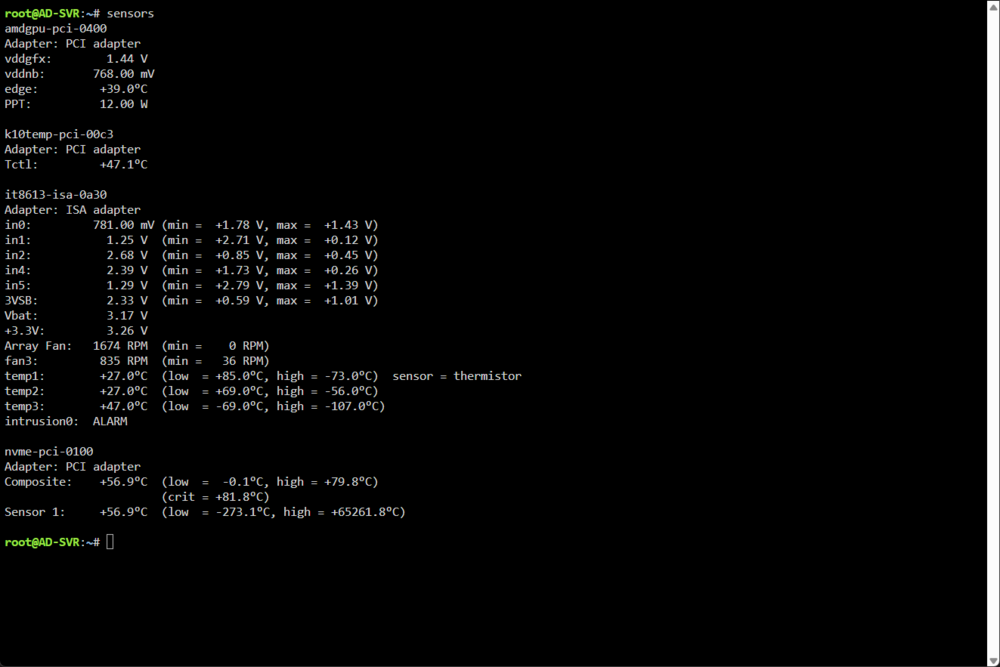
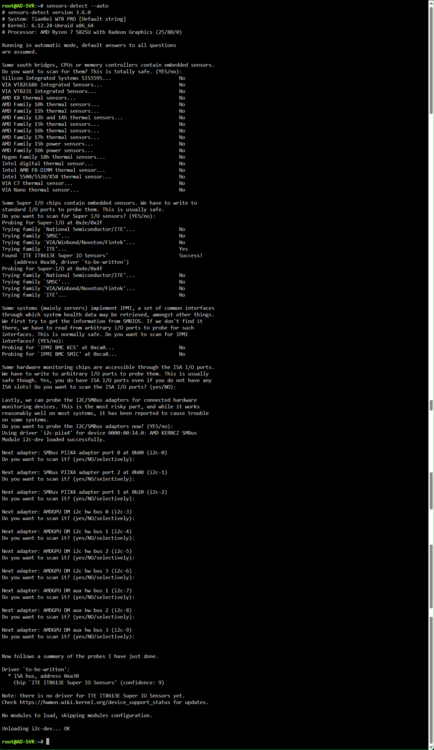
Hello dear Unraid community. I've the AOOSTAR WTR PRO AMD Ryzen 7 5825u 4 Bay Nas Mini PC 16GB RAM. I spent days in google, Unraid Community, Github, also with DeepSeek & Chat-GPT trying to find a way to get that plugin works to monitor at least the disks temperature to set the Disks threshold while writing Parity and to also Monitor My NVME Cach Drive. Unfortunately no success. I kindly ask for your help. many thanks
-
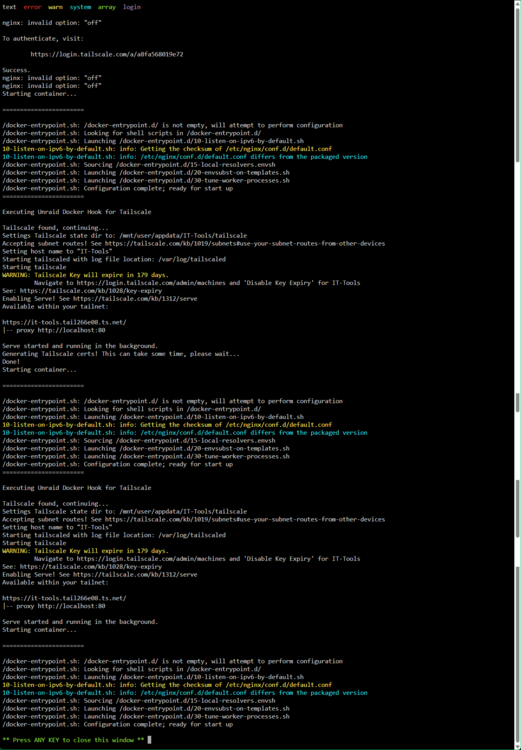
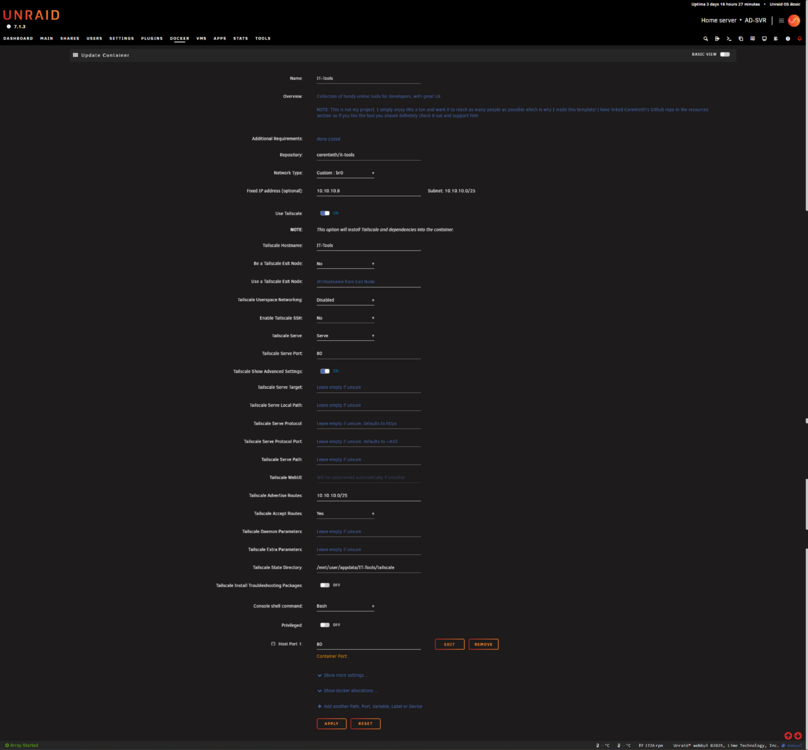
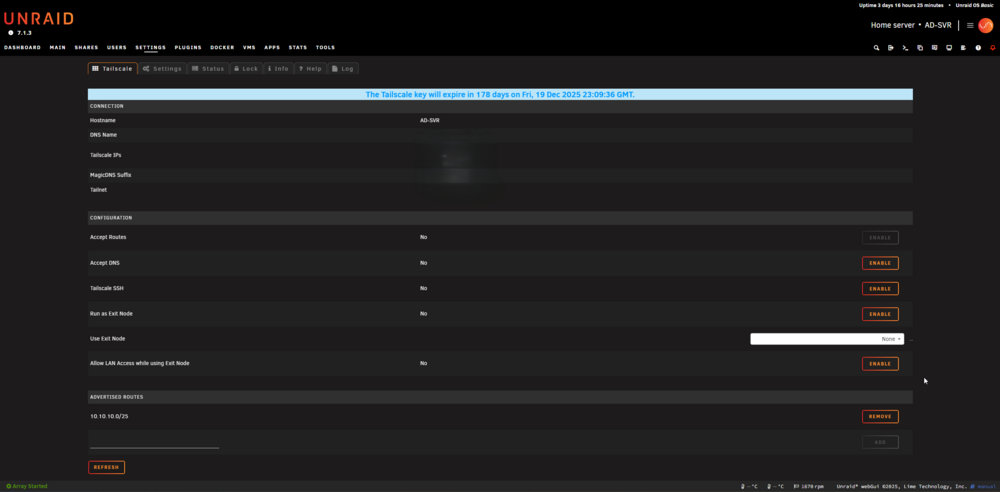
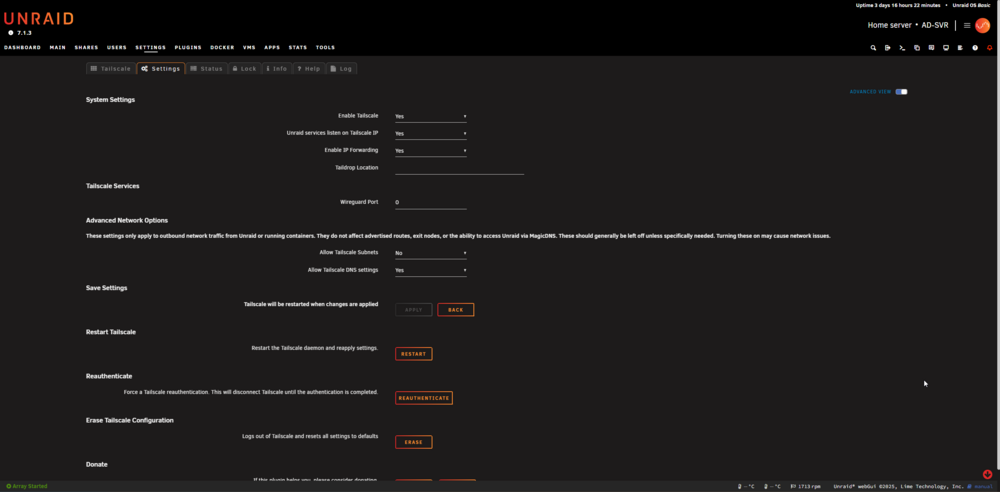
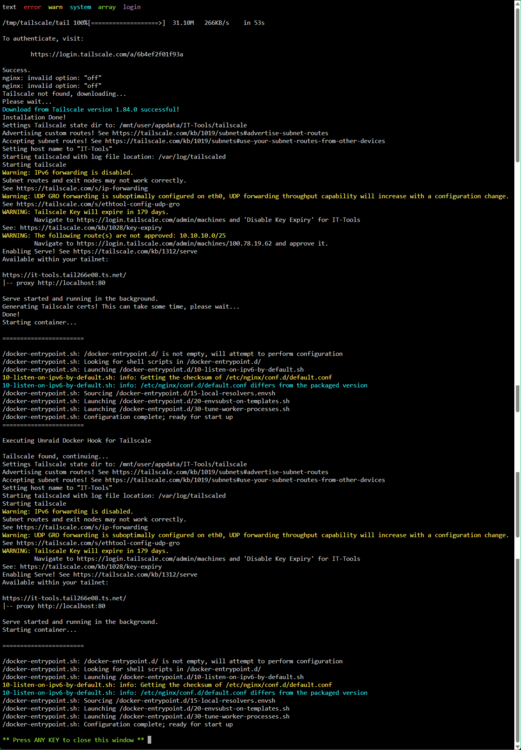
Unraid Version: 7.1.3 Tailscale Version (the Plugin): 1.84.0-tl If37-gbf6042458 System: AOOSTAR WTR PRO R7 I sat up the Tailscale plugin and advertised my entire private network as a subroute to my Tailscale network. It worked but I could reach only physical devices: router-server-printer etc but I couldn't reach my containers and didn't try with VMs. in addition that wasn't my plan. I wanted to advertise specific container nextcloud-aio/vaultwarden. so I started testing using a (no big deal to miss with) container, for that I choose IT-Tools which runs on custom network with on IP and modified port: 80 http I ticked the (Use Tailscale) button and added Tailscale Hostname: same as container Name, Tailscale Userspace Networking (tried both disabled and enabled) and Tailscale Serve: serv (don't want funnel if I understand it correctly), Tailscale Serve Port: 80 as the web GUI, Tailscale State Directory: /mnt/user/appdata/IT-Tools/tailscale (created path), Tailscale Advertise Routes: 10.10.10.0/25 ( my authenticated unraid server), Tailscale Accept Routes: ( I tried to leave blank and didn't work, then used the advertised route of unraid server and confirmed it from Tailscale acount), and always I did authenticated the connection using the link in Log and it's done successfully. I've both MagicDNS & HTTPS Certificates in Tailscale account enabled. I watched the Video about Tailscale from: Spaceinvader One (which I follow and learn from) but he ran an older Version of both Unraid and Tailscale and must have to use the console to manually advertise subroutes which fixed in the newer Version of Tailscale Plugin. I spent hours with deppseek/chat-gpt but nothing helped. I kindly ask you dear great community for your help and will be grateful for it.
-
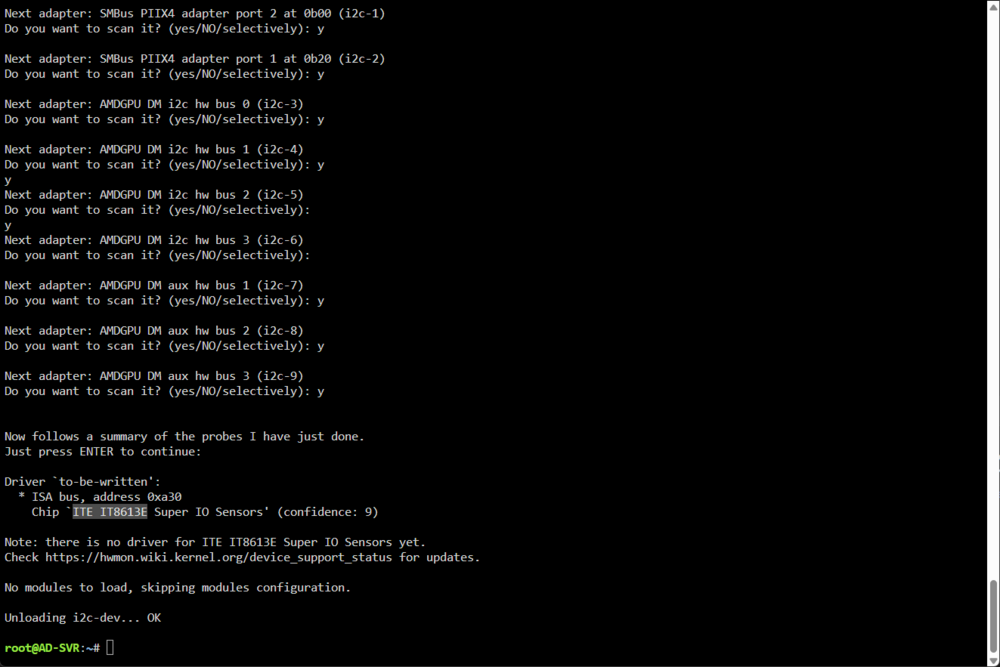
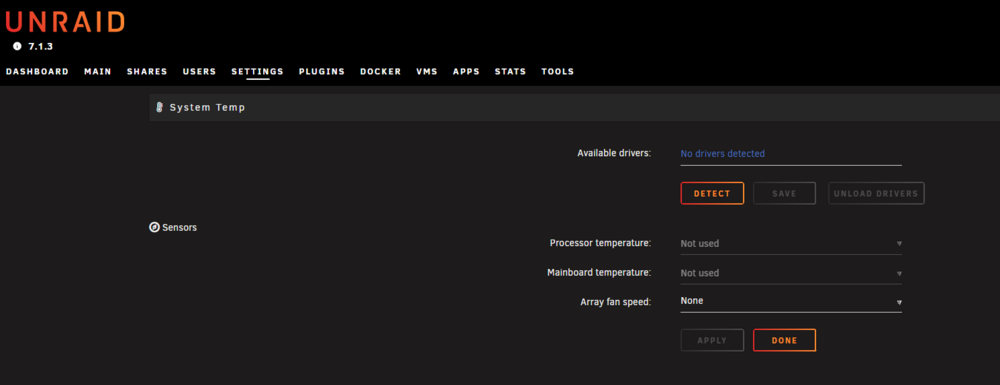
System Temp can't detect, driver is missing and couldn't find it. ITE IT8613E I'm using AOOSTAR WTR PRO AMD Ryzen 7 5825u 4 Bay Nas Mini PC any idea?
-
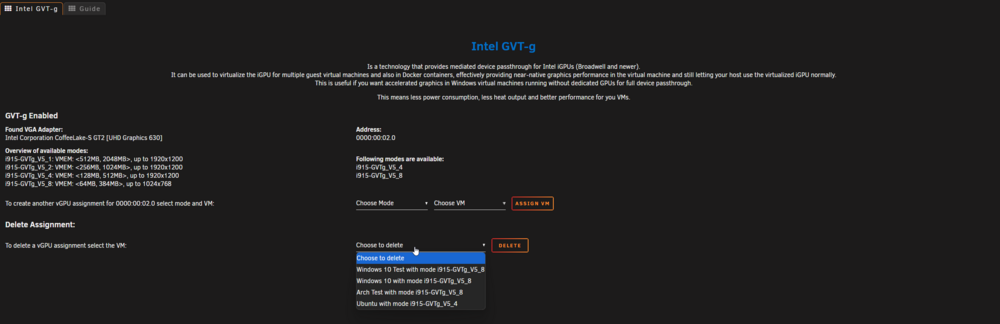
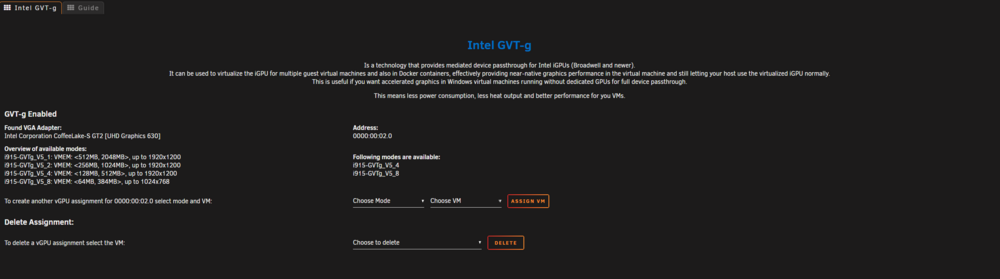
this is a confirming screenshot about gvt-g settings page
-
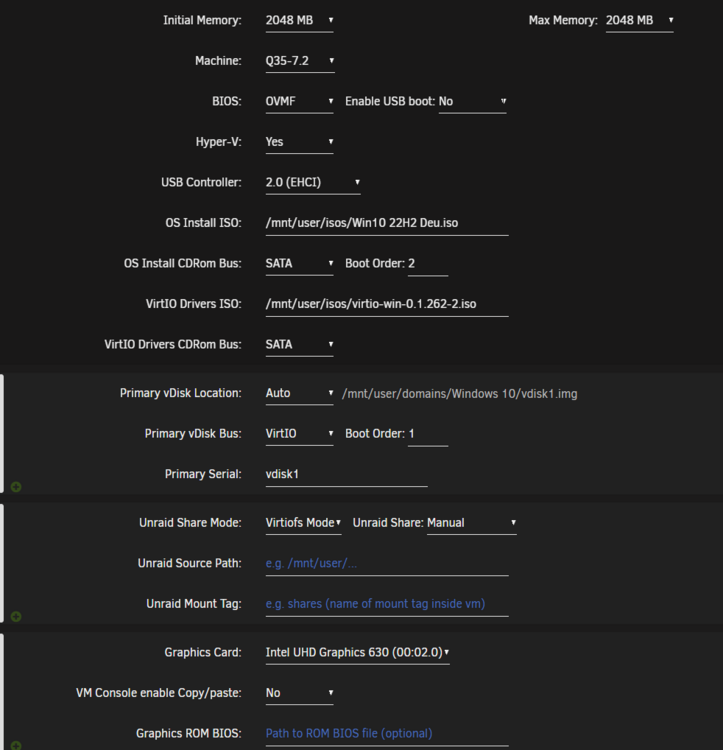
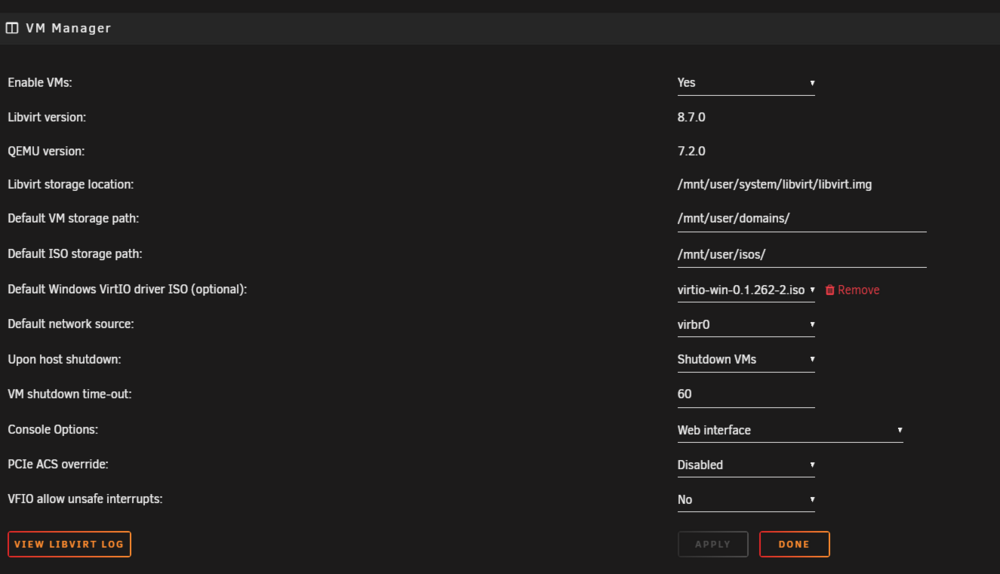
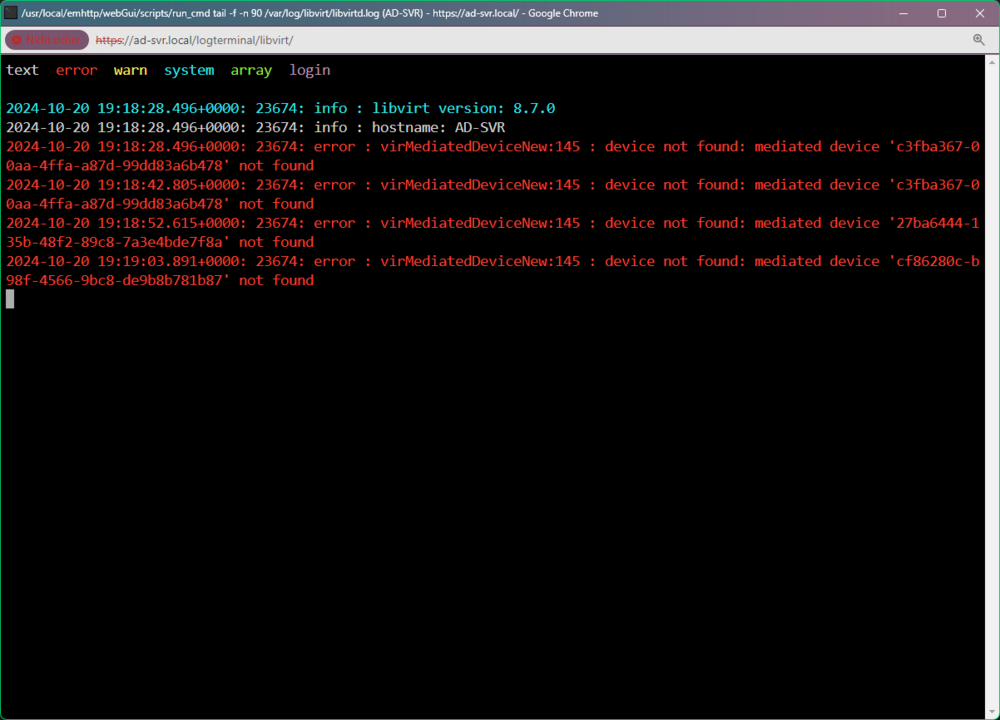
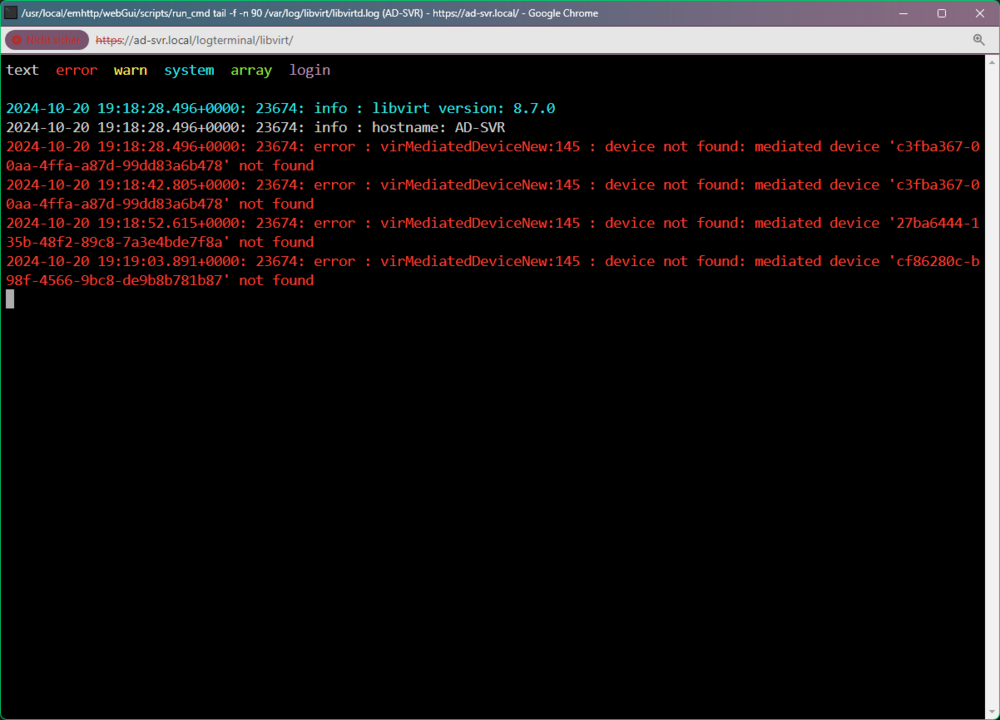
I've allocated the GPU in the VM template, check first screenshot, I also add every VM I created via gvt-g I also followed the guide on the gvt-g page and still having same issue with same error
-
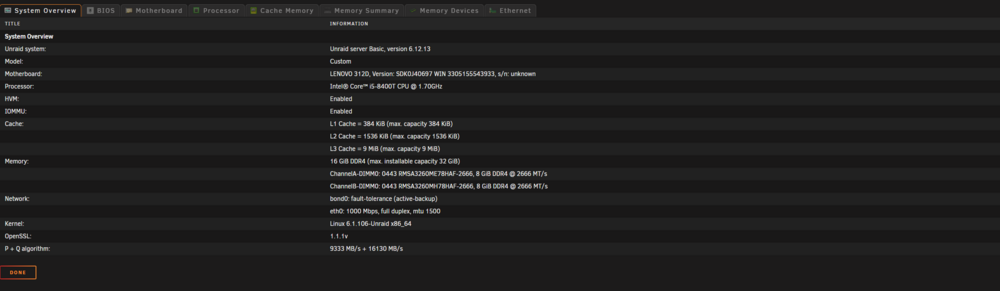
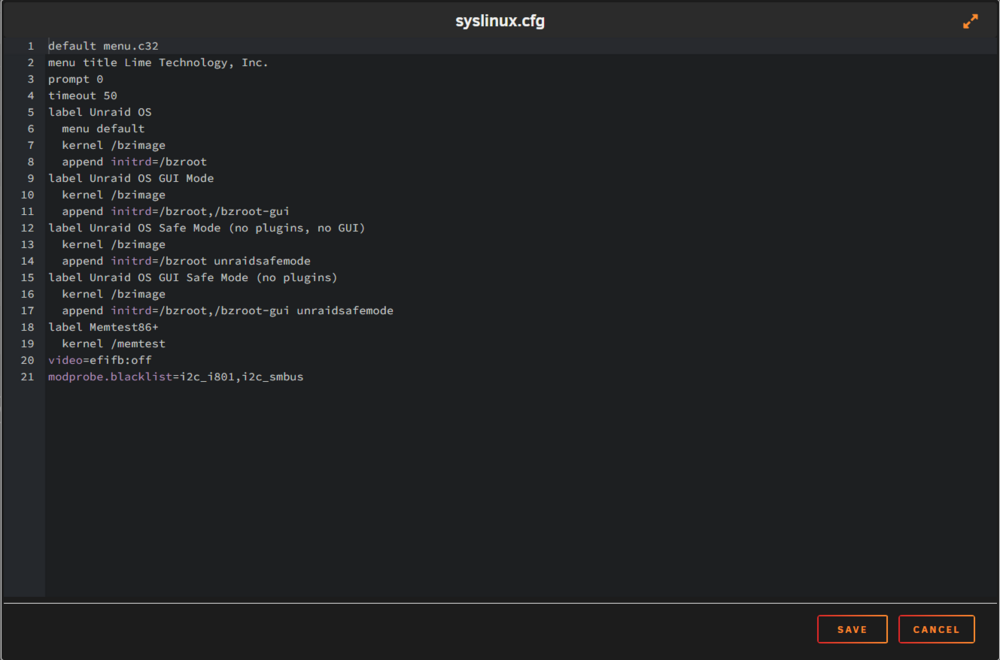
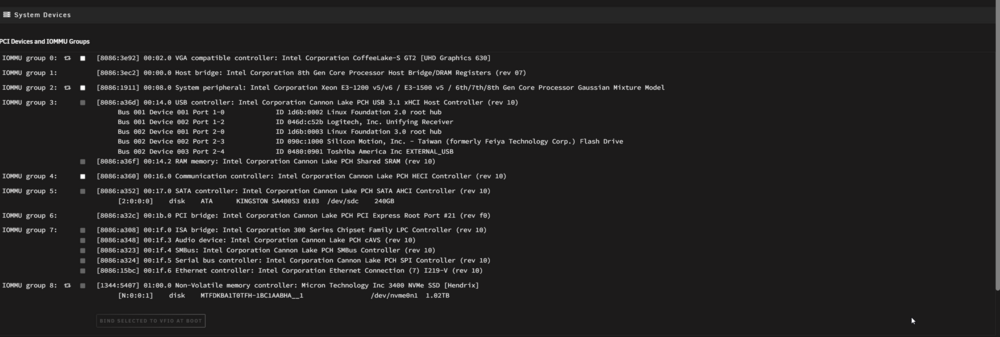
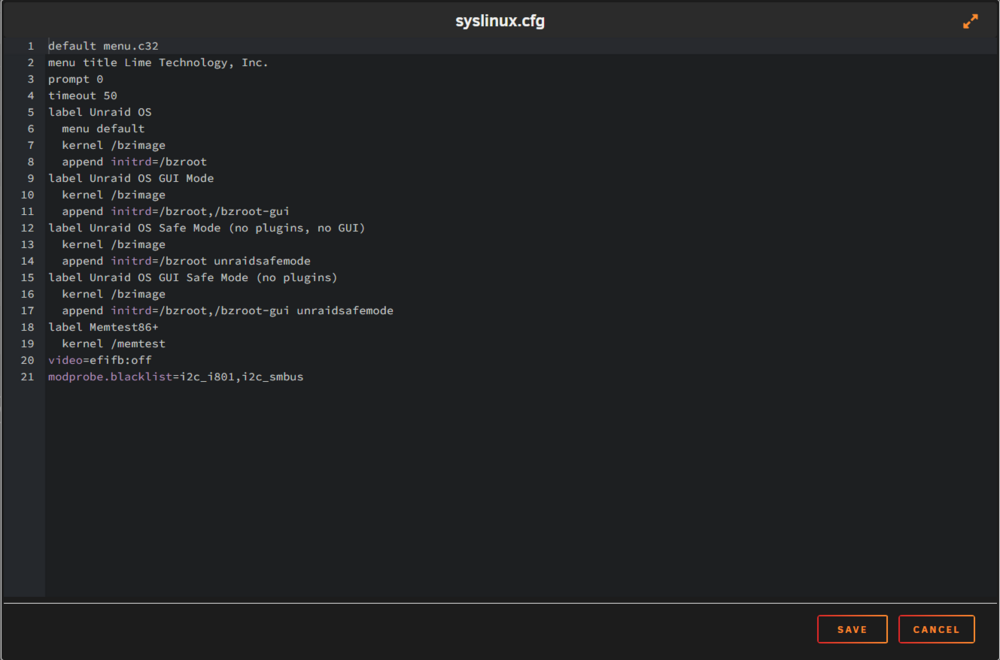
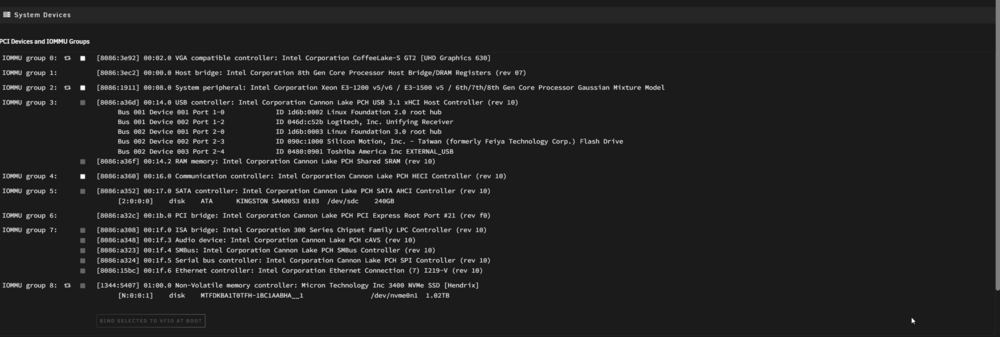
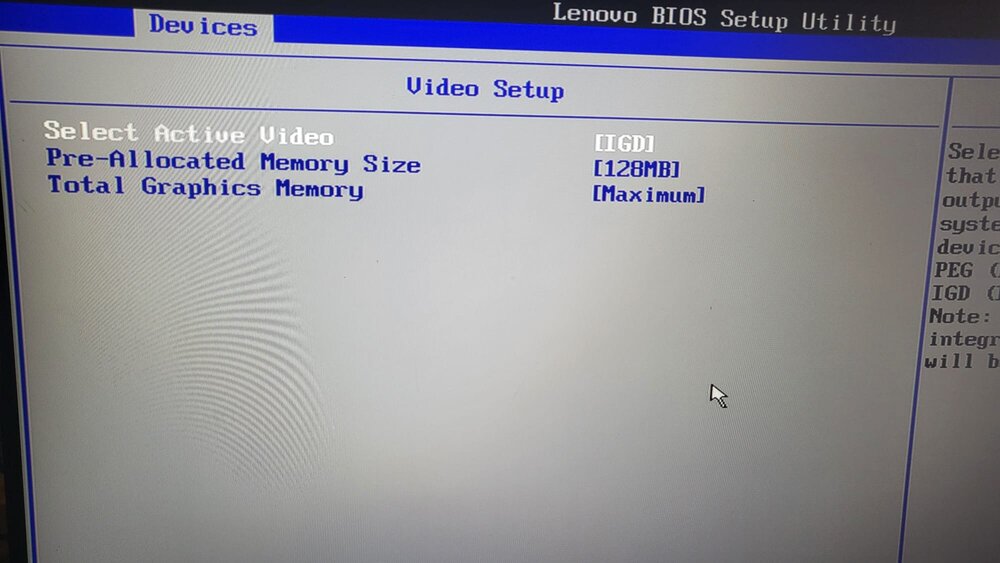
I need help, please! I spent 6 hours trying to use my Intel UHD 630 integrated GPU in Unraid. I tried every possible solution I found on the internet, but nothing helped. I tried following and didn't help: set active video in Bios to Auto & IGD setting Pre-Allocated Memory Size in Bios to 32 & 128 MB set Memory in VM Settings to 2-4 & 6 GB use both GVTg_V5_4&8 Versions in Intel GVT-g Disable and Enable (Both) "PCIe ACS override" in VM Settings as well as setting "VFIO allow unsafe interrupts" to yes & no using the IGPU with multiple OS adding "video=efifb:off" and "modprobe.blacklist=i2c_i801,i2c_smbus" to syslinux.cfg of course I restarted the system after every change I did Only Solution I didn't try is using Graphics ROM BIOS which I found here: https://github.com/patmagauran/i915ovmfPkg. but didn't know how to use it. I admit I'm a noob and would gladly take any kind help you offer. I listed every setting that could lead to discovering what's the problem with my VMs. ad-svr-diagnostics-20241020-2124.zip

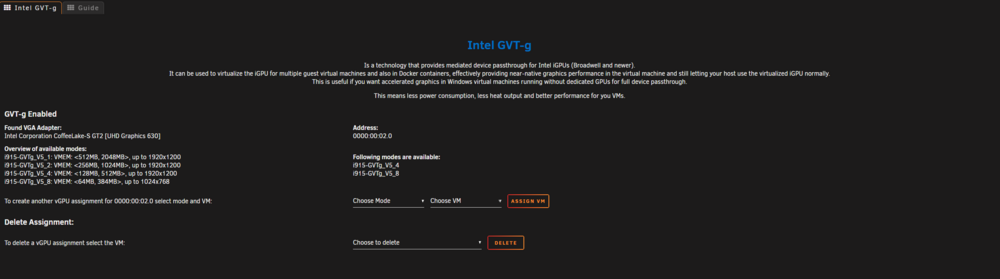
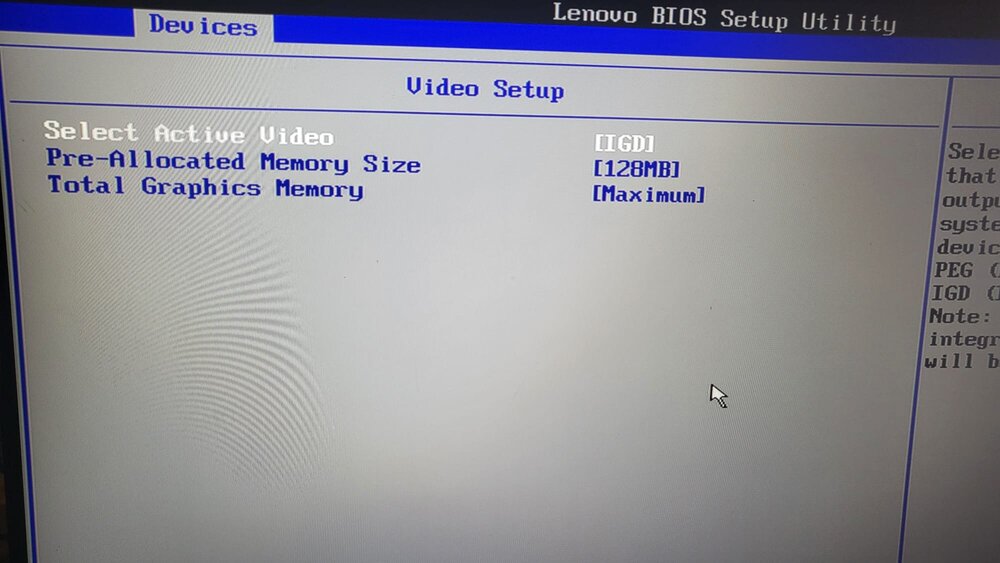
-
I need your help, please! I spent 6 hours trying to use my Intel UHD 630 integrated GPU in Unraid. I tried every possible solution I found on the internet, but nothing helped. I saw this post and want to try to use the VBIOS you shared, but unfortunately, it isn't available for download anymore. I didn't know how to use the ROM you shared in this link: https://github.com/patmagauran/i915ovmfPkg. I admit I'm a noob and would gladly take your kind help if you offer. I listed every setting that could lead to discovering what's the problem with my VMs.
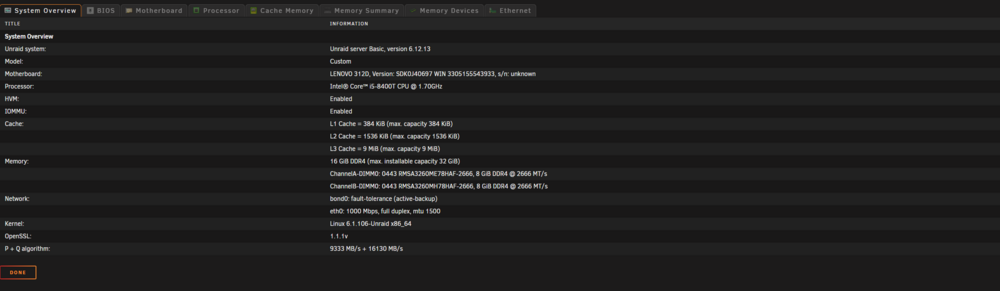
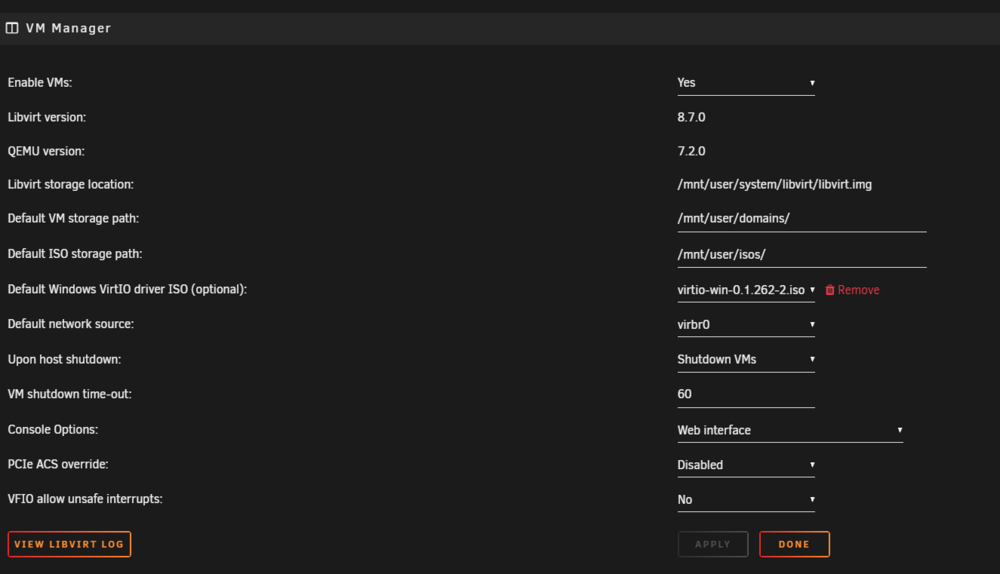

-
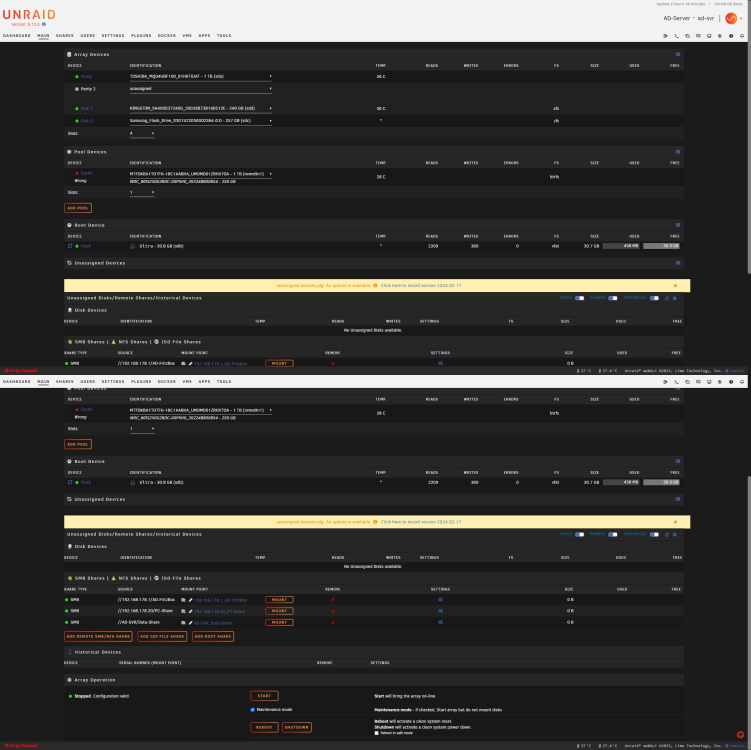
Hello everyone I've got 256GB NVMe Cache Disk and wanted to replace it with a bigger Disk since I got one (1TB NVMe). I stopped Arrays and shut my Unraid Server down then cloned the 256GB one to the new 1TB Disk locally using my PC and Clonzilla Software (worked perfectly), then I installed the new Cache Disk into the Server after removing the old one and booted it, the Server recognized the Disk and I'm able to select it under Cache Disks, but unfortunately I can't start the array even in Maintenance Mode. I thought It won't be a problem since I'v a Parity Disk (1TB extern SSD), so I'll easily restore Data from Parity and overwrite it to the new Cache Disk, but also it didn't gave me that choice too. I think the reason for this is that the total size of the Array disks has become larger than the Parity Disk size. What can I do now? Can anyone help? Please! Unraid Version: 6.12.6 Screenshot ad-svr-diagnostics-20240226-1638.rar