StancuFlorin
Members
-
Joined
-
Last visited
Everything posted by StancuFlorin
-

From the album: Community Created Banners
-
Fujitsu red banner Header custom secondary text color: fdfffe Header custom background color: 8b0e14
-
-

From the album: Community Created Banners
-
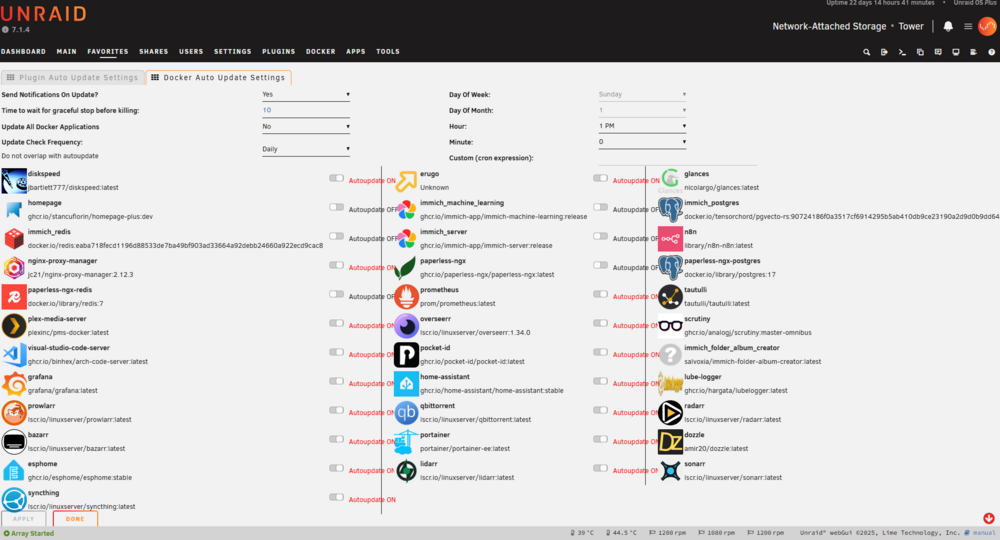
It looks like there are some CSS issues when the image tag is to long.
-
Hello, There is any way to send a file using taildrop from Unraid UI? At this moment I am sending files like this tailscale file cp /mnt/user/downloads/games/game.iso tailscale-host:
-
Do you remember where you saw this annoucement? I am also looking for multiple arrays in Unraid, but I really hope that the anoucement was really about array pool, and not normal ZFS / btrfs pools.
-
You are right. I was testing the "Extra Parameters" and missed the "Post Arguments" field. It is working fine with post arguments docker run -d --name='cadvisor' --net='bridge' --pids-limit 2048 --privileged=true -e TZ="Europe/Athens" -e HOST_OS="Unraid" -e HOST_HOSTNAME="Tower" -e HOST_CONTAINERNAME="cadvisor" -l net.unraid.docker.managed=dockerman -l net.unraid.docker.webui='http://[IP]:[PORT:8080]' -l net.unraid.docker.icon='https://raw.githubusercontent.com/selfhosters/unRAID-CA-templates/master/templates/img/cadvisor.png' -p '8090:8080/tcp' -v '/':'/rootfs':'ro' -v '/var/run':'/var/run':'ro' -v '/sys':'/sys':'ro' -v '/var/lib/docker':'/var/lib/docker/':'ro' 'gcr.io/cadvisor/cadvisor' --housekeeping_interval=10s --docker_only=true
-
This is basically a follow up request for the one bellow that got archived. The issue with Unraid 7 is that the workaround of passing command arguments to the repository field no longer works. What I’m trying to achieve is essentially the equivalent of this docker compose services: cadvisor: image: 'gcr.io/cadvisor/cadvisor-arm64:v0.49.1' container_name: 'cadvisor' command: - '-housekeeping_interval=10s' - '-docker_only=true' ports: - '8080:8080' devices: - /dev/kmsg:/dev/kmsg volumes: - /:/rootfs:ro - /var/run:/var/run:ro - /sys:/sys:ro - /var/lib/docker/:/var/lib/docker:ro - /dev/disk/:/dev/disk:ro restart: unless-stopped This is beneficial for containers like ‘cadvisor’ that lack a configuration file, requiring all settings to be passed as arguments.
-
Thanks Simon. I was able to remove both snapshots now.
-
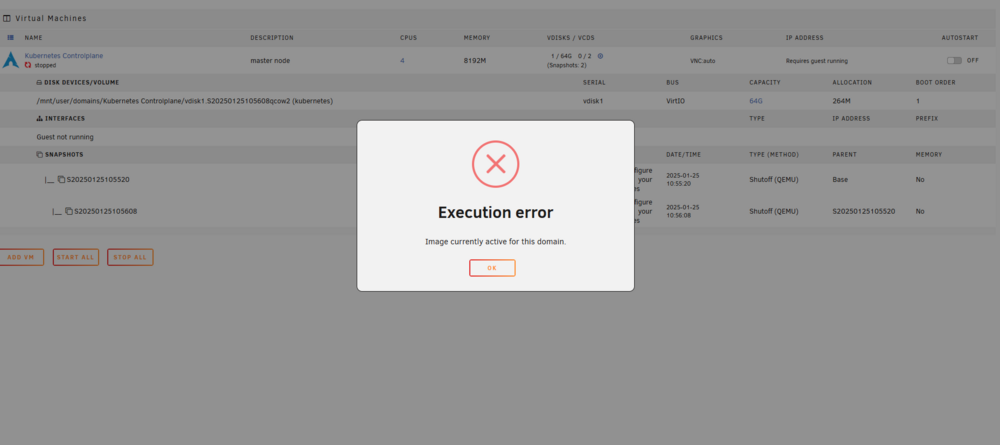
Still not able to remove it due to
-
Uh. I had to click on VM name!
-
I have a VM with 2 snapshots and I tried to clone it and I got the following error Clone of VM not currently supported if it has snapshots How can I remove the snapshots? Also, how I can use these snapshots for a restore? I see no option for snapshots in the UI, besides showing the current number of snapshots. Do I need to install an aditional plugin? Thanks!

-
I solved the issue by removing the "tmp" pool like you said, but I started the array witout the tmp pool for a while. After that, I stoped the array, recreated the pool (with filesystem auto like you said) and started the array. It might be a bug in unRAID 7.

-
Manual mount worked for both disks root@Tower:~# mkdir /x root@Tower:~# mount -v -t btrfs /dev/sde1 /x mount: /dev/sde1 mounted on /x. root@Tower:~# mkdir /y root@Tower:~# mount -v -t btrfs /dev/sdc1 /y mount: /dev/sdc1 mounted on /y. I can list the files from /x and /y
-
root@Tower:~# btrfs fi show Label: none uuid: 9e7d68c0-a38b-484d-9583-72771ac7f7fb Total devices 1 FS bytes used 12.27GiB devid 1 size 20.00GiB used 19.99GiB path /dev/loop2 Label: none uuid: b7237d88-ef94-4c64-9a96-113506ed47eb Total devices 1 FS bytes used 1.59MiB devid 1 size 1.00GiB used 126.38MiB path /dev/loop3 Label: none uuid: 76e847ca-9587-437b-9669-2b6fb99e8d85 Total devices 2 FS bytes used 1.59TiB devid 1 size 1.82TiB used 818.06GiB path /dev/sde1 devid 2 size 931.51GiB used 818.06GiB path /dev/sdc1
-
Unfortunate, the new pool is not starting. The replace btrfs operation as been completed last night root@Tower:~# btrfs replace status /mnt/tmp Started on 21.Jan 22:32:58, finished on 22.Jan 01:41:55, 0 write errs, 0 uncorr. read errs I did a btrfs check on the pool devices and seems to be fine root@Tower:~# btrfs check /dev/sdc1 Opening filesystem to check... Checking filesystem on /dev/sdc1 UUID: 76e847ca-9587-437b-9669-2b6fb99e8d85 [1/8] checking log skipped (none written) [2/8] checking root items [3/8] checking extents [4/8] checking free space tree [5/8] checking fs roots [6/8] checking only csums items (without verifying data) [7/8] checking root refs [8/8] checking quota groups skipped (not enabled on this FS) found 1747837374464 bytes used, no error found total csum bytes: 1704778404 total tree bytes: 2144288768 total fs tree bytes: 129597440 total extent tree bytes: 100073472 btree space waste bytes: 219475919 file data blocks allocated: 1745728634880 referenced 1743125495808 root@Tower:~# btrfs check /dev/sde1 Opening filesystem to check... Checking filesystem on /dev/sde1 UUID: 76e847ca-9587-437b-9669-2b6fb99e8d85 [1/8] checking log skipped (none written) [2/8] checking root items [3/8] checking extents [4/8] checking free space tree [5/8] checking fs roots [6/8] checking only csums items (without verifying data) [7/8] checking root refs [8/8] checking quota groups skipped (not enabled on this FS) found 1747837374464 bytes used, no error found total csum bytes: 1704778404 total tree bytes: 2144288768 total fs tree bytes: 129597440 total extent tree bytes: 100073472 btree space waste bytes: 219475919 file data blocks allocated: 1745728634880 referenced 1743125495808 I have attached the diagnostics logs. tower-diagnostics-20250122-1104.zip

-
@JorgeB - I have upgraded the system to Unraid 7 before replacing the disk. What are steps to re-import the pool in Unraid 7? Thanks!
-
Thanks JorgeB for all the details. After giving it more thought, I believe it’s a good time to reconsider the type of my "tmp" pool. I’m not entirely comfortable with the current Btrfs RAID 0 setup. While I’m fine with the lack of redundancy, I don’t like the risk of losing data from all disks if one fails. A ZFS RAID 0 pool would have the same issue. I’m now considering options like MergerFS or a secondary array pool without a parity disk (but this is not possible in unRAID 6) With Unraid 7 nearing a stable release, will it offer a solution that fits my needs? Thanks!
-
I am using 6.12.14 During the btrfs replace process, should I stop the array / docker / VMs?
-
That will be helpful. Thanks!
-
Hello, I have a Btrfs RAID 0 pool made up of two disks. It’s not a cache pool but a storage pool where I keep movies and TV shows until I watch them. I want to replace one of the disks with a new one. What’s the best way to do this without losing any data?

-
I bought a 2TB Seagate CMR disk to use it as parity disk and the avg speed during the parity check was around 100MB/s
-
No, I haven't had any issues with the disk temperature so far, so I haven't looked into it further.
-
It is a pain the check the Unraid dashboard on a mobile device
-
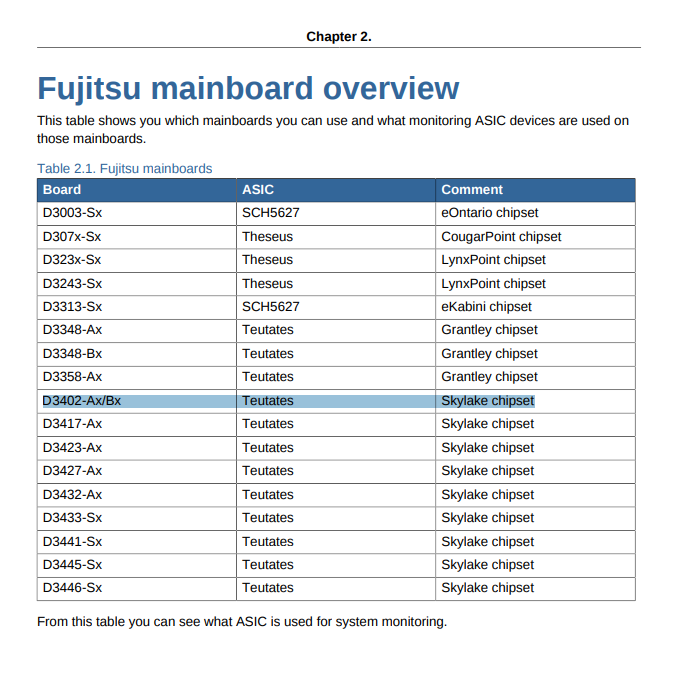
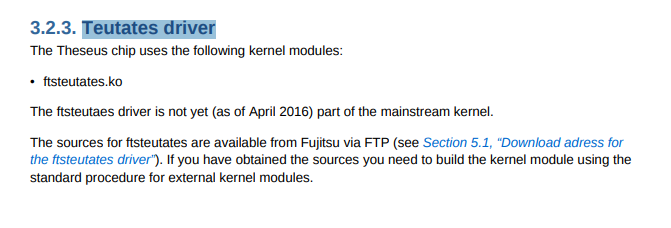
I can add some context why I had to use ftsteutates driver (https://docs.kernel.org/hwmon/ftsteutates.html) instead of nct6775. It seams that my motherboard (Fujitsu D3402-B21) is using a Teutates chip, not Nuvoton NCT6792D how sensors-detect is saying. Specifications of the chip can be found at the Kontron FTP Server https://ftp.kontron.com/ (username = “anonymous”, no password required) under the following path: /Services/Software_Tools/Linux_SystemMonitoring_Watchdog_GPIO/BMC-Teutates_Specification_V1.21.pdf /Services/Software_Tools/Linux_SystemMonitoring_Watchdog_GPIO/Fujitsu_mainboards-1-Sensors_HowTo-en-US.pdf I still have a problem, the Auto Fan plugin can't detect any PWM controller. Still looking for a solution.