





csimpson
Members
-
Joined
-
Last visited
Everything posted by csimpson
-
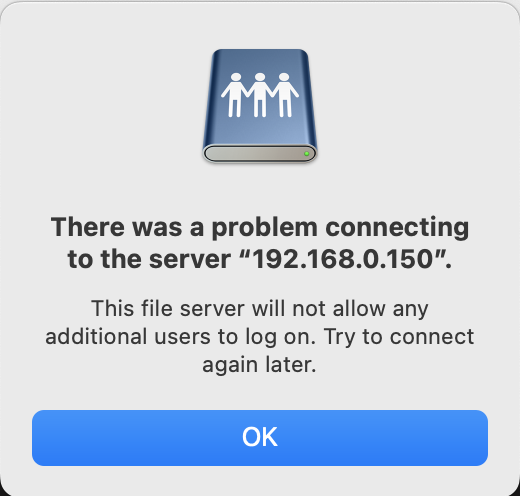
Good morning! I'm experiencing an issue. Firstly I've attached the logs, but I can't see anything in the syslog that would indicate any issue after I stated the mover which shows 7:20am. But just after the mover finished (maybe a minute or two) my share disconnected after being up and running for approx 1 day, 20 hours. This has happened before, usually after about the same amount of time. Then, when I try to reconnect, I receive the following error message. The only other device connected in my iPad. But it did this before that as well. I'm currently unable to connect to the share on my iPad as well. Unraid has disconnected them. Restarting my mac doesn't resolve the issue, rebooting Unraid does. I have not rebooted it this time. Sitting here with the issue and hoping to diagnose it. Any ideas? fileserver-diagnostics-20240523-0724.zip

-
Sorry, I’m not quite following this?
-
Beautiful! Thank-you @bmartino1 - I'll try this when I'm back home! This is awesome! [ADDED]: Worked perfectly!!!
-
Hmmm, that makes sense. Currently, I have my family photos and videos in my media folder. It's mainly because it makes it easier to have Host Path 3: /mnt/user/Shared/Media/ mapped to: Container Path: /data But if I were to have a separate share for Media and the family photos/videos were in the Family Folder (outside of the Media share), how would I add them to Plex? Currently, I could just change: Host Path 3: /mnt/user/Shared/ and then add the folders in the Plex Library to be /data/Family/Photos But that would allow Plex to have access to everything. Not a big deal because I don't serve up content outside of my home and there's no remote access through Plex, but... when my 17 year old goes off to school, I may want to change it so she can access it externally. Maybe...
-
Great responses, thank-you! What are the community's thoughts on storing Family Photos and Videos in the Media folder? I'm not sure if it belong there or in the "Family" folder?
-
Yes, I understand that. But I'm curious what others have done after organizing folders for 30 years. My current method has worked well for the last 10 years on my old server. But I do find I make it more efficient by shuffling things around from time to time. For example, I have several thousand scanned and digital documents. Bank statements, report cards, insurance documents, Home listings, lawyers documents, etc. I'm curious if others sort things into archival folders for older documents or if they order things by subject matter. For home videos and photos, I have 36,000 videos and photos (1.4TB) since 1988. I just fonished scanning in about 5000 photos from photos boxes from the early to mid 90's. There's also a bunch of DVDs I still need to rip from the early to mid 2000's. So... I have a "Family Photos" and "Family Videos" in my Media folder (not Share). They're organized by: <date> <contributor> <media> So for example: <Media> <Family> <Photos> <2023> <Mom> < Ipad> <IPhone> <Dad> <Ipad> <IPhone> <Kid 1> <Ipad> <IPhone> etc. The reason for separating is because Apple stores things as img_0001 and img_0002 and files can be overwritten from different people and devices. Plex has indexed Home videos and Photos and plays back on all the various household devices. There's 9 tv's, 4 phones, 4 ipads in the house and all of them are connected to Plex. This seems to work well for now. And that's when it comes to shares. having a separate media share would also give access to family photos and videos. That's not so much of an issue, but then I'm also curious why to have a separate media share rather than a folder in a "shared" share?
-
Right now I'm the only one with access to the single share with the folders. I'm not sure if there's a better way to set up shares/folders for families than what I've done?
-
I have a fileserver and I'm in the middle of deciding whether to take my single share with multiple folders or create different shares. It's really only myself accessing my shares along with various devices in the house (Apple TV's, Roku, etc) accessing media through Plex. But, it would be nice to have flexibility. For example, to provide my wife access to a folder called "Wife's folder" or the kids to have access to their own folders. Currently, I have a share called "Shared" and within that are main folders. Backups Family Finances Other Media Work Inside the Family folder, I have folders for each family member with documents, report cards, etc. I'd like to be able to make those folders accessible, but not the parent. Not too sure if that's possible. So I'm curious how others with a family have structured their shares/folders?
-
Yes, I switched it to 420 seconds rather than the default 90 it was at. I don't know why it would have taken so long as my setup isn't very complex. But hopefully, that solves it.
-
All I did was click "reboot." I'm looking through the documentation. Nothing seemed to be running abnormally. UPS was fine, no power drop. I tried rebooting so I could connect to the share again because of the "won't allow additional users to login" error from my Mac. Is there a process that I should follow? Two of the drives were spun down (disk settings: set to spin down after an hour) at the time including the parity drive. Do I need to make sure drives are spun up to do a reboot or does Unraid make sure that when a reboot is done, everything is where it should be? Do I need to stop the array before doing a reboot or does Unraid do then when rebooting?
-
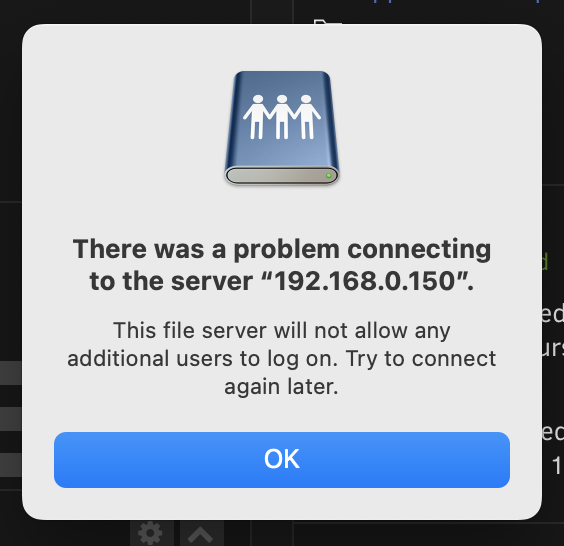
New Unraid Build and in the process of fine tuning and learning. I have two issues. The first is that several times now when I go to view my shared on my Mac I receive the following error: If I restart my Mac, it still won't let me log in. However, if I reboot Unraid, it does. I'm the only user. It worked fine before. I'm not sure why I'm receiving this error. So this morning, it happened again for the second time and I rebooted Unraid. But this time, I received the error Event: Parity Check Tuning Subject: [FILESERVER] Unclean shutdown detected Importance: alert And now it's doing a parity check. I've attached the diagnostics. fileserver-diagnostics-20240517-0726.zip
-
Okay, so an update. Everything is done and humming along. Other than a weird issue with my mac which indicated it couldn't connect to the share until I rebooted Unraid, I'm really enjoying it now that it's up and running. I've got the cache drive installed and the array drives are spinning down after an hour of no use. Idle draw according to my UPS is 45W (56W with the array drives and parity drive spun up) which I'm comfortable with. Plex is working, I've installed a few Dynamix plugins and have Prometheun and Grafana up and running (wish I could have the stats on the Unraiid dashboard rather than needing to log into the docker). AppData is backing up nightly to the Array but not shared. RSYNC successfully syncs with my external 14TB drive. So all in all, the setup process was an uphill battle due to the various challenges I faced, but this is a wonderful community so far and I was able to move past those issues. No data was lost in the end and nearly all files that I needed to be properly time stamped are now correct. Next step is to create some automated user scripts that spin up and sync my files to my external drive and possibly use Duplicate for backups on my network share. However, I'm trying to figure out how to back up into a folder called "backups" on my share and it's not completely intuitive. Seems it wants other locations. I also haven't looked into it too much. All in all, I've installed the following plugins: - Appdata - Community Applications - Dynamix Auto Fan Control - Dynamix File Integrity - Dynamix File Manager - Dynamix S3 Sleep - Dynamix System Buttons - Dynamix System Information - Dynamix System Statistics - Dynamix System Temperature - File Activity - Fix Common Problems - Parity Check Tuning - Recycle Bin - Tips and Tweaks - Unassigned Devices - Unassigned Devices Plus - Unassigned Devices Preclear - User Scripts The following Dockers are running: - binhex-krusader - disquetv - duplicati - Grafana - Plex-Media-Server - prometheus Any others that will help or recommended? Thank-you all!
-
All done, all good! Working well now. Thanks JorgeB!
-
Patience it is! Up to 130,000 writes now. 13.2GB.
-
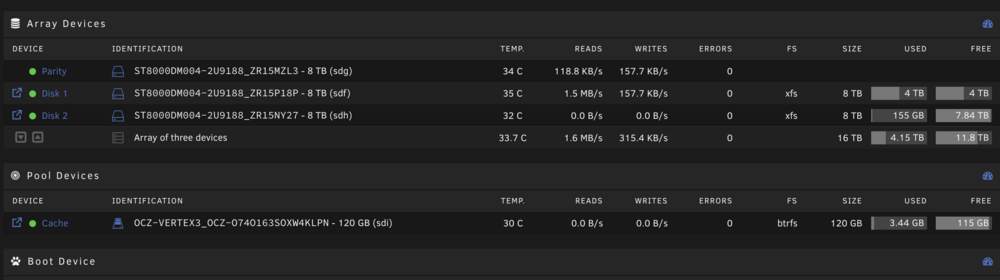
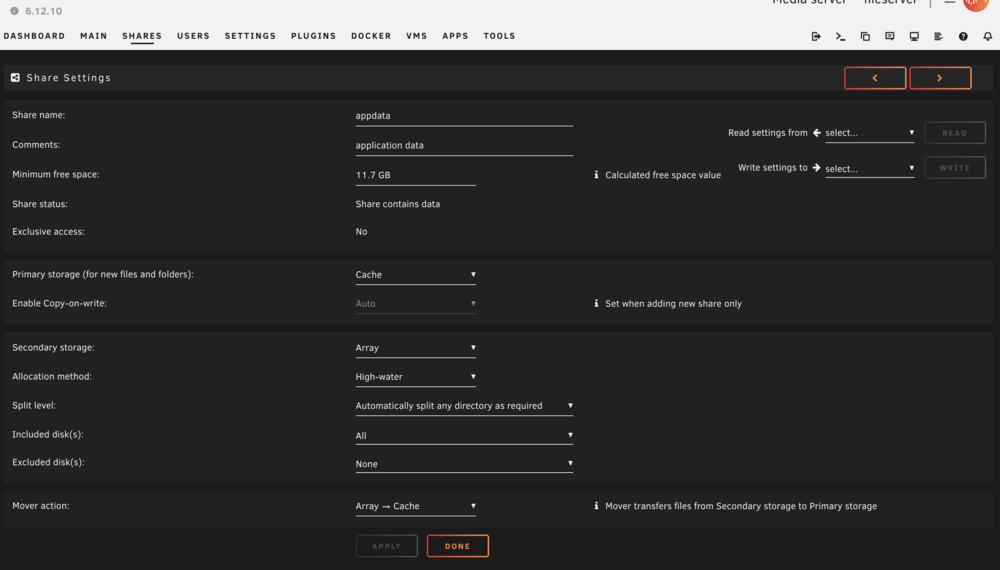
So I added the cache drive and tried to follow Space Invaders video but the "Included Disks: Prefer" doesn't seem to be there with or without the cache disk installed. Either way, I invoked the mover and I do see the side of the cache pool growing, but it's super slow.... 3.5GB in an hour or so. It seems odd to me that it's so slow and mover is still running. Here's a dashboard of my settings. I tried to copy a 30GB file to my share and it didn't seem to use the cache drive. Not sure what I'm missing and space invaders video is 7 years old. There are a lot of files for plex. A couple hundred thousand thumbnails, etc but this seems slow? Any insight or should I just be patient?
-
Beauty, that worked! Thank-you JorgeB!
-
Okay, so I'm trying to add an SSD to the cache pool. It was a drive used in my previous Windows 10 system and was formatted as such. I turned destructive mode "on" with the unassigned devices plugin, removed the existing partitions, started the array and tried to format while adding the cache drive. It gives me the error of: Unmountable: Unsupported or no file system I've attached the diagnostic log. Any ideas? fileserver-diagnostics-20240513-1449.zip

-
Okay, so I'm trying to add the disk to the cache pool and am receiving the following error: I turned destructive mode "on" with the unassigned devices plugin, removed the existing partitions, started the array and tried to format while adding the cache drive. Unmountable: Unsupported or no file system More info on what I'm being told. May 13 09:27:31 fileserver emhttpd: shcmd (1044): /sbin/wipefs -af /dev/sdi1 May 13 09:27:31 fileserver emhttpd: writing MBR on disk (sdi) with partition 1 offset 2048, erased: 0 May 13 09:27:32 fileserver emhttpd: re-reading (sdi) partition table May 13 09:27:32 fileserver emhttpd: error: mkmbr, 2196: Device or resource busy (16): ioctl BLKRRPART: /dev/sdi May 13 09:27:37 fileserver emhttpd: shcmd (1046): /sbin/blkdiscard /dev/sdi1 May 13 09:27:37 fileserver root: blkdiscard: cannot open /dev/sdi1: Device or resource busy May 13 09:27:37 fileserver emhttpd: shcmd (1047): mkfs.btrfs -f /dev/sdi1 May 13 09:27:37 fileserver root: ERROR: /dev/sdi1 is mounted May 13 09:27:37 fileserver emhttpd: /mnt/cache: no btrfs or device /dev/sdi1 is not single Drive doesn't show any error. Any ideas?

-
Great, thanks for this! Seems pretty straight forward. Do I need to do anything with Plex or the container to point to a new location or anything? For example, I have the Plex Cache set to /mnt/user/appdata/Plex-Media-Server/transcode/ currently.
-
Forgive me if my terminology is incorrect, Noob here. I've been in the process of migrating from my 10 year old Windows 10 fileserver to a "refreshed" Unraid setup. I have two 8TB drives and another 8TB drive as a parity drive in the array. I currently have a 120GB SSD that's lying around. I'd like to integrate it for my Appdata, Plex and DizqueTV docker containers as well as use it as a cache pool. I don't have any VM's as of yet. As I understand it, having the appdata and Plex docker on the SSD will increase the performance. Larger Cache pools for transfers isn't too necessary since I'll do 30GB-40GB transfers, once a week or so. I only have the one SSD drive, and I'd like to have some redundancy if it fails without sacrificing performance (even if it's a nightly mirror onto the array) or whatever the best way to do it is. Perhaps the Appdata Backup plugin? Not sure if that's possible and if I'm barking up the wrong tree? I suspect that in time I'll upgrade to multiple SSD cache pool drives. But for now, during my evaluation stage of Unraid, this fits the bill to poke and prod!
-
Okay, great. It's running the parity check now. Will be done later today. Hopefully it's all good.
-
So when this transfer is done and I turn the parity drive back on, it'll need to do a new parity check. When it does, will it need to rebuild the parity automatically, or will it give me a bunch of errors that need to be fixed?
-
I appreciate the patience. And yes, you're right. In the moment, when dealing with significant data loss it's frustrating with a small oversight. In Windows, I used Syncback. I had it configured and it ran perfectly every time. It's why I'm able to restore it successfully. Then, this morning I was trying to copy back to the share but that inadvertent removal of the share name in the sync destination had the files going to the root. But when looking on my finder, through Krusader, Midnight Control or command line, I couldn't see anything and had assumed it was something that Krusader did. I've got the RSYNC commands all stored in a document now where I can copy/paste. I'm also adding --dry-run to the syncs. I did many tests before this morning when I woke up and executed the final sync. However, I removed the share name for whatever reason and everything was gone. Sloppy Saturday morning oopsie. I was wondering why it was taking so long but it's not until folders started to disappear I clued in!
-
Interesting observation with Krusader. I found files were somewhat correct, but folders were not. Though, I've tried a bunch of variations and have forgotten which does what and what affects the time properly. I know RSYCN was doing a better job until I accidentally blew away the entire directory with it. I saw in a video (setting up Plex) that move maintains the original creation date, etc and copy does not.
-
Yes, I know it's a "me" issue. It's unfamiliar and I'm trying to make it work. My old setup was familiar and worked perfectly for many, many years but I wanted to try something new with proposed advantages and with less overhead. Stable, so far, it is not. I did use Krusader to change a folder name on my external drive. I think that messed up everything on the external drive that I'm copying from. And then RSYNC looked at my --delete parameter and because I had a path wrong, it deleted everything. Once again, my mistake. But I don't want to use Command Line and RSYNC for this very reason, but the other tools aren't working well enough.



