





menkromsen
Members
-
Joined
-
Last visited
-
Same issue. Tried turning the features "Hide Compose Containers from Docker Page" and "Hide Compose Containers from Docker Dashboard Tile" off and on again -without any result. My beautiful UI showing all my apps is ruined - help! 😜
-
@dlandon Thanks for the recent upgrades! 👍 I have a small feature-request; In the DiskActivity.page I can only see the last 25 events on each disk - even if I have set "Display Events" to 100 in the plugin-settings. This setting only affects the pages that are visible from the plugin itself. I use the DiskActivity.page everyday, since I have a link to this page on my main navigator-bar in unraid, through the Custom Tab plugin and it would be great to able to define how many events that is shown also on that page 🙂
-
Fully agree! The plugin was great. This is a step backwards. Rclone is such a useful and powerful tool. It can't be this difficult to keep the configuration.
-
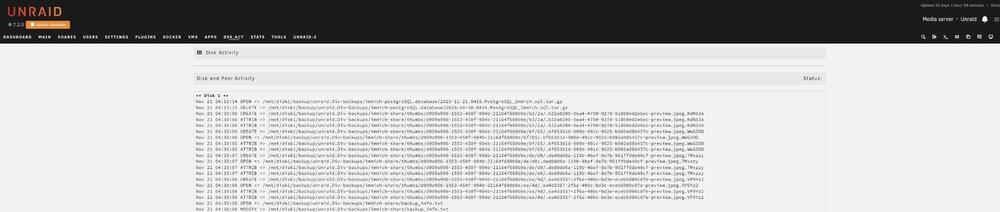
While I'm at it, one small bug-report: As you can see in the attached screenshot, I have assigned a shortcut on the main-navigator in unRAID to the Disk and pool activity page through the Custom tab plugin. On that page the Running/Not running status of the plugin is not visible. -if I go the the plugin via Tools for example, and then click on "Disk and Pool Activity" the status is visible. The name of the page is "file.activity/DiskActivity.page"
-
I have to agree with Niklas. Just updated this plugin and I can now access as many files I want (and waking up disks that were spun down) -but no entries is visible anymore. I guess I may have used this very handy and great plugin a littlebit different than what you originally had in mind - but as Niklas I have found great use to easily track what events are happening on my array. And I completely trust what is shown in the log -as this plugin does not seem to *miss* read -or write events. And so I can also easily track whats keeping disks running and as Nicklas, also see what scheduled tasks/scripts are doing regarding read/write events on the array. Hope you can revert the changes, the plugin was perfect the way it was :-) If anything, maybe you could a "advanced mode" or something in the plugin-settings, where we could specify which inotify-events the plugin should track and list in the log.
-
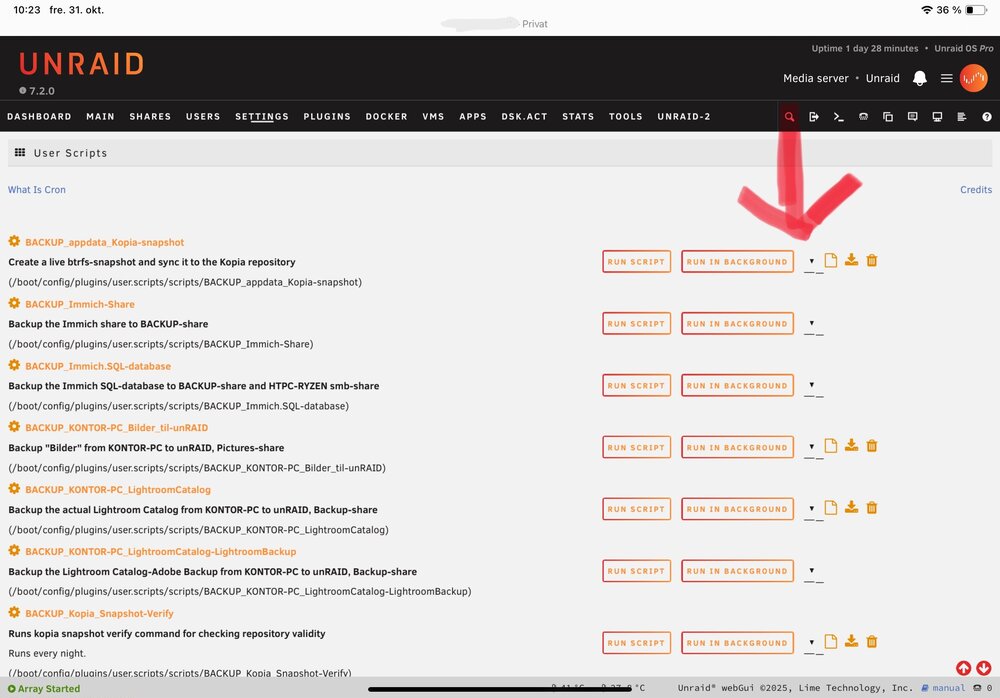
First of all; many thanks for this great plugin! It seems that there also is a new bug on unRAID 7.2 where the "schedule" field gets truncated and not visible anymore. This happens when I view the plugin/User scripts from my iPad Pro 11inch and also my iPhone 14 Plus. Actually, when opening the user scripts page through a mobile device it looks normal in about 1 second before the schedule-field gets truncated. When viewed on a PC everything looks normal. In Unraid Display Settings I use the boxed view. Not sure if that affects this or not. See this sceenshot from my iPad:
-
This plugin took a rather wrong turn suddenly...! Earlier this day I just updated this plugin and did not like what I saw. This is one of the plugins I use the most I guess -and it have worked great for a long time. Simple -and very functional. I appreciate that you EDACerton have plans for the future of this plugin - but in my view I can't really understand why the old plugin was replaced. -The new plugin should be a completely different plugin with another name. I have just reverted to the old plugin by dlandon and I feel more at home now. https://github.com/dlandon/file.activity


