





giovacca
Members
-
Joined
-
Last visited
-
this solved it! Uptime 3 days, 8 hours, 53 minutes never had my unraid server running for more than 2 days in over a year ! thank you so much
-
only issue im having after doing these changes is even i enter the unraid disk password and the unraid is booting up the shares etc the unraid webui suddently cannot be accessed anymore, everytime i go on it i get the error ERR_CONNECTION_REFUSED however all docker work and all websites of the docker work. solved after bios update, i will let you know if the system unresponsive issue still happens with global c-state control disabled.
-
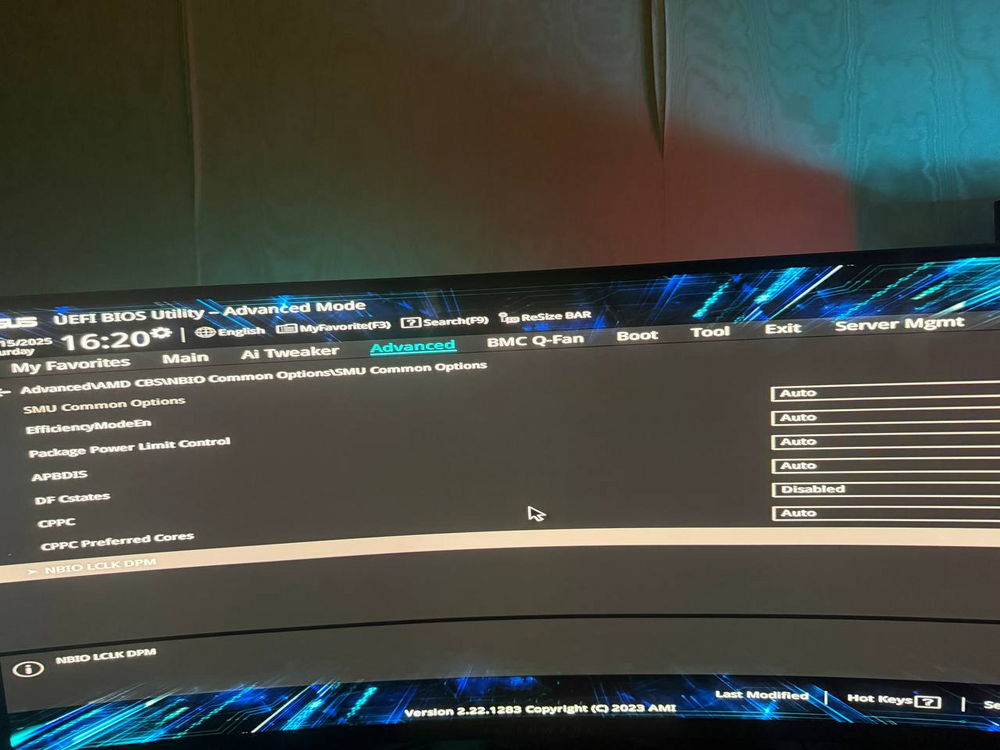
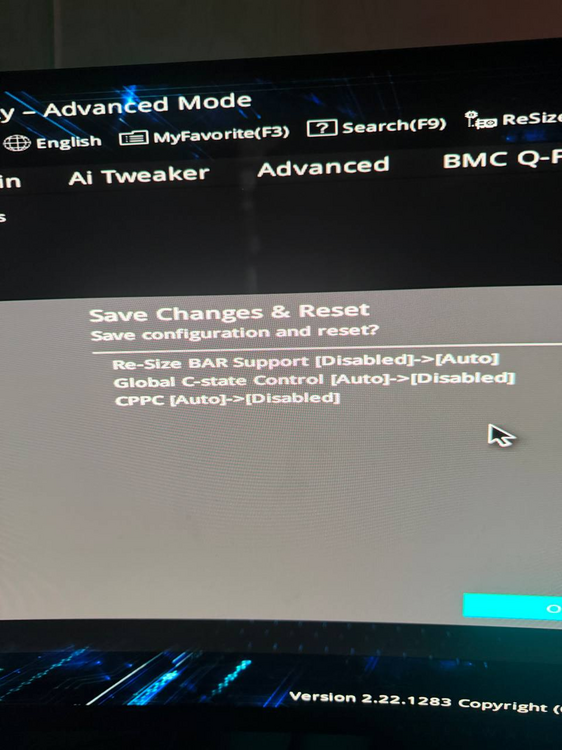
for some reason the diagnostics did not attach hello, thanks for your reply: i've made the changes and hopefully its gonna solve the issue; only thing i did not find "Power Supply Idle Control" at all, however i managed to disable C-States and CPPC, heres the screenshot of a tab that might include that power supply idle control however i was not sure. and here are the changes made to bios
-
My Unraid server randomly becomes completely unresponsive while the physical server continues running. When this occurs: WebUI becomes inaccessible All Docker containers stop responding SSH/network access lost Server requires hard restart to recover System Information: Hardware: ASUS Pro WS WRX80E-SAGE SE WIFI II CPU: AMD Ryzen Threadripper PRO 5975WX 32-Cores RAM: 256GB (8x8 slots populated) Unraid Version: 7.2.0 Storage Configuration: 8x data drives (12TB-22TB Seagate drives) 2x NVMe cache pools (Samsung 990 PRO 2TB, 980 PRO 1TB) I will attach the full diagnostics done with syslog server of previous shutdown diagnostics-20251114-1421.zip
-
will see if happens again and try to get new diags
-
Hello everyone, I’m running Unraid version 7.1.4, and I’ve been experiencing an issue where my Docker containers stop working after several hours. Here’s what happens: At first, everything works fine. After some time, if I try to access a container (for example, by visiting its web interface), it won’t load. The Unraid web UI itself is accessible, but when I click on the Dashboard or Docker tab, it just gets stuck in a loop and never loads however "Main", "Tools" etc work fine. The only way I can recover is by restarting the server, after which everything works again—until the problem eventually repeats. It made me generate the diagnostics fine. Could anyone help me figure out what might be causing this? Any advice would be greatly appreciated.diagnostics-20250925-2125.zip Thanks in advance!
-
after reseating all the cables, its all fine now the drive is found
-
hello guys all of sudden my power went out, after it went back i booted my server up and now one of my drives cant be found; what can i do to solve this? do i have to get a new drive or i can fix this somehow? server-diagnostics-20250710-1649.zip
-
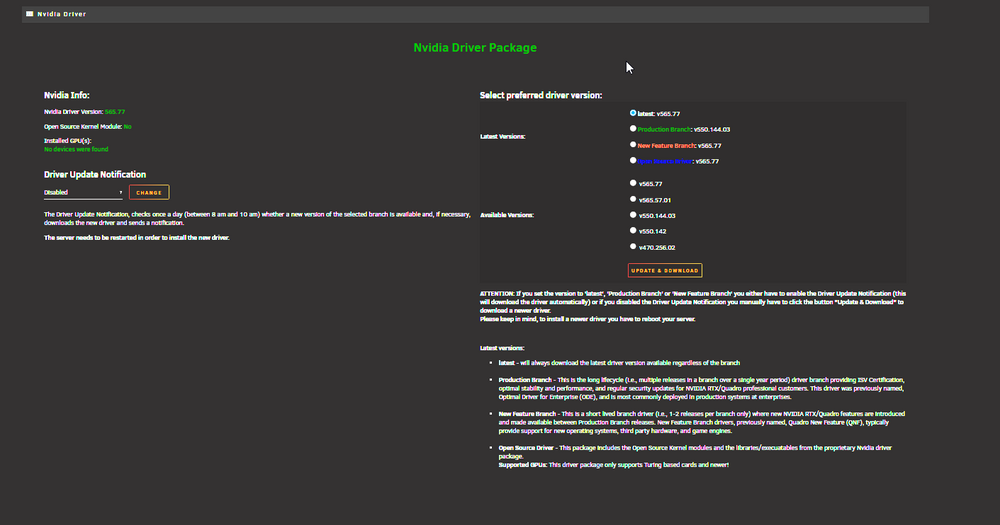
hello, i've had this issue a few times; why does the nvidia driver after a while it cant find my gpu anymore? it works for a bit sometimes 1 day sometimes 2 days then i have this issue; ill attach the unraid logs if they can help to solve this syslog-20250201-2217.zip
-
hello, from time to time i'm having this unraid issue what is happening is; unraid server runs fine for days it's quite random then when i return home i hear my server's fans go loud and suddently my unraid server becomes quite slow and some dockers have issue with them not working properly etc so what i typically do when this issue happens i restart my unraid server from the unraid dashboard but what happens is it gets stuck on "Retry unmounting disk share(s)..." after checking the log it seems it fails to unmount the /mnt/cache (maybe this is the issue that's causing my server to randomly become very slow and fans to go loud?), here's the logs attached: server-syslog-20250129-1954.zip
-
hello, i just had an unclean shutdown randomly on unraid; what could be the problem? diagnostics-20240721-1541.zip
-
worked thanks!
-
Hello guys, my /var/log gets full within a day, what could be the issue? i attached the diagnostic here diagnostics-20240713-2044.zip
-
hi, i need help. the data rebuilding just finished but the disk is showing "Unmountable: Unsupported or no file system" what could be the issue? it seems like it's forcing me to do a format, but i have some data on it which i dont want to lose tried doing a xfs_repair but the status says: after removing -n now it says added -L and now my disk back to normal operations! thanks for the help diagnostics-20240605-2055.zip
-
what i did for now that seemed to work: start unraid without selecting the disk stop unraid start unraid with selecting the disk and now a data rebuild is started, but what can i do to avoid this in the future? because data rebuilding is gonna take a whole day. do the diagnostic say something about this issue? thanks



