Icarium
Members
-
Joined
-
Last visited
Everything posted by Icarium
-
since i get an error when upvoting your comment ("Sorry, there was a problem reacting to this content.") i want to say: thank you! this way.
-
hi, just came back from work - i'm a bit overworked these days :/ i had discord years ago but haven't used it in forever. not sure why everyone is still using it even after the whole privacy debacles around ID i've heard about. I might have to dust off my account :P but you are right, discord might be the better way. just updated to 26.3.0 and the MovieVault 26 Plugin is now connected! Thank you! Also thank you for the updates! I will look through them on the weekend :) and not my bed is calling for me :P
-
not sure if i did it wrong. tried it first without restarting the container, then with. looks the same to me. { "id": "9fd48ade-4246-4a47-bd32-48bff1d3a24c", "eventType": "plugin.movievault_connection_failed", "category": "plugins", "summary": "MovieVault connection refresh failed for movievault_26", "createdAt": "2026-07-05T19:06:45.500897+02:00", "actor": { "userId": "cf02aea0-f935-443a-872d-9c1584cae5ac", "username": "admin", "role": "owner" }, "target": { "type": "plugin", "id": "movievault_26" }, "metadata": { "authMethod": "bootstrap_signed", "error": "MovieVault signed recovery failed: 403", "linkStatus": "error", "pluginId": "movievault_26", "reset": false, "status": "error", "tokenPrefix": "" }, "requestIp": null, "userAgent": "Mozilla/5.0 (X11; Linux x86_64; rv:152.0) Gecko/20100101 Firefox/152.0" } do i need to update something first? unraid shows me no update.
-
thank you :)
-
{ "id": "d83755f7-73a7-4b00-91cc-fee521f2865f", "eventType": "plugin.movievault_connection_failed", "category": "plugins", "summary": "MovieVault connection refresh failed for movievault_26", "createdAt": "2026-07-05T10:21:44.654524+02:00", "actor": { "userId": "cf02aea0-f935-443a-872d-9c1584cae5ac", "username": "admin", "role": "owner" }, "target": { "type": "plugin", "id": "movievault_26" }, "metadata": { "authMethod": "bootstrap_signed", "error": "MovieVault signed recovery failed: 403", "linkStatus": "error", "pluginId": "movievault_26", "reset": false, "status": "error", "tokenPrefix": "" }, "requestIp": null, "userAgent": "Mozilla/5.0 (X11; Linux x86_64; rv:152.0) Gecko/20100101 Firefox/152.0" }
-
resetting changes the "Instanz:" Code but checking the connection gives me the same http 200 error
-
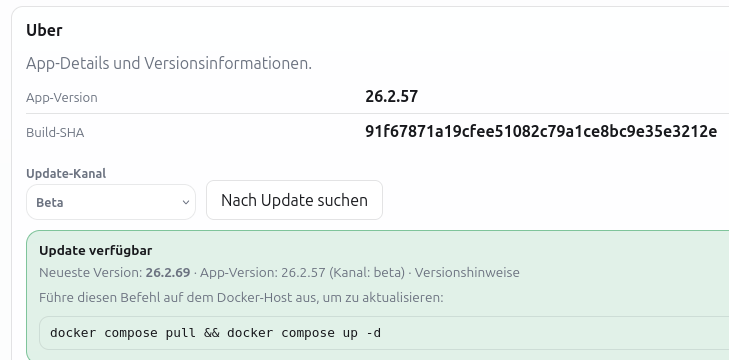
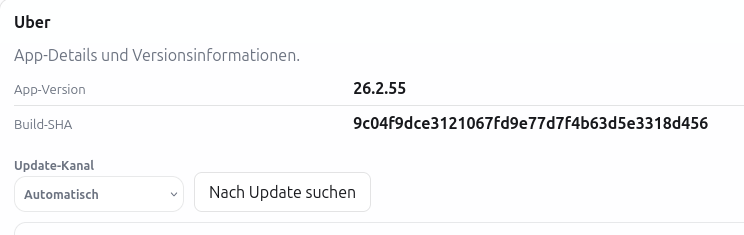
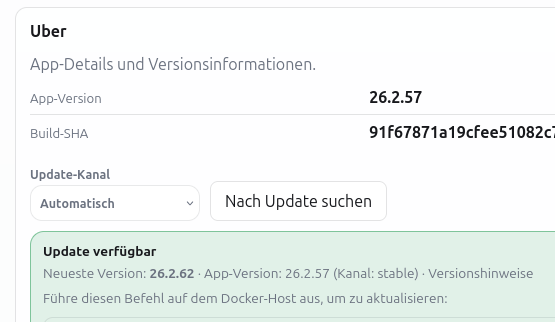
26.2.55 was before i force updated. Unraid did not show an update. i changed the setting regarding the stack recreation, restartet but still 26.2.57 could it be this setting in unraid?

-
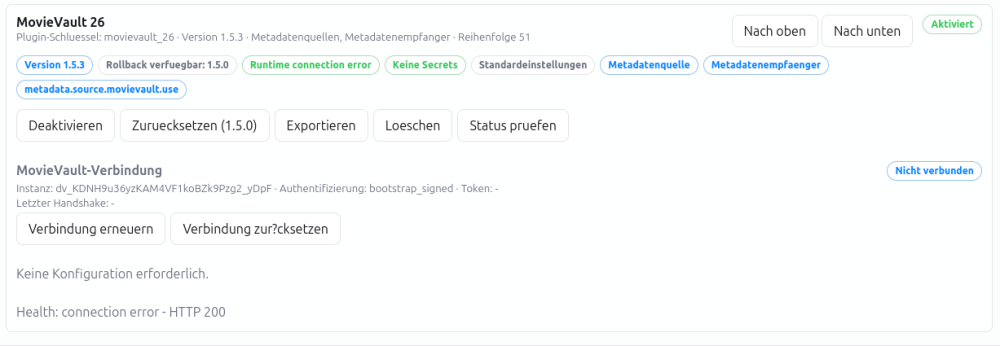
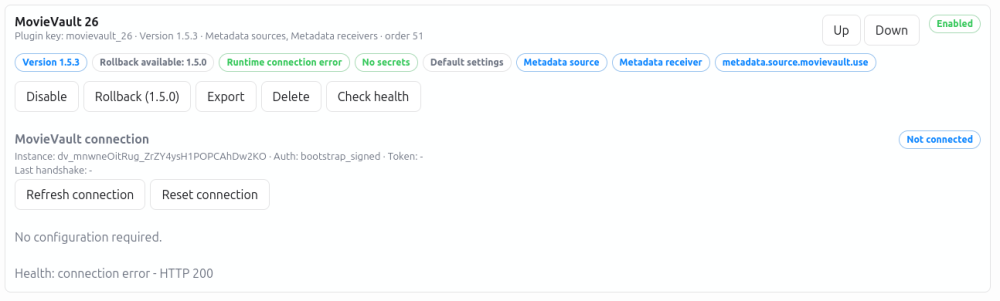
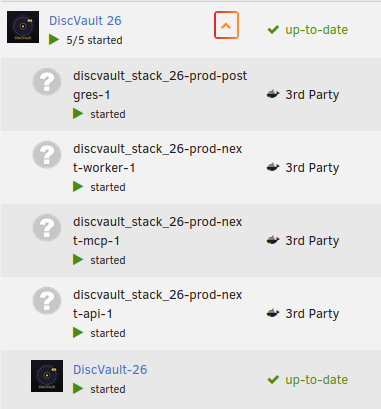
The Dropdown has Automatic, beta, stable, v26 didn't change anything - should i change to anything else? The plugin looks like that. Sorry went to sleep after my message. wow you couldn't sleep :P Thank you for the fast response and implementing my ideas! :) i tried restarting but it showed the same version after logging in again. force update via unraid got me here: not sure what to do. i tried changing it to beta, stopping everything and restarting the container but that does not change anything? the container also shows that its up-to-date.
-
Hi, sorry for the long pause - i ordered the before-mentioned usb barcode scanner because while adding movies by camera worked fiddling on the small display of my phone was a bit of a bother. my tablet on the other hand was a bit unwieldy and is very slow but worked ok when propped up. positioning the hull took a bit of time to get right but biggest downside was the slow speed of the tablet when opening the scanner. i read some stuff and the scanners work as keyboards out of the box. they are configured by scanning barcodes in their manual so no setup/program required on the machine they are plugged into. i think i found my workflow :) clicking into the input field and scanning the dvd works fine but the real strength is in your batch list. scanning 10 dvds in under 15 seconds is easy when the scanner adds the line jump by itself after each scan. i scanned a bunch of blu-rays by now so a few questions about features: when scanning multiple movies in the batch list you have to click "search" one by one. so far that works but when i decide which version to add it always jumps to the movie in the library and i have to jump back to the import. is there a way to turn that off? also for the next movie i have to look at the code on the hull and click search again - the already added movie stays in the list. would it be possible to make that a better rounded workflow by a) scanning all the codes, then b) working down the list by clicking search on one, adding it, the added barcode gets removed or gets a green check mark, stay on the same side and click the next, add it and so forth? not sure how to do the movie page in batch but perhaps also not sure if that is needed or if people that want to change stuff can just search the movies in the library themselves. the import site is a bit stuffed with the 3/4 methods (camera, search for one movie, batch + import csv) would it be possible to have tabs at the top for each? i don't think i will use the camera but someone that uses the camera won't need the batch option would it be possible to add custom field to movies? i've found tags but we are thinking about putting location stickers or something similar on our movies or putting in the location like shelf 10. i mean we got about 6k movies so adding the place where they are or something to make them easier to find might make sense. we tried doing it by alphabet but then adding new movies is kind of a mess when you have to move a lot of movies if the board is full :P and i would like to add a field for "ripped/not ripped or not set" for example since i tested ripping my movies with makemkv and will start batch-ripping them in the near future. also search for that field would be cool :) i used tags for things like "steelbook" or "extended cut" but would it be possible to add that info in a similar way to the "blu-ray" field on the library page? or have it in any way clickable or searchable on the library page? my "import" field shows a "not required" beside it? when adding a movie it and jumping to the library page it shows me one poster. most often the actual picture of the box. for loading the rest it seems to take some time or needs a refresh (which is fine) but what really irks me is that when i close that movie page and go to the library it changes the poster by itself! is there a way to turn that of? i'm fine with having to change it later but it should not change pictures by itself. especially because its not possible to set the one available picture as primary when it autojumps to the library page after adding the movie. so to fix the picture you have to jump out and back to the movie again anyway. would it be possible to add some kind of marker to 4k uhd discs that they include the normal blu-ray? perhaps with a check-mark? also if thats checked include them in the search for blu-rays? whats the best way for working with boxed sets? for example i have a 007 boxed set that got its own code but is made up from 7 different movies that all have their own code? i wasn't able to find the boxed set with the code or by search. is it possible to add the movies and group them as a boxed set? we also got a bunch of cases with 3 discs with different movies. the case has a code which cant be found. any idea how to add those? it should be similar to a boxed set with adding the 3 discs (but without codes) and grouping them? Plugin MovieVault26 errors out with "Health: connection error - HTTP 200" i had to disable it. neither version 1.5.0 nor 1.5.3 works for me. what do you mean by that? i will gladly help your database by putting in our movie collection :) for reference most: most of our movies are German. a bunch of Swedish ones as well and a few with main language English. i will try adding series next these days. most stuff i added was for testing, the scanner only arrived yesterday.
-
wow i'm stupid! Thank you for your patience! it worked and i'm now logged in! i will try out Discvault over the next days :) is it possible to scan barcodes with a handheld barcode scanner? otherwise i would in in the bwoser on my android tablet (login already worked there, too) i have an iphone but as you have seen i'm a bloody newb. I can access my network via tailscale so if you have the time we can work out how exactly i would get the app working over vpn.
-
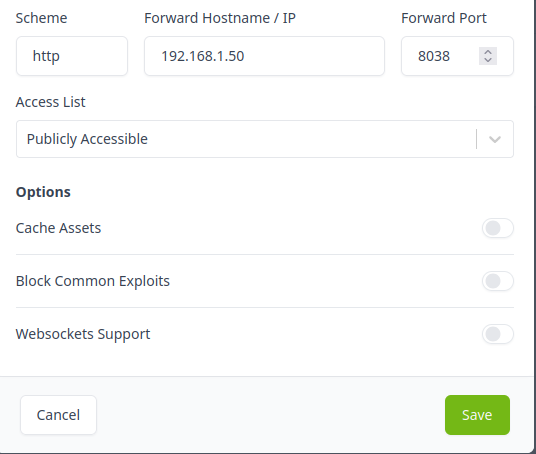
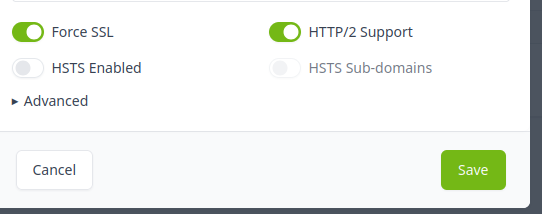
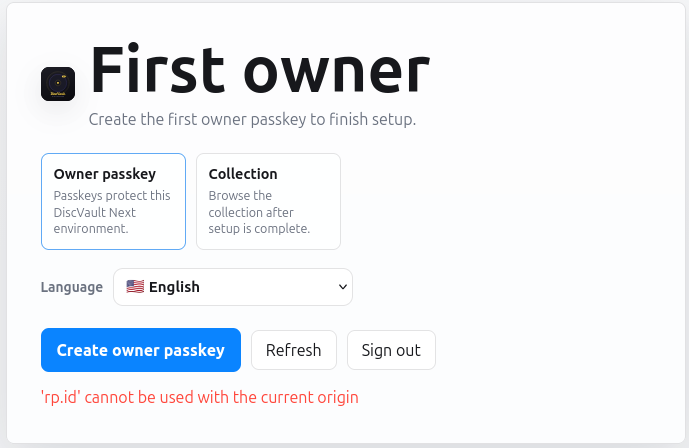
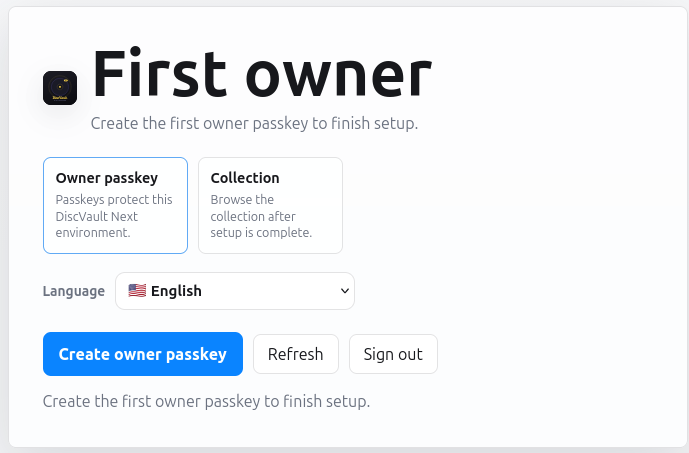
puhh so i set up Nginx Proxy Manager following these guides: Using Nginx Proxy Manager on UnraidLearn how I use Nginx Proxy Manager (NPM) on Unraid to access all my services with a custom domain instead of their IP address~/.didevSetting up a local reverse proxy with Nginx Proxy Manager...This is part 2 on the topic of a short series about setting up DNS hosting with Cloudflare and using DNS-01 challenges to get TLS certificates from Let’s Encrypt See part 1: Moving DNS hosting from Na lets say my domain is mydomain.one with Njalla. created a cname for *.local.mydomain.one to local.mydomain.one and created a A record for local.mydomain.one to 192.168.1.52 (the ip of my nginx proxy manager in my local network, runs on br0 to have its own ip) I set up the api on njallas side, used the dns challenge and set up the certificate over npm for *.local.mydomain.one and local.mydomain.one. created a proxy host for discvault.local.mydomain.one to the ip and port: Uploading Attachment... and under ssl put in the certificate for my wildcard Uploading Attachment... proxyhost status shows as "online", certificate status shows "in use". when i click on discvault.local.mydomain.one a new tab opens and everything looks good: Uploading Attachment... when i click on "create owner passkey" this shows up: Uploading Attachment... what did i do wrong?
-
Hi, sorry for the late reply! I have not since i'm not using a reverse proxy My Homelab is essentially local only and the hand full of services that i need externally are accessed via tailscale. I'm by far not confident enough in my skills to expose stuff to the wider internet so there was no usecase for a reverse proxy. I've been looking at guides for reverse proxies since your reply and will have to decide if i have any other usecase for it and if its worth the effort... i would really like to use your software but the added complexity for getting passkeys to work is a major downside of it to be honest. Your listed features are top notch and would make organizing our collection of ~6.000 Disks far easier but that's where i'm stuck right now. But thats a problem for me, not for you. Thanks for your help!
-
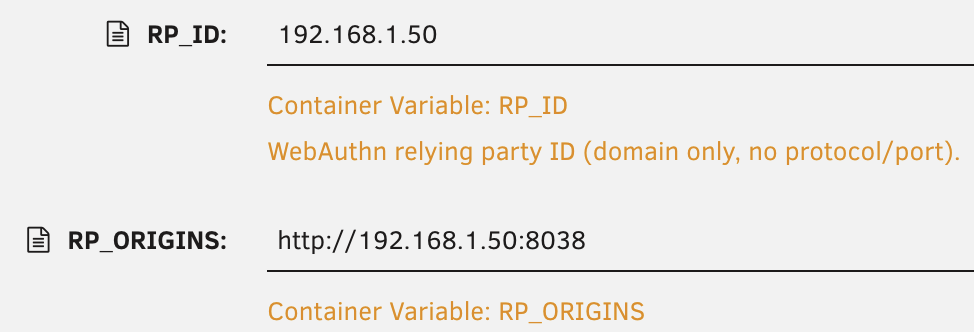
thank you for your time! yep - DiscVault 26 directly from the Community App Store. Unraid 7.2.7 i've put in the ip of the server since its local only: (port 8038 there and in the webui because the default port was already in use) mmmh i also tried it with the default localhost but same issue. i plan to use it local only, if i share it than via tailscale. What should i put in there?
-
ok, i tried it on a lenovo tablet with android and firefox and a m2 macbook with firefox and safari. its the same everywhere.
-
so yes, first install if my previous message wasn't clear (on second reading i could have formulated that better)
-
jup, just found your project by chance today! perhaps its bitwarden as external passkey handler... mmh i will try it on the macbooks and another thinkpad or the tablet when i'm back home, thanks!
-
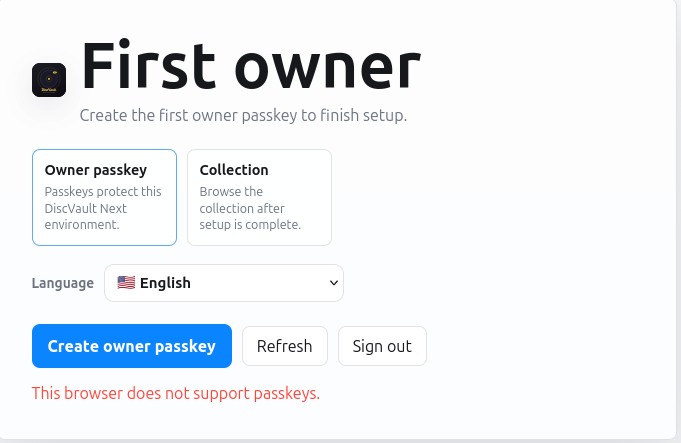
Hi, installation went fine, thanks for the great script. I'm stuck at the passkey generation, it tells me that my browser does not support passkeys. Mint/Firefox with bitwarden. I use passkeys for a lot of accounts (amazon, google etc.) so not sure whats the issue. To make sure i also tried it on the same machine on librewolf as well as my phone with safari, firefox and brave. All show the same error: i can try other devices when i'm home. what's the recommended browser to get through this step?
-
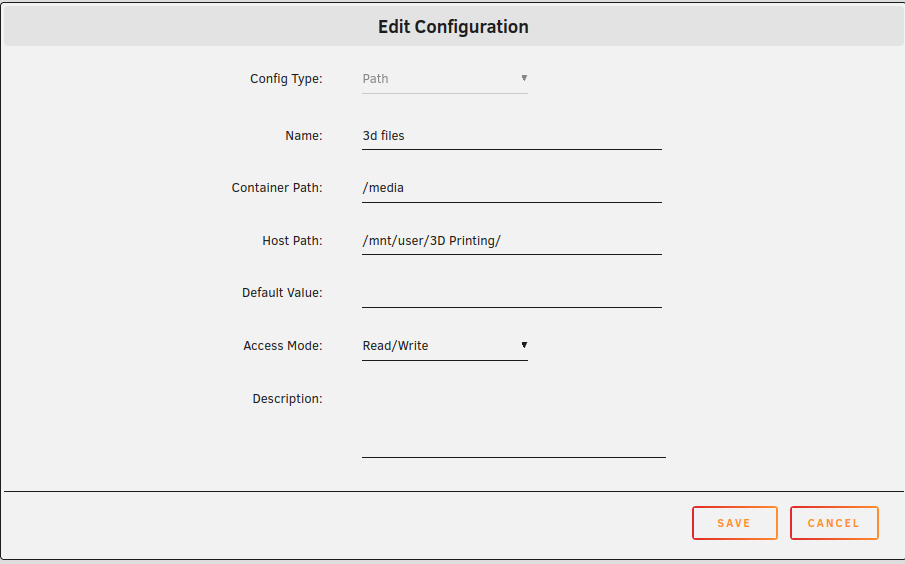
thanks @itimpi had the same question since coping files into appdata seemed kind of stupid as i had to upload them through the gui and as a dockernoob got it running. for anyone looking for an easy solution: /media in the docker looked like a nice, unused folder to me. i have a share called "3D Printing". Works fine with the settings as in the screenshot! No more download > upload via gui for me
-
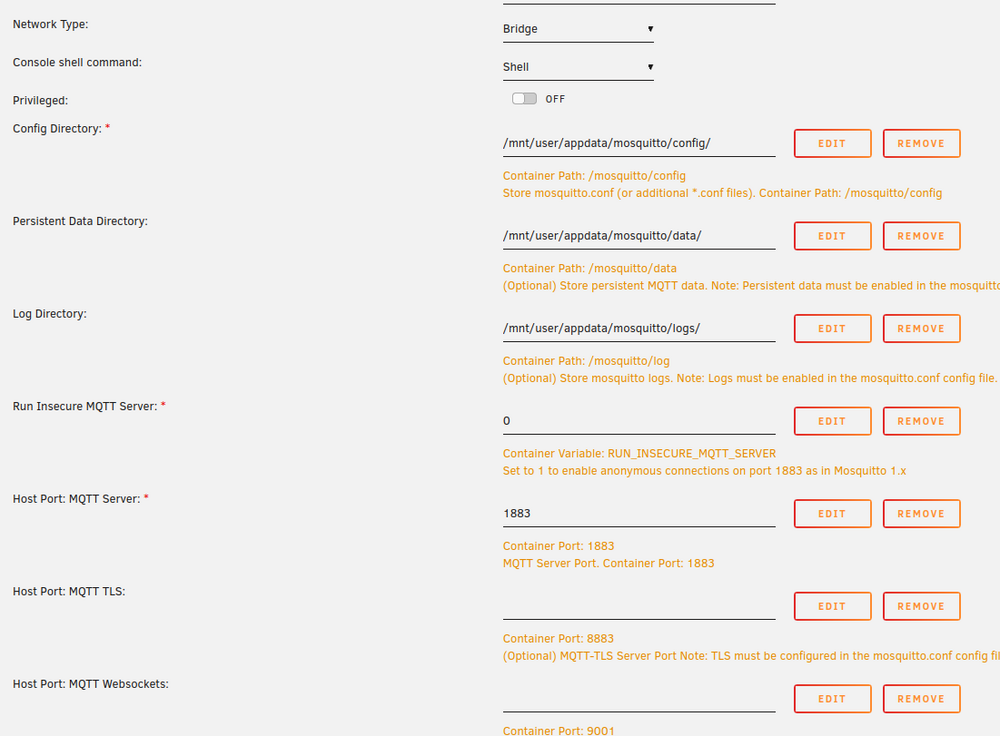
sorry if my question is stupid but am trying to install the container and can't follow the steps. i would like to run it with option 2 since 1 seems the least secure and 3 is not for me since i'm fairly new with unraid docker etc. My Problem with option 2 is that the container i followed the steps and edit my mosquitto-unraid-default.conf file in the lines 28-30 and deleted the # so it looks like this: listener 1883 protocol mqtt password_file /mosquitto/config/passwd now i start the container and it stops again. The logs show: 1726144166: Loading config file /mosquitto/config/mosquitto-unraid-default.conf 1726144166: mosquitto version 2.0.18 starting 1726144166: Config loaded from /mosquitto-unraid/include_dir.conf. 1726144166: Error: Unable to open pwfile "/mosquitto/config/passwd". 1726144166: Error opening password file "/mosquitto/config/passwd". !! ATTENTION: MANUAL CONFIGURATION IS REQUIRED !! Due to security hardening in Mosquitto 2.0, you MUST TAKE MANUAL ACTION to reenable MQTT in this container! OPTION 1: Set RUN_INSECURE_MQTT_SERVER to 1 in this container's settings OPTION 2: Edit the file "mosquitto-unraid-default.conf" in your configuration path for more details (Usually /mnt/user/appdata/mosquitto) OPTION 3: Update your customized Mosquitto configuration to configure at least one listener. See https://mosquitto.org/documentation/migrating-to-2-0/ https://github.com/cmccambridge/mosquitto-unraid#authentication tells me to run (i assume in the unraid console since the container wont even start) docker exec -it mosquitto touch /mosquitto/config/passwd but the console shows me Error response from daemon: Container b5dfb6360ea02ebf58e744cc1c166ff04e2e0496f46bb4cb778e0c2a4506698f is not running if i do. which makes sense since the container is not running but it autostops every time i tell it to start. any ideas whats wrong? i did not change anything else. screenshot of the containersetup is attached.
-
@JPDVM2014 thanks! that did it! also thanks for mentioning the delete/rename - i'm fairly new with this 🙃 @adambeck7 if you are still looking for a solution this worked for me!
-
@JPDVM2014 thanks for the fast answer! renamed it and the file got recreated but no change. also the file seems to be empty (at least its shown in "shares" as 0 B). mmh
-
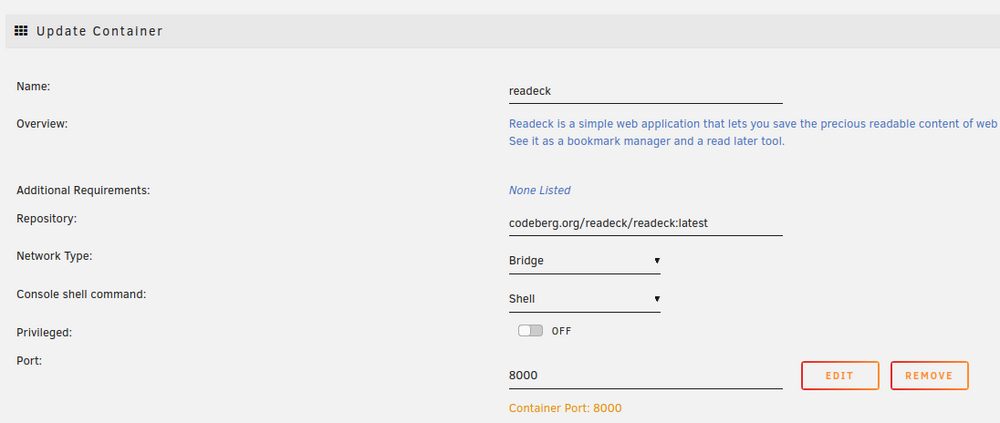
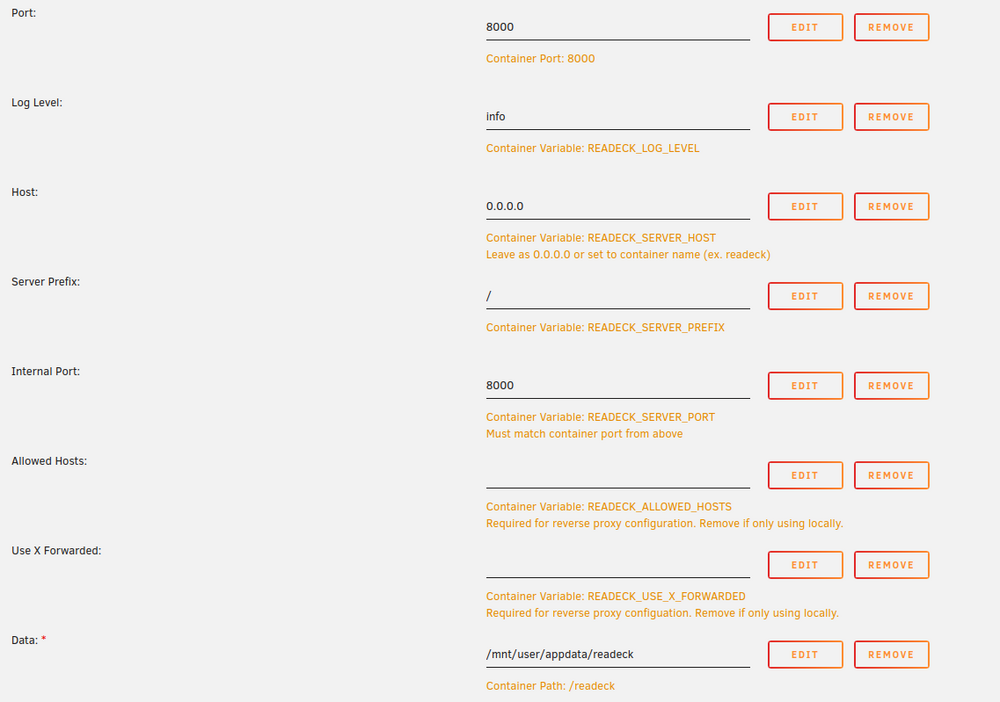
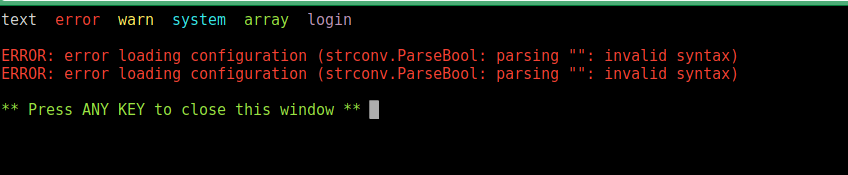
Hi, not the same person but the same problem ERROR: error loading configuration (strconv.ParseBool: parsing "": invalid syntax) pictures below. any ideas? I also tried the local ip of my unraid and "readeck" without the quotes as host but that didn't change anything.