





Hypnosis4u2nv
Members
-
Joined
-
Last visited
-
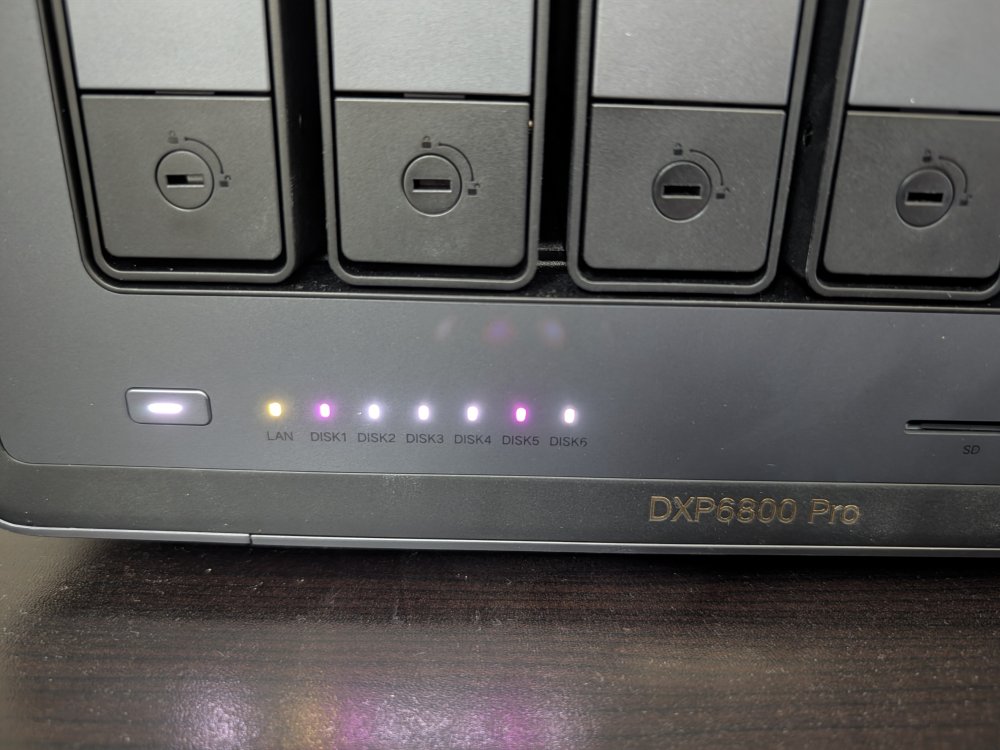
Just a heads up for those with early NAS units, specifically if you purchased during their Kickstarter campaign 2 years ago. There seems to be defective LEDs on these boxes where the green LED prematurely are burning out. I had one go out a month ago and another one just shat the bed now. There are reports that it's happening to other models as well. My white LEDs turned magenta, and it isn't a software issue, definitely a burnt green diode. Looking at a minimum 3 week turnaround to get it fixed under warranty. On another note, is there any way to get the pulsing to work on idle Unassigned drives? Works on the array drives when idle, but not on any that are Unassigned and mounted.
-
Rebooted the NAS and everything loaded back.
-
I found a manual fix that would allow me to re-mount them without rebooting Unraid. Sharing in case anyone runs into this issue down the road. We should have the option to be able to hot swap drives not part of an array or pool without having to unmount or reboot Unraid. Open terminal mount | grep disks Find the unmounted drives, copy their path and names umount -l /mnt/disks/<drive name>Now you can mount as normal in unassigned devices.
-
These were external drives that I schucked and put into a DAS. I'd love to reformat them but current HD prices have kept me from getting another drive to move the data to and perform a format.
-
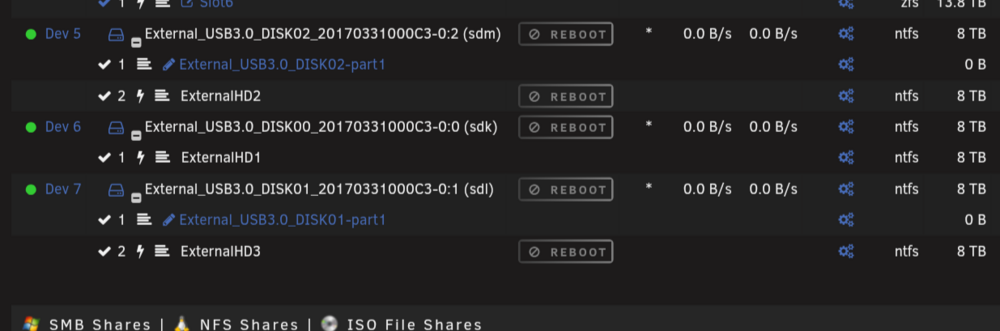
Yes. This is what they should when reattached.
-
I have it installed. But help in what way?
-
I should have been more specific and mentioned that these are unassigned drives that it's happening to.
-
I have my UNRAID (7.2.7) NAS on a UPS and have a DAS connected to it. When I power down the DAS, Unraid won't auto-mount or let me mount the drives unless I reboot Unraid. Is there some setting/script that I can use to have UNRAID ignore the lost connection and just remount the drives when the power turns on again? Yeah, I can connect the DAS to the UPS and not shut it down, but I need to move it around from time to time to other devices when I'm moving large amounts of data since transfers are faster on a direct connection.
-
My auto update didn't run last night. There's a few updates to some of the containers that should have triggered, but upon inspection those containers lost their link with the App store. Normally, the app store would show "Installed" on the specific app, but that's no longer the case. Not quite sure what happened or how to get them linked again so they can see the updates from the Apps store.
-
Is there a guide on how to apply the settings for cache mover?
-
Is there anyway to reset the plugin? After unmounting drives and mounting, the LED on the NAS never changes back to green. Although it does change to red upon removal/unmount of the drives.
-
I tested out kopia and decided it wasn't something I wanted, so I removed it. Appcleaner finds a leftover: kopia: /mnt/user/appdata/ Obviously I want to get rid of it but don't want to delete my entire appdata folder with it, which makes using the plug in risky while it's there. Any idea how I can get it to stop showing up?
-
Some tiles refuse to show information when running a theme.
.png.69db79e6d39f28c7017fabb32ed33f89.png)
.png.5a8cb8974eab3227f2ab2c04c687ab43.png)
-
I'm having issues with the Theme engine. After a day or two my settings get reverted back to default and I can no longer change the theme in the settings.
-
Sorry about that. I'll post current just in case it's caught in the logs. Edit: I got a no response alert around 8:30am this morning from notifiarr that it could not connect to UNRAID. unraid-diagnostics-20250220-1240.zip


.png.69db79e6d39f28c7017fabb32ed33f89.png)
.png.5a8cb8974eab3227f2ab2c04c687ab43.png)
