HutchG
Members
-
Joined
-
Last visited
Everything posted by HutchG
-
Array finally stopped and reboot worked, all seems fine now. Thanks
-
Hello there, I'm running 7.0.1 and I set up a job to move data from one folder to another. While it appears the job completed overnight, when trying to access the folders it disallows it with a small popup saying "Job Running." There are no jobs running that I can see. I have attempted to stop the array to reboot and now my toolbar is stuck on "Array stopping - Retry unmounting user share(s). I think the thing is frozen somehow. Here is my diagnostics. unraid-diagnostics-20250310-0905.zip

-
Has the button changed? On the tray allocations page it says to use the "Force Scan all" button under the "system" tab before deleting/adding devices manually, but when I go to the "system" tab the button is not there.

-
I think the easiest will be to replace the disk. I will do that and start a new thread if I need more help. Thank you @JorgeB for all your patience and help, beer money sent.
-
Okay now it appears I am back to square one, no errors and all drives show healthy. This is great so far. I ran a short SMART test on disk1, the previously errored drive, and it completed without error. I have the extended SMART test running and hope it runs fine. Where do you recommend I go from here? Remember, my original plan was to swap my 14tb parity drive with an 8tb drive as it was overkill for my array and I could use the 14tb as a USB backup device. If I retry that I might end up with errors again and be where I started this thread. Should I now prioritize replacing the possibly dying drive1 first or could I move the drive1 data and eliminate it as I have empty space in the rest of the array? Please advise
-
Okay, it says no corruption detected now, here is the latest diagnostics. unraid-diagnostics-20250212-1142.zip
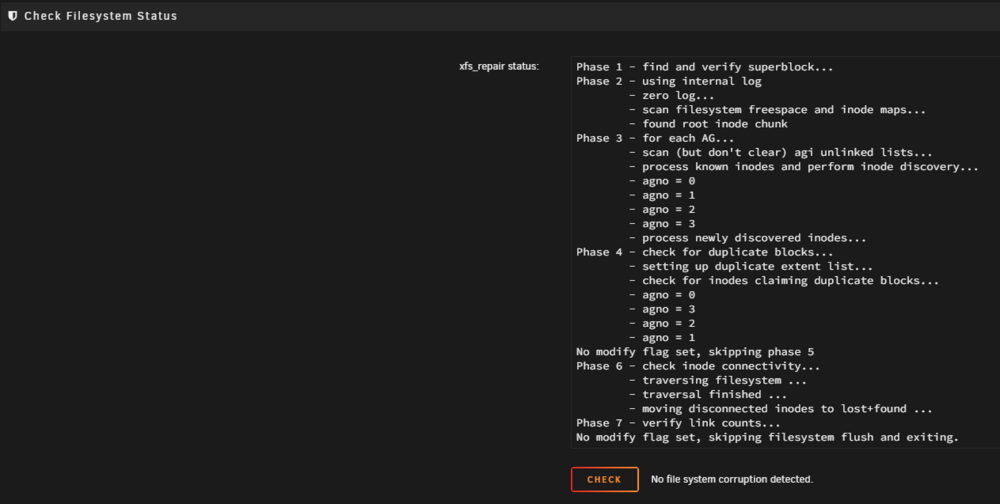
-
Okay, now I'm here. Not sure exactly what this is this is telling me. Can I just mount, somehow run the log, then unmount using Unassigned devices or do I need to stop the array, re-add disk1, run the log, then remove again?
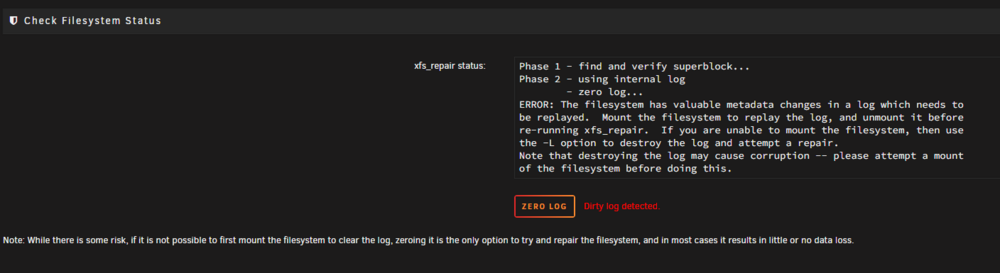

-
Do I press the FIX button?
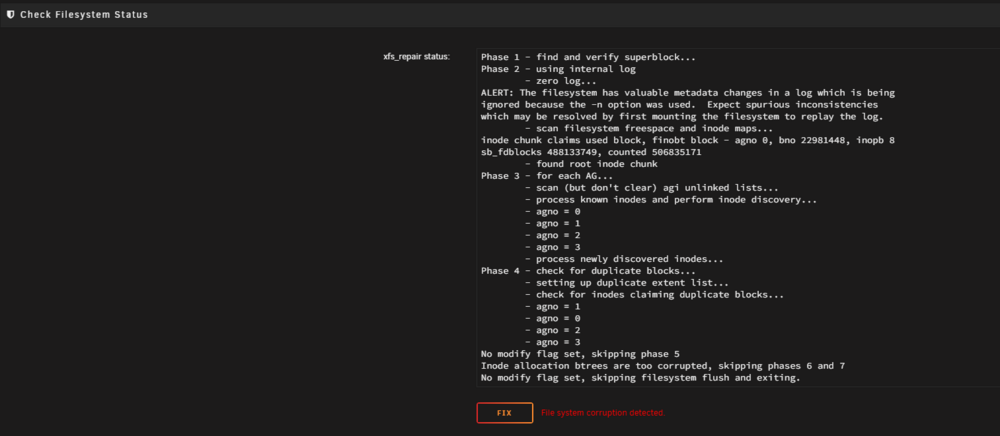
-
Okay, I have followed instructions, original parity disk returned and errored disk shows unassigned. It shows parity is valid. Here is my new diagnostics. unraid-diagnostics-20250210-1610.zip
-
I don't have a replacement disk for disk 1 yet, the only "extra" disc I have is the original 14tb parity. It sounds like, following your instructions, I could return the original parity drive to the parity slot, check the two boxes, use the new parity drive as the drive 1 replacement. Am I understanding that correctly? Then I stop the array, unassign disk1 and restart the array in normal mode? Won't it then give me an error disk1 is missing? Thanks for the help.
-
unraid-diagnostics-20250208-1007.zip My largest array drive is 8tb an my parity drive was 14tb. I was swapping the 14tb drive with an 8tb drive as I had lots of wasted space and planned to use the 14tb as a USB backup. Also, as I have space on other drives, is another option to move the data from the errored drive to another healthy drive on the array? Update: Parity - sync completed - 98 errors - One disk has SMART error
-
I'm on 7.0.0 and did a parity drive swap. Before the swap I had a zero error parity check and all drives healthy. Now, as the parity-sync started, I have an array drive showing read errors. Can I stop the parity sync and revert back to my original parity drive? Then I could replace the array drive. Do I just let it run?
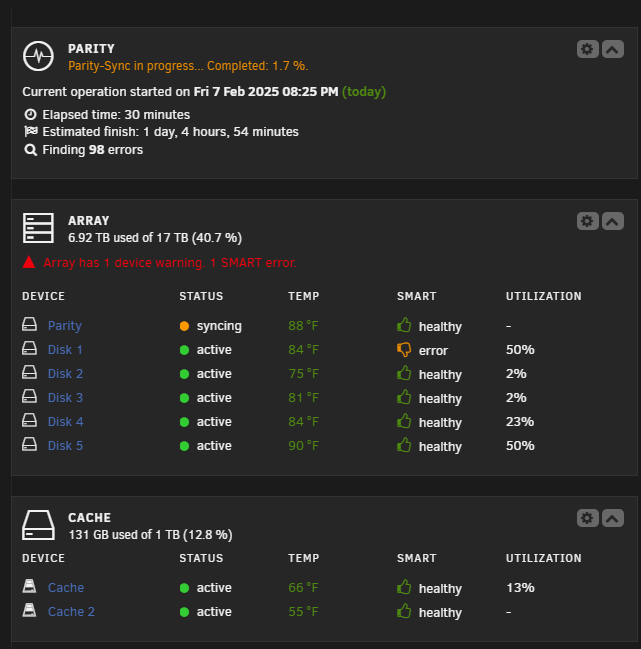
-
-
Something that kept me from seeing my SMB folder was that I had not set the Export option to Yes in the SMB security settings. You might try that.
-
I'm running 7.0.0 and I'm attempting to backup data from my Qnap NAS to my new Unraid server. They are on the same network, so the most obvious two options to my noob brain in the Qnap backup sync tool are Rsync and SMB. Thinking that Rsync would be faster I tried that first, but it only connects using root, not the user I created. I then tried the SMB sync and it connected using the user I created just fine. Should I just move forward with the SMB sync now that I have it connected fine? Am I missing out on performance benefits the rsync might have and if so, any idea why I can't connect using my non-root user? Also, is there a third option even better than these two I might be missing? Thanks in advance
-
Yes, the 1gbe's are non-removable so maybe you are right that they were ignored. Also, I hadn't thought of dedicating a NIC for a VM but makes total sense. As for pfsense, maybe that's a future project I can learn about. Thanks.
-
Thanks Faceman, that's exactly what I was going to do. Use the 14TB as the parity drive creating a 9TB array with the others. I will look into picking up another 1TB SSD to provide parity to the cache. Probably find something cheap for black friday.
-
Please forgive me as I'm posting here after not seeing a networking thread, I hope I'm in the right spot. I purchased an old 8 bay Qnap device for my first Unraid experience. This device, a TVS-871, was originally built with (4) 1Gbe NICs but after receiving the unit I see the previous owner populated both expansion slots with dual 10Gbe cards for a grand total of 8 NICs (4 are 1G and 4 are 10G). I can't figure out why, seems like massive overkill to a noob that has everything on 1Gbe. My initial thought was to remove the cards and sell them to recoup some $$ but I keep thinking I'll regret it. What can I do with them? a router maybe? I certainly don't need to future proof a device that's already old.
-
Setting up first Unraid device as a backup to my Qnap NAS. I also plan to use the Unraid device as a sandbox for VMs/Docker that I can play and learn on as I'm a noob. My question's are around setting up the array/cache so that if I screw something up in my sandbox it won't interfere with my backup. My disks are 1-14TB HDD, 2-4TB HDD, 2-500GB HDD, 1-1TB SSD. My original thought was build the array with HDDs and use SSD for cache while also limiting VMs/Docker to the cache. This works as far as I can tell but leaves my cache as the sole copy of cache data. With Unraid not striping data, can I add the 1TB SSD to the array so I gain parity and still force the VM/Docker data to the SSD and my backup data to the HDDs? If this could work, I do have a 128GB SSD laying around I could use for cache until I upgrade to something larger. I hope this makes sense.
-
Thank you
-
I have since done a shutdown and restart, and now the error is gone. Could it have been a random one off?
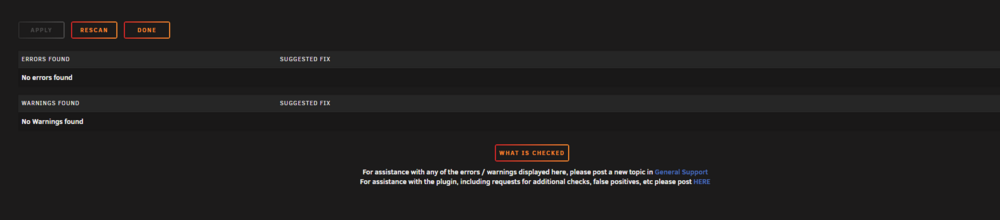
-
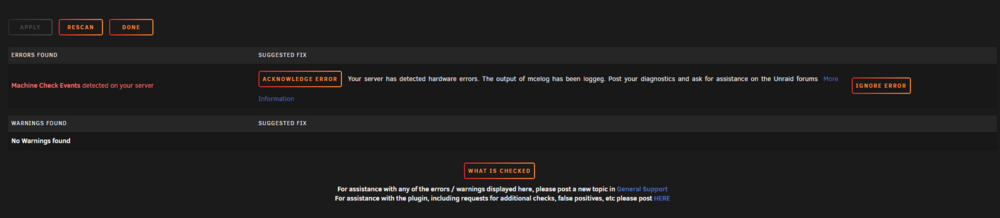
Here is a screenshot of the output in terminal and I went ahead and did the mcelog command and re-ran the diagnostics. tvs-871-diagnostics-20241108-1238.zip
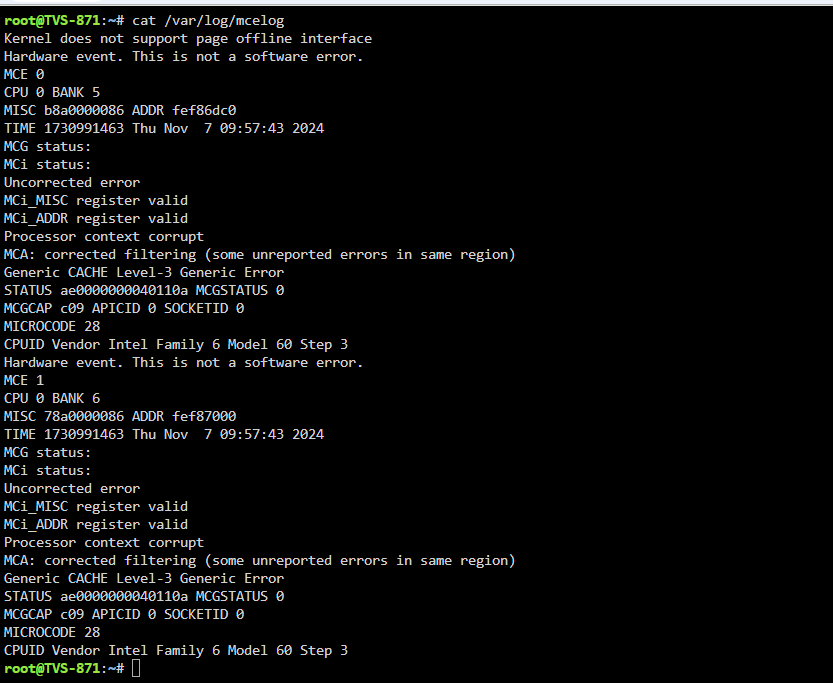
-
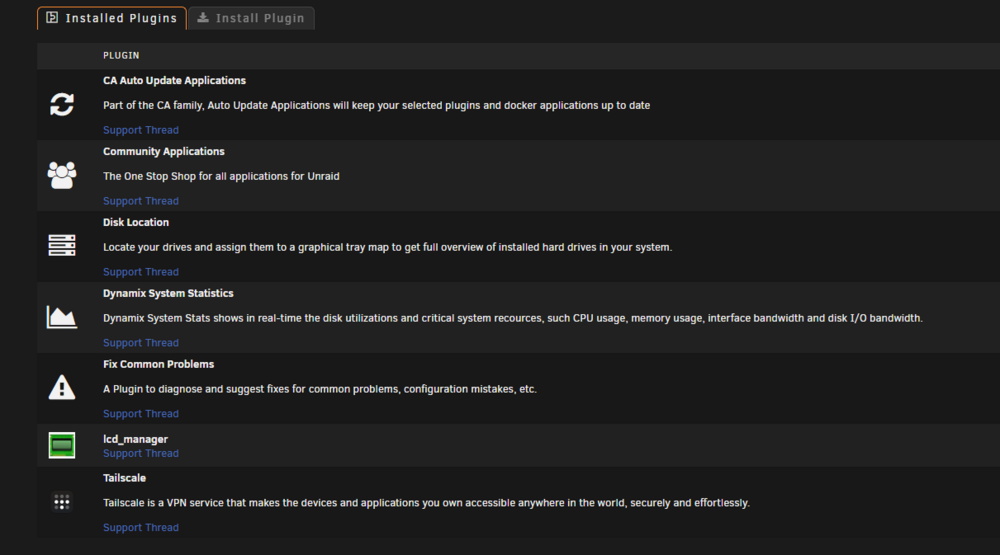
Hello, first post here. Forgive me as I am using 7.0.0beta4 but did not see an OS 7 channel. I'm a home user moving from QNAP and just setting up my TVS-871 to run unraid. I have everything set up to start adding some data, so far so good, except when running the Fix Common Problems plugin I get a hardware error. My SMART checks all show "completed without error" so I'm hoping it's not a hardware issue with the device as I purchased it used. The error message suggests I share my logs here. See the attached screenshot of the error, screenshot of my installed plugins, and the attached logs. I haven't updated my signature with the hardware but its a stock QNAP TVS-871 8 bay NAS with a Core i7-4790S processor and 16GB of RAM Any guidance you have is appreciated. As mentioned, there is no data on this machine yet, I purchased it used recently to be a backup device and unraid sandbox. tvs-871-diagnostics-20241107-1508.zip