





bernieJo
Members
-
Joined
-
Last visited
Everything posted by bernieJo
-
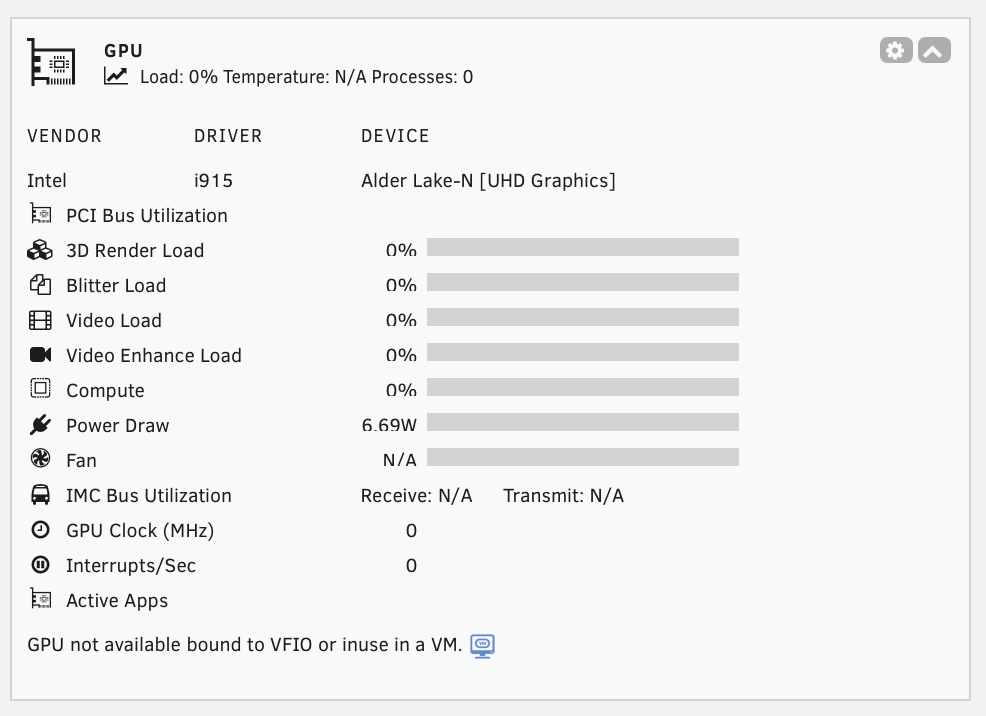
Ohhhh, I See that it is ok now, does not collapse anymore. I opened it, it collapsed and then I started a VM that is using VGPU. Now it is open and displays the use of the iGPU. Looks that before opening and using a VGPU something in the plugin was not initialized properly ??
-
Same Problem here ! I have only an Alder Lake GPU (N100) and did not explicitly bound it to VFIO, I only use the it in a vm as virtual Graphic Card, as introduced with Unraid 7.1. With the "Pre-Release" test received from Simon all worked well. It's the same behavior whether the vm is activ or not. What changed ?? Still same Problem. If others don't see that, did I misconfigure something ?
-
root@UnRaidServer:~# cat /tmp/gpujson > gpujson.txt gpujson.txt
-
Same Problem here ! I have only an Alder Lake GPU (N100) and did not explicitly bound it to VFIO, I only use the it in a vm as virtual Graphic Card, as introduced with Unraid 7.1. With the "Pre-Release" test received from Simon all worked well. It's the same behavior whether the vm is activ or not. What changed ??
-
Thanks for the update ! 😊

-
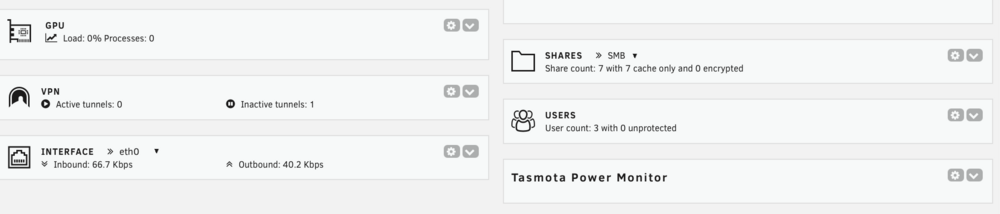
Hi, I would very much welcome a minimal change, so that when minimize the widget we can at least see the actual power consumption. Like it is with all other widgets.... Actually it is consuming much space in the dashboard. Thanks.
-
Ha, das war mir ein Ansporn und ich bin jetzt auch auf 12W runter im idle. Und das obwohl noch ein schlechter JMB582 Sata Adapter mit 2 Sata-SSDs drin ist. Wird noch ausgetauscht gegen einen Adapter mit ASM1166-..... 😁
-
Ja wie hast du das denn geschafft, nur mit setpci und Powertop ? Da tvheadend noch läuft gehe ich mal davon aus dass die DVB-Karte noch im Rechner steckt....
-
....and it is real big improvement in performance of the VM's GUI. Really great! I was in doubt if my new N100 board is the right base für my new NAS for having one or the other VM beside Samba and containers. Now I am convinced. So looking forward to have it in the Unraid GUI. 😁👍
-
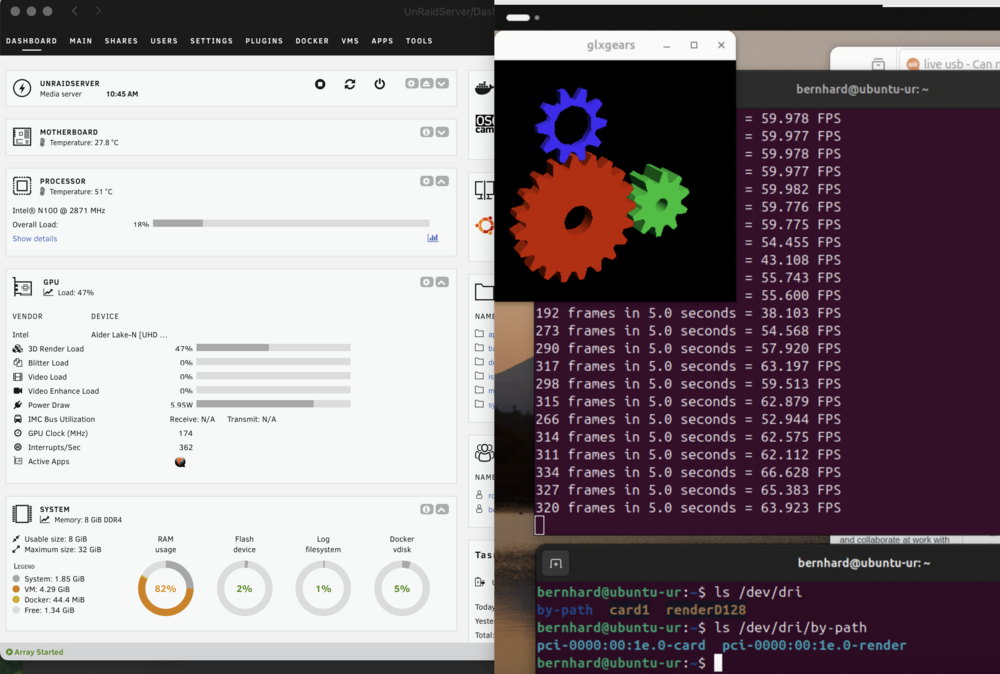
Looks better now! the solution was not only add one line in xml at video section but replace my section with the complete entry : <video> <model type='virtio' heads='1' primary='yes'> <acceleration accel3d='yes'/> </model> </video>
-
Well it looks indeed that I am still running on SW rendering, the wheels of the gl demo are spinning but just increase cpu load not gpu load. I do not see a *-render device in the vm... I have installed the 3 (ok now 2) pkg's and am just reinstalling the vm from scratch, I will add the lines in the vm xml and install Ubuntu 2404.. I will let you know.
-
Ok Thanks, did it and works perfect 😅
-
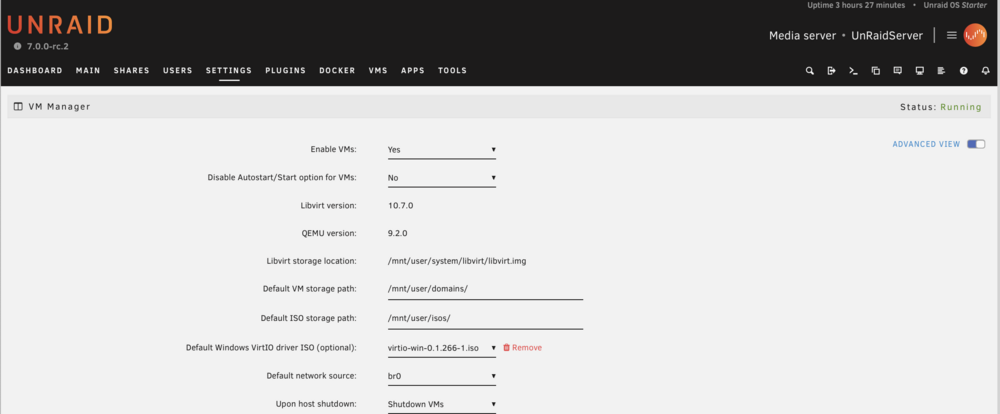
Which switch ?? The one on top only changes between form and basic view, no xml available..
-
Sorry for the question: Which and where is the XML file I need to edit? In the Settings->VM Manager page there is no option to display and edit the configuration as XML? I am highly interested in VirGL so....... (P.s. I changed my account when buying Unraid but I am the one you made happy with the LCD Manager .....😁)





