





topmoviesonlime
Members
-
Joined
-
Last visited
Everything posted by topmoviesonlime
-
Still not sure why the client is dying over night. Is there somewhere else I might be able to capture logs? Looking at top shows expected processes I believe. I might just need to have a script rotate it. top.txt
-
Now that I think about it. I'm pretty sure that's just me restarting the container. So doesn't help anyways. I posted docker run command up the chain, but can attach it again. But even still it won't help as no logs were captured when the qbit process dies. I'll have to wait again. Seems to happen over night.
-
Hey there. So with debug enabled it seems like there's a process just killing the qbit process. Also using VUE now. sup.txt
-
Client seems to die. I lose connection to all of my trackers. When I open up the webui it can't establish a connection. Looking in the logs I didn't see anything obvious. Debug mode is now enabled so will hopefully give me a better idea. I'll try out the interface you recommended.
-
cmd.txt I have a lot of torrents seeding. Over 7000. I'm having to restart the container once a day now. I've enabled debug and will wait until I have to restart it again. Was wondering if this is just a limitation and I should set-up another container?
-
I'm pretty sure I'm a dolt. The UPS has 6 battery protected outlets and 6 surge protected outlets. I had some of my array plugged into the surge protector portion only. Appreciate your time with this!
-
Is this: Something I can add to unraid or is it available on a newer version? I'll give it a try when I'm finished rebuilding the disks.
-
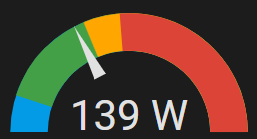
Do you have any recommendations on how to do this test? I'm not sure what I should be looking for either. I can switch the power off while under full load. But I already know that when I switch over I get write errors. Are you suggesting the UPS should be replaced?
-
So what's the solution? Do I need to switch the UPS to a different type? You mentioned line interactive. I see there are online and double conversion UPS. Would you recommend me replace this one and get an online UPS? Or is there another solution?
-
My UPS is: CyberPower 1500VA / 900 Watts True Sine Wave Uninterruptible Power Supply (UPS). I have a JBOD attached to the server also on the UPS.
-
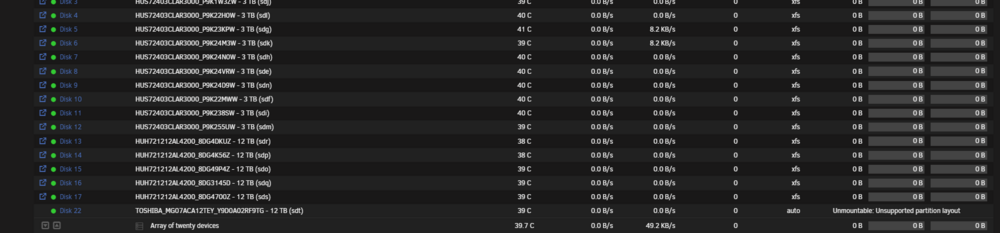
I have a UPS. My power went out for a few minutes and the UPS kicked in. Power comes back on, I check the server and now I have write errors. The server never shut off as the power came back on before it hit the shutdown threshold. I've attached the diag. I've started the data rebuild. Only 2 disks were affected. tower-diagnostics-20250316-1917.zip
-
I just went for it and looks like it'll work. Phew. Maybe I just need to not immediately add it or something.
-
I like the ability to pause the pre-clear and if I need I can restart the array while the pre-clear is happening. If you re-start while the disk is part of the array it starts all over.
-
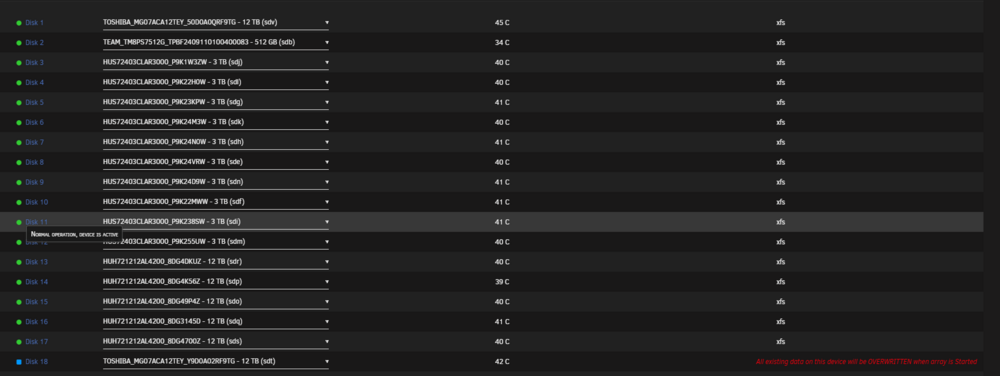
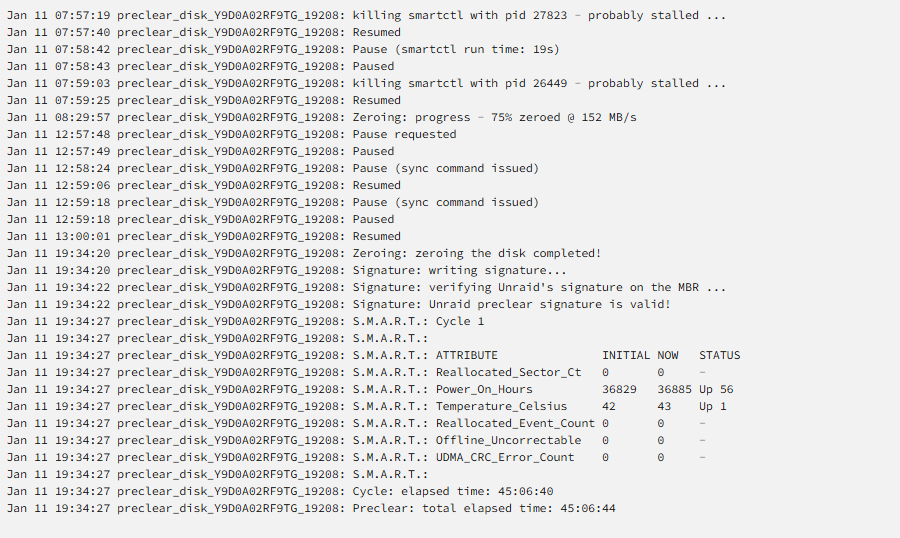
Is there any way to verify that the disk will not be re-erased? I had to re-do all of my 3 TB disks last time. Which was okay they took 4 hours. This one has been going for almost 48 hours. I guess it won't matter if the pre-clear plugin isn't working then I'd have to re-erase them again anyways...
-
tower-diagnostics-20250111-2322.zip

-
Having issues with the pre-clear plugin. I let it run and it's now finished. Signature has been written to the disk but when I add it to the array it wants to erase the disk again. I have a diagnostic file as well that I'm happy to add.


