





Fam
Members
-
Joined
-
Last visited
-
All good boss, I just turned off the server to check the card for any physical issue. After turning the server back on, everything is back to normal! Maybe the fix sometimes is to do a hard reset? Regardless, thank you for your help.
-
Hi everyone, After upgrading to 7.3.0, my Arc 310 is no longer working for Jellyfin transcoding, nor is it detected by intel_gpu_top command. I can still see the card and render node in /dev/dri, as well as the AMD 5600G iGPU. dmesg showed this line "[drm] ERROR GT0: Failed to reset GuC, ret = -110" so I tried to change /boot/syslinux.cfg- with append initrd=/bzroot i915.enable_guc=3 (tried value 0,1,2,3), per an old article on this forum, but it didn't seem to work. The only other recent changes to my configs that I can think of: Adding a NanoKVM to the Arc310 HDMI port, however, this has been stable since 7.2.4, without any effect on the card Migrate Unraid boot USB to internal boot with TPM license. Not sure how this can affect the GPU but I might as well list it Let me know if you need additional info to diagnose. gp-unraid-diagnostics-20260513-0935.zip
-
My stacks are not showing up either, Unraid version 7.2.4, Compose Manager Plus version 2026.03.28.

-
Thank you for your help, at least now I know the network upgrade was a success, and I have more room for an all SSD Unraid box in the future, if I ever save up that much cash and/or SSDs become cheap.
-
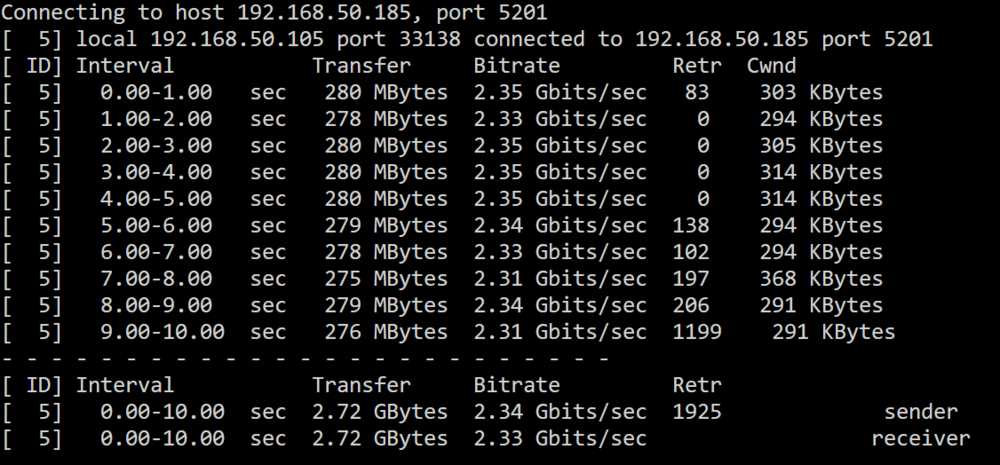
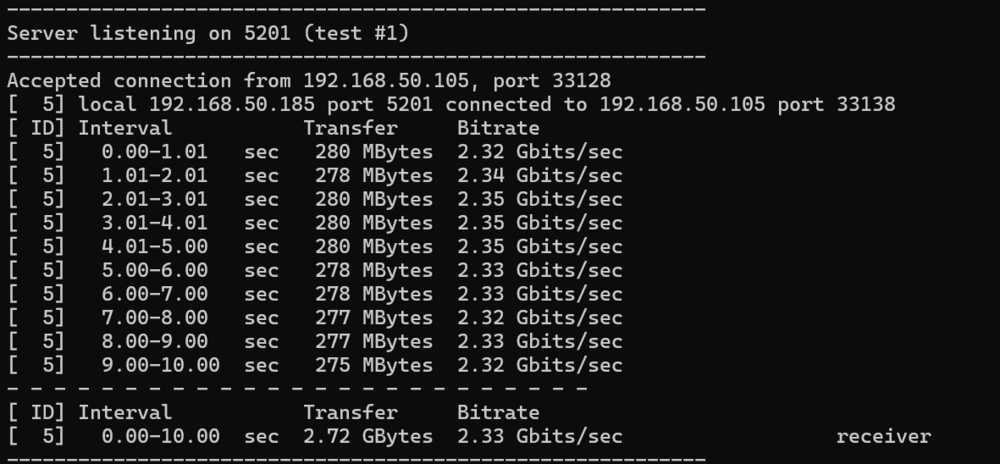
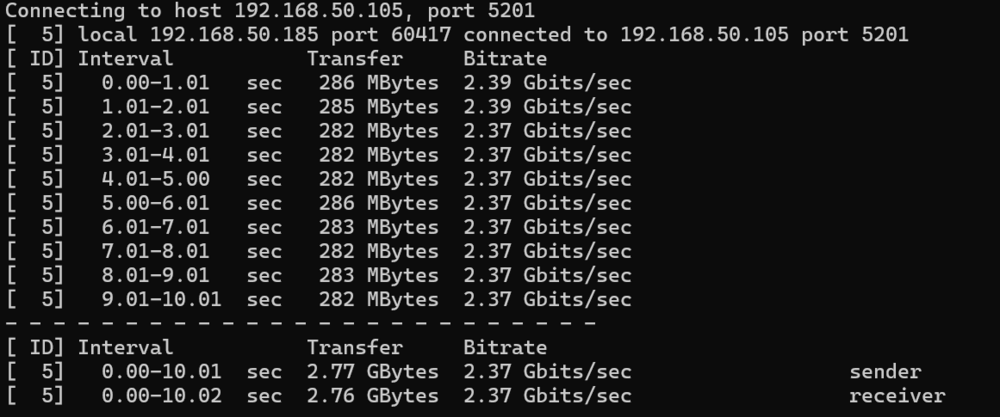
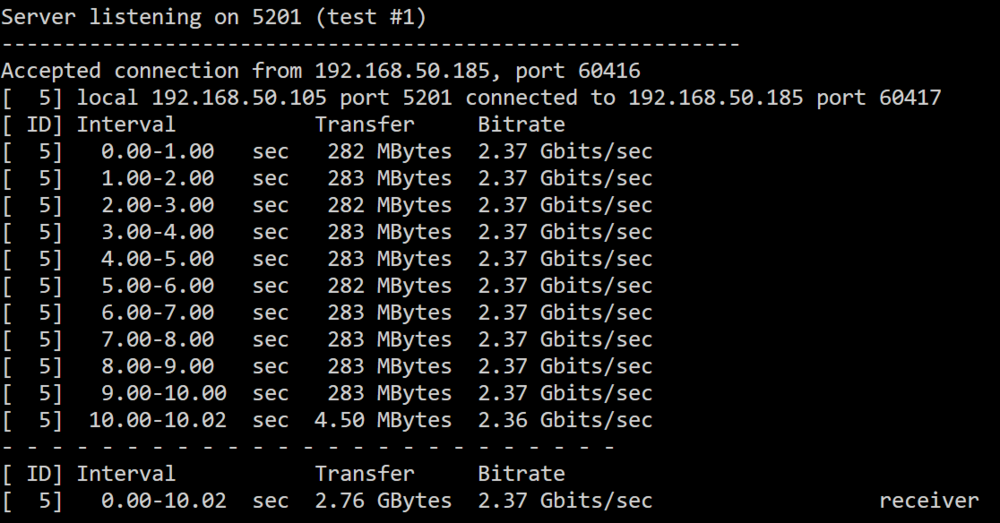
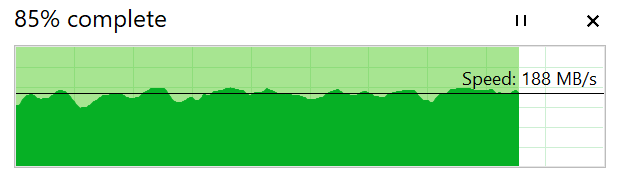
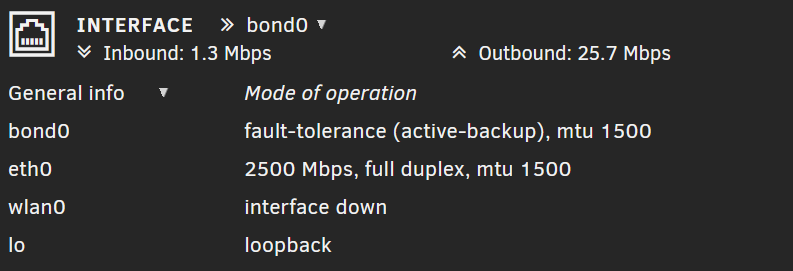
From Unraid to Windows: From Windows to Unraid: Looks pretty close to 2.5Gbps, so I guess the connection was not the issue. Thanks Tom3 for the suggestion, my Unraid server has Seagate Ironwolf SATA HDD 7200rpm, the Windows 11 PC has all Crucial P3 SSDs, do you reckon this might be due to the reading speed of the HDDs?
-
Hi everyone. Recently I purchased a TP-Link UE302C USB Type-C to 2.5 Adapter to upgrade my Unraid box, which is still stuck with 1Gb NIC. My network setup is as followed: Client: Windows 11 PC, Intel I225-V 2.5Gb Lan Switch: Ubiquiti Flex Mini 2.5Gb Router: ASUS RT-AX82U All connected via Cat6 cables, no more than 30 metres. The TP-Link adapter was recognised by Unraid after I installed the Realtek driver plugin I attempted a file transfer, just a 10GB file and that was the speed. It was much better than what I used to have around 70-90MB/s, but not near 2.5Gbps level. Is there anyway I can identify the bottleneck? Thank you in advance for your advice.
-
Hi everyone. I followed SpaceInvader One's video to the letter and managed to get to the step when all the Nextcloud containers are running. However, when I clicked on the "open your Nextcloud" button, it opened a new tab with my Tailscale domain and the screen was blank. Did anyone else fare a bit better? Please point me to the right direction, happy to provide further information if needed.


