RobertCajun
Members
-
Joined
-
Last visited
-
I'm aware, for some reason i thought 11notes was in this thread. Apologies.
-
I know its the holidays and everyone is busy, but the Network Application has an update to 10.0.162 https://community.ui.com/releases/UniFi-Network-Application-10-0-162/2efd581a-3a55-4c36-80bf-1267dbfc2aee (This is not a "WHERE IS MY UPDATE" post)
-
Delete the /media and just have all the structures under the /data link and do the same with your downloaders https://trash-guides.info/File-and-Folder-Structure/
-
9.3.43 Dropped https://community.ui.com/releases/UniFi-Network-Application-9-3-43/498d71da-c9e9-47d7-8d15-a6d1472239e1 ninja edit: this isn't me demanding an update, just alerting to the update
-
So I shouldn't be running the adguard home image I got working? lol
-
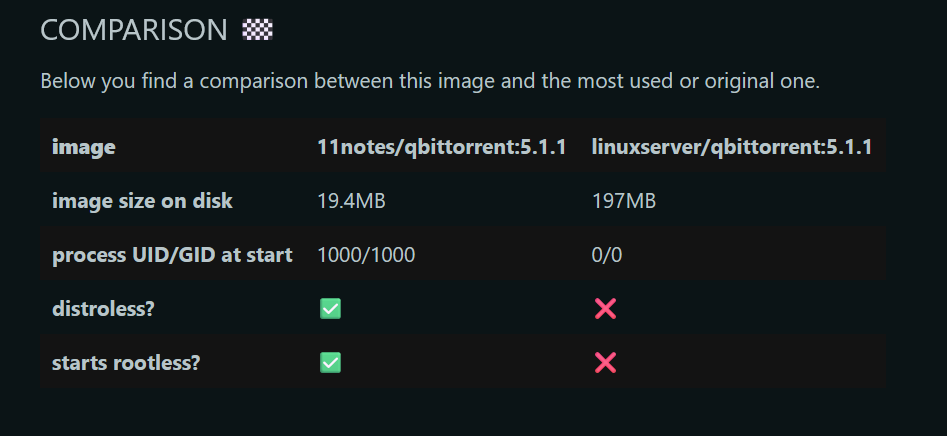
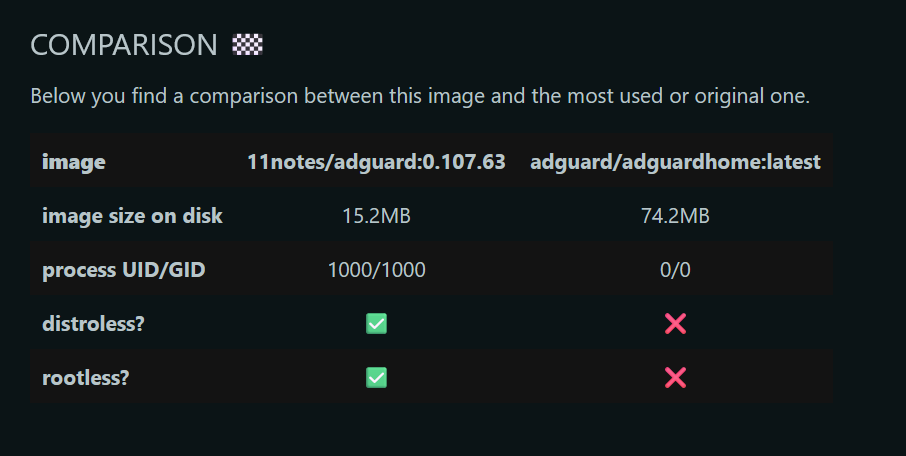
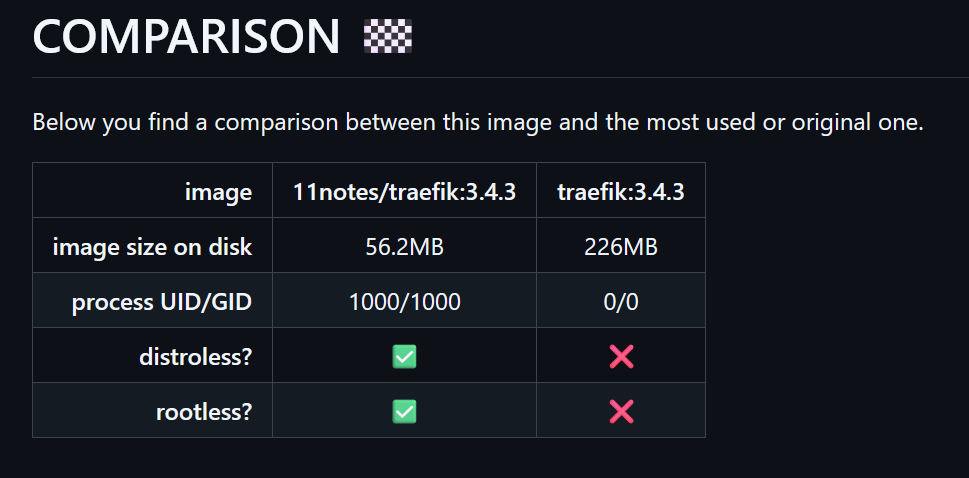
@PeteAsking Kinda OT but 11notes has been creating quite a few rootless,distroless images. Would you be willing to bring them over to the Unraid Community Apps as you are already doing this one? as per his reddit/github:
-
Its always recommended to backup before any update. If the config isn't that important then you can wing it and just start from scratch if you loose anything but if you don't feel like doing that, make a backup.
-
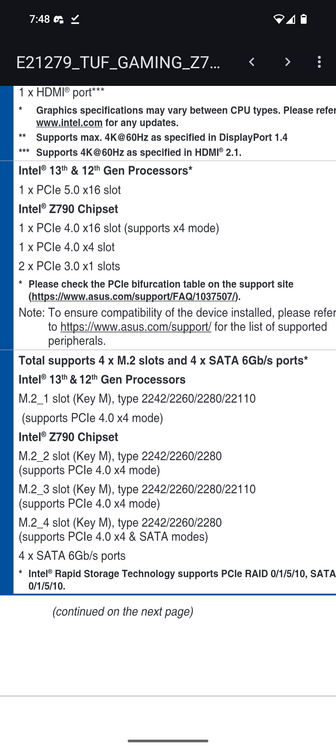
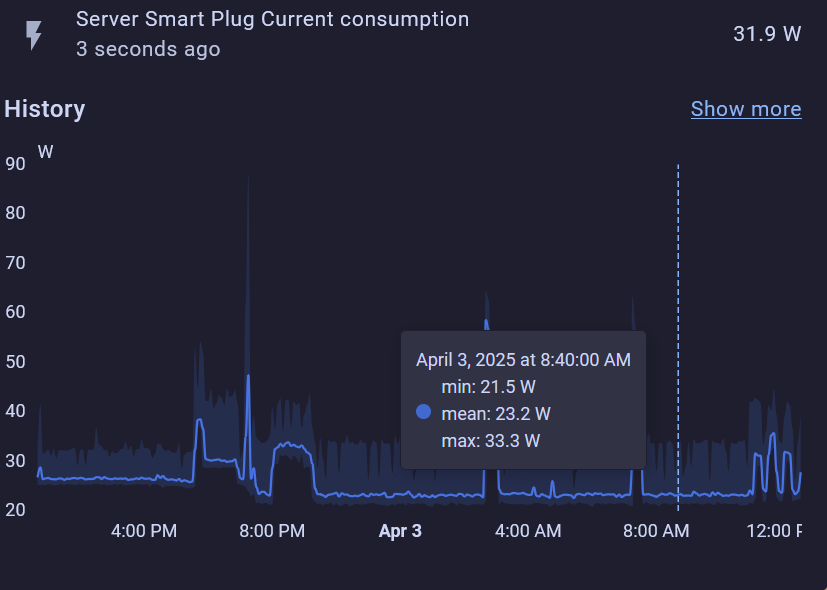
Moved the SSD to the 2nd M2 slot and ran powertop --auto-tune and was able to let it idle around 23w all night
-
Yes it does have 2.5G, how can I check for interrupts? I believe its in Slot 1 so it would be CPU, would chipset be more power efficient?
-
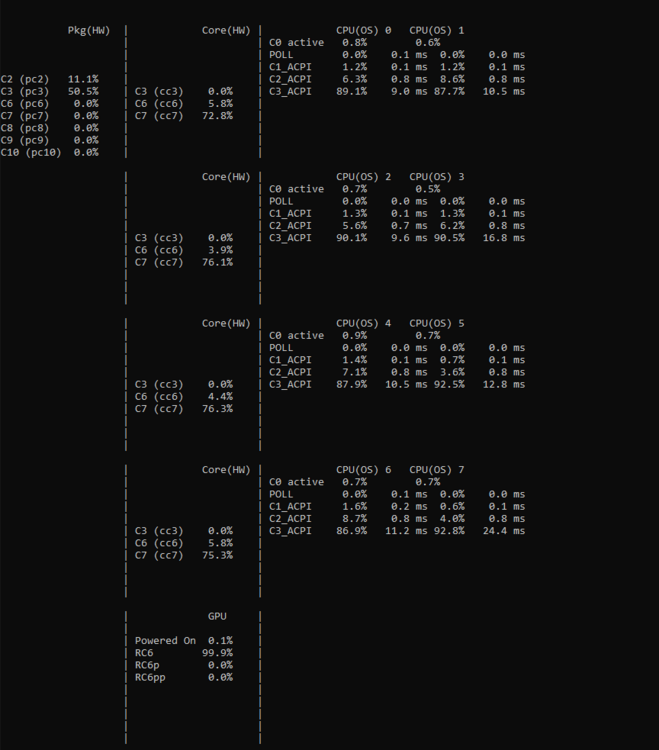
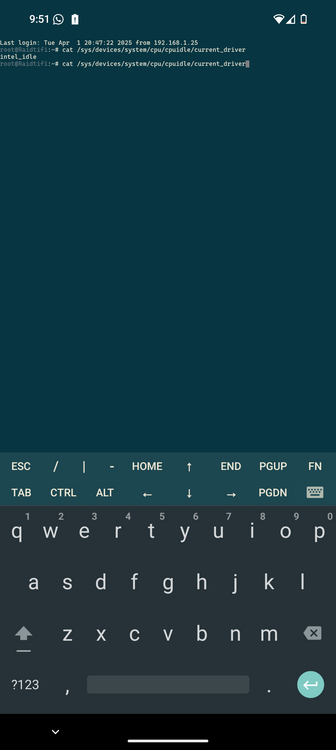
Looks like there is Intel_idle at that location. The cores are idling quite a bit yes, but I feel like the system should be drawing less than 30w with 1x nvme ssd and 3 hdds spundown, evga 80+ gold PSU.
-
Running 7.1.0-beta2 on an i3-14100 on an Asus TUF GAMING Z790-PLUS WIFI (latest bios) and this is my powertop from talking to chatgpt to do some diagnostics, it looks like the kernel doesnt have the intel_idle module to help with this.