





skrippi
Members
-
Joined
-
Last visited
-
Edit: I also did this but still not working properly: https://forums.unraid.net/topic/117632-unraid-as-wireguard-client/#findComment-1580464
-
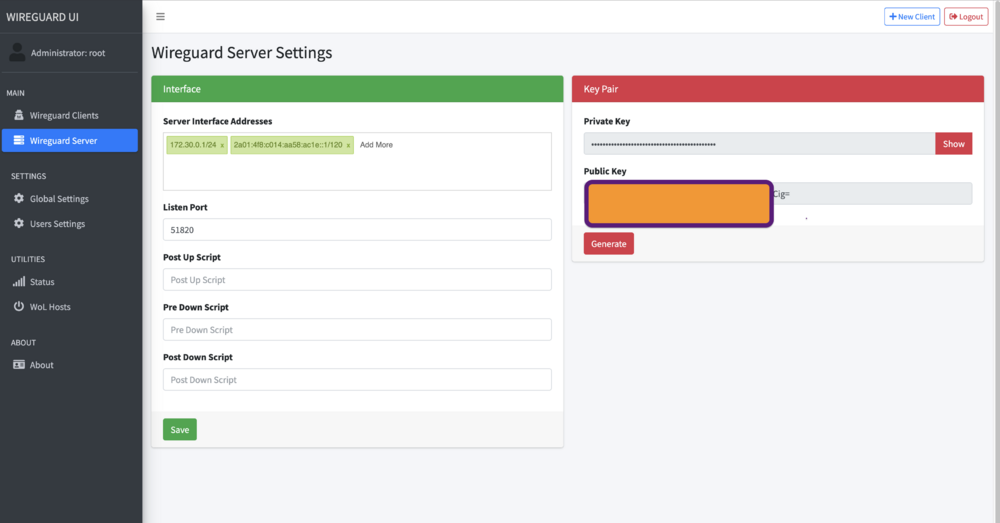
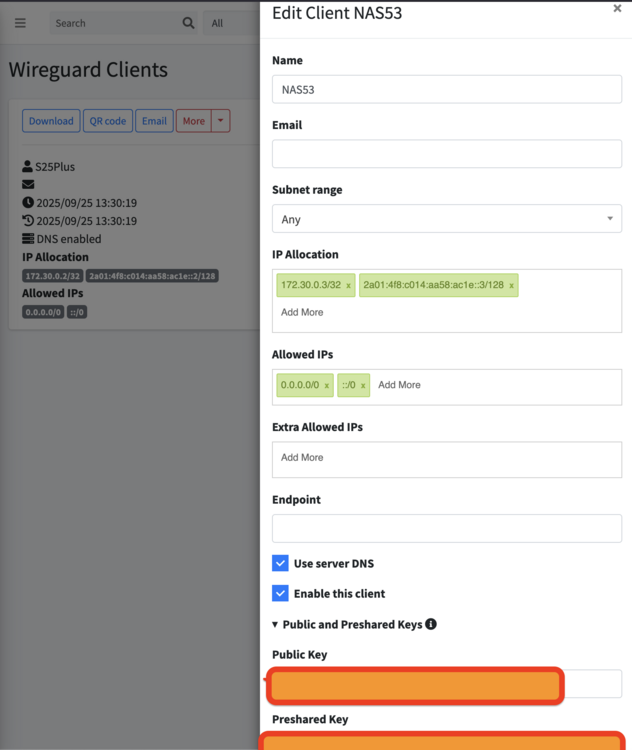
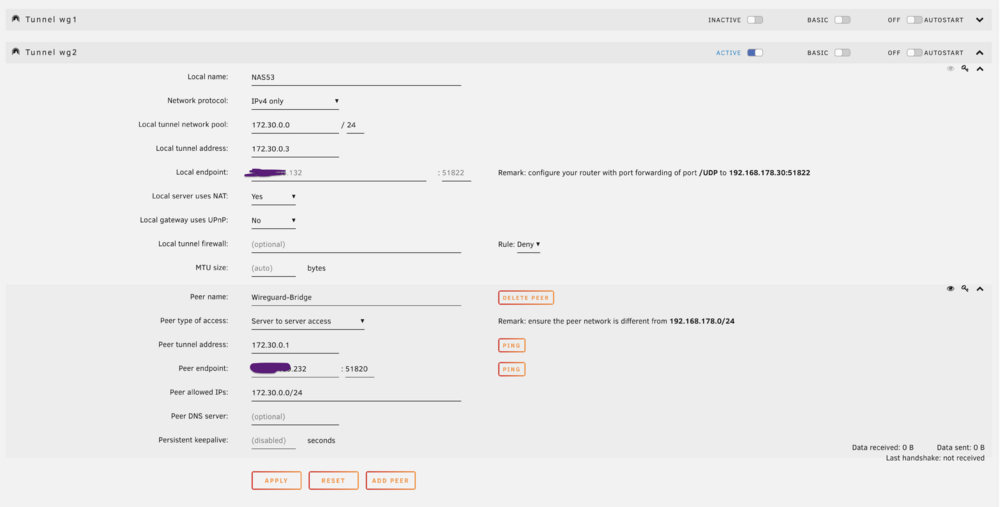
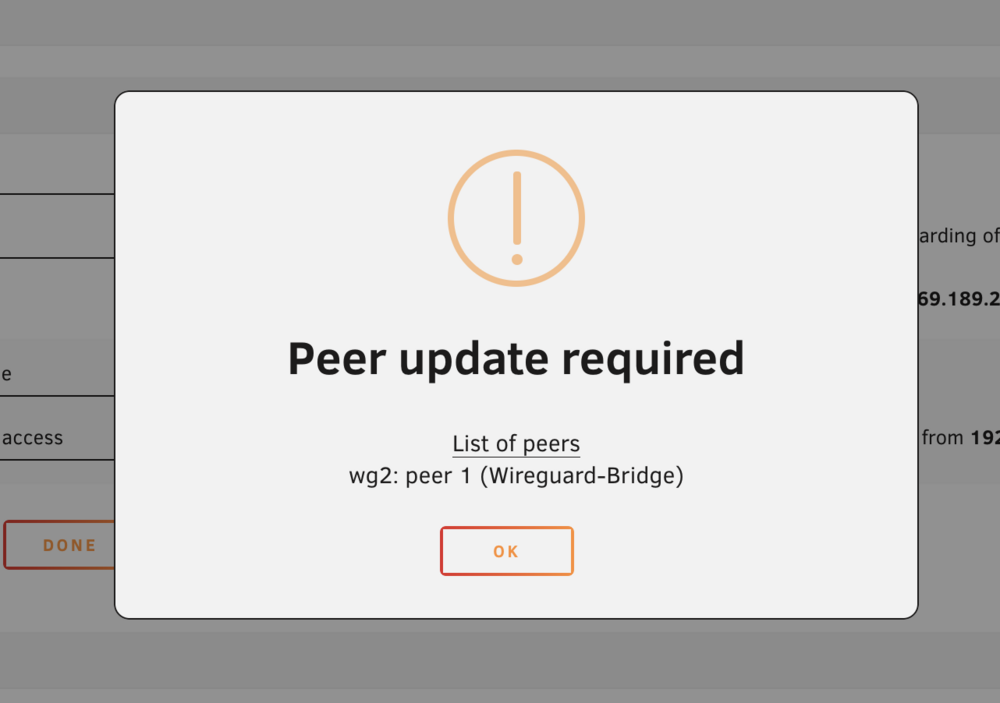
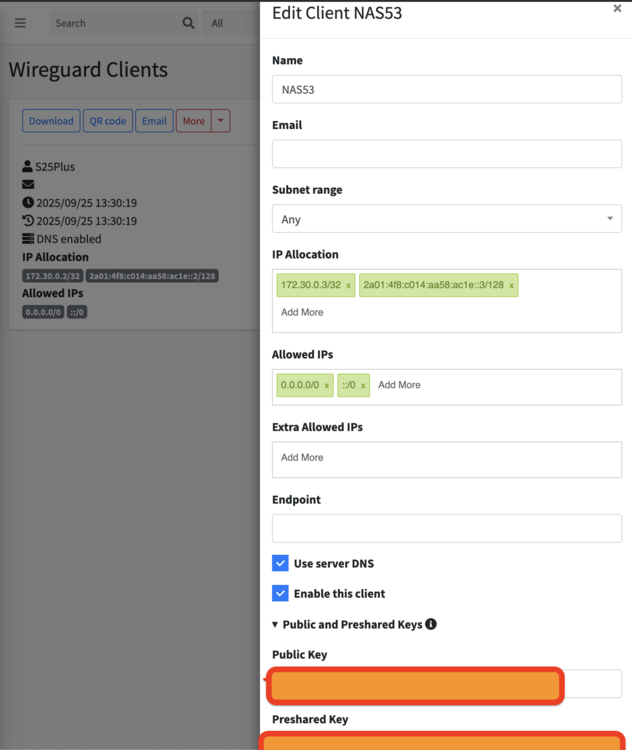
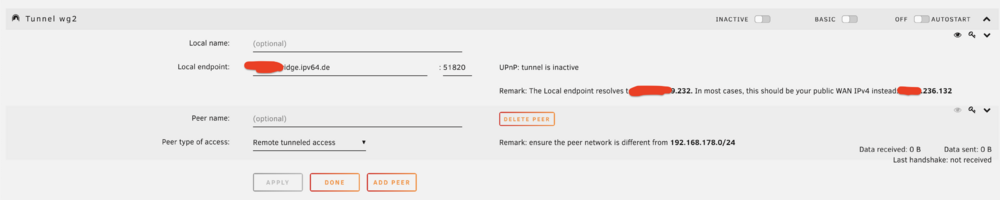
This must be the closest to my acutal problem! So this is my wireguard-vps config: And this is my unraid Wireguard Config looks like on unraid: But it does not work. When I save it I just get a popup saying "a peer needs to be updated". How can I solve this? Are all my IPs set correctly?
-
I have set up a VPS that runs wireguard. Now I added my phone as a client and I can connect perfectly to the Wireguard on the VPS. But how do I connect my unraid NAS to that? I get completely confused with all those IPs and options. So first I create a new client inside the Wireguard VPS for the NAS. Then I head over to unraid -> VPN Manager -> Add Tunnel. But what now? There are so many options... I tried this: XXXX-bridge.ipv64.de -> points to the ipv4 adress of the wireguard vps 51820 -> port that is set in wireguard on the vps Peer is the one from the upper picture. But handshake is not working. What am I doing wrong? The remark info confuses me too. It says that the endpoint should normally point to my home IPv4 adress and not to the VPS-ipv4-adress. But isn't that exactly what I want?
-
Do I even need NGINX proxy manager to access my dockers from the public internet if I already use cloudflare tunnels? Is it safe enough to just use cloudflare tunnels?
-
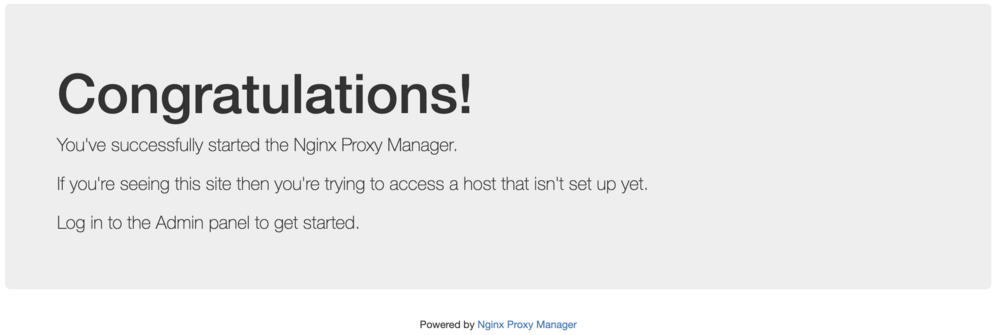
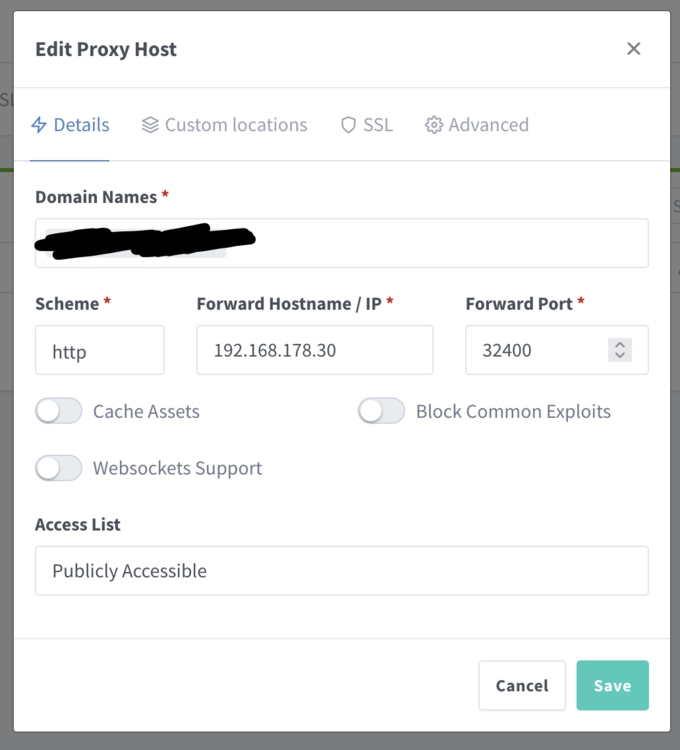
Ich habe folgendes Video benutzt um mittels Cloudflare und NGINX von außen auf mein NAS zuzugreifen: Leider klappt es irgendwie nicht so ganz. Wenn ich bei Cloudflare Tunnel die IP:Port von zB meinem Plex Docker angebe, dann funktioniert es wunderbar. zB.: http://192.168.178.30:32400 Wenn ich jedoch bei Cloudflare IP:Port von NGINX angebe, dann kommt immer Bad Gateway. zB: http://192.168.178.2:80 Die IP Adressen stimmen soweit. Öffen ich die http://192.168.178.2:80 für nginx kommt die Meldung: Innerhalb vom Nginx habe ich dann mal versucht den Plex Media Server zu verlinken (ohne SSL): Immer Bad Gateway. Wieso? Bin für jede Hilfe und weitere Security-Tipps sehr dankbar!
-
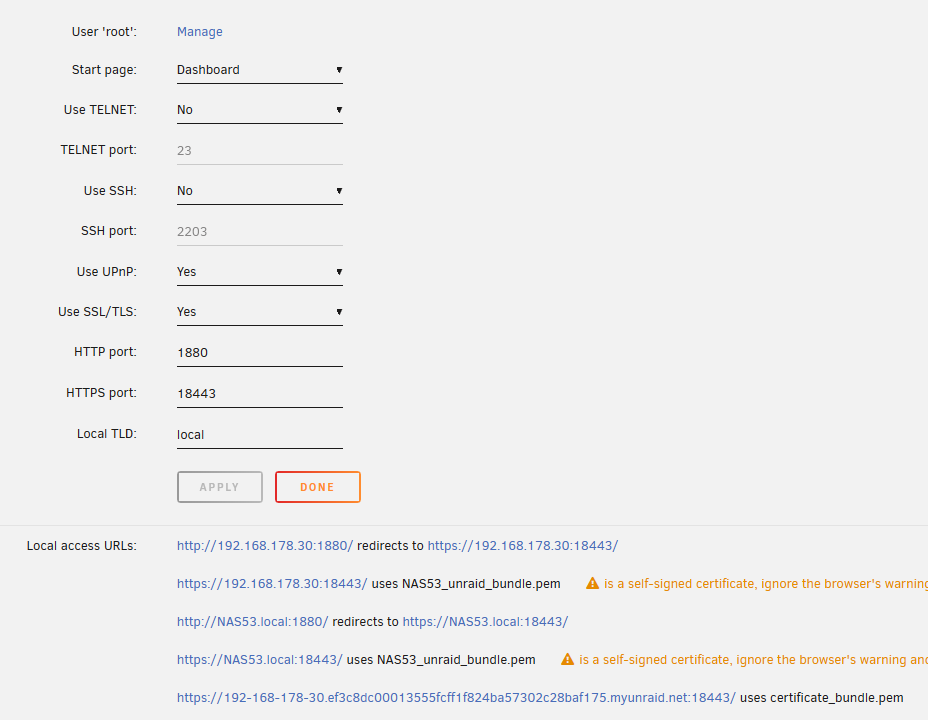
Ok absolut bescheuert: Ich habe ein Tutorial befolgt und in diesem hieß es man soll in unraid ssl aktivieren und bei https den port 18443 eintragen. Danach sollte man nginx installieren. Anscheinend hat unraid nun selbst dadurch den port 18443 belegt. Absolut beschissenes Tutorial. Da wäre ich nie drauf gekommen, weil ich dachte das man es genau so tun soll.
-
Ja sorry bin noch neu im Game Das scheint wohl ein Problem mit Dockern zu sein: https://stackoverflow.com/questions/37971961/docker-error-bind-address-already-in-use Hier der Auszug aus meinem Terminal: root@NAS53:~# netstat -plnt4 Active Internet connections (only servers) Proto Recv-Q Send-Q Local Address Foreign Address State PID/Program name tcp 0 0 0.0.0.0:3702 0.0.0.0:* LISTEN 1904/wsdd2 tcp 0 0 0.0.0.0:32400 0.0.0.0:* LISTEN 88262/docker-proxy tcp 0 0 127.0.0.1:1880 0.0.0.0:* LISTEN 7139/nginx: master tcp 0 0 192.168.178.30:139 0.0.0.0:* LISTEN 1890/smbd tcp 0 0 192.168.178.30:445 0.0.0.0:* LISTEN 1890/smbd tcp 0 0 192.168.122.1:53 0.0.0.0:* LISTEN 10228/dnsmasq tcp 0 0 192.168.178.30:1880 0.0.0.0:* LISTEN 7139/nginx: master tcp 0 0 127.0.0.1:445 0.0.0.0:* LISTEN 1890/smbd tcp 0 0 127.0.0.1:139 0.0.0.0:* LISTEN 1890/smbd tcp 0 0 127.0.0.1:16509 0.0.0.0:* LISTEN 10122/libvirtd tcp 0 0 192.168.178.30:18443 0.0.0.0:* LISTEN 7139/nginx: master tcp 0 0 0.0.0.0:5355 0.0.0.0:* LISTEN 1904/wsdd2 tcp 0 0 0.0.0.0:9085 0.0.0.0:* LISTEN 98531/docker-proxy tcp 0 0 127.0.0.1:18443 0.0.0.0:* LISTEN 7139/nginx: master Ich habe den Port 18443 bis jetzt nur in den unraid settings selbst eingestellt unter "Management". Sonst eigentlich nirgends.
-
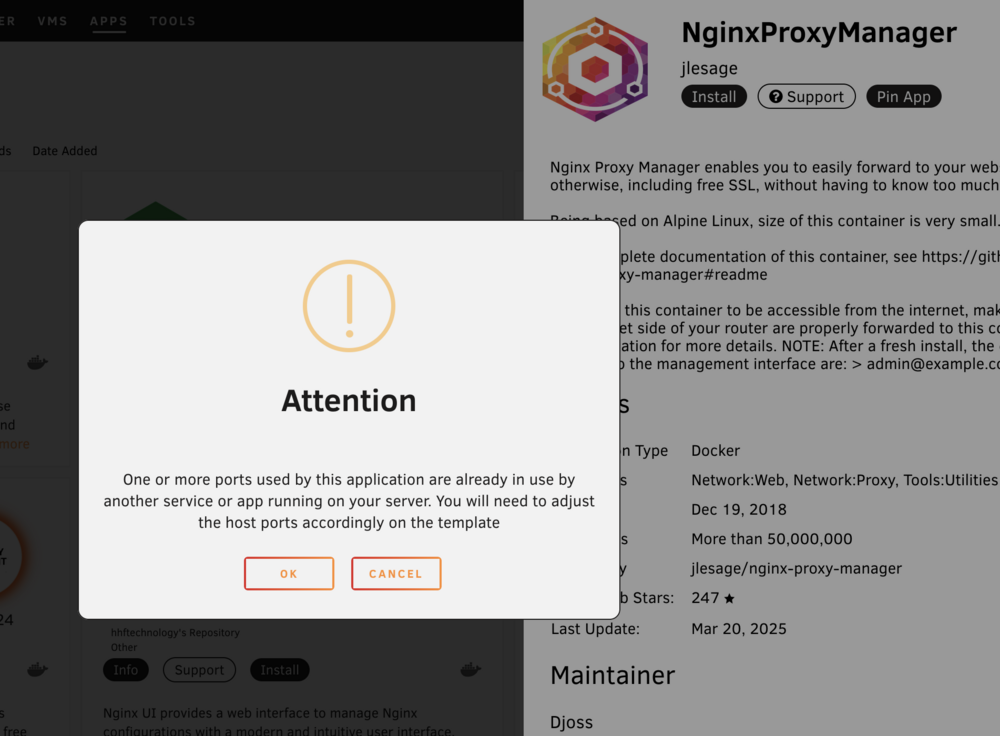
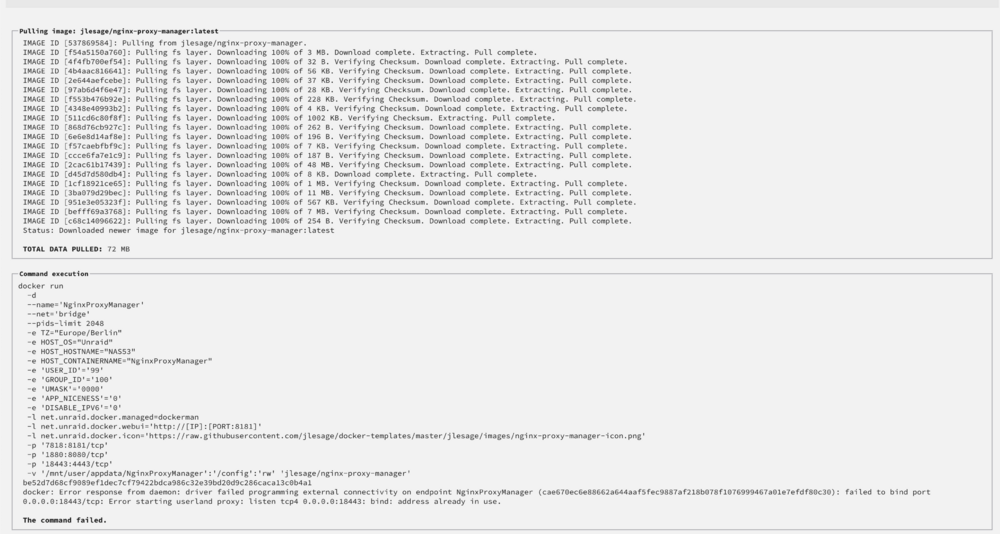
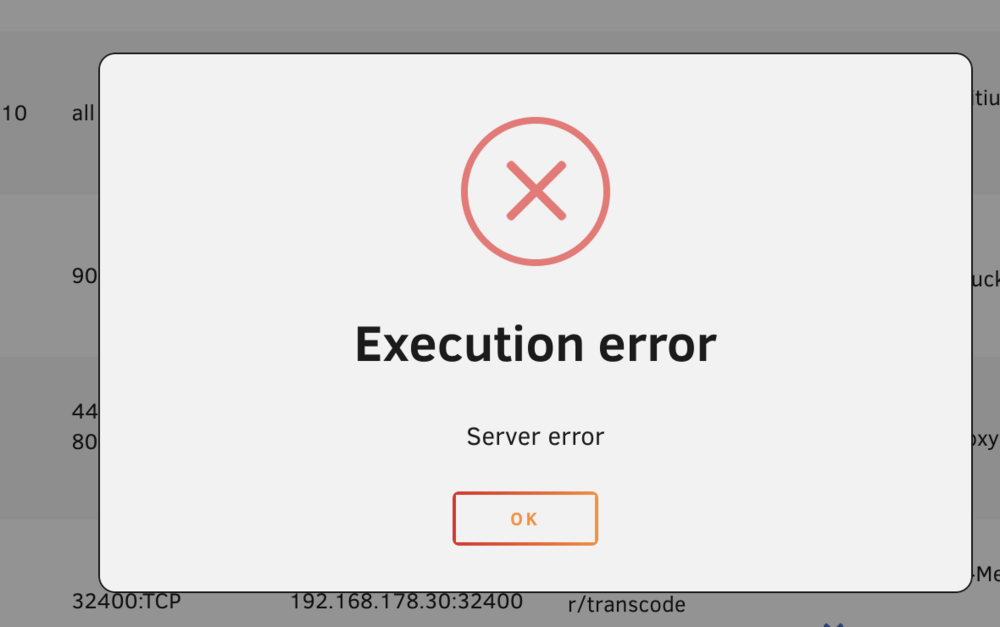
Also es gibt 3 verschiedene Fehlermeldungen. 1. Kurz vor der Installation im Addon Store: Wenn ich es dann installiere (im Bridge Modus mit Standard Einstellungen) dann kommt folgende Fehlermeldung: Und ab nun kann ich das Addon auch nicht starten, denn es kommt folgende Meldung: Und zum Schluss noch die ausgeklappen IP's:
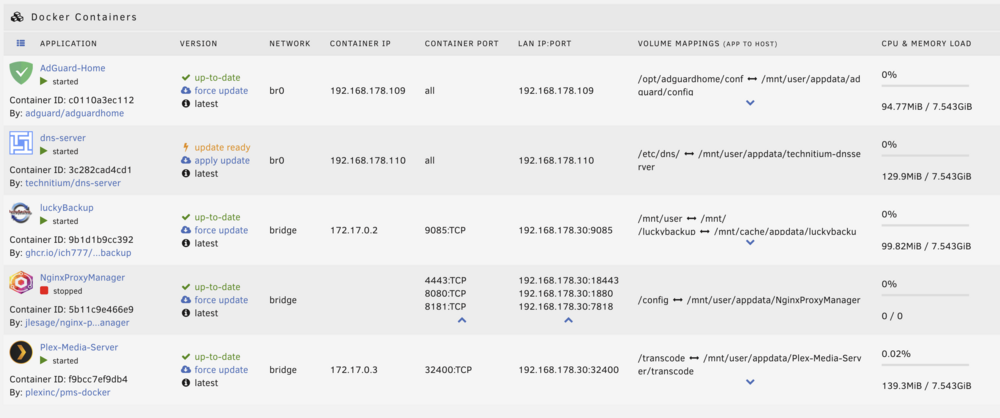
-
Ich verzweifle langsam. Ich bekomme den NGINX Proxy Manager nicht zum laufen. Das sind meine Docker und Ports: Wenn ich den Proxy Manager starte kommt immer Error. Allein schon beim installieren kommt sofort "ip bereits vergeben". Aber das stimmt nicht! Hat jemand einen Workaround?
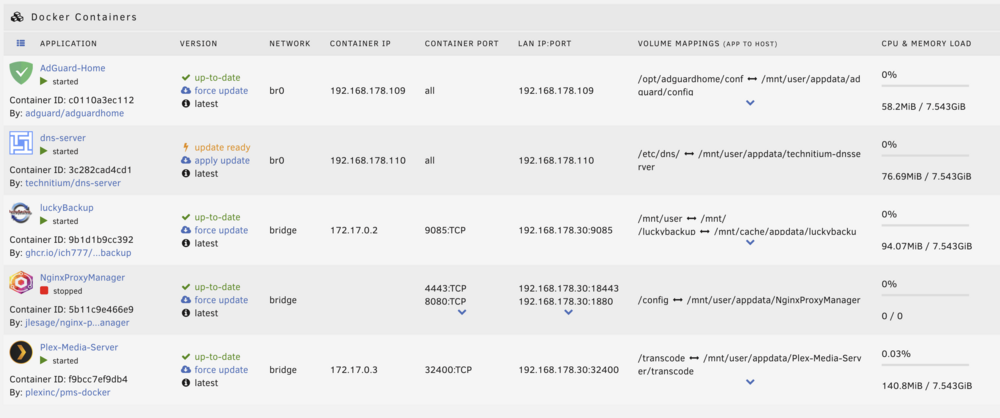
-
It always happens when I don't click anything for like 1min and then the first click needs a lot longer to load (5-10seconds). After that everything is fine again (until I let the system sit again for < 1min). nas53-diagnostics-20250327-1844.zip
-
That's it, thanks! The file system of the external drive is exFAT which doesn't support ownerships and permission. I had to go to the task inside LuckyBackup and modifify under advanced settings. Untick "preserve permissions" and "preserve ownership".
-
It's weird. Sometimes the unraid web interface is very snappy. When I click something it immediately opens up. But then every 5-10 clicks later when I click something it needs 5-10 seconds or longer. What is that about? I have never seen that happen in any YouTubers videos about unraid.
-
Yesterday I installed LuckyBackup (with root rights) and made my first backup. Today I started the backup task again and I always get this error: It's weird because yesterday it worked perfectly and also I run LuckyBackup as root. I am also very confused why there is a dot in front of the filename (there is no such file with a dot in front of the filename!). And I also dont know where the weird numbers after the filenames are "8BqjTE" are coming from. They are not in the filename. The backups goes onto an external drive which is mounted correctly.
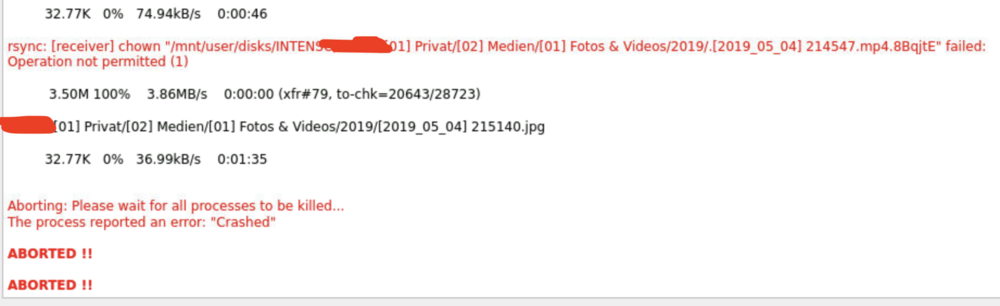
-
Thanks guys
-
But when does the ssd start putting the files to hdd? This option sounds like the files are going to stay on the hdd forever.






