






Celery
Members
-
Joined
-
Last visited
-
rc.d
-
PS C:\Users\NANA> wget --compression=auto -O /dev/null https://ca.unraid.net/assets/feed/applicationFeed.json --2025-10-14 17:46:28-- https://ca.unraid.net/assets/feed/applicationFeed.json Resolving ca.unraid.net (ca.unraid.net)... 2606:4700:20::681a:275, 2606:4700:20::ac43:45b0, 2606:4700:20::681a:375, ... Connecting to ca.unraid.net (ca.unraid.net)|2606:4700:20::681a:275|:443... connected. HTTP request sent, awaiting response... 200 OK Length: unspecified [application/json] Saving to: '/dev/null' /dev/null [ <=> ] 1.95M 1.55MB/s in 1.3s 2025-10-14 17:46:30 (1.55 MB/s) - '/dev/null' saved [20389550]You don't need to set a proxy. Both IPv4/IPv6 can be directly connect.
-
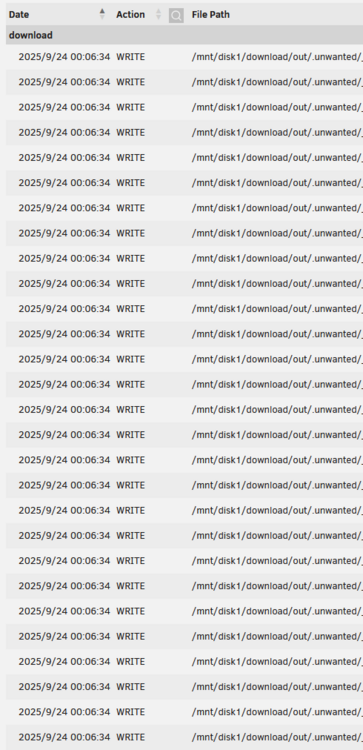
Hi, I've been using this wonderful plugin for a while. Sometimes my logs get flooded with repeated operations on the same file. Would it be possible to add an option to collapse or merge them into a single line?
-
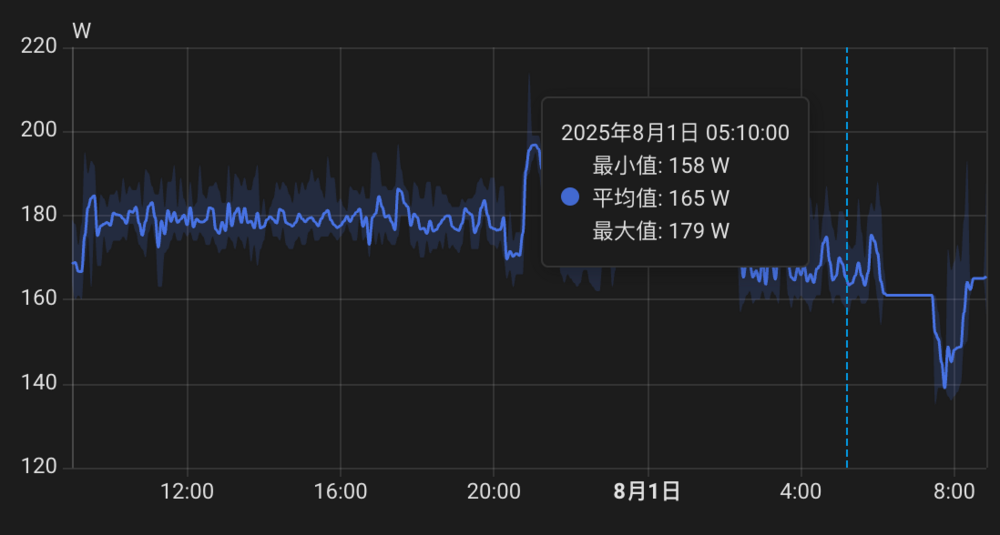
我觉得问题不大,话说你整机功耗多少,我这常年100多W
-
网络不太好,配置一下代理啥的应该会有用
-
我开了ipv6直接就能用了,为什么会无法启动呢 lscr.io/linuxserver/qbittorrent:latest host网络
-
https://ghproxy.cc/https://raw.githubusercontent.com/unraid/language-templates/master/limetech/lang-zh_CN.xml 试试这个?🤔
-
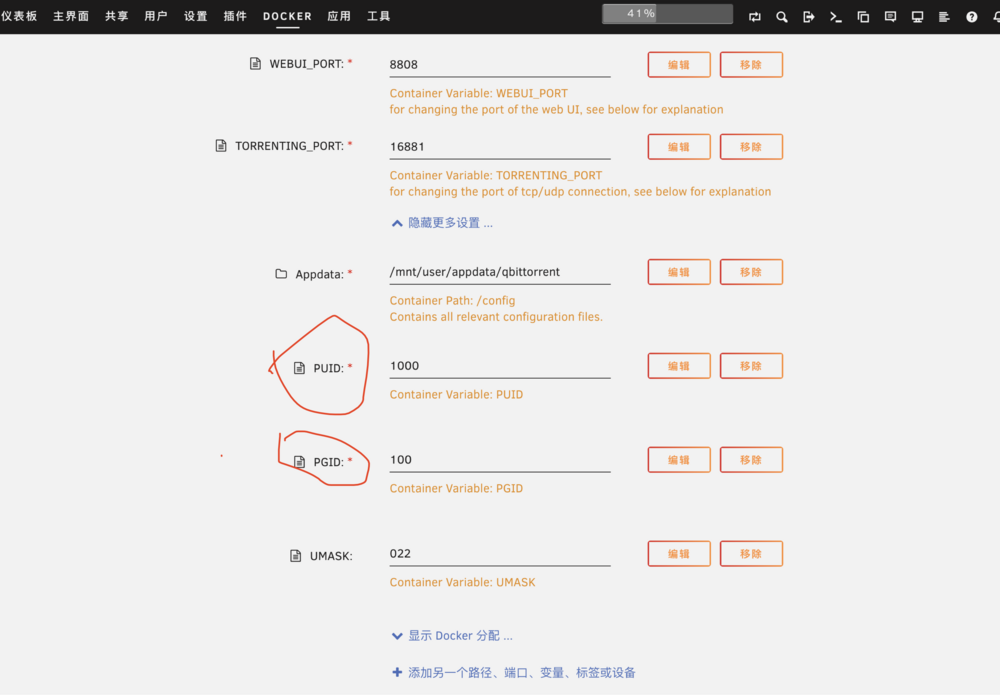
binhex的好像有这个问题,换linuxserver.io的镜像试试 改一下PUID 不过我觉得你可以使用qbt自带的功能移动下载好的文件
-
Celery changed their profile photo
-
https://techcommunity.microsoft.com/blog/filecab/accessing-a-third-party-nas-with-smb-in-windows-11-24h2-may-fail/4154300 可以参考这个


