





2.png.3ffc48fa7633e4bf87b965499bbc603d.png)
paradox.actual
Members
-
Joined
-
Last visited
Everything posted by paradox.actual
-
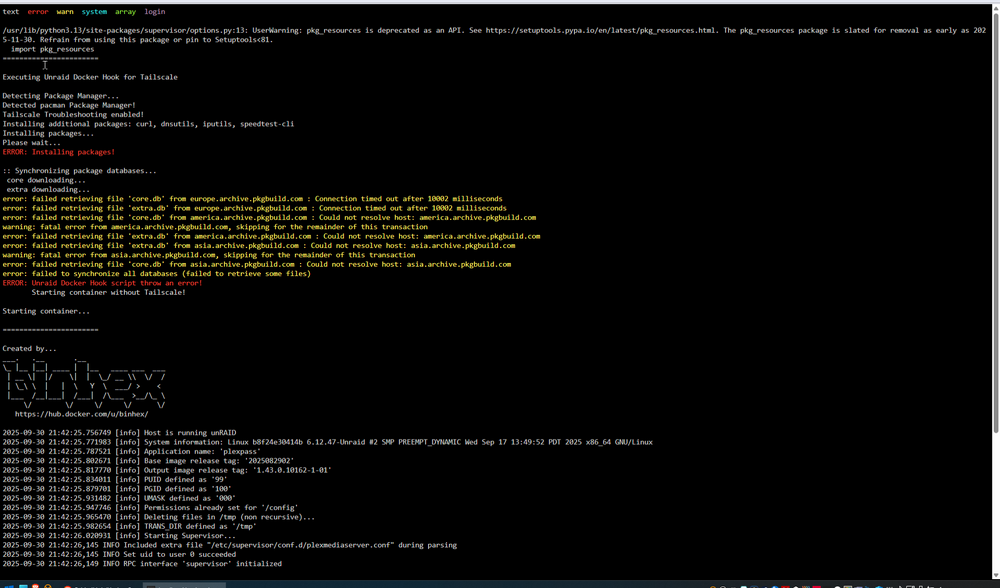
I setup tailscale and it was working, but now when I start the container it is unable to download the tailscale files. I edited the pacman file with new mirrors I found, but still doesn't work. something about pkg_resources module is deprecated as an API
 Could someone please help me directly via discord / voice chat to get my domain (atomicrhino.net on cloudflare) working and pointing to my unraid server nginx so I can do things like have a self hosted image upload thing etc? I really am struggling and could use the help. discord is sunwind.actual.I am getting; tls: failed to verify certificate: x509: certificate is valid for ee-wifi.ee.co.uk, not ghcr.io. when trying to pull docker images using EE public wifi (signed in and connected), I found this thread but given that it's years old I figured the issue should be resolved now. Any ideas guys?That did it thank you.I thought it was folder view so I removed them, these are the plugins I have: https://imgur.com/OI3c1qu (3 images at link) VMs page is also messed up I just checked by turning it on. some error in the log about plugins. You can see the error is also on this page on the top left.I'm using Brave browser, I turned off unblock and brave shield and any other extensions for unraid; I had it looking normal at one point, but I could not click any of the 'compose up' etc buttons, and when I clicked update plugin, I couldn't click the confirmation button in the dialogue box that popped up. Any ideas? Thanks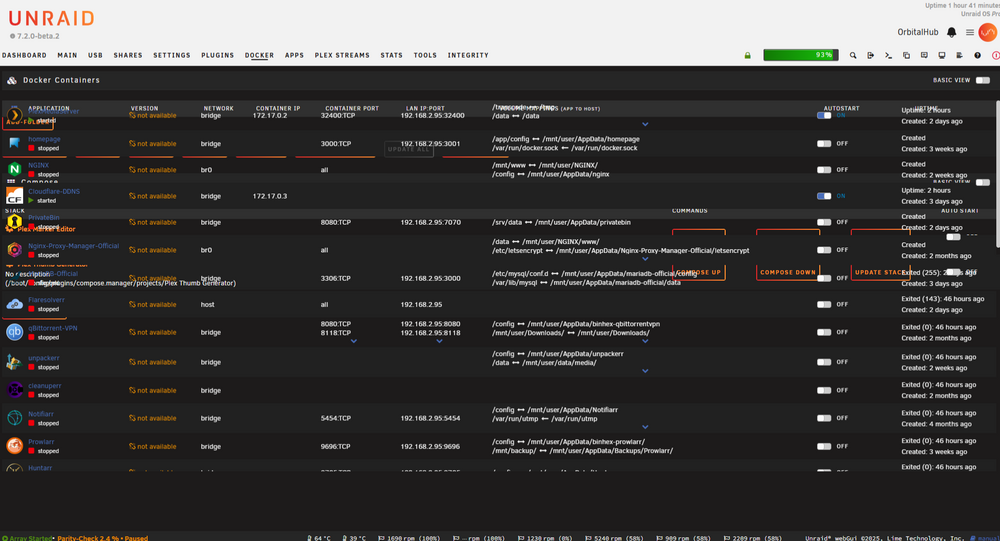
2.thumb.png.aa16664bd1ce45004deafc00c3cdaaaf.png)



