RasterEyes
Members
-
Joined
-
Last visited
Everything posted by RasterEyes
-
I disabled the cache and all the problems went away, even the disconnect problem that doesn't make sense as having anything to do with the cache. Unfortunately backing up is a lot slower without the cache, but I guess that's the best I'm going to get unless someone knows a reason for my share connections getting dropped.
-
I'll take your word for it that NFS and caching don't get along, but these failures seem to be something much more. It's not like the mover is running or even gets a chance to run before those errors pop up. I completely lose the connection to the remote arrays in a short time, needing to unmount and remount just to re-establish a connection, and as soon as I run rsync the stale file handles are pouring in by the hundreds, well before the mover has any time to act. Could it be that Dynamics Cache Directories causes a problem, caching inode values that are inconsistent? I could live with the "stale file node" handles as just so much annoying noise, because, after all, it just seems to be a warning and data does get copied anyway. The much bigger problem is how the volume completely disconnects when rsync is done, and isn't connected before I run rsync unless I do an unmount/remount cycle.
-
Yes. Not that the mover is or has to be running at the time these problems occur, but these shares do use a cache drive, so eventually the mover will be activated. I hope that doesn't mean the only solution is not being able to use a cache.
-
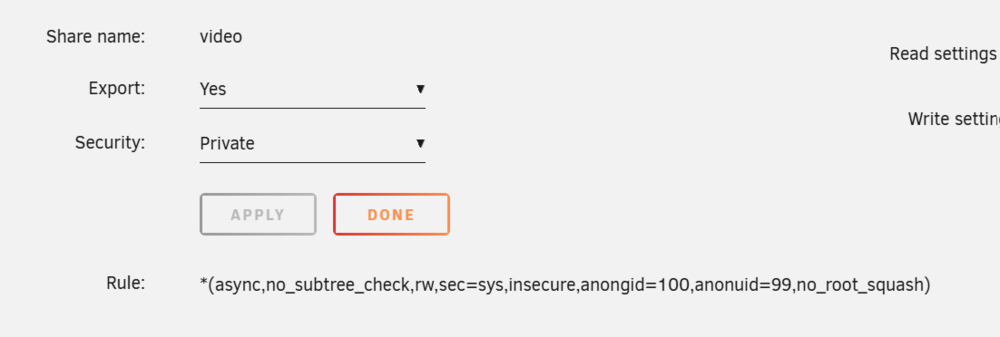
I've seen this issue come up in some older posts, but I haven't found any useful advice yet. I have two Unraid arrays, main storage and backup. The backup array exports two NFS shares, and the main array automounts these two shares. Maybe I'd have better luck with SMB shares, but I want to maintain symbolic links which aren't supported by SMB. The problem is that even though these shares are automounted, they seldom work for my rsync backup unless I unmount then remount them each time before use, then use them right away after doing so. Here's what I see before the unmount/remount: rsync: [Receiver] ERROR: cannot stat destination "/mnt/remotes/my_share_name/": Stale file handle (116) rsync error: errors selecting input/output files, dirs (code 3) at main.c(772) [Receiver=3.4.1] rsync: [sender] write error: Broken pipe (32) rsync error: error in socket IO (code 10) at io.c(849) [sender=3.4.1] Further, even when the backup is working and writing to the remote share, I get a crapload of: default_perms_for_dir: sys_acl_get_file(., ACL_TYPE_DEFAULT): Stale file handle, falling back on umask default_perms_for_dir: sys_acl_get_file(., ACL_TYPE_DEFAULT): Stale file handle, falling back on umask default_perms_for_dir: sys_acl_get_file(., ACL_TYPE_DEFAULT): Stale file handle, falling back on umask default_perms_for_dir: sys_acl_get_file(., ACL_TYPE_DEFAULT): Stale file handle, falling back on umask default_perms_for_dir: sys_acl_get_file(., ACL_TYPE_DEFAULT): Stale file handle, falling back on umask default_perms_for_dir: sys_acl_get_file(., ACL_TYPE_DEFAULT): Stale file handle, falling back on umask default_perms_for_dir: sys_acl_get_file(., ACL_TYPE_DEFAULT): Stale file handle, falling back on umask default_perms_for_dir: sys_acl_get_file(., ACL_TYPE_DEFAULT): Stale file handle, falling back on umask default_perms_for_dir: sys_acl_get_file(., ACL_TYPE_DEFAULT): Stale file handle, falling back on umask default_perms_for_dir: sys_acl_get_file(., ACL_TYPE_DEFAULT): Stale file handle, falling back on umask default_perms_for_dir: sys_acl_get_file(., ACL_TYPE_DEFAULT): Stale file handle, falling back on umask default_perms_for_dir: sys_acl_get_file(., ACL_TYPE_DEFAULT): Stale file handle, falling back on umask default_perms_for_dir: sys_acl_get_file(., ACL_TYPE_DEFAULT): Stale file handle, falling back on umask default_perms_for_dir: sys_acl_get_file(., ACL_TYPE_DEFAULT): Stale file handle, falling back on umask default_perms_for_dir: sys_acl_get_file(., ACL_TYPE_DEFAULT): Stale file handle, falling back on umask default_perms_for_dir: sys_acl_get_file(., ACL_TYPE_DEFAULT): Stale file handle, falling back on umask ...flowing down my screen as the backups proceed. Once the rsync backup is done, the remote share is immediately unreachable again without another unmount/remount cycle. There's nothing special about the way I've configured the shares: I've also attached diags for both arrays. Anything that can be done to make this more solid and reliable? trantor-diagnostics-20251025-2206-backup-array.zip terminus-diagnostics-20251025-2204-main-array.zip
-
I wanted you to know it's working great. With my array still steadily copying terabytes of data, in reconstruct write mode so every disk is spinning and busy with that task, I was able to watch 4K video steadily for the length of an nearly hour-long show without the slightest hiccup.
-
Ah, that makes sense (of a sort)! 😄
-
I've just about finished putting a lot of content on a newly built server. I'm a bit curious about the way the drive space has been allocated so far. It's 52TB of total available storage, as two 12 TB drives for parity, three 12 TB drives for data, and an additional two 8 TB data drives. Disk 1, 12TB, filled up to 6TB, then files started to be saved on Disk 2. Disk 2, 12TB, filled up to 6TB, then files started to be saved on Disk 3. Disk 3, 12TB, filled up to 6TB, then files started to be saved on Disk 4. All of that makes perfect sense. But then Disk 4, 8TB, only filled to one quarter of its capacity, just 2TB, before files were saved on Disk 5. Then Disk 5, also 8TB, only filled to one quarter of its capacity, just 2TB, before files went back to being saved on Disk 1. Why would the 12 TB drives fill to half capacity at first, but the 8TB drives only fill to one quarter capacity at the start? This was all from content saved to a single share with access to all disks, by the way.
-
And even though that's a single line, I can paste in a multi-line config? Perhaps like this? [video] # Do I repeat the path below, and everything else like security settings, or is that inherited? # path = /mnt/user/video # Do I repeat what was below, and then add on read_ahead? vfs objects = catia fruit streams_xattr read_ahead # vfs objects = read_ahead # Maybe this instead of the above? readahead = 65536 I have no idea if this would be treated as a total replacement of any previous [video] section, would inherit from it, appends or replaces with things like "vsf objects"... sorry this is so unfamilar and confusing to me.
-
I poked around some more to answer some of my own questions and found this at "/etc/samba/smb-shares.conf": [video] path = /mnt/user/video comment = browseable = yes # Secure public = yes writeable = no write list = foo,bar case sensitive = auto preserve case = yes short preserve case = yes vfs objects = catia fruit streams_xattr fruit:encoding = native Which makes my next question how (and where? in a different file) I modify this in a way that both doesn't conflict and is preserved between reboots.
-
Oh, I think I've got enough to go on. I was just curious to understand more so I'm not just blindly following a recipe. As a human you set me on the path of looking into SMB configuration. I'm not sure, but since I hadn't even considered that as part of a possible solution, I don't know if I'd have asked the right starting question to end up being directed to SMB configuration by an AI. Now that I'm thinking Samba, I asked this question: "How do I configure SMB to provide read-ahead for a particular share?" ...and got this answer: [YourShareName] path = /path/to/share read only = no vfs objects = readahead readahead = 128 # Number of kilobytes to prefetch (optional, default is 64 KB) ...which curiously disagrees on KB vs 512B block size, but, more of a cause for wonder, starts with "[YourShareName]" rather than "[media]". I guess you meant "[media]" as a sample name, whereas at first I was thinking "[media]" was a particular named subsection of smb.conf for a particular purpose, not a share name. I was also hoping to figure out on my own, without being a nag, what form the path here would take ("/mnt/user/video" perhaps, starting at the file system root?) on my Unraid system, and whether or there might already be a "[video]" section in some conf file somewhere set up by Unraid when I created my share, and if I would be running any risk of inappropriately overriding that if that's the case. The devil is can be in the details when wandering outside of one's own expertise, and SMB config files are definitely foreign territory to me.
-
One thing I must confess I'm baffled by is where you find all of this info. When I google with search terms like "smb.conf" and "read_ahead" I find nothing of use, unless perhaps the useful stuff is several pages into my search results. I'd be happy to figure out more on my own with the head start you have graciously provided, but damn, the info is hard to track down for me. I haven't, for instance, been able to find a single example other than the one you provided of a "[media]" section in a smb.conf file to better understand what that whole section is about.
-
This looks particularly promising. When you say I can restrict this to .mkv files, how would that be done? Wildcards in the path above, like `path = /mnt/user/video/**/*.mkv`? It would be good enough, even if it isn't strictly for .mkv files, for the read-ahead to apply to everything in the video share.
-
Thanks. I won't be able to experiment much immediately, as I've got a day or two until all of my movie content is restored to the new array I just finished building. It's too bad I can't restrict this kind of read-ahead caching by file extension to just *.mkv files.
-
Thank you! Very helpful. Would it be safe to go as high as 131072, 64MB, for roughly 30 seconds worth of HD video content? I've got "only" 16GB of RAM, but nothing else going on with the array other than being a simple file server, no Docker apps or the like.
-
True. What's now making the file transfer run a lot faster, however, is reconstruct write. That's 2-3 times faster.
-
I'm not sure what you're saying here. Are you saying that the USB enclosure might have changed the way the drive got formatted? SO the disk only works properly as an NTFS volume when used inside the enclosure?
-
Why would I be able to use a particular NTFS-formatted disk without problem via an external USB enclosure, but then, because I wanted to try to transfer files faster using the same drive on an internal SATA connection, end up unable to mount that drive, getting FORMAT as my only option for what I can do with the drive? Please note that nothing spontaneously went wrong with the drive. I removed it as an internal drive, put it back in the external USB enclosure, and it was once again perfectly usable as an Unassigned Device.
-
I finally gave up on trying to make SSDs play well with Unraid. Parity is building on a new HDD array I'm building right now. My main interest in trying to get SSDs to work was this: avoiding mechanical head contention on hard drives if two different files are being read from the same drive at once. Going back to using HDDs means that this is once again a potential concern. My array is for serving video. That makes smooth data streaming without any significant delays a must. I realize HDDs typically have their own built-in cache. The drives I'm using each have 256MB of cache. But as far as I know, this caching is based on access frequency, not anticipated read-ahead, so that caching is likely no help in avoiding video playback hiccups. At the file system level, within the Unraid OS, can I set something up so that when a file is opened (perhaps only specific files, like *.mkv files) extra data beyond that which is specifically requested is read in and cached? 256MBs-worth would be great, worth about two-minutes of playback for a fairly typical HD movie.
-
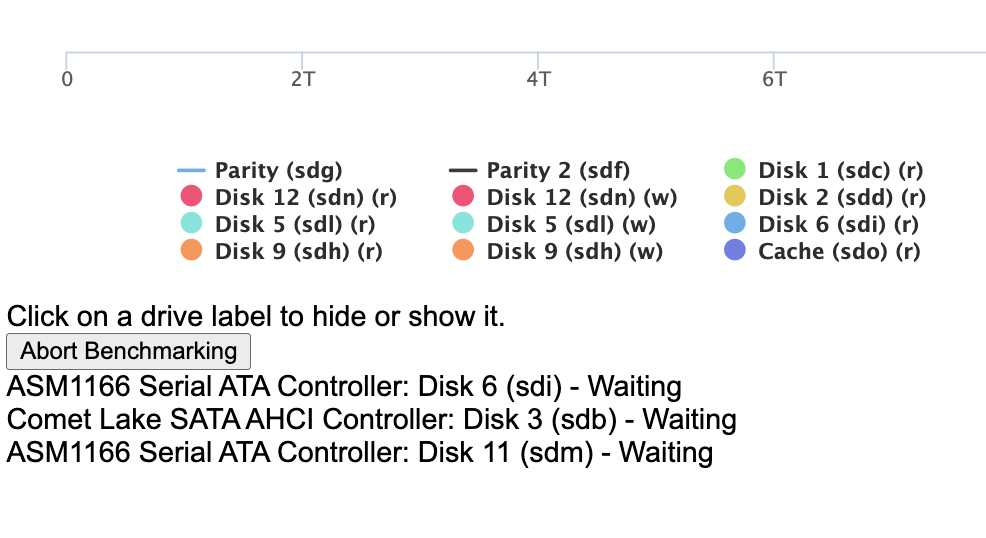
I'm trying to benchmark my array with diskspeed, but for at the least a half an hour, as I fruitlessly searched for a power adapter for an old Raspberry Pi 3B+, diskspeed has been stuck in this "waiting" state: diskspeed works fine, by the way, on my all-HDD backup array.
-
I'll wait until parity is rebuilt before trying the diskspeed thing... although if I'd known about diskspeed earlier I'd have tried it much sooner. Oddly, I never saw that come up in any of the searches I made looking for answers to my slow drive reconstruction problem. I've been concentrating on getting data back onto the drive that was at first being emulated, and then ceased to even be emulated -- because I guess something went wrong when I tried to pause reconstruction and it wouldn't actually pause. There was nothing on screen to warn me that the UI would falsely tell me that reconstruction had paused while drive activity made it look like reconstruction was still going, and that I should possibly wait... several minutes (which I did do) or possibly hours (which I didn't do) for the task that was supposedly paused to actually come to a halt. It still seems odd to me, at any rate, even if my forced shutdown turned out to be a bad idea, that the data on all array drives but the emulated drive, still unmodified, wouldn't continue function to recreate the missing drive. Ah, well. Live and learn. I eventually started my array up with both parity drives taken out of the array and a freshly formatted drive to replace the failed drive. (Reconstruction was never going to work on this particular new drive because it was ever so slightly smaller than the one it was replacing.) I then rsync-restored every file no longer found in this parity-less array from back up, files which mostly went onto the new blank Crucial drive. Mostly. And this is where I think a controller issue might be indicated. Even with no parity operations possible, writing to the new drive was still sluggish, in the 25 MB/s to 50 MB/s range. Not anywhere as bad as the slow reconstruction that had been going on, but still far from ideal. I couldn't blame parity generation for this slowness. At a certain point, however, new data stopped being directed to the new Crucial drive, but rather onto one of the old Fikwot drives that had been such easy scapegoats. Writing speed picked up greatly. It's hard to know how fast it averaged because I didn't time it, and the displayed speed wildly bobbed around from as low as 25 to as high as 400. Suffice to say my file restoration wrapped up much faster than it had started out. Once all files were back in place I stopped the array, added back the parity drives, started up again... and that's where I'm going to be for a while yet, with parity being reconstructed, at a too-slow but not-at-as-hideously-slow speed as drive reconstruction had been going. I'll be very curious to find out if one or more drives are simply running on slow controllers. Some drives are plugged directly into the motherboard, while others are plugged into two different added-on SATA cards. Maybe some of those SATA connections suck.
-
It took 10 hours, 20 minutes to copy 3.76 TB onto this drive which is being blamed for my terrible rebuild performance, a drive which had an average write speed of 101 MB/s in a test that filled all but about 0.3 TB of the drive's total capacity. Not 1.01 MB/s. Not 10.1 MB/s. 101 MB/s. Still not worth considering there's something else going on here? An undiagnosed hardware issue apart from drive performance? Bad performance of the checksum procedure, perhaps trying to time data writing of data for synchronizing rotational speeds which don't exist for the SSDs?
-
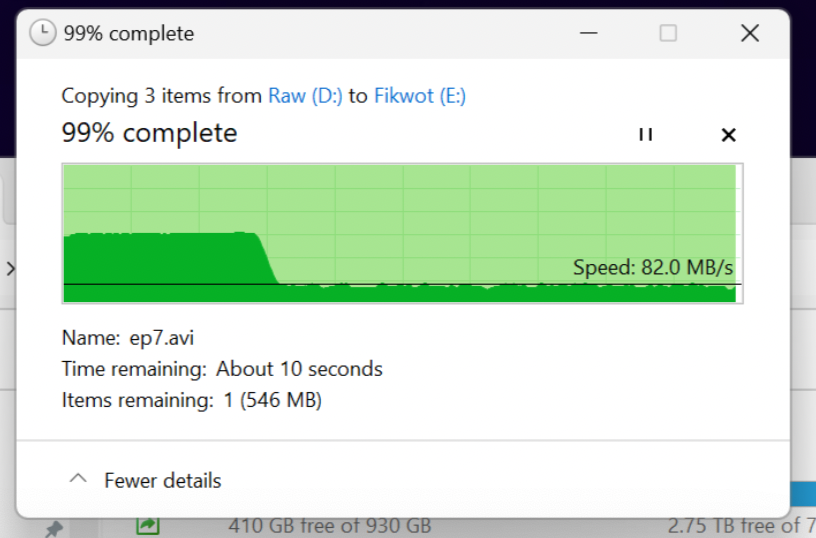
For the past 25 minutes the very same drive (not just same size and brand, the same drive, now pulled out of my Unraid array) has been happily slurping up data at a steady speed of over 300 MB/s, plugged into my Windows systems via an external USB enclosure. Are you going to say "Just you wait! It'll drop to a crawl soon!"? Will you surmise that reformatting the drive to NTFS somehow sped up the performance enormously, despite the fact that the drive had been very recently TRIMmed while connected as an unassigned device to my Unraid array, after which it was filled with data just ONCE with little or no re-writing afterward? The drive never has had to do much more than hold a collection of videos which hardly ever change. With the exception of a little metadata occasionally being updated, and the occasional 2K movie updated to 4K, content mainly just sits on the drives in my array waiting to be viewed. The drives also occasionally receive new movies which are written into bountifully available free space. Further, it's only been maybe two weeks I think since the drive had been TRIMmed, put back into the array, and parity (on HDDs, not SSDs) was rebuilt. Little or nothing that tends to degrade SSD performance is going on. Is someone willing to admit that maybe, just maybe, something else is going wrong here that can't be blamed on drive performance? Windows is currently estimating that the copy of approximately 3.4 TB of data that I'm using for a test will be finished in another 2 hours, 35 minutes. Perfectly inline with a steady 300+ MB/s write speed. Want to take any bets that the estimate doesn't more or less hold right to the bitter end? Update: The super-fast 300+ MB/s speed lasted for about 50 minutes, dropped for a while, getting as low as a mere 14 MB/s, but has climbed back up to anywhere between 35-200 MB/s. After one hour 1.5 TB (1.38 tebibytes) of data had been copied, so still well over 300 MB/s average for that first hour. Worst case is still looking easily less than a day, nowhere near the crawl I was experiencing trying to rebuild this drive. If I get surprised by a sudden sustained run of "single digit MB/s", I'll let you know.
-
Even weirder still... I put the very same drive back in place to be rebuilt, and now the rebuild is going MUCH faster (no problem writing quickly to the same drive now!), but /mnt/disk5 still doesn't exist, and I'm pretty sure I'll have to replace a bunch of missing stuff from a back up.
-
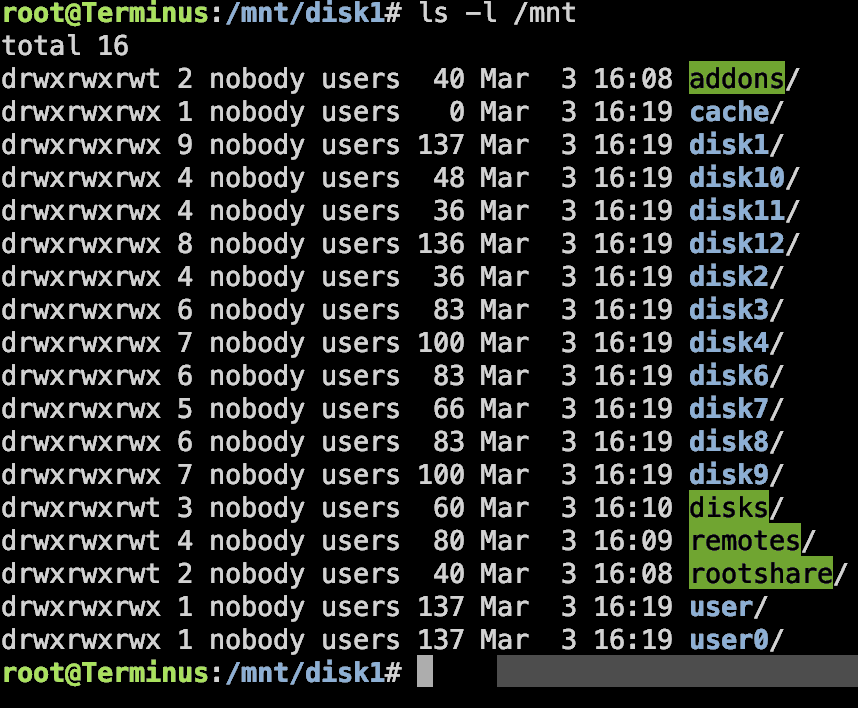
I've posted diags at a number of points, including with the array started. Here are some more, with the array started, shares and files visible from other computers, but still no /mnt/disk5. What's more disturbing is this: Although the tooltip for disk 5 says "Device is missing (disabled). Contents emulated"... the contents aren't emulated. I seem to be missing whatever was on that drive, as a comparison to my backup array shows. terminus-diagnostics-20250303-1651.zip
-
Nope. Not there. That's the favorite go-to answer at least, no matter how weird and inconsistent that is with how the drive in question functions when not used in the array.