





jljude
Members
-
Joined
-
Last visited
-
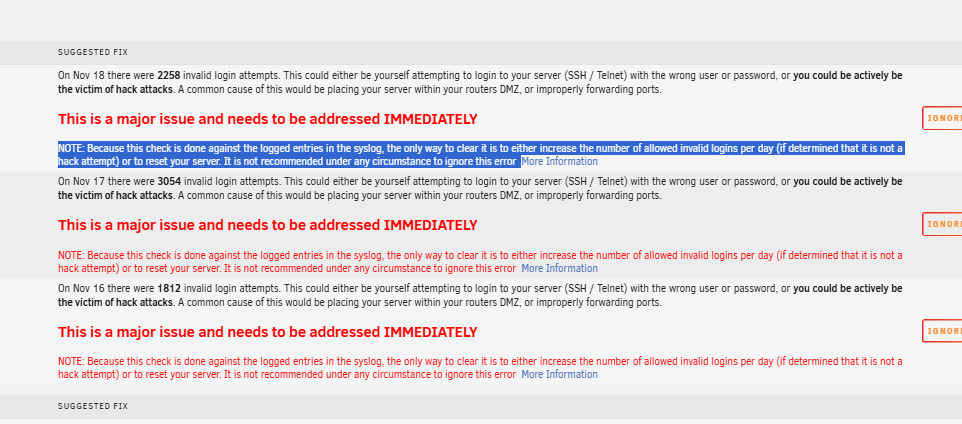
Looking to see if someone can view my diagnostics folder and tell me if this is a hack attempt, or something I've done to cause the error. I've never seen this error in 3 years. I am running a Windows VM that was hacked on my Unraid server, and I completely reloaded Windows over the old one. tower-diagnostics-20241118-0701.zip
-
SOLVED: So, I removed the USB the second time, and instead of editing the /config/shadow file like I did the first time, I just deleted /Config/shadow and /config/smbpasswd and then when I set password, I didn't reuse the old one. The first time, when prompted, I set new password same as old one. Likely changing the password is what worked, but not sure.
-
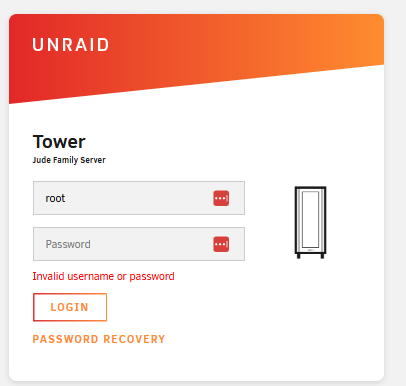
Tonight, when logging into my server, I got an "Invalid Username and password". I know I hadn't changed my password (never had this issue in 8 years of running Unraid), and only changes I had messed within Unraid was installing a Tautulli docker yesterday. When I got the error and tried logging in multiple times, it locked me out from too many attempts. I followed the "Password Recovery" link on the login screen (pulled the Flash and did the Advanced fix). And it worked fine. Now an hour later, I sat down on PC to log back in and now it won't accept either my username or password again. I can pull the flash drive again, but system is doing parity right now as I had to hard shut it down because I could only remote into the PC at the moment. If I hard shut it down, and fix the password, I'm concerned it will just happen again. I can't post diagnostics as I can't access, but any reason this is happening all of a sudden? I've also tried the "root" login and a blank password. But that didn't work either.
-
Moderators are great on here. Very helpful. Thanks itimpi.
-
Hello, I've converted my array from reiserfs to XFS this past week. After I did all that, I installed a VM Backup and when I was about to logout of Unraid after all the work was done, I saw writes still happening to my cache Pool. I've narrowed it down to my Windows VM. I don't remember my VM writing constantly to cache, when it was idle, but I could be mistaken. It isn't very much data being written, but wanted to see if this was normal or not, for Windows. I have ended all tasks that aren't system tasks within the Windows VM, I think, but still get writes. My Windows image is on my SSD Cache pool drives. I wasn't going to post a diagnostics file as when I shutdown the VM, the writes cease completely, but seems moderators still prefer, so I've attached. Also on my cache, is my dockers: Plex, Tautully and Jellyfin. However, only stopping the Windows VM will cause all writes to stop. Been an Unraid user for a long time and love the product. Justin tower-diagnostics-20231227-1335.zip
-
Hey randomninjaatk, I have darn near the same setup. Can you confirm which links I need to do, or is all I need to do is add this to my syslinux.cfg? label unRAID OS menu default kernel /bzimage append initrd=/bzroot i915.alpha_support=1 I'll make sure my bios is updated, but wasn't sure on the other links you had were those needed or were they just tries to get yours to work?
