





Torvald Utne
Members
-
Joined
-
Ok, again, I'm a little confused and I'd really like some clear documentation on this to clarify. Powerdown was an unraid specific command that is now deprecated and does not work on the current version. 'shutdown -h now' is a standard linux command and I can't find any proof that this stops the array and services cleanly. Poweroff (as I understand it), called without arguments, just calls 'shutdown -h now'
-
Why do we still not have a clear answer on CLI shutdown/powerdown/poweroff? This was handled poorly. The docs - https://docs.unraid.net/unraid-os/system-administration/advanced-tools/command-line-interface/ still say to use powerdown, but running it yields 'powerdown: /usr/local/sbin/powerdown has been deprecated' Which is excellent messaging since it doesn't tell you what to run instead, only that it no longer works, so sorry. poweroff is a standard linux command. Does using it SAFELY shut down the array, stop dockers and VMs and such before powering off?
-
Never mind. I used unraid-api api --create and it prompts you as well.
-
I am trying to create an api key on 7.1.4 but having trouble. unraid-api apikey --name HomeAssistant --create --roles ADMIN --permissions array:read,info:read,shares:read Error: Invalid roles. Valid options are: ADMIN, USER, CONNECT, GUEST I have turned on developer mode. I've tried "ADMIN" as lower case as well. Thanks
-
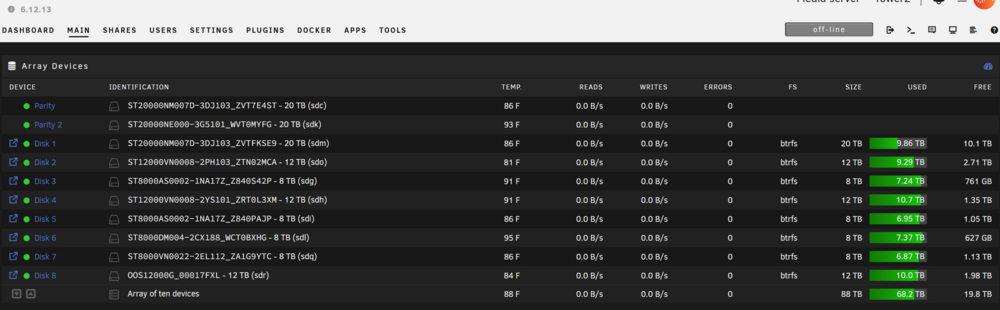
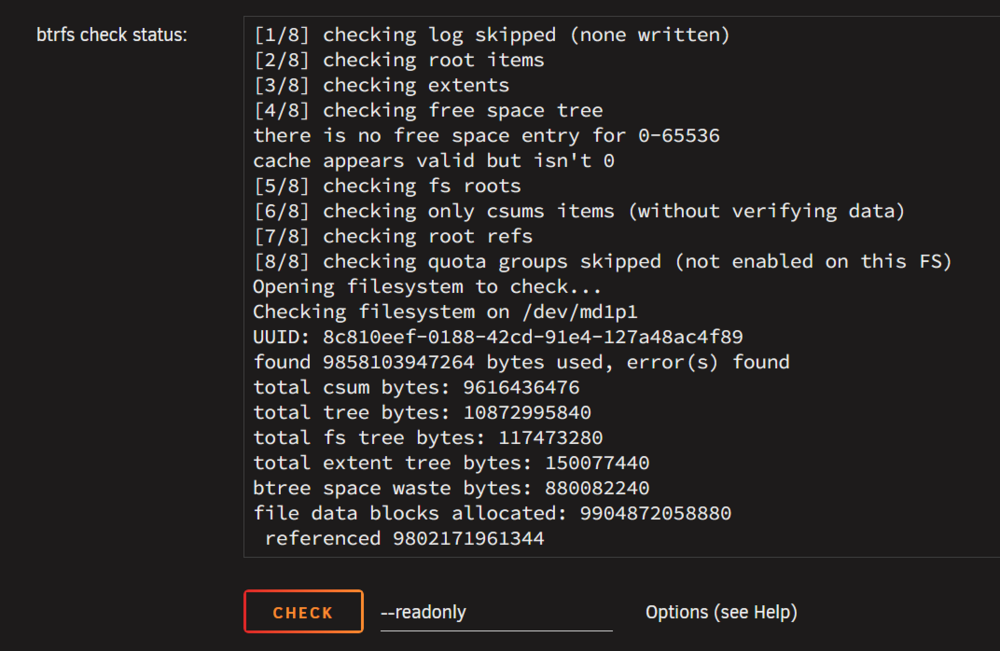
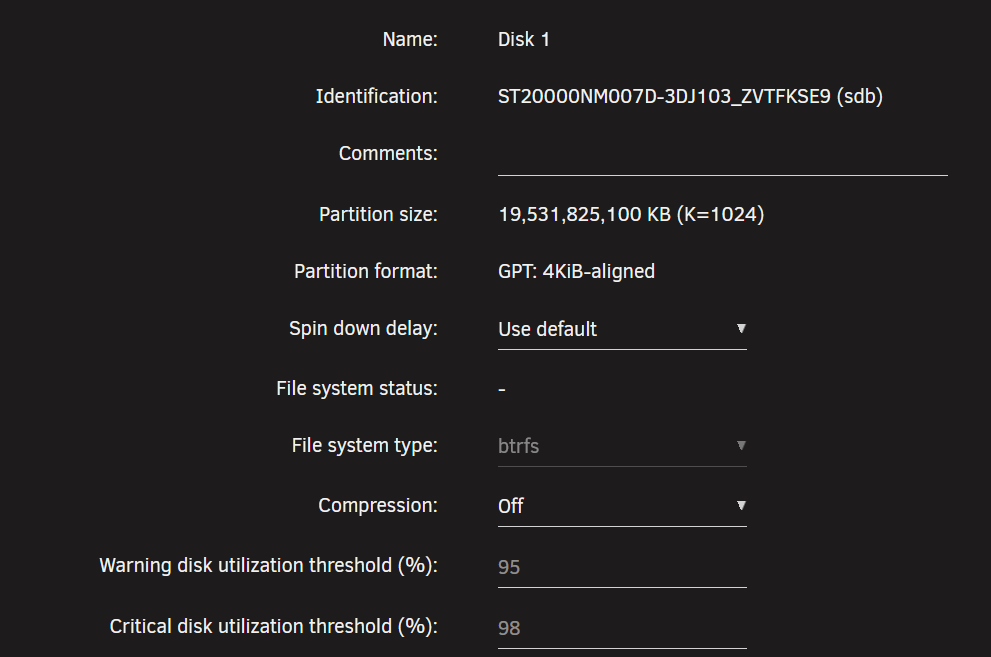
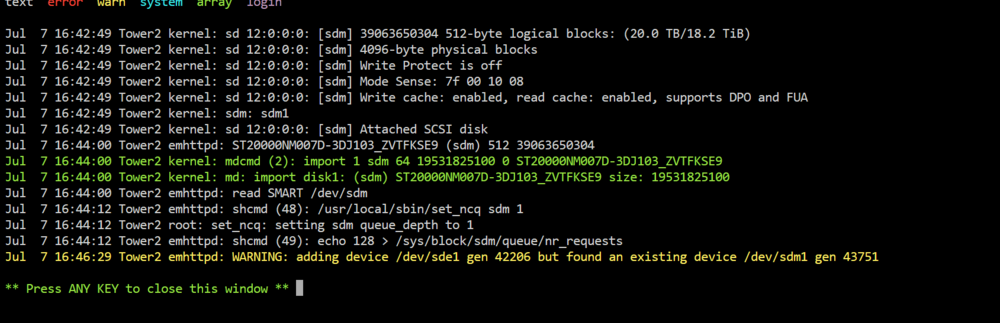
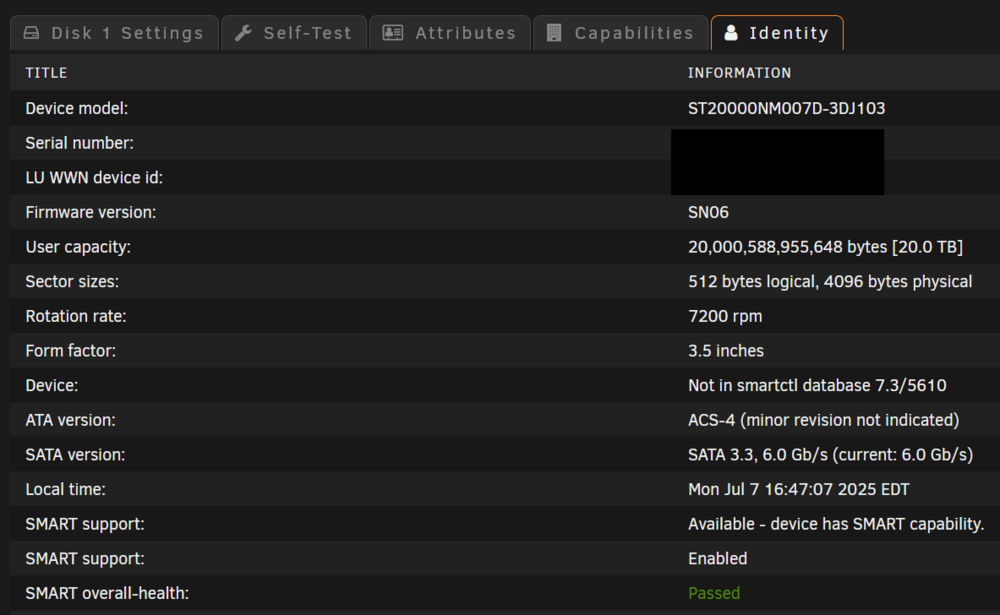
tl;dr - A recently upgraded disk, an 8tb to 20tb, reverts back to 8tb size when upgrading from 6.x to 7.x. Diagnostics attached. Long version - Been running 6.12.13 for a while, stable. Recently upgraded two drives. One parity 12tb to 20tb and one data disk 8tb to 20tb without issue. Been running fine. Under 6.12.13 you can see disk1 is 20tb. I forgot to get a screenshot of the 7.x version showing 8tb but that should be reflected in the diagnostics. Disk1 checks out fine: Before anything else happened I reverted back to my 6.x version and it showed as 20tb correctly when I did. This is however interesting in the disk log after reverting to 6.x: /dev/sde is still in the system, sitting idle, but listed under Unassigned Devices. So I assume there is something wrong here and it's reverting to that disk? IDK. Any help will be greatly appreciated. tower2-diagnostics-20250707-1555.zip

-
Torvald Utne changed their profile photo
-
I missed the faq post because I misread it as specifically about the technical aspects of running the docker based on the comment below the link. That was indeed my mistake. I do appreciate all the kind comments though.
-
What is the advantage of this docker over the existing plugin?
-
With the array stopped, an image is broken on the Main tab. The file is sum.png. See the attached screenshot.


