






JimL
Members
-
Joined
-
Last visited
-
I might be slow but I still find it extremely confusing. Like, I understand (from your posts, not the web ui) that if I select the cores to be isolated then I am stuck with assigning ONE core to each "thing". But does that mean VMs can also only run on one (isolated) core? Seems like a use case that at least I find to be very edge case / never used.
-
It would at least help if the text was changed to this Instead of what it currently is, which explicitely states you can use isolated cores for docker containers But yes I would agree, disabling the cores where they are not usable, preferably with a tooltip saying the core is isolated would be very nice.
-
I also went in this trap. So I isolated half of the cores (6-11 + 18-23). I've since been troubles with Plex just grinding to a halt, and had actually decided to look into that today. Seems like I no longer have to. Running two 4K transcodes at the same time I could see it 100% the four cores it still had access to (it was pinned to 4-9 + 16-21), while it should have utilized up to 8 more cores. I'm assuming this will solve my issues. If isolation isn't supposed to let you assign cores to Docker I really think the help text should be updated.


-
JimL changed their profile photo
-
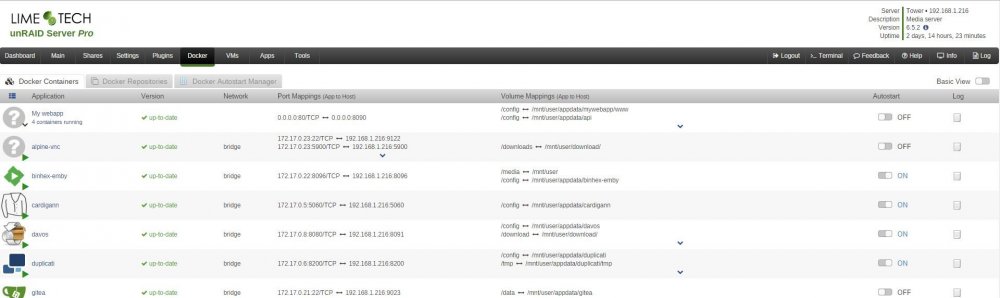
I'd like something like this. Both to easily reuse Docker Compose setups, but also to be able to group applications together in the Unraid UI. Atm it feels like Unraid promotes bad Docker practice by making it way easier bundling all the services of an app in a single container instead of doing one service per container. If the GUI supported making apps consisting of several containers it would be easier to work with the general best practices. Depending on the UI novice users might not even have to worry about how many containers the app consists of.

-
96 GB



