jbrodriguez
Community Developer
-
Joined
-
Last visited
Everything posted by jbrodriguez
-
creating a dataset on a zfs pool is a design decision from the zfs admin (user :)), unbalance will not see datasets only shares, so it's up to the user to create shares that unbalance can use (not sure if i'm missing something here)
-
hi, the app uses the system theme, as for text size it was available in an old version of the app, i removed it because it also uses basically system text size
-
hi thanks for the ping about this ! as a matter of fact, i realize now that i haven't heard from that site in a while 😀 i'll take a look at what can be happening, i don't think i have a duplicate of that list though :(
-
mmm that's odd, i can connect to my main server (Unraid 6.11.5) and a test server (Unraid 6.12.x) what Unraid version are you running ? is the error the same as above "Unable to fetch /Main" ?
-
yes, it's working on 6.12
-
hi, can you try to add it manually ? please make sure to validate whether you have ssl setting on or off
-
you mean the plugin or the app ? the app is available on eu stores, are you using android or ios ? i will double check regardless thanks for the data privacy support, i do have a privacy page which should be gdpr compliant, unless something changed lately. as for the plugin, it's available from the community app, so it shouldn't matter where you're located with regards to the suggestion about the note in the Logs (and i think other pages), you're totally right, i'll look into adding some instructions there.
-
it should generally work on earlier versions of android. have you changed ssl config lately ? some firewall/router config change ?
-
hi, the logic for scatter is - Get the contents of the selected files/folders from the source disk Order the target disks by free space available For each target disk, calculate how much it can be filled up with files/folder from the source disk a file or folder tree is a single unit, in the case of a folder it will calculate the size of the entire tree (du folder/*) not sure about the several small files scenario though, if they're at root level should place as many of them as they fit on a single drive
-
so, i spent the morning getting unbalance to compile some changes in my dev environment i guess, had to upgrade a bunch of stuff and patch some code. it's working now though ! i accepted a PR from MHLoppy on github, since i still had references to lime-technology.com 😮, so, thanks MHLoppy. so, i'm set up to look at adding some changes, i'll start looking into the effort needed
-
that's odd, it should accept the custom flags. in the history tab, is the "-H" showing in the rsync commands ?
-
rsync generally throws errors on permissions, dates, ownership, it can be anything and is very generic most of the times, if there is a serious issue, it will print something more "pressing"
-
maybe you switched ssl on (or off) ? if that's the case, you need to delete the server from the app and it again
-
hi, thanks for the report ! i'll take a look
-
ControlR Plugin v2022.12.30 (v4.0.0) is out ! - Show qrcode on plugin page - Remove ui so we don't need to bundle it anymore i decided to just show the qrcode on the plugin unraid page (refresh the page if the qrcode is cut off) @FreeMan @wgstarks this should fix the issues you were having, thanks for reporting them !
-
@FreeMan @wgstarksthanks for pointing this out ! there must be some issue with how the plugin is handling ssl enabled servers i think i eventually will just show an iframe on the Unraid page (not sure if possible), in any case, i'll try to replicate this issue
-
you need to click on the `Open Web UI (v3.0.0) green link to get to the plugin page, since it's not a php plugin, the ui presentation is different
-
Which looks like it's trying to delete from disk5, but disk 5 is the destination, not one of the sources. yes, that's the destination, it's just showing the rsync "to" command the yellow check mark indicates that there was an issue with that specific command, so the app didn't delete the source folder, the reason can be anything that rsync reports
-
go to plugins, then click on the ControlR plugin, should open the plugin page with the qrcode your server has ssl enabled ? when you connect manually, can you try http instead of https? ip address instead of hostname ?
-
ControlR 5.2.1 is available on Apple and Google stores ! v5.2.1 - Fix crash on force stop VMs
-
i think a way exists for this to work, but i haven't tested it (currently not subscribed to managed unraid)
-
hi, i think this was brought up before, the dns redirects to the "managed" server, can you try adding the server manually using ip address ?
-
hi thanks for the report, i'll take a look. the app is built with react native (a facebook/meta framework), that's the reason for the facebook reference
-
ControlR 5.2.0 is available on Apple and Google stores ! v5.2.0 - Restore force stop for VMs - Upgraded base libraries
-
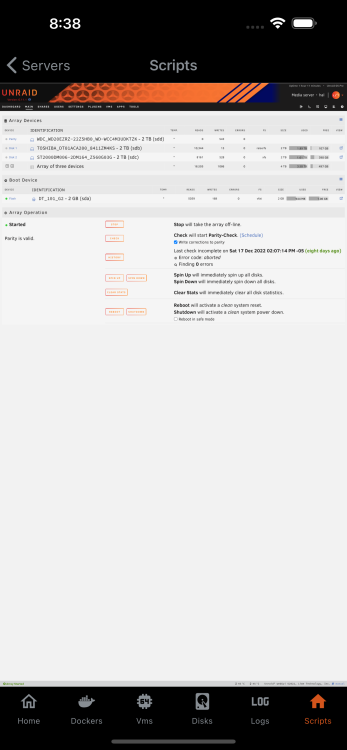
i'll probably release the app next week. i tried to plainly embed unraid into the mobile app (for the user scripts use case), but that's too crude the more elegant way to do this would be to write a bridge api in the controlr plugin, however that would take more time than i can currently spend on it 😐 happy holidays !! 🎄