





abeksis
Members
-
Joined
-
Last visited
Everything posted by abeksis
-
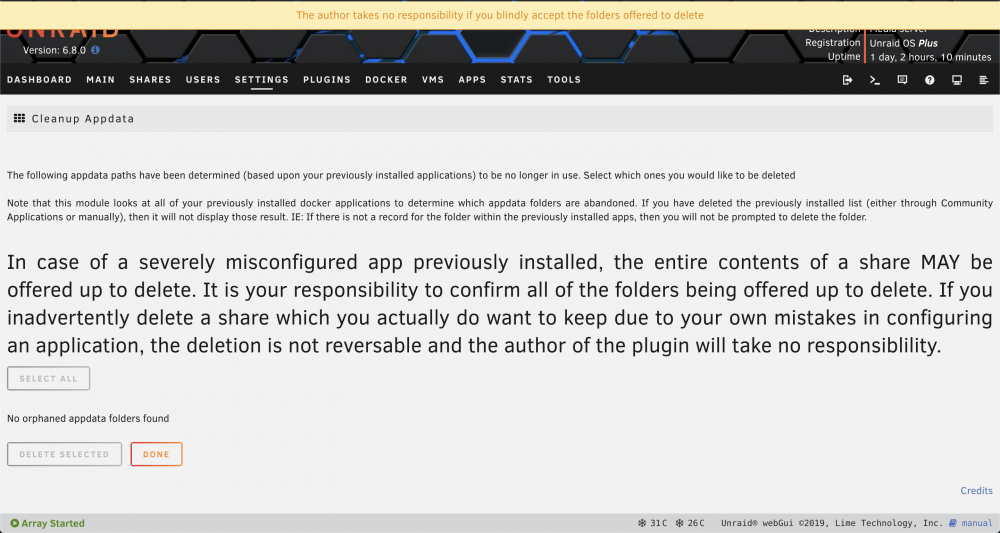
We know the reader, not just you. Only it is unclear what it is that helps to state that the author does not take responsibility
-
Where do I see the error? You can direct me
-
I've been getting this error since the last update, what could it be?
-

From the album: Community Created Banners
-
Does anyone have an idea friends? I'm desperateץ
-
You mean here? If not, please direct me.
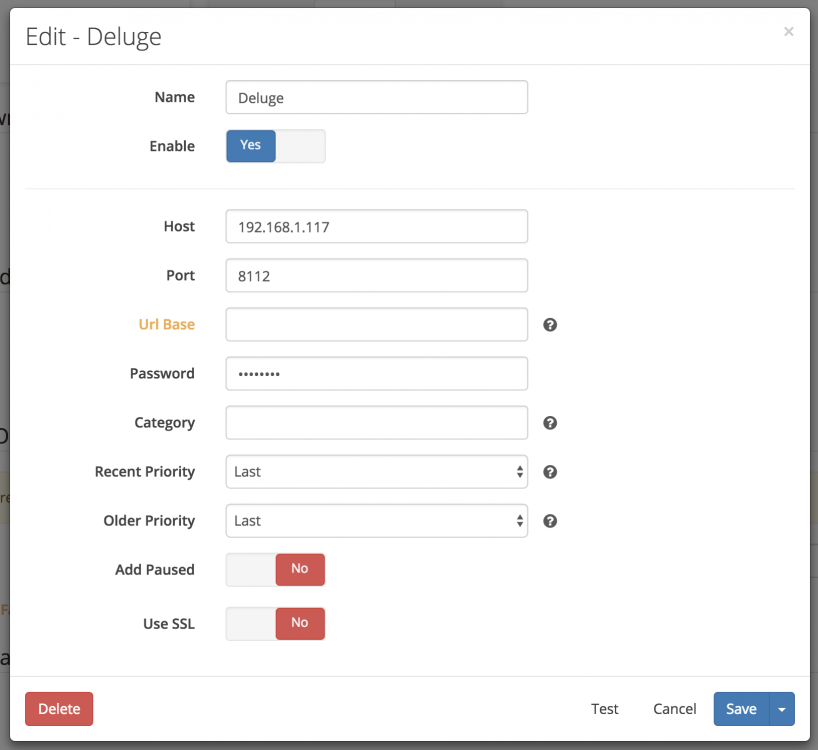
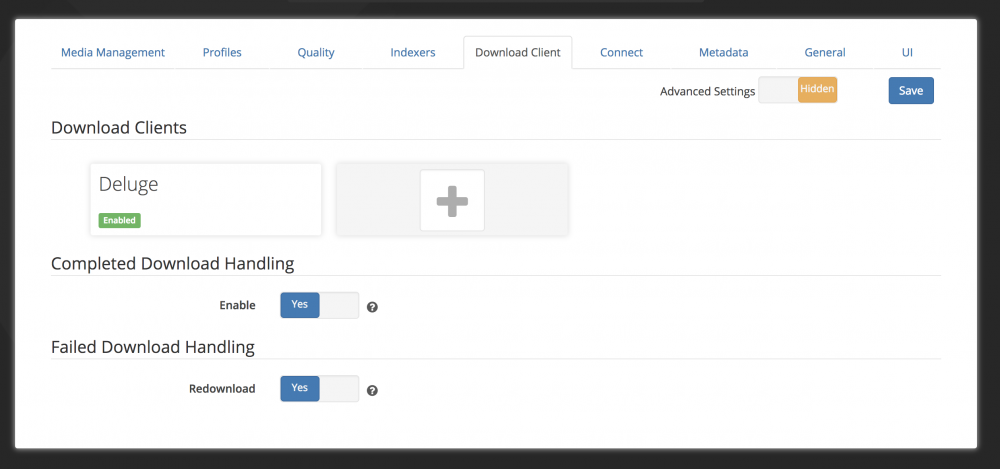
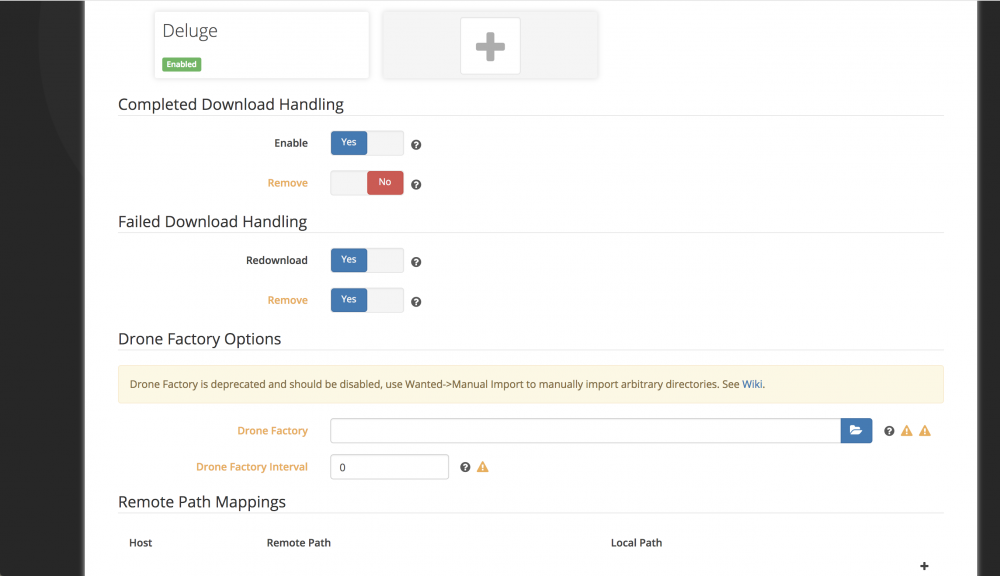 Here are the Settings of sonarr (I've also sent you a private message)
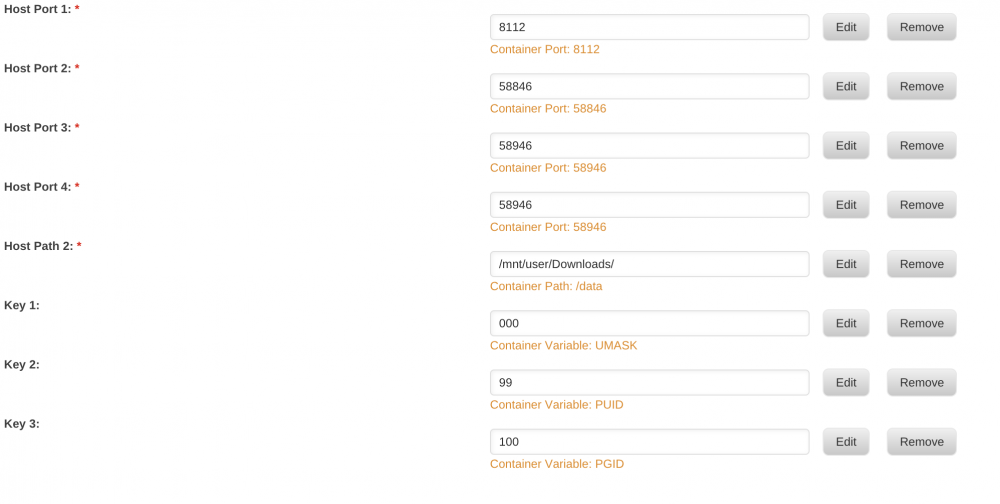 That's how it looks to me - it still does not work
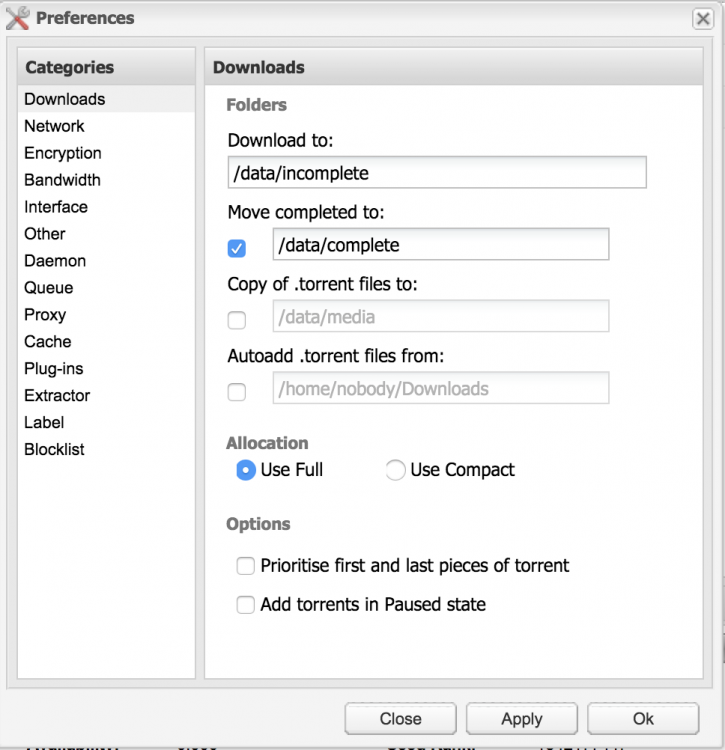
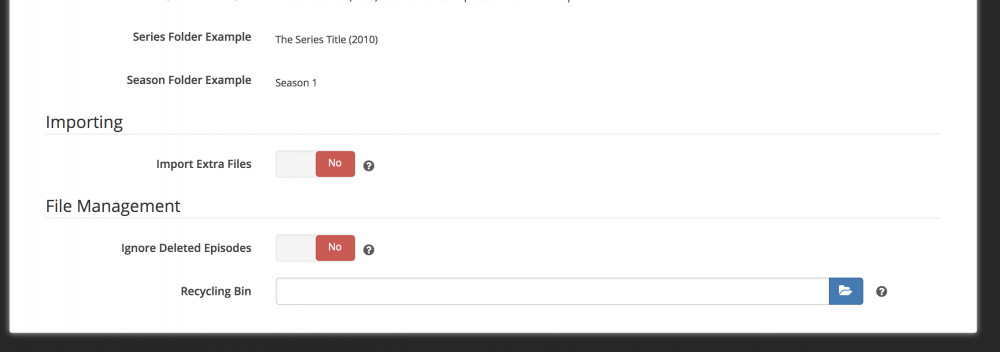
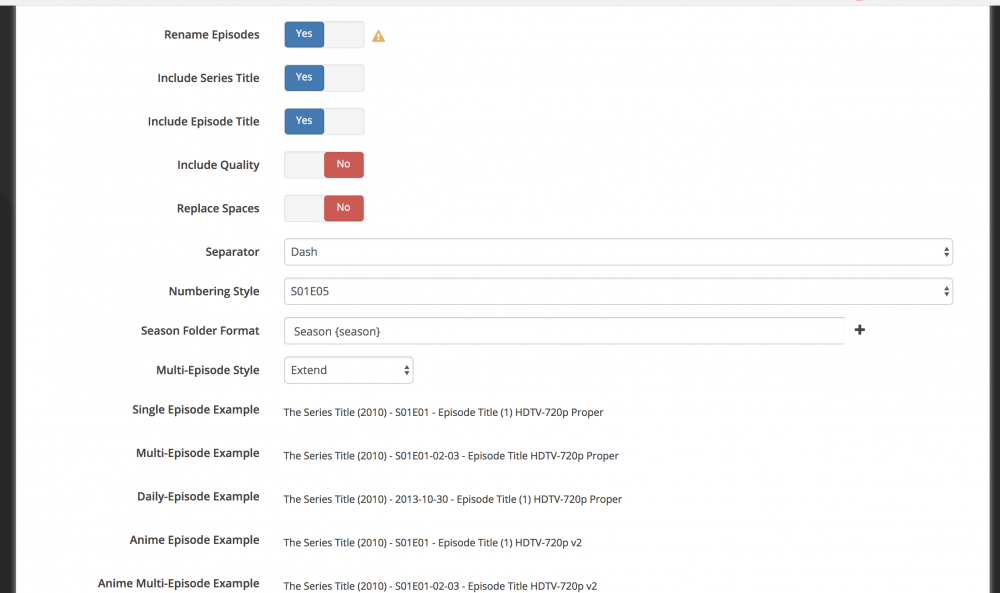
 Thanks for the quick reply. Do I have a disk cache? I do not have that, so I ask.Can you point out from the long thread where the answer? Sorry I'm driving you crazy .. I'm trying to understand my problem.It seems for Plex not for my problem. Or I'm wrong and it's a general thing?Hello guys I have a problem that I can not solve. I use deluge for download and of course in sonarr. When a chapter is found it goes down without a problem via deluge but there is a problem afterwards. He can not move the chapter (and does not change the correct name) to my media folder /media/TVShows. I tried all kinds of options - but unfortunately it did not help much. I attach a few pictures of the settings from Deluge and Sonarr hoping you will help me. Thanks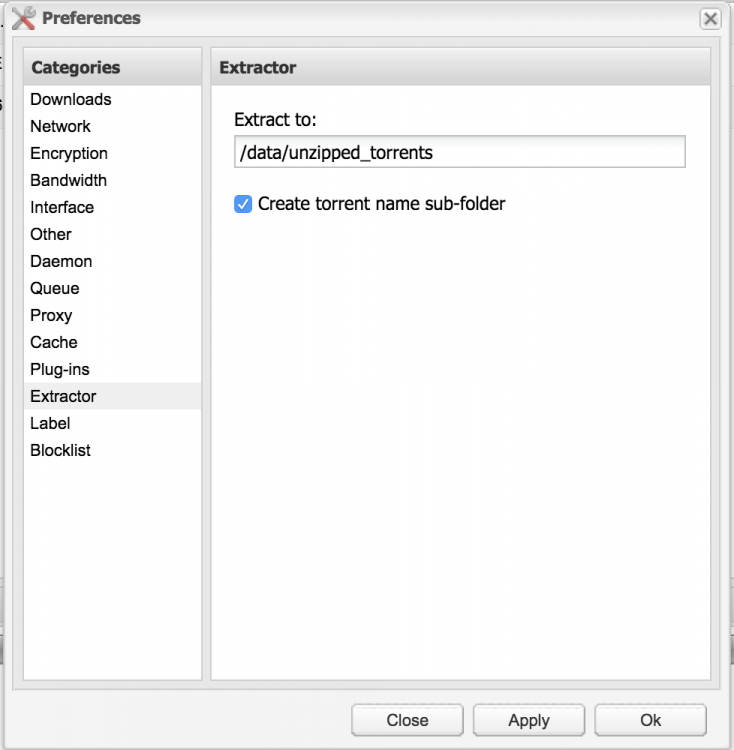
 After I changed the server port from 80 to something else, I get another error root@localhost:# /usr/local/emhttp/plugins/dynamix.docker.manager/scripts/docker run -d --name="pihole" --net="bridge" -e TZ="Asia/Jerusalem" -e HOST_OS="unRAID" -e "ServerIP"="10.0.0.3" -e "DNS1"="8.8.8.8" -e "DNS2"="8.8.4.4" -e "IPv6"="False" -p 53:53/tcp -p 53:53/udp -p 80:80/tcp -v "/mnt/user/appdata/pihole/pihole.log":"/var/log/pihole.log":rw -v "/mnt/user/appdata/pihole/blacklist.txt":"/etc/pihole/blacklist.txt":rw -v "/mnt/user/appdata/pihole/whitelist.txt":"/etc/pihole/whitelist.txt":rw --cap-add=NET_ADMIN diginc/pi-hole:alpine e6beca57440b5333bacb8ed5f01b030c7cc64f1ff4b493797487aeea619c7025 docker: Error response from daemon: Cannot start container e6beca57440b5333bacb8ed5f01b030c7cc64f1ff4b493797487aeea619c7025: [9] System error: not a directory. The command failed.root@localhost:# /usr/local/emhttp/plugins/dynamix.docker.manager/scripts/docker run -d --name="pihole" --net="bridge" -e TZ="Asia/Jerusalem" -e HOST_OS="unRAID" -e "ServerIP"="10.0.0.3" -e "DNS1"="8.8.8.8" -e "DNS2"="8.8.4.4" -e "IPv6"="False" -p 53:53/tcp -p 53:53/udp -p 80:80/tcp -v "/mnt/user/appdata/pihole/pihole.log":"/var/log/pihole.log":rw -v "/mnt/user/appdata/pihole/blacklist.txt":"/etc/pihole/blacklist.txt":rw -v "/mnt/user/appdata/pihole/whitelist.txt":"/etc/pihole/whitelist.txt":rw --cap-add=NET_ADMIN diginc/pi-hole:alpine 5195c3e5fb97c7514d1a3a864c11340a95f9db2bff28af3db11cda73e9fcc802 docker: Error response from daemon: failed to create endpoint pihole on network bridge: Error starting userland proxy: listen tcp 0.0.0.0:80: bind: address already in use. The command failed. whet is the problem?I try to run the system and I get an error. What am I doing wrong. Options error: In [CMD-LINE]:1: Error opening configuration file: Chose Use --help for more information.plugin: creating: /boot/config/plugins/openvpnserver/device_status.png - downloading from URL --no-check-certificate http://lime-technology.com/wiki/images/9/97/Device_status.png plugin: creating: /boot/config/plugins/openvpnserver/new_config.png - downloading from URL --no-check-certificate http://lime-technology.com/wiki/images/b/b3/New_config.png plugin: creating: /boot/config/plugins/openvpnserver/information.png - downloading from URL --no-check-certificate http://lime-technology.com/wiki/images/5/54/Information.png plugin: creating: /boot/config/plugins/openvpnserver/openvpnserver.png - downloading from URL --no-check-certificate http://lime-technology.com/wiki/images/2/2f/Openvpn.png plugin: running: 'anonymous' /bin/bash: line 4: /etc/rc.d/rc.openvpnserver: No such file or directory plugin: creating: /var/local/emhttp/plugins/openvpnserver/check-my-ip.sh - from INLINE content plugin: setting: /var/local/emhttp/plugins/openvpnserver/check-my-ip.sh - mode to 0770 plugin: creating: /boot/config/plugins/openvpnserver/openvpnserver.cfg - from INLINE content plugin: creating: /boot/config/plugins/openvpnserver/openvpnserver_cert.cfg - from INLINE content plugin: creating: /etc/rc.d/rc.openvpnserver - from INLINE content plugin: setting: /etc/rc.d/rc.openvpnserver - mode to 0770 plugin: creating: /usr/local/emhttp/plugins/openvpnserver/openvpnserver.page - from INLINE content plugin: creating: /usr/local/emhttp/plugins/openvpnserver/device_status.png - copying LOCAL file /boot/config/plugins/openvpnserver/device_status.png plugin: creating: /usr/local/emhttp/plugins/openvpnserver/new_config.pn - copying LOCAL file /boot/config/plugins/openvpnserver/new_config.png plugin: creating: /usr/local/emhttp/plugins/openvpnserver/information.png - copying LOCAL file /boot/config/plugins/openvpnserver/information.png plugin: creating: /usr/local/emhttp/plugins/openvpnserver/openvpnserver.png - copying LOCAL file /boot/config/plugins/openvpnserver/openvpnserver.png plugin: creating: /usr/local/emhttp/plugins/openvpnserver/Ovpntech_logo-s_REVISED.png - copying LOCAL file /boot/config/plugins/openvpnserver/Ovpntech_logo-s_REVISED.png Warning: copy(/boot/config/plugins/openvpnserver/Ovpntech_logo-s_REVISED.png): failed to open stream: No such file or directory in /usr/local/emhttp/plugins/plgMan/plugin on line 220 plugin: unable to copy LOCAL file: /usr/local/emhttp/plugins/openvpnserver/Ovpntech_logo-s_REVISED.png




