bgeorge104
Members
-
Joined
-
Last visited
-
Where's the new thread? How do I correct my mess?
-
Hi, I upgraded to 6.7.2 last night & it's broken plex, krusader & deluge vpn their all the binhex. My torrents all showed error on restart, I think I clicked recheck, my cache drive is full. Mover says disabled when i click on it, it stopped working before the upgrade. I'm a newbie to running dockers, not helped that even watching space invaders videos setup steps are not clear, some are wrong for the version of docker I'm trying to setup. If my problems can't be fixed will rolling back unraid fix my problems? Thanks Bernard
-
Glad it’s working! Sent from my iPhone using Tapatalk
-
The error must be on the vpn settings, check them again. I’m using one of the Canadian end points. Sent from my iPhone using Tapatalk
-
I watched spaceinvaders video, I only set mine up a couple of days ago. When I 1st opened the webui I got an error, I did it again & all was good. Sent from my iPhone using Tapatalk
-
What vpn are you using, I’m using pia. Check you settings, user name, password, certificate files etc. I had create the folder they go into myself. Sent from my iPhone using Tapatalk
-
I’m no expert, but have you tried it with the vpn off, checked the IP address that you using? Sent from my iPhone using Tapatalk
-
Now I have another problem. My files are downloaded to /mnt/user/Downloads under container path. But when mover runs the files are not moved to the array! I can browse to the files from the main tab, cache devices, Docker, Binhex delugevpn, Downloads\completed My files are there but I can’t do anything with them. Need some help? Thanks Bernard Sent from my iPhone using Tapatalk
-
I think I’ve got it using deluge siphon. Sent from my iPhone using Tapatalk
-
Signed up, it’s working. How do I click on a link & get deluge to start downloading how utorrent used to? When I click a link it downloads the file to a location. I can then point deluge to that location & the download proceeds, not ideal. Sent from my iPhone using Tapatalk
-
Has anyone setup binhex delugevpn recently? I don’t want to sign up for pia have the grief of trying to get a refund from pia. Thanks Bernard Sent from my iPhone using Tapatalk
-
Thanks for your help. I created another vm for torrenting after the last one stopped being able to browse shares on the unraid server. At the moment all is working as it should. Bernard Sent from my iPhone using Tapatalk
-
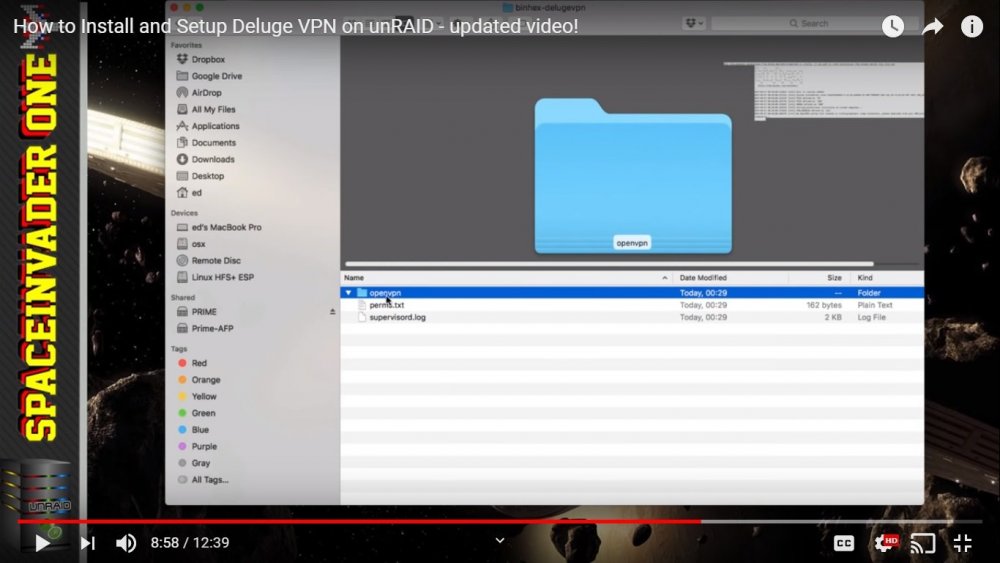
Hi, Has anyone got this to work with vpn unlimited, I don't want to sign up for another vpn service. I tried following space invaders deluge vpn video. I can get deluge webui to run if i disable vpn. When I run the configuration it doesn't create appdata/binhex-delugevpn/"openvpn" folder Thanks Bernard